

HORNER PLCs with HMI and integrated I/O
PLC, operator panel and inputs/outputs in one device for controlling a small machine or fixture. Create your program and screens in the free Cscape software; FOXON's Czech technical support can help you select a model and get started with your first project.
HORNER selection and range comparison
Selection guide and further information about HORNER
One device instead of a PLC, HMI panel and I/O modules
HORNER is particularly suitable for small and medium-sized machines, standalone technologies, production fixtures, equipment modernisation and applications where compact design and fast development are important. The integrated solution reduces the number of components, interconnecting cables and separate software projects.
Control, visualisation, local signals and network communication are integrated into one compact panel.
Fewer devices and cables mean lower installation-space requirements.
The PLC program, HMI screens, I/O and communication are configured in one development environment.
The all-in-one solution reduces the number of separate components, and Cscape software is free.
Choose the right product range
Compact and cost-effective PLCs with a smaller display and integrated I/O. Suitable for simple machines, auxiliary technologies and local control.
A wide choice of colour touchscreen sizes, integrated I/O variants and communication options. Suitable for standard and more demanding applications.
Modern graphics, higher performance, advanced connectivity and expansion using remote I/O. Suitable for machines with higher visualisation requirements.
Quick comparison of the product ranges
| Range | Typical application size | Display | Integrated I/O | Main advantage |
|---|---|---|---|---|
| Micro | Simple and price-sensitive applications | Smaller monochrome or colour display | Yes | Compact dimensions and attractive price |
| XL Prime | Small to medium-sized machines | Colour touchscreen, several sizes | Yes, several variants | Versatile all-in-one platform |
| Canvas | Medium-sized and more demanding machines | Modern colour touchscreen | Yes, several variants | Performance, graphics and expandability |
Programming and visualisation in one environment
The Cscape development environment is used to program PLC logic, design HMI screens, configure integrated and external I/O and set up communication. One project therefore contains the control program, visualisation and configuration of the complete panel.
Cscape is available free of charge. Depending on the panel type, licences can be added for WebMI, MQTT Sparkplug, Enhanced IEC, CANopen, BACnet or J1939.
View software and communicationWhen the integrated inputs and outputs are not sufficient, the system can be expanded with additional digital, analogue or special I/O modules.
View expansion I/OCommunication options
Available ports and protocols vary by model, and some functions may require an additional licence. Before selecting a device, verify not only the number of I/O points and display size, but also the required connection to drives, a higher-level system or a cloud platform.
Connection of drives, meters, controllers and other serial devices.
Communication with PLCs, drives, SCADA and other devices on the industrial network.
Connection of distributed I/O, mobile machinery and other CAN devices.
Sending data to higher-level or cloud systems and web access to the visualisation.
What should be checked before selection?
- Display size and type.
- Number of digital inputs and outputs.
- Number and type of analogue inputs and outputs.
- Required supply voltage.
- Ethernet and serial ports.
- CAN, EtherNet/IP, Modbus or other protocols.
- Need for external or remote I/O.
- Requirements for MQTT, WebMI and data collection.
- PLC program size and memory capacity.
- Requirements for HMI graphics and operation.
Typical applications
Machine control, local operation and processing of input and output signals.
Replacement of several older components with one compact programmable panel.
Sequence control, operation through the display and storage of process results.
Control, alarms, local visualisation and communication with a higher-level system.
We particularly recommend HORNER where you want to reduce the number of components and combine PLC, HMI, local I/O and communication in one device. The key factors when selecting a specific variant are the display size, I/O configuration, required protocols and future expandability.
Why choose HORNER PLCs from FOXON?
- Help selecting the correct product range and model.
- Verification of the integrated analogue and digital I/O configuration.
- Help selecting communication protocols and licences.
- Free Cscape development environment.
- Expansion with external I/O modules.
- Support with PLC programming and HMI design.
- Commissioning and technical consultation.
- Technical support from FOXON.
What display size, how many I/O points and which communication interfaces do you need?
We will discuss the controlled technology, the number of analogue and digital inputs and outputs, HMI size, communication protocols, I/O expansion and requirements for remote monitoring and data collection.

HORNER X2 PLC HMI controller with 2.2″ monochrome screen, analog / digital inputs and outputs
335,17 EUR Incl. VAT

HORNER CANVAS 4 PLC HMI controller with 3.5″ colour touchscreen, analog / digital inputs and outputs
1 066,01 EUR Incl. VAT

HORNER CANVAS 5 PLC HMI controller with 4.3″ colour touchscreen, analog / digital inputs and outputs
1 161,60 EUR Incl. VAT

HORNER CANVAS 7 PLC HMI controller with 7″ colour touchscreen, analog / digital inputs and outputs
1 580,26 EUR Incl. VAT
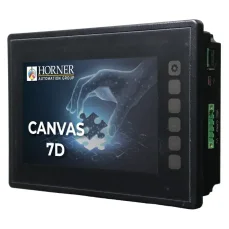
HORNER CANVAS 7D PLC HMI controller with 7″ colour touchscreen, analog / digital inputs and outputs
1 840,41 EUR Incl. VAT

HORNER XLE PLC HMI controller with 2.2″ monochrome screen, analog / digital inputs and outputs
498,52 EUR Incl. VAT

HORNER X5 Prime PLC HMI controller with 4,3″ colour touchscreen, analog / digital inputs and outputs
1 126,51 EUR Incl. VAT

HORNER XL10 Prime PLC HMI controller with 10,4″ colour touchscreen, analog / digital inputs and outputs
2 637,80 EUR Incl. VAT

HORNER XL15 Prime PLC HMI controller with 15″ colour touchscreen, analog / digital inputs and outputs
3 447,29 EUR Incl. VAT

HORNER XLW Prime PLC HMI controller with 7″ colour touchscreen, analog / digital inputs and outputs
1 545,17 EUR Incl. VAT

HORNER XL6 Prime PLC HMI controller with 5,7″ colour touchscreen, analog / digital inputs and outputs
1 375,77 EUR Incl. VAT

HORNER XL4 Prime PLC HMI controller with 3,5″ colour touchscreen, analog / digital inputs and outputs
1 030,92 EUR Incl. VAT

HORNER XL7 Prime PLC HMI controller with 7″ colour touchscreen, analog / digital inputs and outputs
1 747,24 EUR Incl. VAT

HORNER X4 PLC HMI controller with 4.3″ colour touchscreen, analog / digital inputs and outputs
561,44 EUR Incl. VAT

HORNER X7 PLC HMI controller with 7″ colour touchscreen, analog / digital inputs and outputs
936,54 EUR Incl. VAT

HORNER CANVAS 10D PLC HMI controller with 10.1″ colour touchscreen, analog / digital inputs and outputs
1 978,35 EUR Incl. VAT

HORNER X10 PLC HMI controller with 10″ colour touchscreen, analog / digital inputs and outputs
1 363,67 EUR Incl. VAT

Review: Horner Micro X4 PLC in the hands of Jarda Blažek
The Irish company Horner Automation produces a truly wide range of all-in-one products, meaning PLCs with HMI and I/O. Jarda Blažek (blaja.cz) has already tested several of them for you. What impressed him about the X FOUR? Don’t miss his review.

Review: the smallest PLC with HMI and I/O — Horner X2
Experienced technician Jaroslav Blažek (blaja.cz) tested a small PLC with HMI and I/O — the Horner Micro X2 — featuring a monochrome 2" display and keys for entering numbers from 0 to 9. It is ideal for smaller local control applications and simple visualization.

Review: How CANbus OCS-I/O Peripherals Work with the Horner Canvas 4 PLC/HMI
External I/O peripherals can be connected to Horner PLCs with HMI—and are often required. Learn how Jaroslav Blažek (blaja.cz) tested connecting an OCS-I/O module with digital and analog inputs/outputs to a Canvas 4 PLC/HMI via the CANbus.

Review: Cscape Software for Horner PLCs with Integrated HMI
For efficient work with Horner panels (PLCs with integrated HMI), you need a reliable and intuitive programming tool. The Cscape software allows configuration of both the PLC and the integrated HMI within a single environment—and it’s free. Once again, we asked specialist Jaroslav Blažek (blaja.cz) to take a closer look at the software. You can find out how the installation and registration went in his review.

Review: Horner Canvas Series PLC with Integrated HMI – Part 2: HMI and Remote Monitoring
Horner PLCs with integrated HMI have not been part of our product range for long, but they are already attracting well-deserved attention. We asked industrial automation expert Jaroslav Blažek (blaja.cz) to take a closer look at them — especially in terms of functionality, intuitive operation, and practical deployment options. Find out how these Horner devices performed and what he has to say about them in the following review.

Review: Horner Canvas Series PLC with Integrated HMI – Part 1: PLC
Horner PLCs with integrated HMI are new not only to our e-shop, but also to our market. We asked respected industrial automation specialist Jaroslav Blažek (blaja.cz) to explore all the functions and user-friendliness of these devices. You can find out whether he was satisfied and what it was like working with the Horner units in his review.

New on the Market: Touchscreen PLC with Integrated HMI and I/Os from Horner Automation
Are you looking for a compact, powerful and easy-to-integrate solution for machine control or upgrading existing technology? We are pleased to introduce a new addition to our product range: panels from Horner Automation. Their PLCs, which feature an integrated HMI with a touchscreen display and inputs/outputs, are ideal for designers of new machines as well as engineers looking to innovate their companies' production.

Case Study: How the Horner X7 Control Panel Automated Weighing and Dosing
A new fully automated dosing and weighing machine is controlled by a Horner X7 PLC with integrated HMI and I/Os. In this setup, the industrial panel manages recipes, temperature control, and precise weighing of ingredients. At the same time, it collects batch data, eliminates human errors, and ensures consistent food quality. What does it look like in practice?

Case Study: Successful Machine Upgrade with the Horner X4 PLC Featuring Integrated HMI and I/Os
To modernize a sheet-cleaning machine, W&K-Automation sought a powerful, compact solution that could be easily integrated into limited cabinet space. They replaced the obsolete control system with the Horner X4 industrial panel, which met all requirements.
Advisor

VIDEO: Tips and tricks for setting up HORNER PLCs with display, inputs and outputs
HORNER PLCs combine machine control, operator display and inputs/outputs in one device. If you need a compact solution for a smaller machine, part of a production line, a test station or modernization of older equipment, you do not have to source and combine a separate PLC, HMI panel and I/O modules.
The manufacturer’s training videos show how to connect the panel, work in Cscape, set up communication, use WebMI and work with basic inputs and outputs. They are especially useful during initial commissioning, so you do not have to figure everything out by trial and error.
Question or Inquiry
Highlighted items are mandatory.