

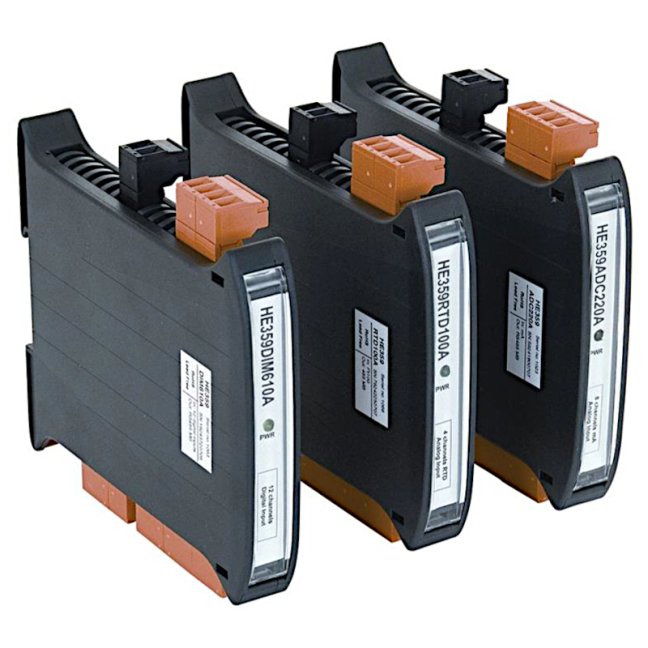
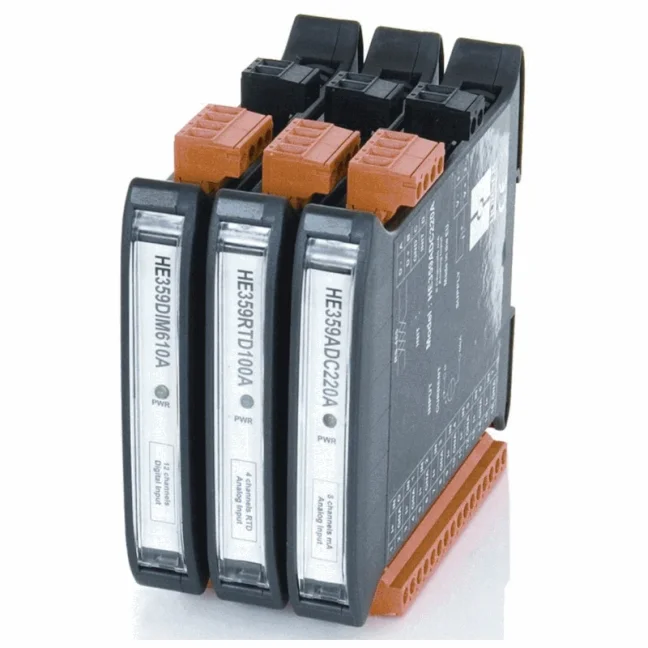


SmartMod – remote Modbus RTU I/O modules for HORNER PLCs - Type: SmartMod module – 4x RTD input (16-bit)

Remote HORNER SmartMod I/O for Modbus RTU over RS485. Select digital, analog and temperature modules by signal requirements; an RS485/RS422 isolator is also available.
MoreCode: HE359RTD100
Remote HORNER SmartMod I/O for Modbus RTU over RS485. Select digital, analog and temperature modules by signal requirements; an RS485/RS422 isolator is also available.
MoreCode: HE359RTD100
Options 14
| Type | Code | Availability | Price excl. VAT | |||
|---|---|---|---|---|---|---|
| SmartMod module – 4x RTD input (16-bit) | HE359RTD100 | Delivery in 1-2 weeks |
194 EUR
|
|||
| SmartMod module – 4x AI voltage (16-bit) | HE359ADC107 | Delivery in 1-2 weeks |
177 EUR
|
|||
| SmartMod module – 4x AI current (16-bit) | HE359ADC120 | Delivery in 1-2 weeks |
177 EUR
|
|||
| SmartMod module – 4x thermocouple input (16-bit) | HE359THM100 | Delivery in 1-2 weeks |
180 EUR
|
|||
| SmartMod module – 8x AI voltage (16-bit) | HE359ADC207 | Delivery in 1-2 weeks |
207 EUR
|
|||
| SmartMod module – 8x AI current (16-bit) | HE359ADC220 | Delivery in 1-2 weeks |
208 EUR
|
|||
| SmartMod module – 8x thermocouple input (16-bit) | HE359THM200 | Delivery in 1-2 weeks |
210 EUR
|
|||
| SmartMod module – 2x AO voltage/current (14-bit) | HE359DAC007 | Delivery in 1-2 weeks |
220 EUR
|
|||
| SmartMod module – 4x AO voltage/current (14-bit) | HE359DAC107 | Delivery in 1-2 weeks |
233 EUR
|
|||
| SmartMod module – 8x AO voltage (14-bit) | HE359DAC201 | Delivery in 1-2 weeks |
294 EUR
|
|||
| SmartMod module – 4x DI (negative logic), 4x relay outputs | HE359DIQ512 | Delivery in 1-2 weeks |
146 EUR
|
|||
| SmartMod module – 4x DI, 8x DO (isolated) | HE359DIQ516 | Delivery in 1-2 weeks |
181 EUR
|
|||
| SmartMod module – 12x DI (negative logic, isolated) | HE359DIM610 | Delivery in 1-2 weeks |
158 EUR
|
|||
| SmartMod module – RS-485 / RS-422 isolator / repeater | HE359ISO100 | Delivery in 1-2 weeks |
220 EUR
|
|||
| Next | ||||||
Add missing inputs and outputs via Modbus RTU.
Is your control system missing a few signals? SmartMod connects digital, analog or thermal I/O via serial line RS485. You select a specific module according to the sensors and controlled elements and plug the data into the PLC program.
SmartMod provides remote I/O. Control requires a PLC or another device acting as Modbus RTU master. HORNER combines the program and HMI in Cscape; the standard programming environment is free.
Send the signal list and PLC type.
We will select the modules, verify the communication and prepare an offer of the necessary equipment.
Extension of HORNER by SmartMod I/O
The original Horner tutorial shows SmartMod with an OCS controller. Select the wiring and register map for the exact module. English.
Use of expanding I/O
Measuring temperatures at multiple locations
Depending on the sensors, you select the RTD module or the thermocouple inputs. You transfer the measured values to the control system via Modbus RTU.
Addition of analog signals
You connect additional pressure, level or position via the appropriate voltage or current inputs. The range of the sensor must match the module.
Complementary technology control
Digital and analog outputs complete the control of the actuators. Design power circuits according to the load capacity of a specific output.
Expanding an existing control system
With an available RS485 line and Modbus RTU master support, you can add signals without replacing the entire PLC. We will verify addressing and updating data.
Module selection SmartMod
The items are different products. Select the exact code by signal type, count and range. HE359ISO100 is a communication isolator, not an I/O module.
| HE359RTD100 | 4 inputs for Pt100, Pt1000, Ni100, Ni1000 or resistance; resolution 0,1 °C / 0,1 Ω |
|---|---|
| HE359ADC107 | 4 analog voltage inputs ±10 V; approximately 16 bits |
| HE359ADC207 | 8 analog voltage inputs ±10 V; approximately 16 bits |
| HE359ADC120 | 4 analog current inputs ± 20 mA ; approximately 16 bits |
| HE359ADC220 | 8 analog current inputs ± 20 mA ; approximately 16 bits |
| HE359THM100 | 4 inputs for thermocouples J/K/R/S/B/E/T/N or mV |
| HE359THM200 | 8 inputs for thermocouples J/K/R/S/B/E/T/N or mV |
| HE359DAC007 | 2 analog outputs; choice 0-10 V or 0-20 mA |
| HE359DAC107 | 4 analog outputs; choice 0-10 V or 0-20 mA |
| HE359DAC201 | 8 analog voltage outputs 0-10 V; approximately 14 bits |
| HE359DIQ512 | 4 digital inputs 12/24 V DC and 4 relay outputs |
| HE359DIQ516 | 4 digital inputs and 8 digital outputs NPN; we will verify the load for a specific delivery |
| HE359DIM610 | 12 digital inputs 12/24 V DC, negative logic |
| HE359ISO100 | Separator / Repeater RS485/RS422; does not add I/O channels |
Connection and first configuration
- Select the module according to the number and type of signals. Verify the power supply and connection of sensors and loads.
- Connect RS485 to Modbus RTU master. Set a unique address and identical communication parameters to each module.
- Configure reading and writing of the corresponding registers. Use the addresses and data formats from the documentation for the exact module.
- Check values, output response and behaviour on communication loss. The data refresh interval also depends on the communication cycle length.
Power supply and operating conditions
| Common input modules | Typically power supply 10-30 V DC; exactly according to the code |
|---|---|
| Analog outputs HE359DAC007/107/201 | 18-30 V DC according to technical tables |
| I/O modules | Usually -10 to +60 °C; verify the exact datasheet |
| Separator HE359ISO100 | Operating temperature -20 to +60 °C; different dimensions than normal I/O modules |
| Dimensions of common I/O modules | 17,5 × 100 × 120 mm (w × h × d) |
| Update data | According to the communication with the control system; is not identical to the cycle of local I/O PLC |
Setup equipment and price
The price of one variant is not the price of the whole assembly. Individual modules have different signals and requirements; we will help you compile a complete equipment list.
| Module SmartMod | The current price of the selected module above |
|---|---|
| PLC / Modbus RTU master | Existing or new control system with corresponding function |
| Power and RS485 | Power supply, cabling and termination according to network design |
| Sensors and output circuits | According to signals, power supply and load |
| Configuration and training | Pricing by scope |
Training and support for the first project
Training in Liberec
We train individuals and groups in our training room in Liberec. We will agree on the scope and date according to the experience of the participants and their tasks.
Self-study
The original Horner Automation Europe video instructions are used for self-study. Translated titles and annotations explain their content, videos remain in English. Video Tutorials Horner Europe.
The training will focus on connecting, addressing, reading and writing registers and verifying signals in Cscape. We will agree on the scope of support and possible assembly according to the project.
Communication settings Modbus RTU
Master role setup and troubleshooting in serial communication. The example uses a specific OCS; adjust its settings to your build. English.
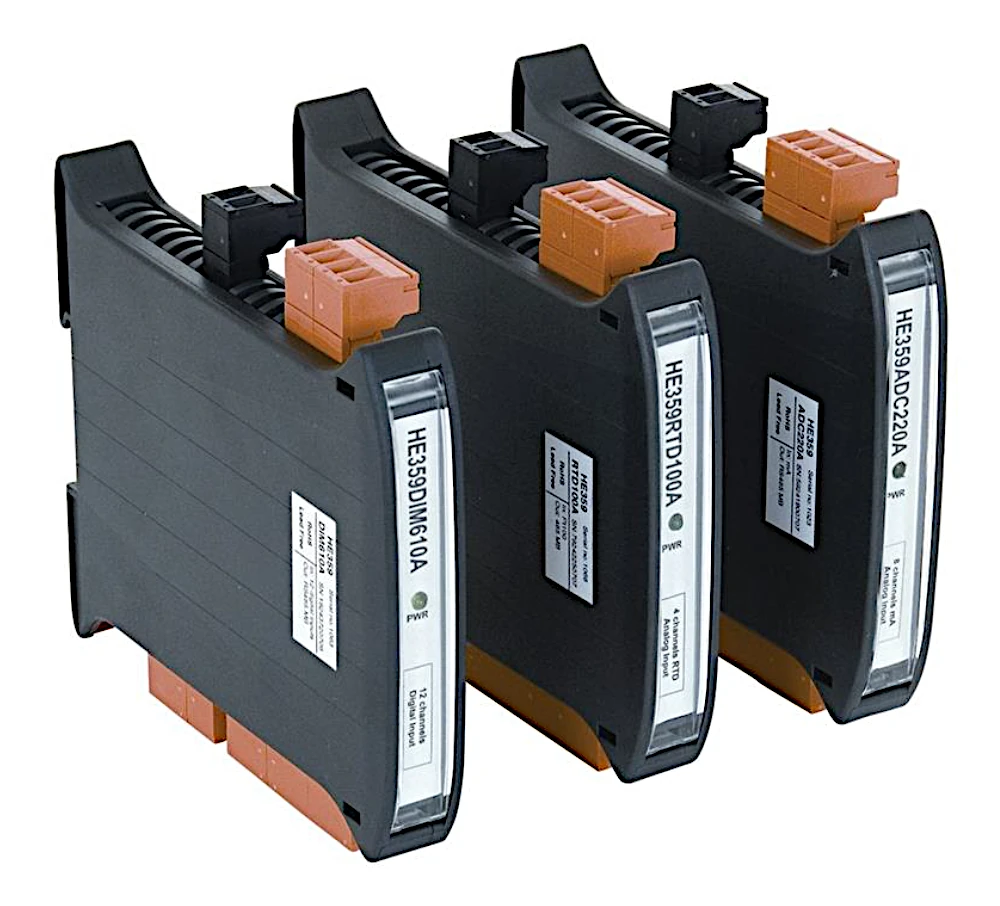
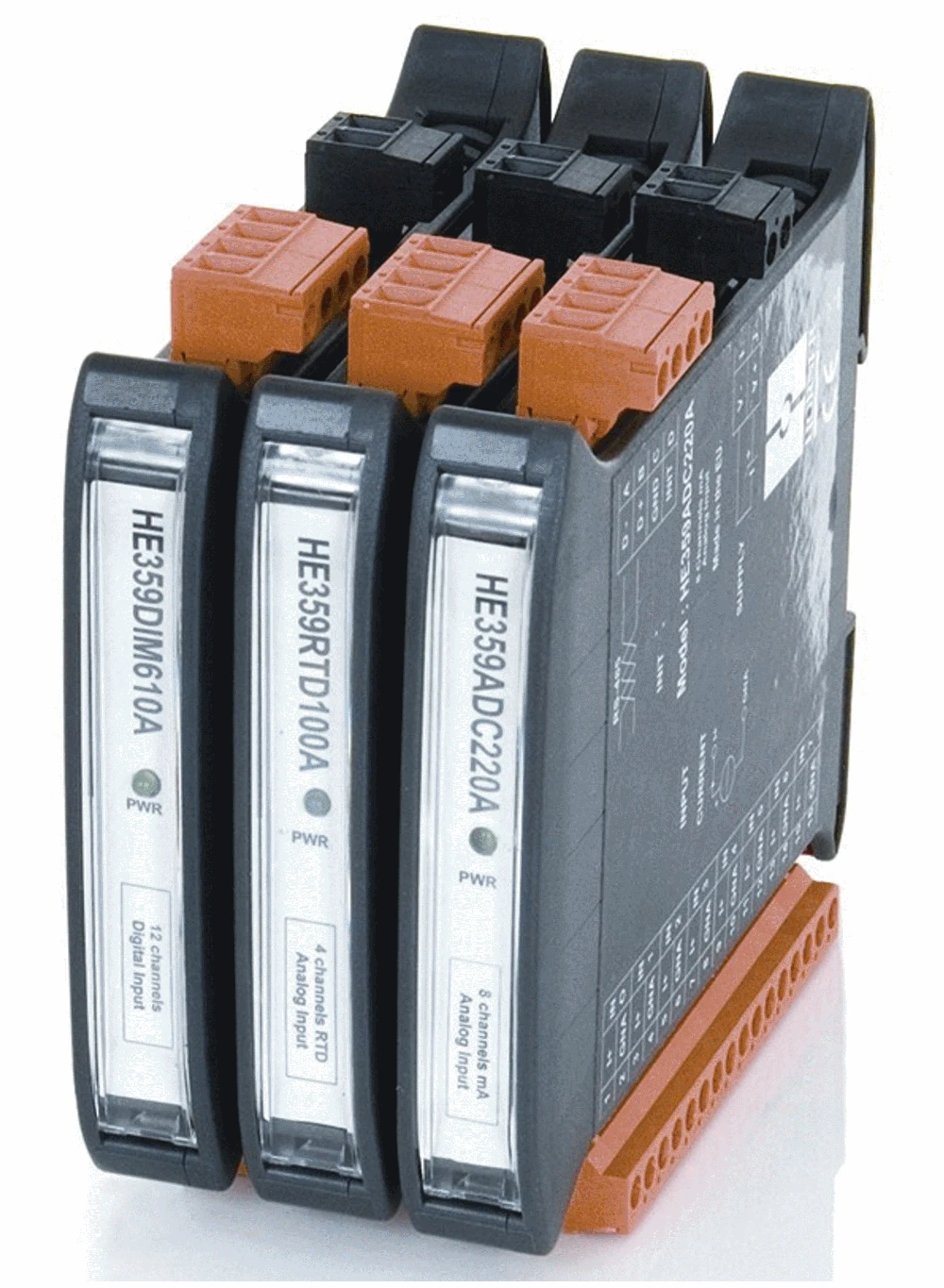
Photo gallery and connection
Click to open the original manufacturer's material in a larger view.
Frequently asked questions
Do I need another PLC for SmartMod?
Yes. SmartMod provides I/O and communicates as a Modbus RTU device. Control is provided by PLC or another device in the role of master.
Do I connect Pt100 directly or a thermocouple?
For Pt100/Pt1000 and other resistive sensors, select HE359RTD100. HE359THM100 or HE359THM200 are used for thermocouples. Check the sensor type and connection in the relevant datasheet.
Does SmartMod have Ethernet or CAN?
The offered modules SmartMod use Modbus RTU through RS485. If you need a different bus, we will select a suitable I/O series or converter.
What does HE359ISO100 do?
Isolates or repeats RS485/RS422 communication. It does not add digital or analog channels.
Will all modules work with 12 V power?
No. For example, analog output modules DAC007 , DAC107 and DAC201 require 18 - 30 V DC according to the tables. We will design the power branch according to the entire assembly.
Why buy from FOXON
Distributor HORNER
We supply new HORNER products with warranty and will help you choose the right equipment and accessories.
Selection according to your project
We will discuss technology function, signals and communication. We will compare the entry with the HORNER options and select a suitable product.
Technical support and training
We advise on the use of the equipment and train individuals and groups. For self-study, we recommend the manufacturer's instructions.
Solution design and assembly
If necessary, we will design a solution, prepare a project and install the equipment with our own technicians. We will agree on the scope of work according to the technology.
Build according to your signals
Send the PLC type, list of digital and analog signals, temperature sensor types and required data refresh interval. We will select the modules, power supply and connection method.
Documentation and first steps
The original Horner datasheets contain parameters, connections and Modbus registers. Select the document by order code, not just by series name.
Wiring and registers by module
HE359RTD100 - RTD inputs and resistance measurements
Electrical parameters, wiring and configuration of the exact product.
Open the materialHE359ADC107 / HE359ADC207 - voltage analog inputs
Electrical parameters, wiring and configuration of the exact product.
Open the materialHE359ADC120 / HE359ADC220 - current analog inputs
Electrical parameters, wiring and configuration of the exact product.
Open the materialHE359THM100 / HE359THM200 - thermocouple and mV inputs
Electrical parameters, wiring and configuration of the exact product.
Open the materialHE359DAC007 / HE359DAC107 - analog current and voltage outputs
Electrical parameters, wiring and configuration of the exact product.
Open the materialHE359DAC201 - eight voltage outputs
Electrical parameters, wiring and configuration of the exact product.
Open the materialHE359DIQ512 - digital inputs and relay outputs
Electrical parameters, wiring and configuration of the exact product.
Open the materialHE359DIQ516 - digital inputs and NPN outputs
Electrical parameters, wiring and configuration of the exact product.
Open the materialHE359DIM610 - digital inputs
Electrical parameters, wiring and configuration of the exact product.
Open the materialHE359ISO100 - separation and repetition RS485/RS422
Electrical parameters, wiring and configuration of the exact product.
Open the materialInstructions and product conformity
Connecting SmartMod to OCS
The original Horner tutorial shows SmartMod with an OCS controller. Select the wiring and register map for the exact module. English.
Open the materialDeclaration of Conformity I/O
Original document of the manufacturer. Verify that it includes the correct order code.
Open the materialSmartMod - modules and technical conditions
Always choose according to the complete order code. The power supply, analog ranges and output loads are not the same for the entire series.
Variants and signals
| HE359RTD100 | 4 inputs for Pt100, Pt1000, Ni100, Ni1000 or resistance; resolution 0,1 °C / 0,1 Ω |
|---|---|
| HE359ADC107 | 4 analog voltage inputs ±10 V; approximately 16 bits |
| HE359ADC207 | 8 analog voltage inputs ±10 V; approximately 16 bits |
| HE359ADC120 | 4 analog current inputs ± 20 mA ; approximately 16 bits |
| HE359ADC220 | 8 analog current inputs ± 20 mA ; approximately 16 bits |
| HE359THM100 | 4 inputs for thermocouples J/K/R/S/B/E/T/N or mV |
| HE359THM200 | 8 inputs for thermocouples J/K/R/S/B/E/T/N or mV |
| HE359DAC007 | 2 analog outputs; choice 0-10 V or 0-20 mA |
| HE359DAC107 | 4 analog outputs; choice 0-10 V or 0-20 mA |
| HE359DAC201 | 8 analog voltage outputs 0-10 V; approximately 14 bits |
| HE359DIQ512 | 4 digital inputs 12/24 V DC and 4 relay outputs |
| HE359DIQ516 | 4 digital inputs and 8 digital outputs NPN; we will verify the load for a specific delivery |
| HE359DIM610 | 12 digital inputs 12/24 V DC, negative logic |
| HE359ISO100 | Separator / Repeater RS485/RS422; does not add I/O channels |
Communication and power supply
| Communication interface | RS485, Modbus RTU, half duplex |
|---|---|
| The role of the module | Modbus devices under the control of the superior master |
| Address and parameters | Each module has its own address; speed, parity and other parameters must match the master |
| Power supply | By code: for normal inputs 10-30 V DC, for DAC007/107/201 18-30 V DC |
| Update values | Depending on the settings and communication load |
| HE359DIQ516 | NPN output load ratings require confirmation; relay contact ratings do not apply |

VIDEO: Tips and tricks for setting up HORNER PLCs with display, inputs and outputs
HORNER PLCs combine machine control, operator display and inputs/outputs in one device. If you need a compact solution for a smaller machine, part of a production line, a test station or modernization of older equipment, you do not have to source and combine a separate PLC, HMI panel and I/O modules.
The manufacturer’s training videos show how to connect the panel, work in Cscape, set up communication, use WebMI and work with basic inputs and outputs. They are especially useful during initial commissioning, so you do not have to figure everything out by trial and error.

Case Study: Successful Machine Upgrade with the Horner X4 PLC Featuring Integrated HMI and I/Os
To modernize a sheet-cleaning machine, W&K-Automation sought a powerful, compact solution that could be easily integrated into limited cabinet space. They replaced the obsolete control system with the Horner X4 industrial panel, which met all requirements.
Case Study: How the Horner X7 Control Panel Automated Weighing and Dosing
A new fully automated dosing and weighing machine is controlled by a Horner X7 PLC with integrated HMI and I/Os. In this setup, the industrial panel manages recipes, temperature control, and precise weighing of ingredients. At the same time, it collects batch data, eliminates human errors, and ensures consistent food quality. What does it look like in practice?

New on the Market: Touchscreen PLC with Integrated HMI and I/Os from Horner Automation
Are you looking for a compact, powerful and easy-to-integrate solution for machine control or upgrading existing technology? We are pleased to introduce a new addition to our product range: panels from Horner Automation. Their PLCs, which feature an integrated HMI with a touchscreen display and inputs/outputs, are ideal for designers of new machines as well as engineers looking to innovate their companies' production.

Review: Horner Canvas Series PLC with Integrated HMI – Part 1: PLC
Horner PLCs with integrated HMI are new not only to our e-shop, but also to our market. We asked respected industrial automation specialist Jaroslav Blažek (blaja.cz) to explore all the functions and user-friendliness of these devices. You can find out whether he was satisfied and what it was like working with the Horner units in his review.

Review: Horner Canvas Series PLC with Integrated HMI – Part 2: HMI and Remote Monitoring
Horner PLCs with integrated HMI have not been part of our product range for long, but they are already attracting well-deserved attention. We asked industrial automation expert Jaroslav Blažek (blaja.cz) to take a closer look at them — especially in terms of functionality, intuitive operation, and practical deployment options. Find out how these Horner devices performed and what he has to say about them in the following review.

Review: Cscape Software for Horner PLCs with Integrated HMI
For efficient work with Horner panels (PLCs with integrated HMI), you need a reliable and intuitive programming tool. The Cscape software allows configuration of both the PLC and the integrated HMI within a single environment—and it’s free. Once again, we asked specialist Jaroslav Blažek (blaja.cz) to take a closer look at the software. You can find out how the installation and registration went in his review.

Highlighted items are mandatory.
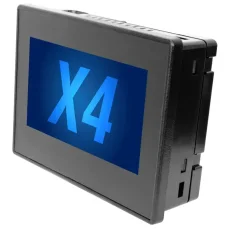
HORNER X4 PLC HMI controller with 4.3″ colour touchscreen, analog / digital inputs and outputs
561,44 EUR Incl. VAT
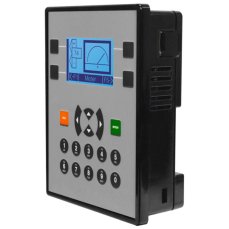
HORNER X2 PLC HMI controller with 2.2″ monochrome screen, analog / digital inputs and outputs
335,17 EUR Incl. VAT
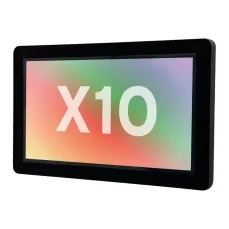
HORNER X10 PLC HMI controller with 10″ colour touchscreen, analog / digital inputs and outputs
1 363,67 EUR Incl. VAT

HORNER X7 PLC HMI controller with 7″ colour touchscreen, analog / digital inputs and outputs
936,54 EUR Incl. VAT
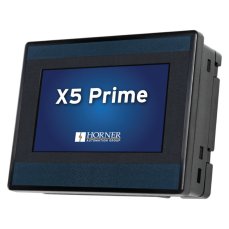
HORNER X5 Prime PLC HMI controller with 4,3″ colour touchscreen, analog / digital inputs and outputs
1 126,51 EUR Incl. VAT
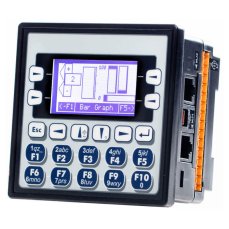
HORNER XLE PLC HMI controller with 2.2″ monochrome screen, analog / digital inputs and outputs
498,52 EUR Incl. VAT
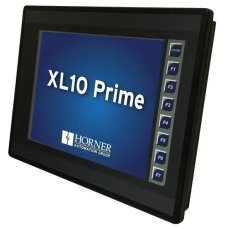
HORNER XL10 Prime PLC HMI controller with 10,4″ colour touchscreen, analog / digital inputs and outputs
2 637,80 EUR Incl. VAT
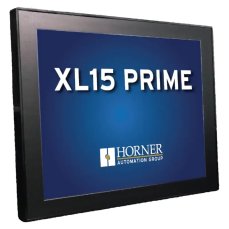
HORNER XL15 Prime PLC HMI controller with 15″ colour touchscreen, analog / digital inputs and outputs
3 447,29 EUR Incl. VAT
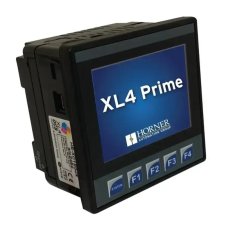
HORNER XL4 Prime PLC HMI controller with 3,5″ colour touchscreen, analog / digital inputs and outputs
1 030,92 EUR Incl. VAT
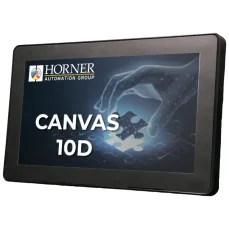
HORNER CANVAS 10D PLC HMI controller with 10.1″ colour touchscreen, analog / digital inputs and outputs
1 978,35 EUR Incl. VAT
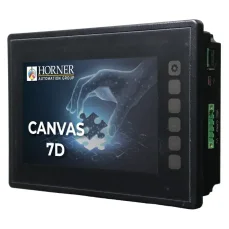
HORNER CANVAS 7D PLC HMI controller with 7″ colour touchscreen, analog / digital inputs and outputs
1 840,41 EUR Incl. VAT
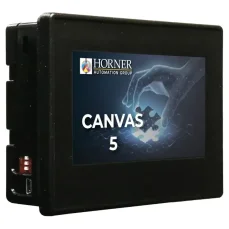
HORNER CANVAS 5 PLC HMI controller with 4.3″ colour touchscreen, analog / digital inputs and outputs
1 161,60 EUR Incl. VAT
Related products12
HORNER X4 PLC HMI controller with 4.3″ colour touchscreen, analog / digital inputs and outputs
561,44 EUR Incl. VAT
HORNER X2 PLC HMI controller with 2.2″ monochrome screen, analog / digital inputs and outputs
335,17 EUR Incl. VAT
HORNER X10 PLC HMI controller with 10″ colour touchscreen, analog / digital inputs and outputs
1 363,67 EUR Incl. VAT
HORNER X7 PLC HMI controller with 7″ colour touchscreen, analog / digital inputs and outputs
936,54 EUR Incl. VAT
HORNER X5 Prime PLC HMI controller with 4,3″ colour touchscreen, analog / digital inputs and outputs
1 126,51 EUR Incl. VAT
HORNER XLE PLC HMI controller with 2.2″ monochrome screen, analog / digital inputs and outputs
498,52 EUR Incl. VAT
HORNER XL10 Prime PLC HMI controller with 10,4″ colour touchscreen, analog / digital inputs and outputs
2 637,80 EUR Incl. VAT
HORNER XL15 Prime PLC HMI controller with 15″ colour touchscreen, analog / digital inputs and outputs
3 447,29 EUR Incl. VAT
HORNER XL4 Prime PLC HMI controller with 3,5″ colour touchscreen, analog / digital inputs and outputs
1 030,92 EUR Incl. VAT
HORNER CANVAS 10D PLC HMI controller with 10.1″ colour touchscreen, analog / digital inputs and outputs
1 978,35 EUR Incl. VAT
HORNER CANVAS 7D PLC HMI controller with 7″ colour touchscreen, analog / digital inputs and outputs
1 840,41 EUR Incl. VAT
HORNER CANVAS 5 PLC HMI controller with 4.3″ colour touchscreen, analog / digital inputs and outputs
1 161,60 EUR Incl. VAT