

ComBricks – Permanent PROFIBUS Monitoring
Permanent PROFIBUS diagnostics 24/7
ComBricks for PROFIBUS Network Monitoring
ComBricks continuously monitors the condition of PROFIBUS networks, records faults and alerts maintenance teams before a developing problem causes production downtime. This category includes complete monitoring kits, head stations and repeater modules, fibre-optic modules, relays, inputs and outputs, power modules, PROFIBUS PA modules and backplane units.
- Permanent monitoring 24/7
- Measures up to 4 PROFIBUS networks
- Diagnostics through a web browser
- Email and SNMP alarms
- No PLC program modification required
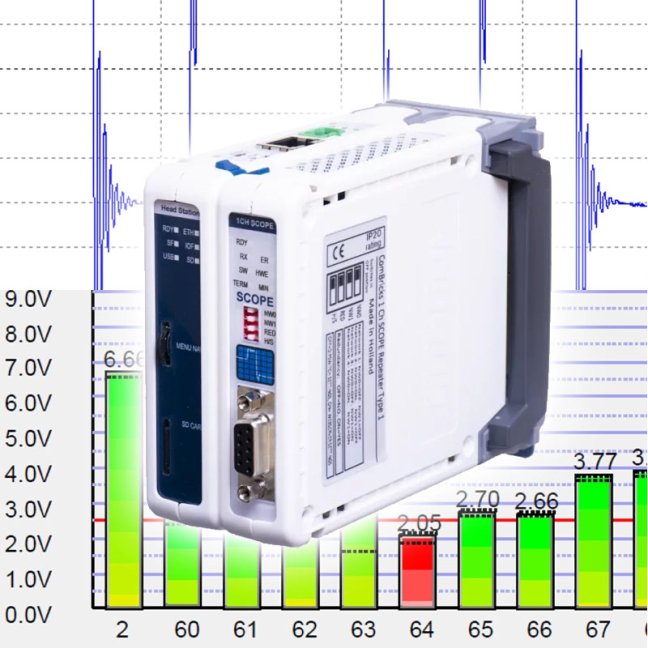
How does ComBricks work and which configuration should you choose?
Choose a complete kit or build a system from individual modules
Complete ComBricks Monitoring Kits
Ready-made configurations for permanent monitoring of one or more PROFIBUS networks. A kit includes a head station, the appropriate diagnostic module and a backplane unit.
- Basic kit for basic monitoring of one network,
- Standard kit with signal and voltage measurement,
- Advanced kit for monitoring up to four networks,
- option for further modular expansion.
Head Stations and Repeater Modules
The head station processes diagnostic data, provides the web interface and sends alarms. Repeater modules connect individual PROFIBUS segments and, depending on the version, monitor telegrams, voltage levels and oscilloscope signal waveforms.
- 1B head station for one network,
- 1C head station for up to four networks,
- single- and dual-segment repeaters,
- oscilloscope modules for advanced measurements.
Fibre-Optic and PROFIBUS PA Modules
Fibre-optic modules connect distant segments through optical fibre, improve resistance to interference and galvanically isolate individual parts of a plant. PROFIBUS PA modules allow process segments to be incorporated into a single ComBricks system.
- point-to-point, line, star or ring topologies,
- multimode and single-mode versions,
- combination of fibre-optic and copper segments,
- status diagnostics through the web interface.
Alarms, I/O, Power Supply and Backplanes
Expansion modules add physical alarms, digital inputs and outputs, PROFIBUS slave simulation or additional power for larger ComBricks configurations.
- relays for warning lights, sirens or other actions,
- digital input and output modules,
- PROFIBUS DP Slave module,
- power modules and backplanes for larger assemblies.
What does ComBricks monitor in a PROFIBUS network?
Connect the portable tester to a selected network, perform the measurement, create a report and then move it to another production line. It is suitable for technicians who diagnose several different networks.
The device remains permanently installed in the control cabinet and continuously monitors a critical network. It also captures short and intermittent events that may not occur during a one-off measurement.
To design the system, we need to know the number of networks or segments, their transmission speeds, the required diagnostic scope and how alarms should be delivered. The need for fibre-optic connections, PROFIBUS PA or data transfer through OPC or SNMP is also important. Send us your network topology or book a short technical consultation.

PROFIBUS: 3 Sins and 10 Tips
The PROFIBUS industrial bus is highly tolerant and will forgive many faults. But if a critical fault occurs—or several small ones accumulate—you will definitely notice. That’s why this aging industrial network deserves attention. Even if faults on your network are still rare, they will gradually accumulate. What do our technicians recommend? What are their 10 tips for maintaining PROFIBUS?

The 3 Biggest Killers of the PROFINET Industrial Network
Our engineers perform diagnostics of industrial networks in hundreds of manufacturing companies. They travel across the country to find the causes of failures. We have asked them what problems they have most frequently diagnosed in customers' PROFINET networks recently. What have they told us?

We train the basics and troubleshooting of PROFIBUS networks | FOXON Academy
Do you want to know why your industrial communication is dropping out? Know where the errors are on the bus and fix them quickly? How the PROFIBUS network works and how to upgrade it and make it more robust? Learn all this in a training session full of practical examples

ComBricks – permanent PROFIBUS Diagnostics via Ethernet
ComBricks is a unique solution that features user-friendly remote monitoring of PROFIBUS networks and thus provides you with an overview of their health. As part of prevention, ComBricks will alert you by email if any of these problems occur on your PROFIBUS network – repeats, lost stations, slaves requesting diagnostics, etc. All problems are saved to the internal memory and can then be reviewed via a web browser.
ComBricks doesn't require any special software installations on your PC. You only need to type your ComBricks' IP address into a web browser.

Pocket VS permanent PROFIBUS diagnostics
If you are in charge of several PROFIBUS networks and want to check their quality from time to time or troubleshoot problems that have already occurred in a particular PROFIBUS network, the ProfiTrace2 tester is a great tool for you. You connect to the PROFIBUS network and measure signal qualities, voltages, communication errors, presence of interference, etc. When the measurement is complete, you create a report and disconnect again. The tester can be left connected to the PROFIBUS network for longer periods of time, but requires a laptop to which it is connected via the USB port.
If you operate a PROFIBUS line that is critical to you and an unplanned failure of the PROFIBUS network is not desirable, then get permanent diagnostics via the ComBricks solution. You connect the device to the DIN rail, connect it to the PROFIBUS network, without the need to assign an address or change the PLC program. From the first moment of connection, the tester measures the PROFIBUS network 24/7 and provides comprehensive overviews of the network quality in clear tools. It alerts you in time to the first undesirable event such as lost stations, lost packets, corrupted messages, voltage drops, interference, etc.
Question or Inquiry
Highlighted items are mandatory.