

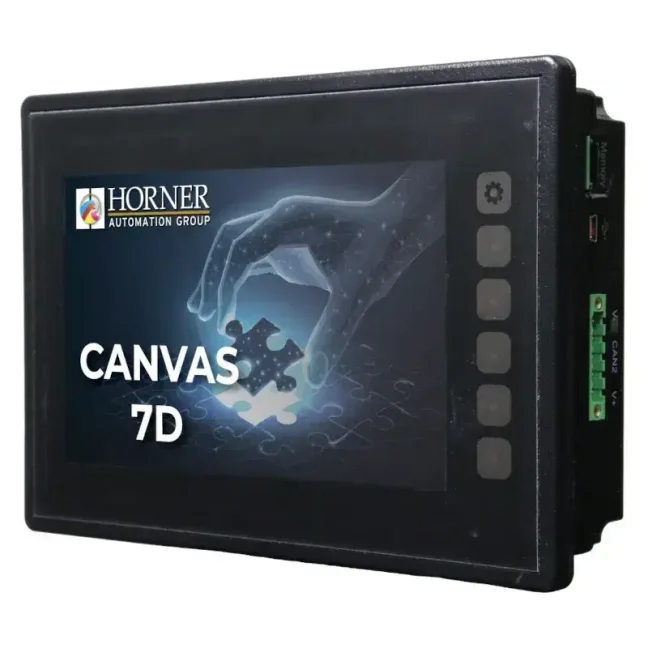
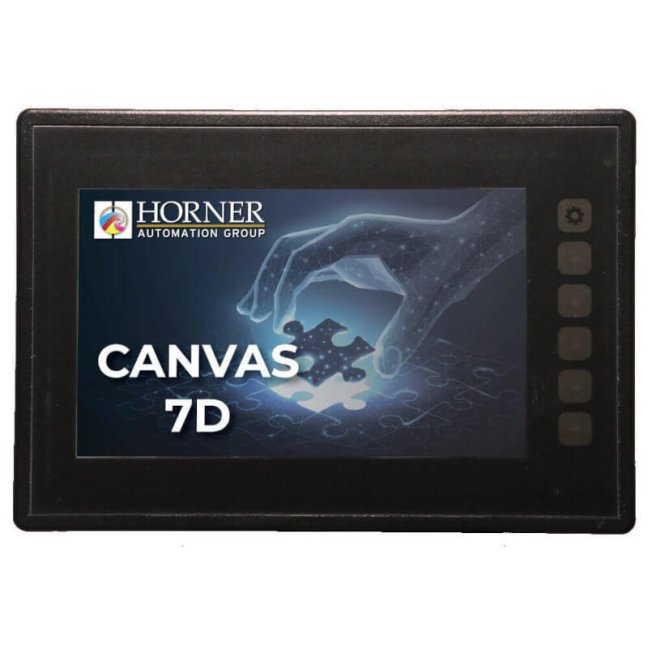


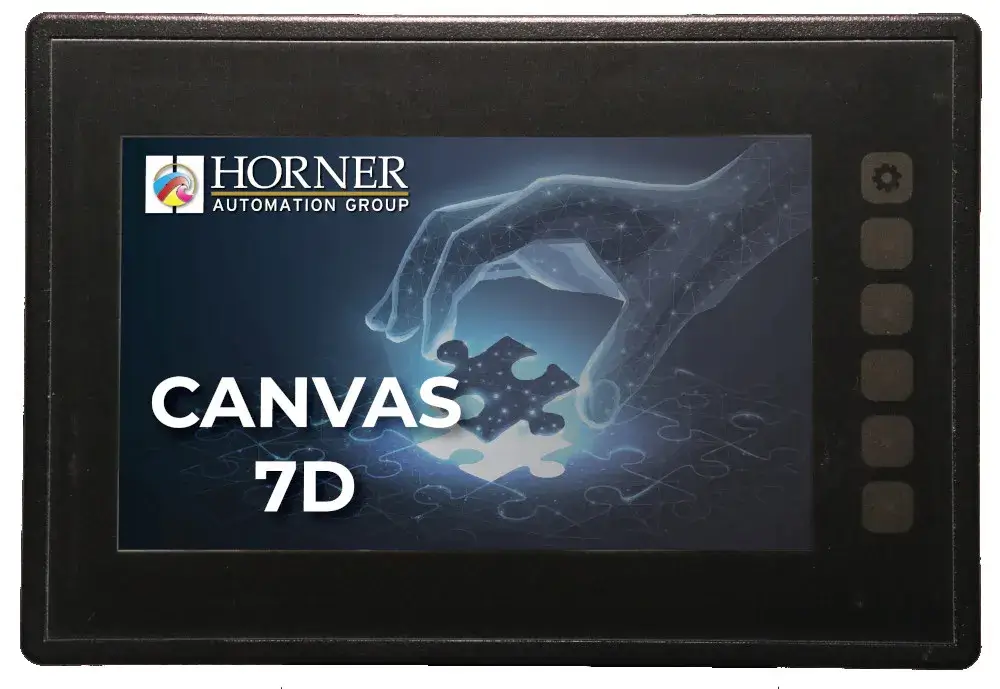
HORNER CANVAS 7D PLC HMI controller with 7″ colour touchscreen, analog / digital inputs and outputs - Type: No built-in I/O

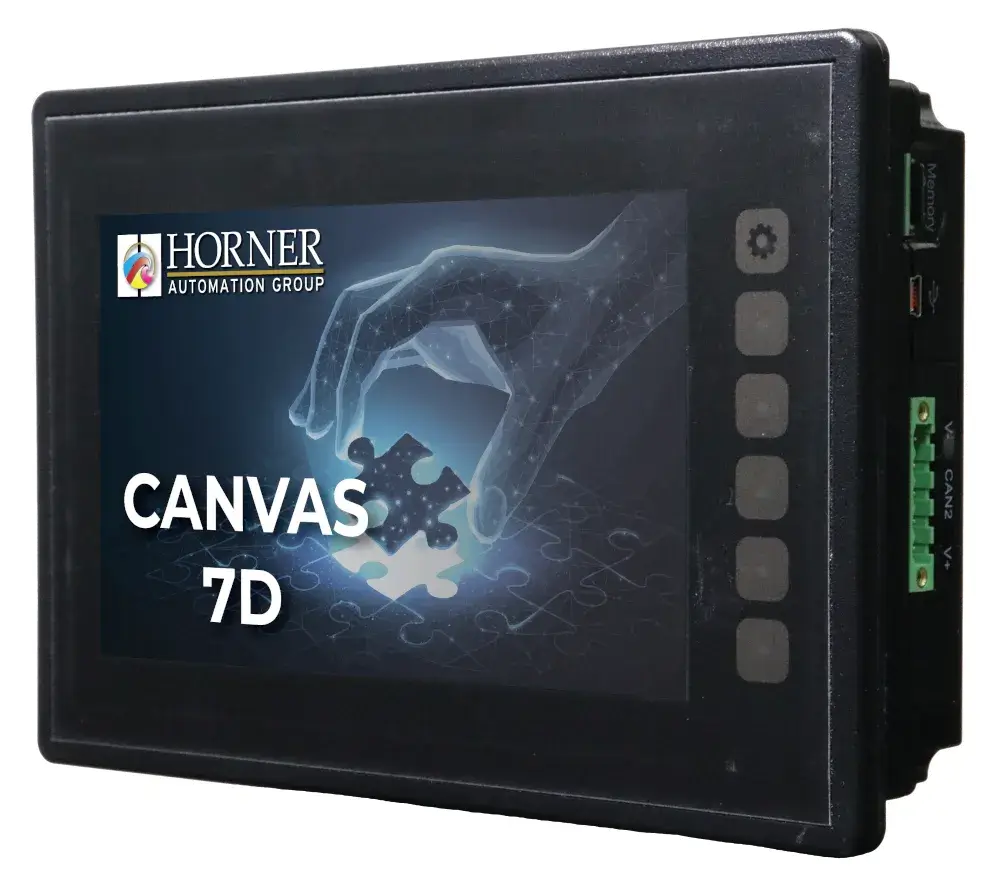
HORNER CANVAS 7D connects PLC and 7″ color touch screen. Six designs allow you to choose the necessary I/O; the -00 model is without built-in inputs and outputs. Cscape for PLC program and screens is free. FOXON will help with selection, first project and training.
More
Code: HE-CV-070D-00
HORNER CANVAS 7D connects PLC and 7″ color touch screen. Six designs allow you to choose the necessary I/O; the -00 model is without built-in inputs and outputs. Cscape for PLC program and screens is free. FOXON will help with selection, first project and training.
More
Code: HE-CV-070D-00
Options 6
| Type | Code | Availability | Price excl. VAT | |
|---|---|---|---|---|
| No built-in I/O | HE-CV-070D-00 | Delivery in 1-2 weeks |
1 521 EUR
|
|
| 12x DI (24 VDC, 4x HSC, 1 MHz), 6x DO relay (3 A), 4x AI (0-10 V, 0-20 mA, 4-20 mA, 12 bit) | HE-CV-070D-02 | In stock 1 pcs |
1 685 EUR
|
|
| 12x DI (24 VDC, 4x HSC, 500 kHz), 12x DO (24 VDC, 2x PWM, 10 kHz), 2x AI (0-10 V, 0-20 mA, 4-20 mA, 12 bit) | HE-CV-070D-03 | Delivery in 1-2 weeks |
1 815 EUR
|
|
| 24x DI (24 VDC, 4x HSC, 500 kHz), 16x DO (24 VDC, 2x PWM, 10 kHz), 2x AI (0-10 V, 0-20 mA, 4-20 mA, 12 bit) | HE-CV-070D-04 | Delivery in 1-2 weeks |
1 881 EUR
|
|
| 12x DI (24 VDC, 4x HSC, 500 kHz), 12x DO (24 VDC, 2x PWM, 10 kHz), 2x AI (0-10 V, 100 mV, 0-20 mA, 4-20 mA, RTD, THM, 14/16 bit), 2x AO (0-10 V, 0-20 mA, 4-20 mA, 12 bit) | HE-CV-070D-05 | Delivery in 1-2 weeks |
1 922 EUR
|
|
| 12x DI (24 VDC, 4x HSC, 500 kHz), 12x DO (24 VDC, 2x PWM, 10 kHz), 6x AI (0-10 V, 60 mV, 0-20 mA, 4-20 mA, RTD, THM, 17 bit), 4x AO (0-10 V, 0-20 mA, 4-20 mA, 12 bit) | HE-CV-070D-06 | Delivery in 1-2 weeks |
2 076 EUR
|
PLC and control in one panel. I/O according to your task.
HORNER CANVAS 7D connects PLC and 7″ color touch screen. You control a small machine or fixture from one place, monitor operating values and change technology settings. You can choose from six designs: from the model without built-in I/O to variants with digital, analog and temperature inputs. Two Ethernet and two CAN ports provide additional technology connectivity options.
Cscape 10 for both the PLC program and the HMI screens is free with each panel. You do not buy a programming license. In addition, CANVAS includes WebMI+, MQTT, Enhanced IEC and J1939 by default; external and cloud services have their own terms and conditions.
Verify CANVAS 7D on your own task.
Free loan of selected products for 14 days is arranged individually according to availability. We will confirm the specific model, date and conditions in advance. FOXON will help with the selection and the first project.
Introducing the CANVAS series
The short video Horner introduces the CANVAS series, its operation and basic equipment. It shows more models of the series. English.
Applications in small machines and systems
Pump switching according to time or event
Starting at a specified time, running for a set time or reacting to a level and other input signal. The operator sets the values and sees the pump status on the display.
Controlling a small machine or fixture
Starting the work cycle, continuity of individual steps and counting of pieces. The operator changes the length of the step or the number of repetitions on the panel.
Measurement and simple regulation
Display of pressure, temperature or other quantity and reaction to the set limit. The sensor type and signal range must match the selected built-in or extension I/O.
Local equipment monitoring
Input states, error messages and common settings on one display. You can prepare the range of screens and controls according to the specific device.
You create a function for your technology in Cscape. Select the necessary sensors and control elements according to the device.
Trial loan and training
Free loan by agreement
Free loan of selected products for 14 days is arranged individually according to availability. We will confirm the specific model, date and conditions in advance.
Training in Liberec
We train individuals and groups in our training room in Liberec. We will agree on the scope and date according to the experience of the participants and their tasks.
The original Horner Automation Europe video instructions are used for self-study. Translated titles and annotations explain their content, videos remain in English. Horner Europe video tutorials on YouTube
Selection of variant CANVAS 7D
Select the design according to the list of signals. The basic HE-CV-070D-00 does not have a built-in I/O; other codes differ in their number and type. Prices and availability of a specific variant are listed above.
HE-CV-070D-00No built-in inputs and outputs.
For control over a communication interface or with suitable expansion I/O.
HE-CV-070D-0212 digital inputs, 6 relay outputs and 4 analog inputs (12 bits).
For tasks with relay contacts and measuring 0-10 V or current signals.
HE-CV-070D-0312 digital inputs, 12 transistor outputs and 2 analog inputs (12 bits).
For control with transistor outputs and two analog signals.
HE-CV-070D-0424 digital inputs, 16 transistor outputs and 2 analog inputs (12 bits).
For jobs with more digital signals; total 42 points I/O.
HE-CV-070D-0512 digital inputs, 12 transistor outputs, 2 universal analog inputs and 2 analog outputs.
For measurements including Pt100 and thermocouples and for analog control.
HE-CV-070D-0612 digital inputs, 12 transistor outputs, 6 universal analog inputs and 4 analog outputs.
For multiple analog and temperature signals as well as output values.
We will advise you on the selection of a suitable design and accessories according to the project.
Signal types and wiring limitations
The numbers and types of I/O refer to a specific order code. The -00 model does not have a built-in I/O. -02/-03/-04 models support 0-10 V, 0-20 mA and 4-20 mA analog inputs; direct measurement of Pt100 and thermocouples, choose -05/-06. For -05, the range is also selected using jumpers; -06 has its own connection of universal channels. The voltage and current terminals of the same analog output are not two independent channels. Quick features share selected digital channels. Check the connection, signal combination and current limits in the datasheet of the exact code.
Technical parameters HORNER CANVAS 7D
| Display and control | 7″ color touch, 800 × 480 px |
|---|---|
| Program memory | 2 MB |
| Built-in I/O | According to the variant: none to 42 points |
| Connection | 2× Ethernet, 2× CAN, 3 serial ports, USB-C, USB-A, microSD |
| Programming | Cscape 10 free; logic and screens in one project |
| Power supply | 10-30 V DC for standard design |
| Operating temperature | -10 to +60 °C for standard design |
You can find detailed information in the tab Features.
Connection and operation
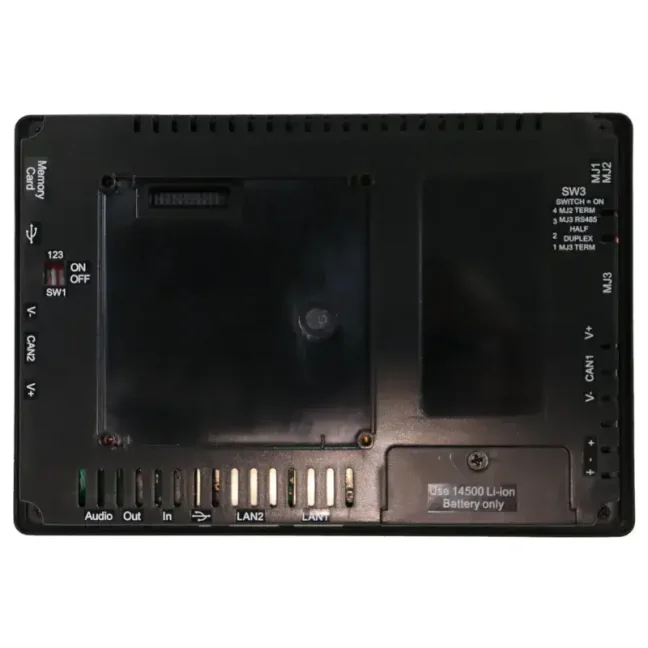
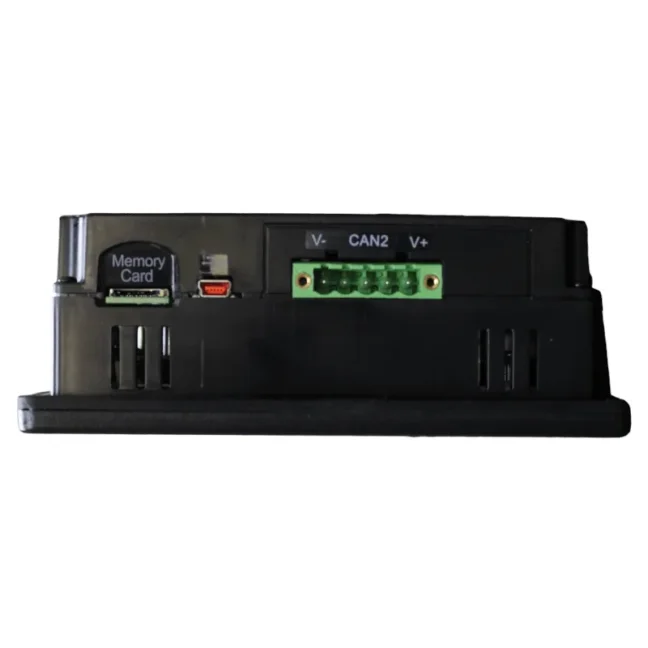
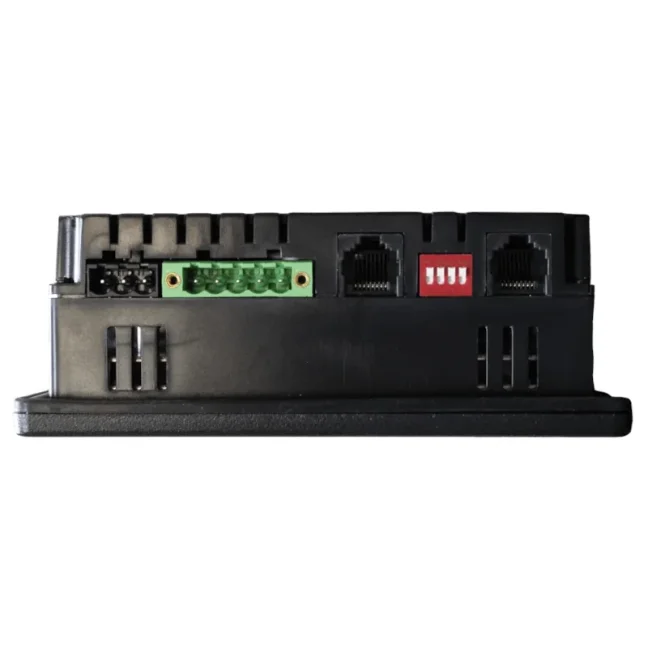
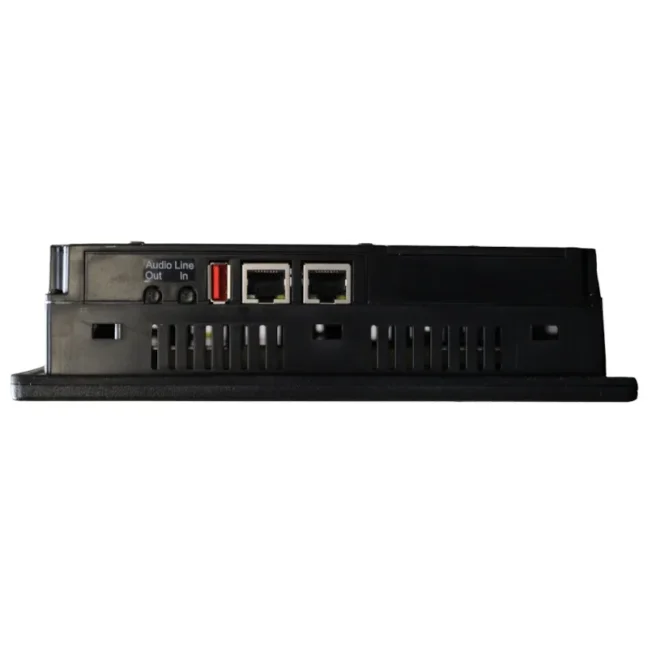
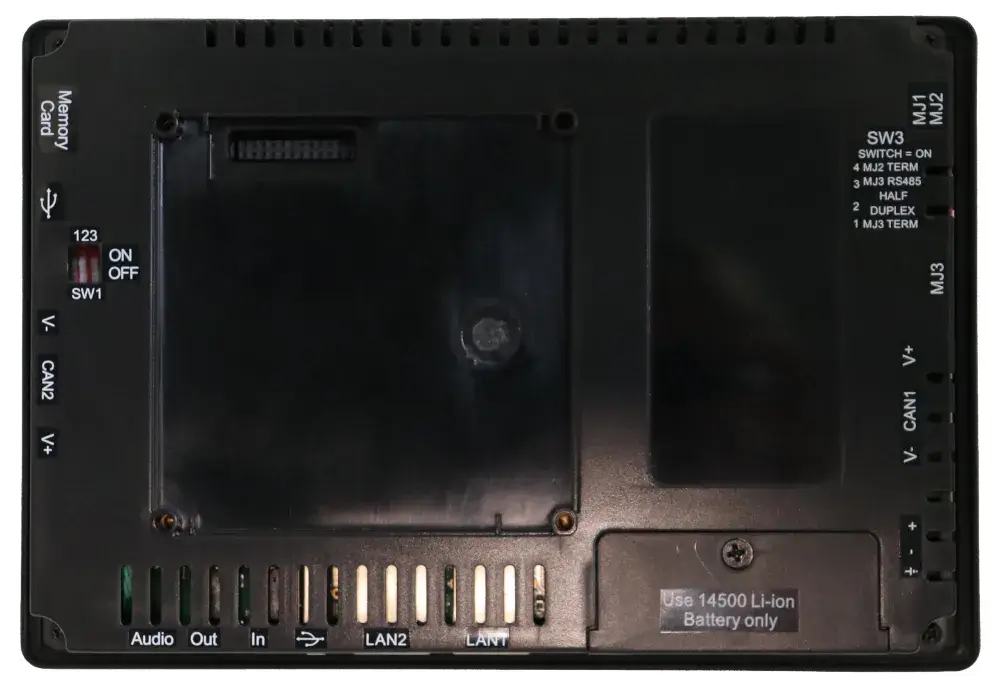
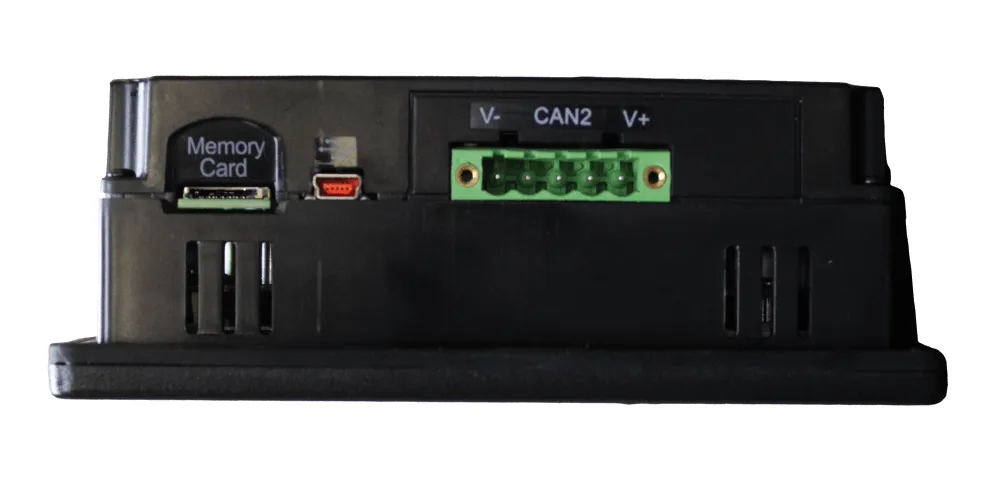
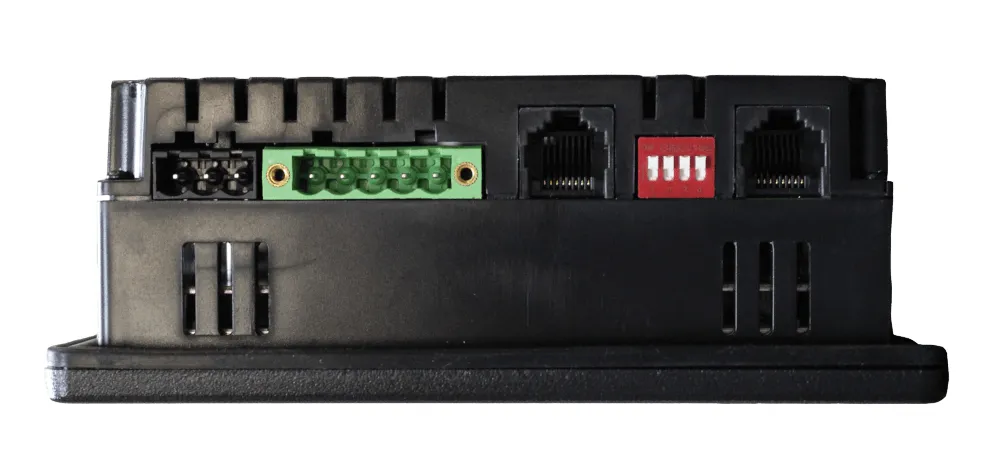
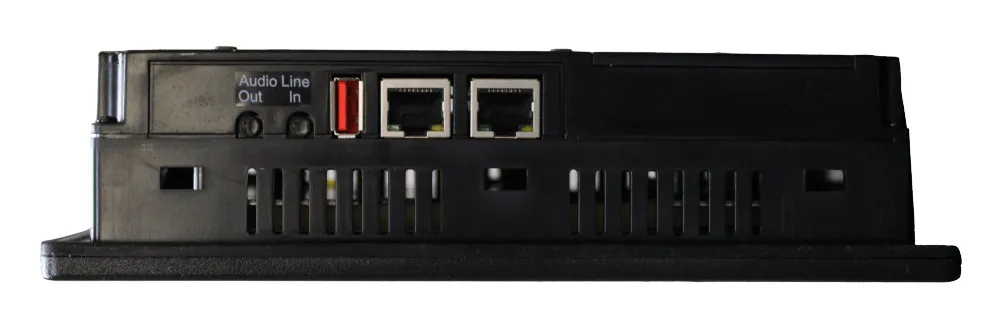
CANVAS 7D has 2 ethernet ports 10/100 Mb/s and 2 CAN ports. The MJ1/2 connector provides RS232 and RS485 simultaneously; on MJ3, choose RS232 or RS485. For data exchange you use for example Modbus TCP or Modbus RTU depending on the project settings. USB-A and microSD are used for working with data, USB-C for connecting to a PC.
You can create logic and more advanced screens in the free Cscape 10. WebMI+, MQTT, Enhanced IEC and J1939 are standard on the CANVAS. When designing remote access, we will also verify the network, the necessary services and their conditions.
Equipment and cost of first launch
| Panel HORNER CANVAS 7D | Current price in the selection of variants above |
|---|---|
| Standard Cscape | 0 CZK - program PLC and screens HMI |
| Power supply and connection | 24 V DC power supply and USB-C or Ethernet programming connection; separate items depending on the setup. For -00, add the required external I/O if the application needs them. |
| Sensors and controls | According to the signals and loads of your job |
| Training, design and assembly | Pricing according to the agreed scope |
The price of the panel is not the price of the entire automation. In the offer, we will discuss the necessary equipment and the possible work of technicians. We select the source, cables and other accessories according to the assembly.
Contents of the standard package
Panel in ordered design and mounting accessories. We will confirm the content of the connectors for the selected I/O model. Choose the power supply, programming cable, memory medium, sensors and external I/O according to the assembly; the -00 model does not have I/O built-in.
First project in Cscape
Download Cscape from Horner. You need a manufacturer account to download Cscape. The CANVAS tutorial shows PC connection, hardware configuration, control logic and creating the first screen.
Your first test task
When first verifying, start with one simple function. For example, an output that switches on for a set time after pressing a button or changing the input signal.
- Set the switching time on the display and show the input and output status.
- Handle the trigger condition and timer in the program.
- On the test load, verify switching on, switching off after a time has elapsed and changing the settings on the display.
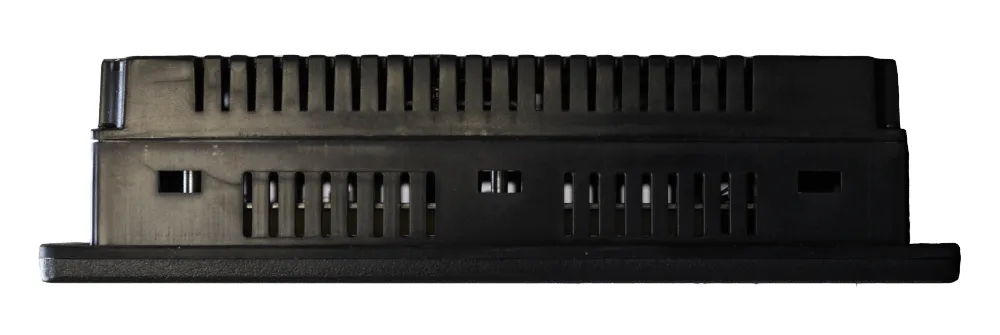
Photo gallery and connection
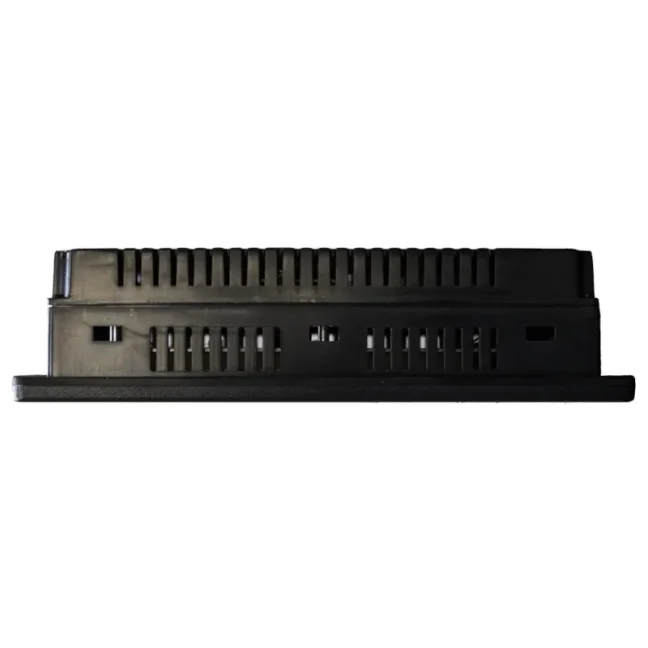
Click to open a separate image in a larger view.
Frequently asked questions
Do I need separate PLC or HMI?
CANVAS 7D contains both PLC and touch HMI. You do not need separate PLC and HMI for the same task. The built-in I/O depends on the code: -00 does not have them, other variants have different combinations of signals.
What is free and what is charged separately?
Standard Cscape is free with each panel. You can create the PLC program and the HMI screens without a paid programming license. Additional features have their own license terms. Free loan of selected products for 14 days is arranged individually according to availability. We will confirm the specific model, date and conditions in advance. Accessories, training and the work of technicians will be priced according to the scope.
How to decide between CANVAS 7 and 7D?
CANVAS 7 has one ethernet port, one CAN and programming USB Mini-B. CANVAS 7D has two Ethernet ports, two CAN ports and USB-C. Both have a 7″ 800 × 480 px display and variants with the same basic I/O combinations. When choosing, we will also compare the installation and communication requirements.
Which design to choose for Pt100 or thermocouple?
For direct temperature measurement, select universal analog inputs of model -05 or -06. We compare the sensor type, number of channels and connection with the datasheet of the given variant.
Is the cheapest option ready for direct sensor connection?
The basic HE-CV-070D-00 does not have built-in inputs and outputs. You then connect the sensors and controlled elements via suitable external I/O or choose another design CANVAS 7D.
How can I check trial loan availability?
Click Arrange a trial loan and describe your application. We will check a suitable loan model, availability, dates and conditions. Trial loans of selected products are arranged individually.
Can you help with the first project?
We advise on the selection of equipment and offer training in Liberec for individuals and groups. If necessary, we will prepare the project design and assembly with our own technicians.
Why buy from FOXON
Distributor HORNER
We supply new HORNER products with warranty and will help you choose the right equipment and accessories.
Selection according to your project
We will discuss technology function, signals and communication. We will compare the entry with the HORNER options and select a suitable product.
Technical support and training
We advise on the use of the equipment and train individuals and groups. For self-study, we recommend the manufacturer's instructions.
Solution design and assembly
If necessary, we will design a solution, prepare a project and install the equipment with our own technicians. We will agree on the scope of work according to the technology.
Video tutorials by topic
First project, starter setup and support
Setup for initial commissioning
We will select a suitable power supply, connections and any external I/O for this panel. The quotation will itemise the hardware and optional start-up support. Standard Cscape is free.
Help with your project
We arrange consultation, configuration, programming or training in Liberec for individuals and groups. We will confirm the scope of work, output, price and deadline in advance.
Deployment examples HORNER
View specific deployments of HORNER X4 and X7 at machine manufacturers. The model used and the implementer are listed in the relevant study.
Try and choose for your task
Send technology function, necessary signals and deadline. We will check the possibility of a loan or discuss a suitable product and the price of the necessary equipment.
Downloads and initial setup
Documents and videos are in English. Select the current datasheet according to the entire order code. Some downloads on the manufacturer's website require registration and login.
Software and first steps
Cscape - environment for both PLC and HMI
Standard Cscape is free with each panel. You can create the PLC program and the HMI screens without a paid programming license. Additional features have their own license terms. You need a manufacturer account to download.
Open the materialFirst project in Cscape
You need a manufacturer account to download Cscape. The CANVAS tutorial shows PC connection, hardware configuration, control logic and creating the first screen.
Open the materialHorner Europe video tutorial library
Additional procedures for programming, screens and communication. Choose according to the functions of your panel.
Open the materialProduct selection and range overview
CANVAS - comparison of models and equipment
The Horner brochure presents the CANVAS series and will help with orientation between the models. Use the datasheet of the specific code for connection.
Open the materialConnection and commissioning
CANVAS 7D -00 - datasheet without built-in I/O
For HE-CV-070D-00: power supply, ports, mounting and base unit parameters without I/O.
Open the materialCANVAS 7D -02 - relay design datasheet
For HE-CV-070D-02: 12 digital inputs, 6 relay outputs and 4 analog inputs.
Open the materialCANVAS 7D -03 - transistor design datasheet
For HE-CV-070D-03: 12 digital inputs, 12 digital outputs and 2 analog inputs.
Open the materialCANVAS 7D -04 - datasheet version with 42 I/O
For HE-CV-070D-04: 24 digital inputs, 16 digital outputs and 2 analog inputs.
Open the materialCANVAS 7D -05 - datasheet of universal analog I/O
For HE-CV-070D-05: universal and temperature inputs, analog outputs and selection of signals using jumpers.
Open the materialCANVAS 7D -06 - datasheet of six universal inputs
For HE-CV-070D-06: 6 universal analog inputs, 4 analog outputs, digital channels and their connections.
Open the materialCANVAS 7D - quick connection and assembly
A quick overview of ports and connections; use the datasheet for the ordered I/O model for exact limits.
Open the materialCANVAS 7D - configuration and operation
User manual for the system menu, communication, working with data and putting the panel into operation.
Open the materialDrawings and firmware
CANVAS 7D - dimensions and assembly
The drawing is part of the datasheet of a specific I/O design. Choose the correct code and leave room for connected connectors and cables.
Open the materialFirmware and Release Notes
Select the exact model and read the update conditions. Back up the project and settings before changing the firmware.
Open the materialProperties HORNER CANVAS 7D
Select the design according to the list of signals. The basic HE-CV-070D-00 does not have a built-in I/O; other codes differ in their number and type. Prices and availability of a specific variant are listed above.
Design and types of signals
HE-CV-070D-00No built-in inputs and outputs.
For control over a communication interface or with suitable expansion I/O.
HE-CV-070D-0212 digital inputs, 6 relay outputs and 4 analog inputs (12 bits).
For tasks with relay contacts and measuring 0-10 V or current signals.
HE-CV-070D-0312 digital inputs, 12 transistor outputs and 2 analog inputs (12 bits).
For control with transistor outputs and two analog signals.
HE-CV-070D-0424 digital inputs, 16 transistor outputs and 2 analog inputs (12 bits).
For jobs with more digital signals; total 42 points I/O.
HE-CV-070D-0512 digital inputs, 12 transistor outputs, 2 universal analog inputs and 2 analog outputs.
For measurements including Pt100 and thermocouples and for analog control.
HE-CV-070D-0612 digital inputs, 12 transistor outputs, 6 universal analog inputs and 4 analog outputs.
For multiple analog and temperature signals as well as output values.
Control system and hardware versions
| Programming | Cscape 10; Advanced Ladder and languages IEC 61131-3 |
|---|---|
| Program memory | 2 MB |
| Cycle of logic | 0,02 ms/kB |
| Display | 7″ TFT, color, touch control |
| Resolution and brightness | 800 × 480 px; 800 cd/m² |
| Screens | Up to 1 023 screens; up to 1 023 objects on the screen |
| Storage media | microSD up to 32 GB, FAT32; supported USB media via USB-A |
Inputs and outputs
| Model -00 | Without built-in I/O |
|---|---|
| Model -02 | 12 DI / 6 relays / 4 AI (12 bits) |
| Model -03 | 12 DI / 12 DO / 2 AI (12 bits) |
| Model -04 | 24 DI / 16 DO / 2 AI (12 bits) |
| Analog Inputs -02/-03/-04 | 0-10 V, 0-20 mA, 4-20 mA |
| Model -05 | 12 DI / 12 DO / 2 universal AI / 2 AO |
| Analog signals -05 | AI: 0-10 V, 0-20 mA, 4-20 mA, mV, Pt100 and thermocouples J/K/N/T/E/R/S/B; resolution 14 bits for V/mA/mV, 16 bits for temperature. AO: 0-10 V or 0-20 mA, 12 bits. |
| Model -06 | 12 DI / 12 DO / 6 universal AI / 4 AO |
| Analog signals -06 | AI: 0-10 V, 0-20 mA, 4-20 mA, mV, Pt100/Pt1000 and ungrounded thermocouples J/K/N/T/E/R/S/B; 17 bits. AO: 0-10 V, 0-20 mA, 4-20 mA; 12 bits. |
Ports and communication functions
| Ethernet | 2× 10/100 Mb/s; for example Modbus TCP, FTP, SMTP and ASCII |
|---|---|
| Serial ports | 3 active ports: RS232 and RS485 to MJ1/2; RS232 or RS485 to MJ3 |
| CAN | 2×; CsCAN, CANopen, DeviceNet and J1939 depending on configuration |
| USB-C | PC connection for programming and data access |
| USB-A | USB host for supported devices and storage media |
| Web and data transfer | WebMI+ and MQTT; setting in Cscape 10 |
| Expanding I/O | Selection according to the required signals, bus and project configuration |
Assembly and operating conditions
| Standard design power supply | 10-30 V DC |
|---|---|
| Front dimensions | 210 × 144,49 mm; depth according to dimensional drawing and I/O design |
| Mounting cutout | 189,7 × 131,2 mm; tolerance +1,6 / -0 mm |
| Assembly | To the panel using clips; leave room for cabling and storage media |
| Operating temperature of the standard design | -10 to +60 °C |
| Storage temperature | -20 to +60 °C |
| Relative humidity | 5-95 %, no condensation |
Contents of delivery and accessories
Panel in ordered design and mounting accessories. We will confirm the content of the connectors for the selected I/O model. Choose the power supply, programming cable, memory medium, sensors and external I/O according to the assembly; the -00 model does not have I/O built-in.
24 V DC power supply and USB-C or Ethernet programming connection; separate items depending on the setup. For -00, add the required external I/O if the application needs them.
VIDEO: Tips and tricks for setting up HORNER PLCs with display, inputs and outputs
HORNER PLCs combine machine control, operator display and inputs/outputs in one device. If you need a compact solution for a smaller machine, part of a production line, a test station or modernization of older equipment, you do not have to source and combine a separate PLC, HMI panel and I/O modules.
The manufacturer’s training videos show how to connect the panel, work in Cscape, set up communication, use WebMI and work with basic inputs and outputs. They are especially useful during initial commissioning, so you do not have to figure everything out by trial and error.

Review: Horner Canvas Series PLC with Integrated HMI – Part 1: PLC
Horner PLCs with integrated HMI are new not only to our e-shop, but also to our market. We asked respected industrial automation specialist Jaroslav Blažek (blaja.cz) to explore all the functions and user-friendliness of these devices. You can find out whether he was satisfied and what it was like working with the Horner units in his review.

Review: Cscape Software for Horner PLCs with Integrated HMI
For efficient work with Horner panels (PLCs with integrated HMI), you need a reliable and intuitive programming tool. The Cscape software allows configuration of both the PLC and the integrated HMI within a single environment—and it’s free. Once again, we asked specialist Jaroslav Blažek (blaja.cz) to take a closer look at the software. You can find out how the installation and registration went in his review.

Review: Horner Canvas Series PLC with Integrated HMI – Part 2: HMI and Remote Monitoring
Horner PLCs with integrated HMI have not been part of our product range for long, but they are already attracting well-deserved attention. We asked industrial automation expert Jaroslav Blažek (blaja.cz) to take a closer look at them — especially in terms of functionality, intuitive operation, and practical deployment options. Find out how these Horner devices performed and what he has to say about them in the following review.

New on the Market: Touchscreen PLC with Integrated HMI and I/Os from Horner Automation
Are you looking for a compact, powerful and easy-to-integrate solution for machine control or upgrading existing technology? We are pleased to introduce a new addition to our product range: panels from Horner Automation. Their PLCs, which feature an integrated HMI with a touchscreen display and inputs/outputs, are ideal for designers of new machines as well as engineers looking to innovate their companies' production.
Case Study: How the Horner X7 Control Panel Automated Weighing and Dosing
A new fully automated dosing and weighing machine is controlled by a Horner X7 PLC with integrated HMI and I/Os. In this setup, the industrial panel manages recipes, temperature control, and precise weighing of ingredients. At the same time, it collects batch data, eliminates human errors, and ensures consistent food quality. What does it look like in practice?
Case Study: Successful Machine Upgrade with the Horner X4 PLC Featuring Integrated HMI and I/Os
To modernize a sheet-cleaning machine, W&K-Automation sought a powerful, compact solution that could be easily integrated into limited cabinet space. They replaced the obsolete control system with the Horner X4 industrial panel, which met all requirements.
Highlighted items are mandatory.

Cscape 10 – application development software for Horner PLC HMI controllers
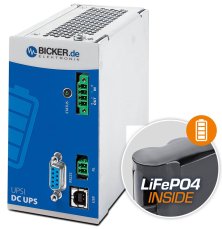
144 W 24 VDC / 6 A UPS backup power supply Bicker, LiFePO4 battery
398,09 EUR Incl. VAT
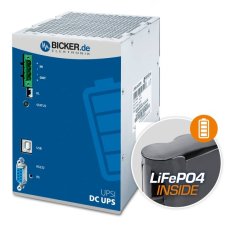
240 W 24 VDC / 10 A UPS backup power supply Bicker, LiFePO4 battery
771,98 EUR Incl. VAT

SmartMod – remote Modbus RTU I/O modules for HORNER PLCs
234,74 EUR Incl. VAT
Accessories3
Cscape 10 – application development software for Horner PLC HMI controllers
144 W 24 VDC / 6 A UPS backup power supply Bicker, LiFePO4 battery
398,09 EUR Incl. VAT
240 W 24 VDC / 10 A UPS backup power supply Bicker, LiFePO4 battery
771,98 EUR Incl. VAT
Related products1
SmartMod – remote Modbus RTU I/O modules for HORNER PLCs
234,74 EUR Incl. VAT