

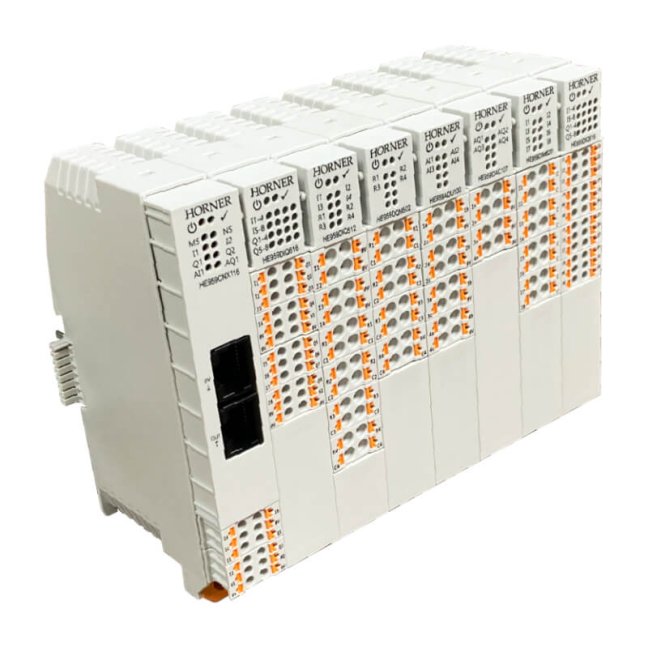
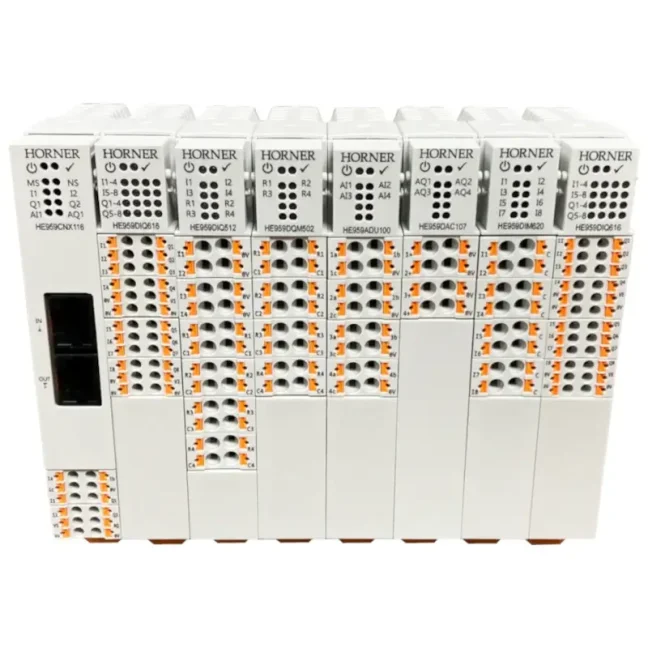
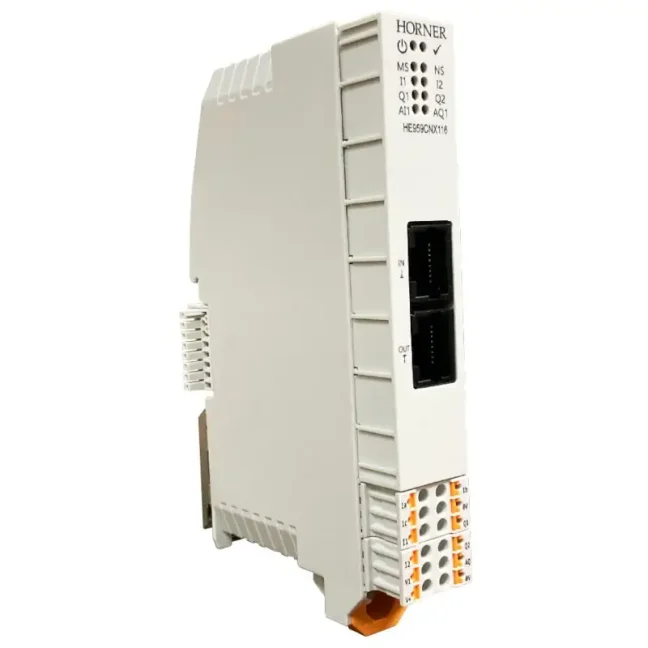
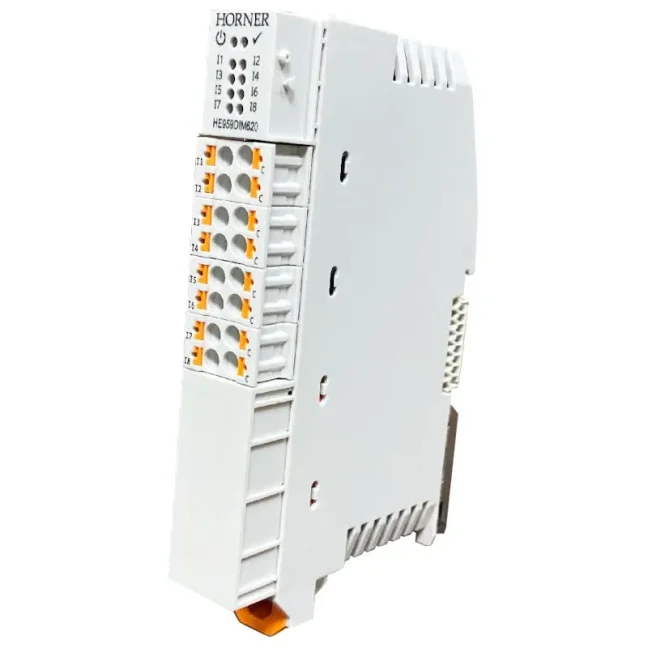


OCS-I/O – modular CsCAN I/O system for HORNER PLCs - Type: Basic module + 2× flex DI/AI (12bit), 2× DO, 1× univ. AI (16bit), 1× AO

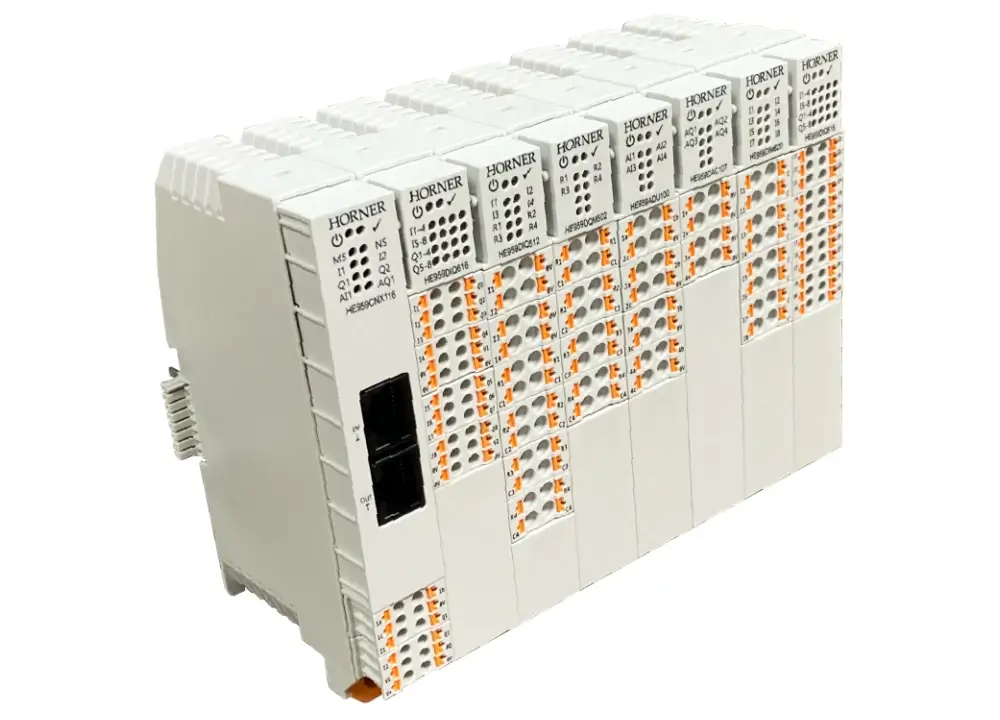
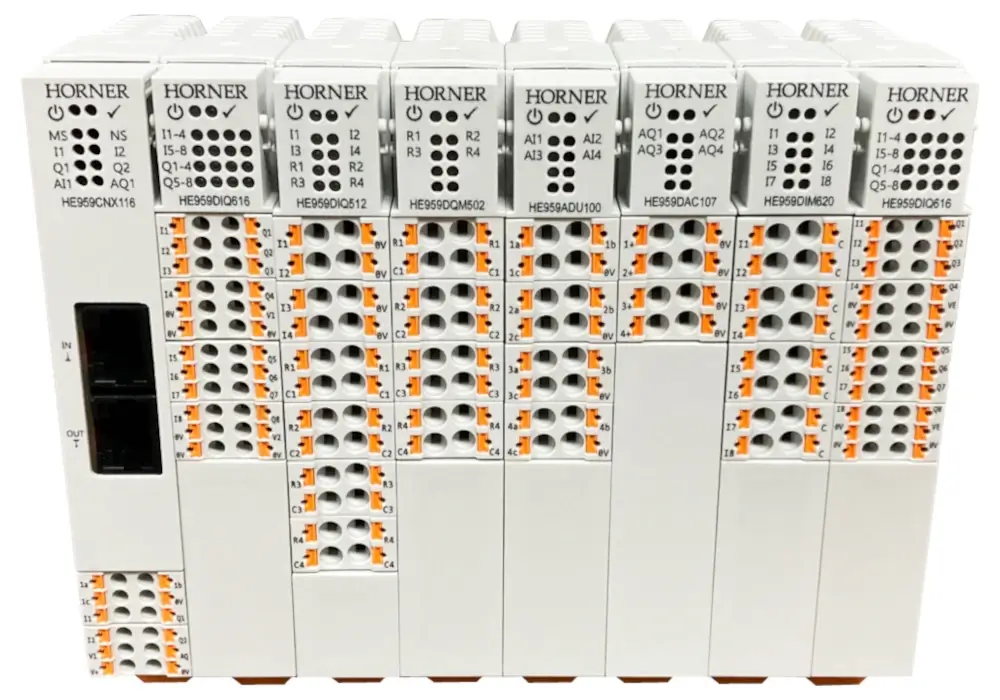
Modular I/O HORNER through CsCAN. Base CNX100 without I/O or CNX116 with I/O, plus up to seven modules depending on the signals. FOXON will help design the whole assembly.
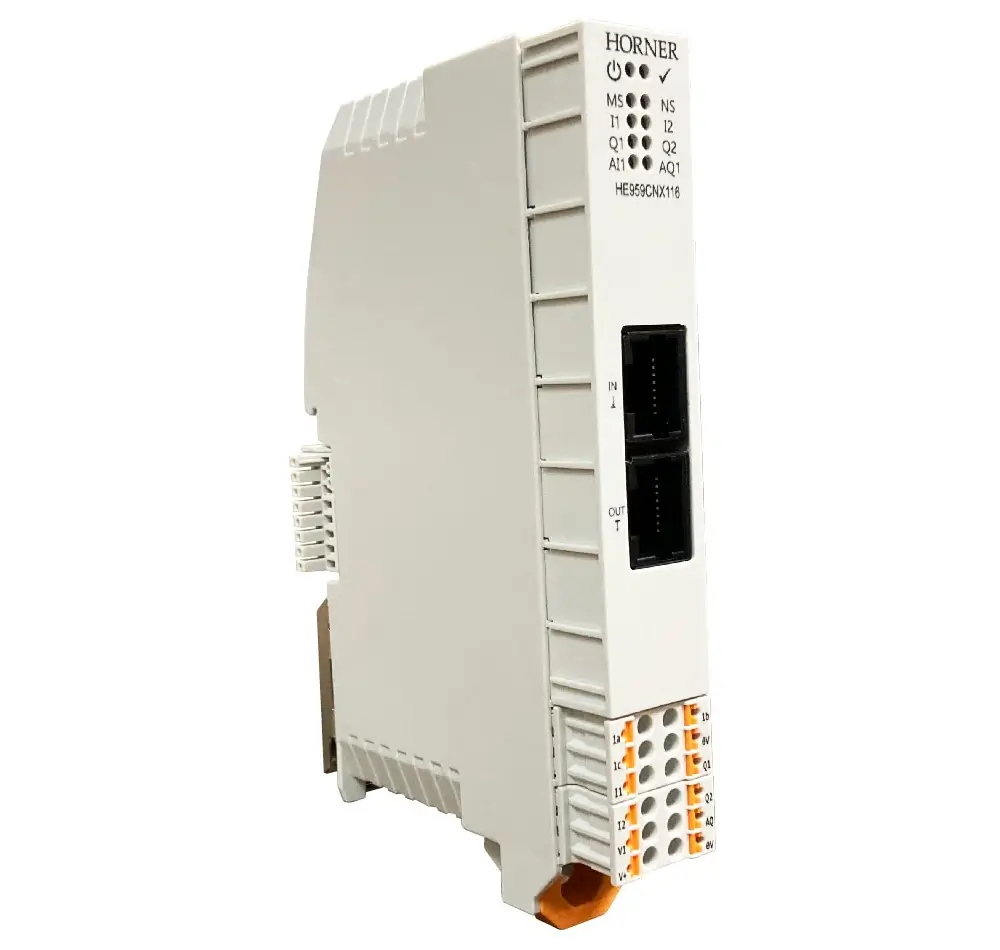
MoreCode: HE959CNX116
Modular I/O HORNER through CsCAN. Base CNX100 without I/O or CNX116 with I/O, plus up to seven modules depending on the signals. FOXON will help design the whole assembly.
MoreCode: HE959CNX116
Options 12
| Type | Code | Availability | Price excl. VAT | |||
|---|---|---|---|---|---|---|
| Basic module without I/O | HE959CNX100 | Delivery in 1-2 weeks |
175 EUR
|
|||
| Basic module + 2× flex DI/AI (12bit), 2× DO, 1× univ. AI (16bit), 1× AO | HE959CNX116 | In stock 1 pcs |
225 EUR
|
|||
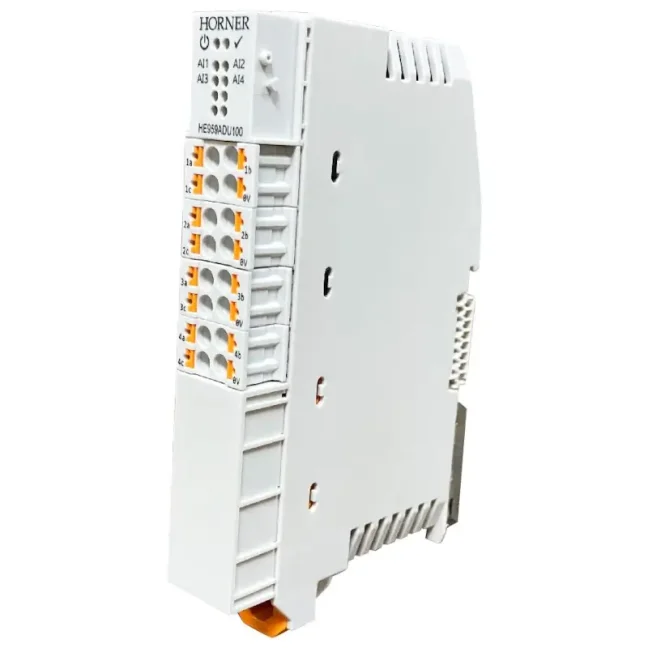
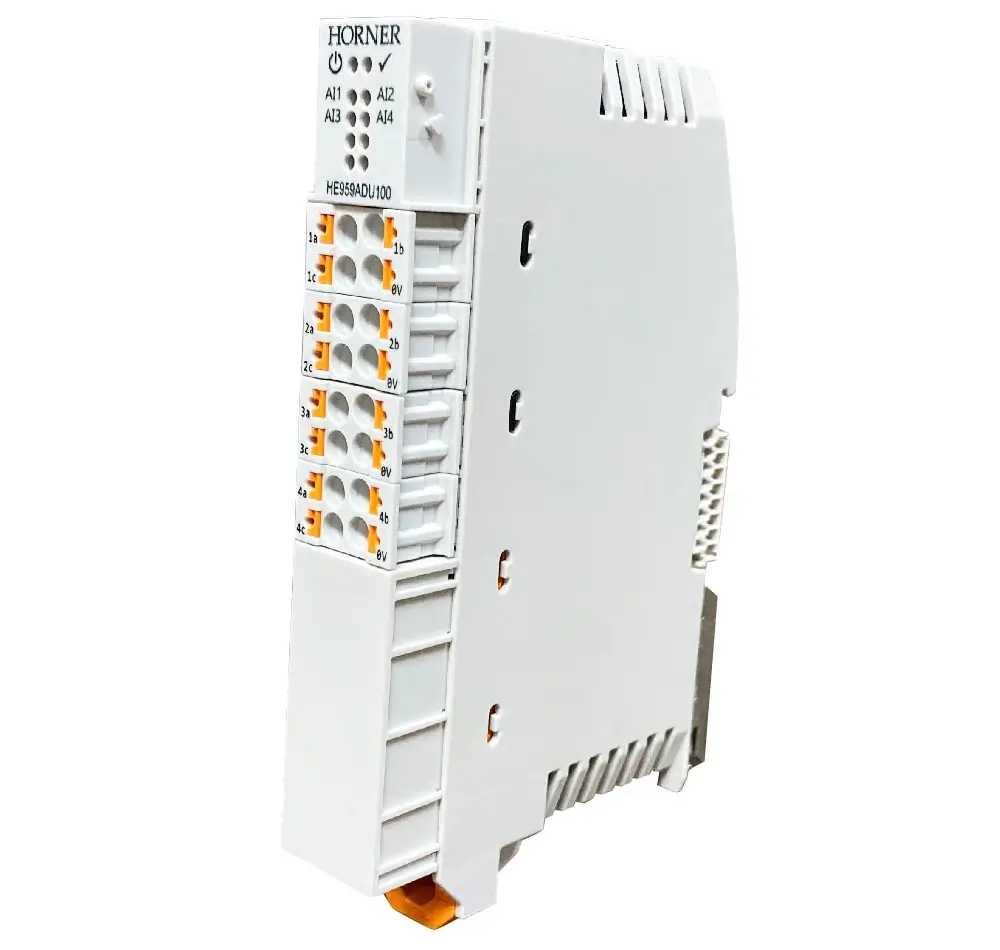
| Module with 4x universal analog inputs | HE959ADU100 | Delivery in 1-2 weeks |
275 EUR
|
|||
| Module with 8x analog inputs | HE959ADC270 | Delivery in 1-2 weeks |
230 EUR
|
|||
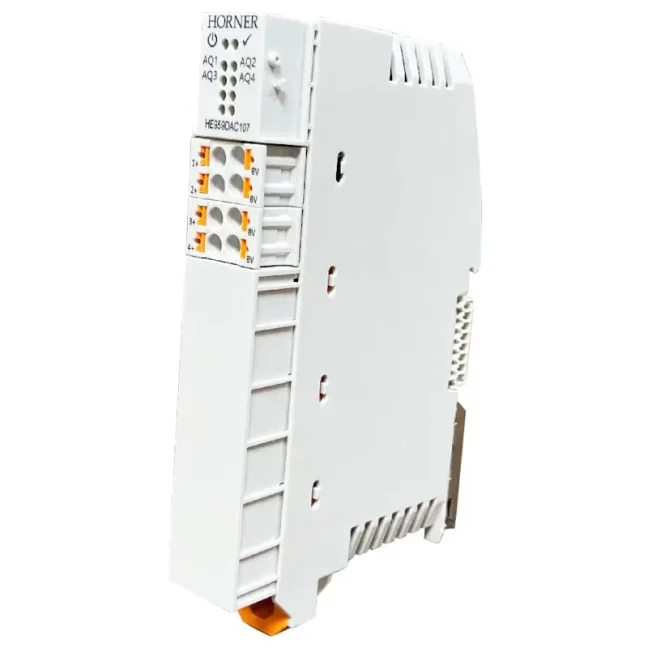
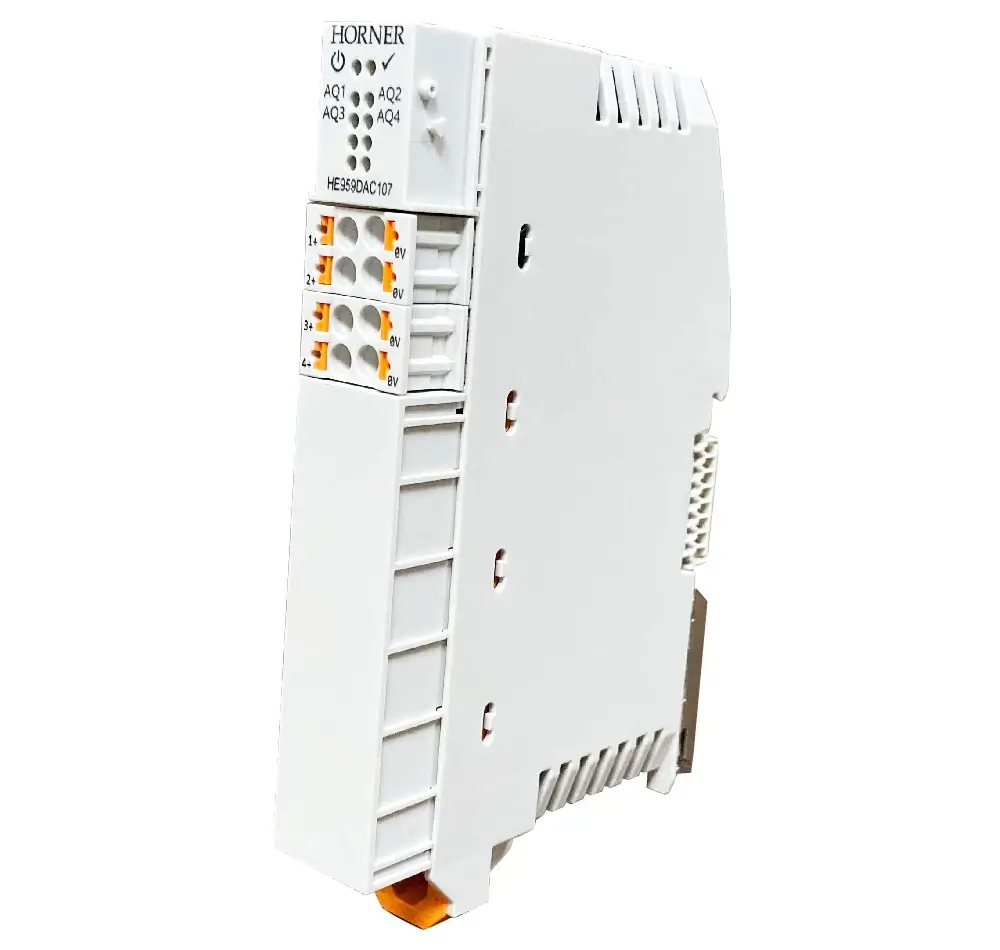
| Module with 4x analog outputs | HE959DAC107 | Delivery in 1-2 weeks |
245 EUR
|
|||
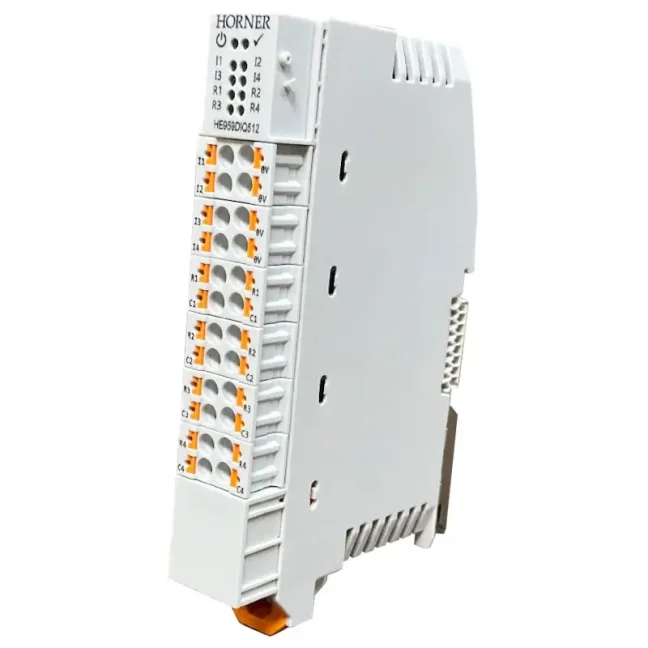
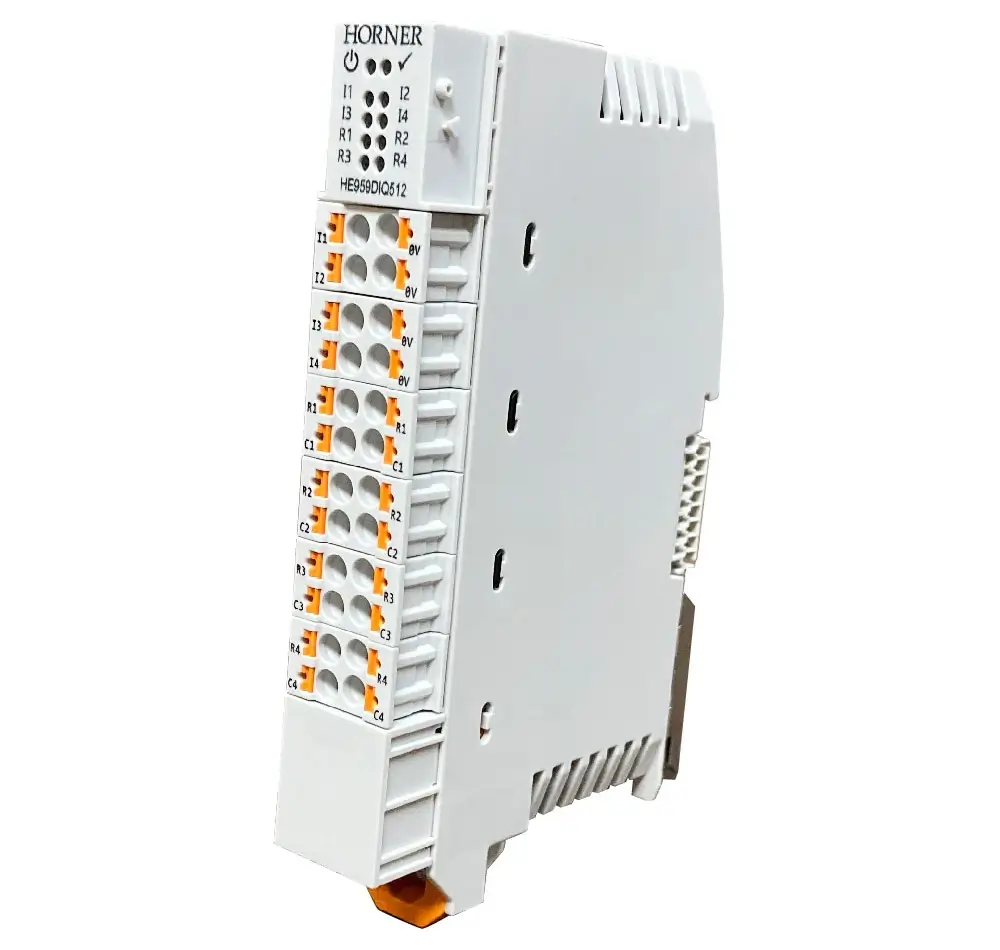
| Module with 4x digital DC inputs, 4x relay outputs | HE959DIQ512 | Delivery in 1-2 weeks |
200 EUR
|
|||
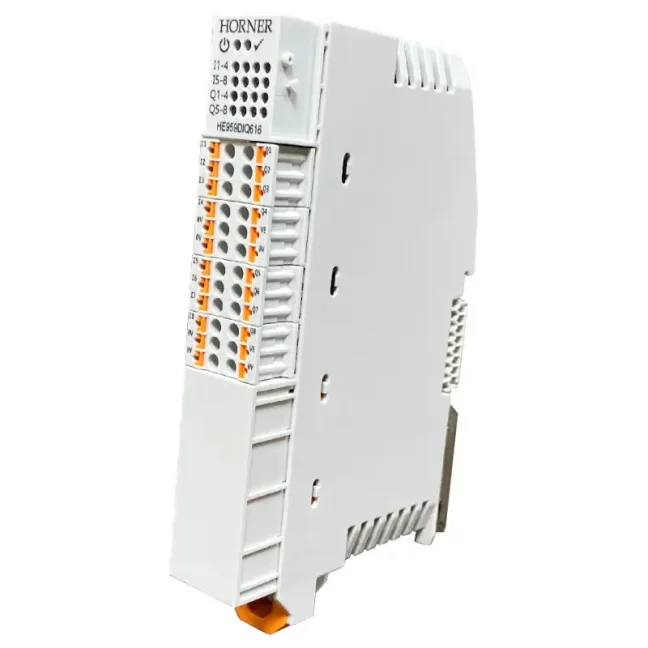
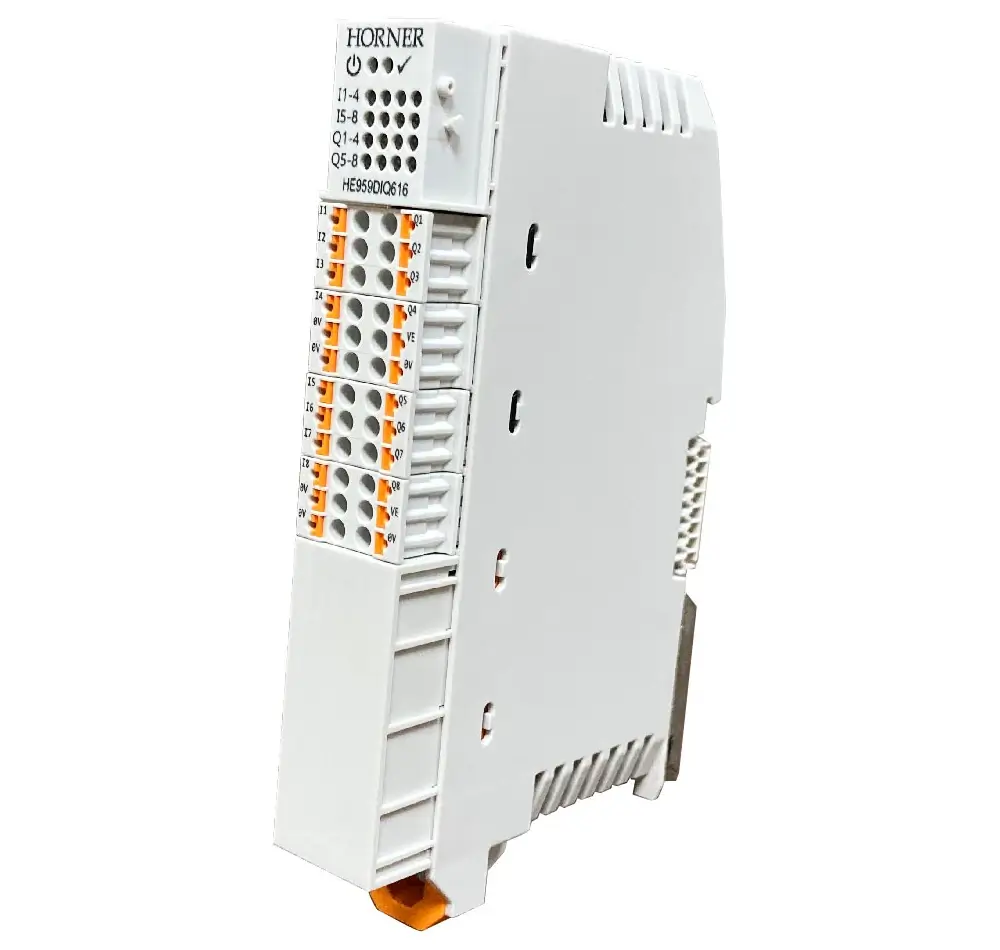
| Module with 8x digital DC inputs, 8x digital DC outputs | HE959DIQ616 | In stock 1 pcs |
175 EUR
|
|||
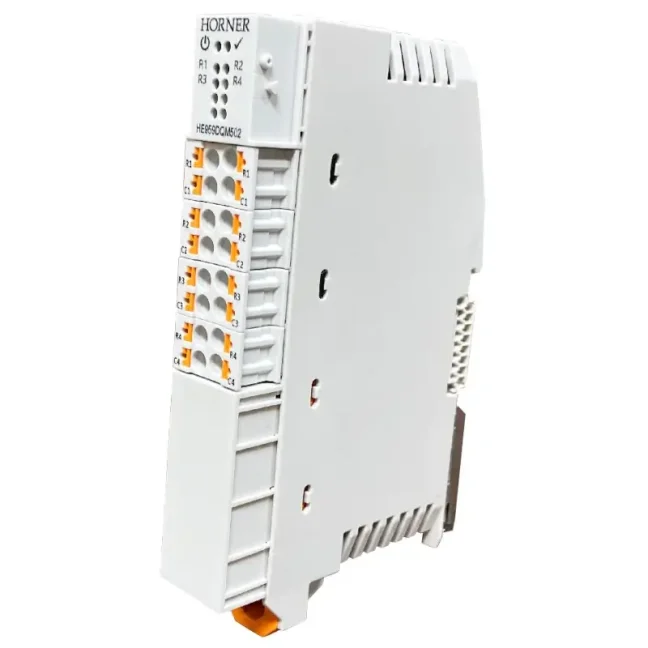
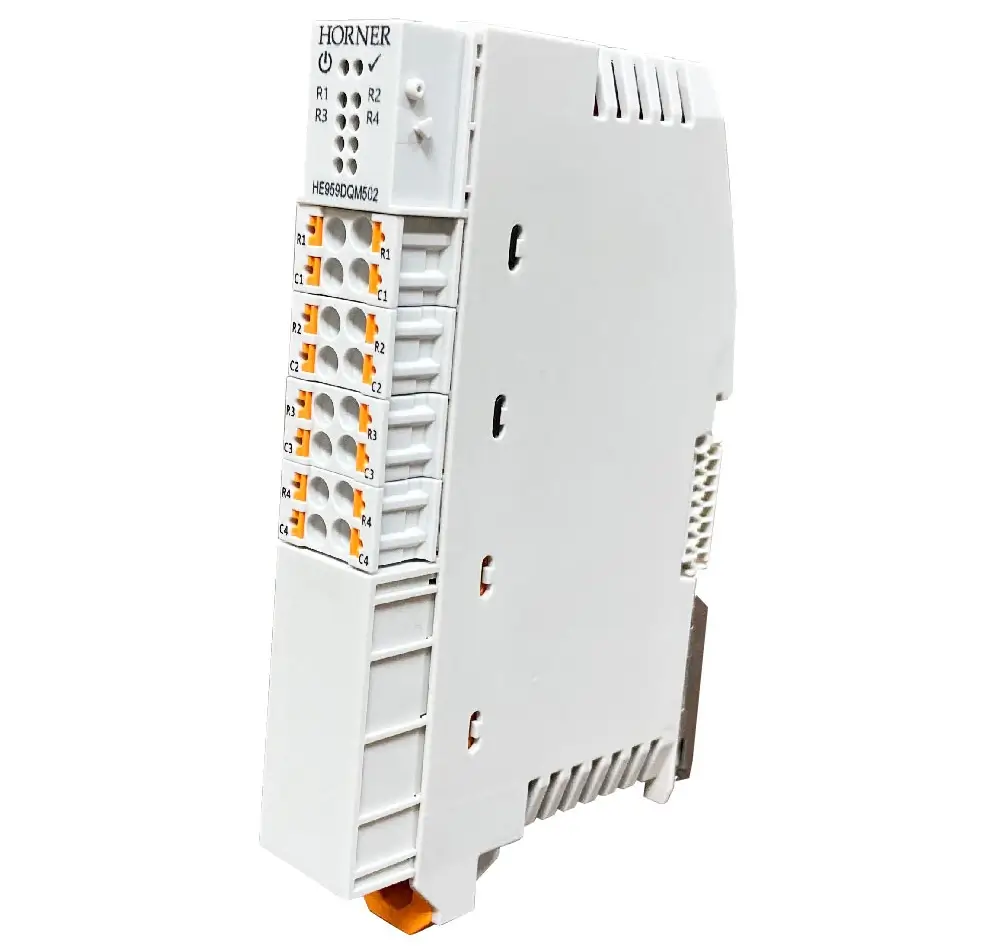
| Module with 4x relay outputs | HE959DQM502 | Delivery in 1-2 weeks |
185 EUR
|
|||
| Module with 16x digital DC outputs | HE959DQM606 | Delivery in 1-2 weeks |
195 EUR
|
|||
| Module with 16x digital DC inputs | HE959DIM610 | Delivery in 1-2 weeks |
179 EUR
|
|||
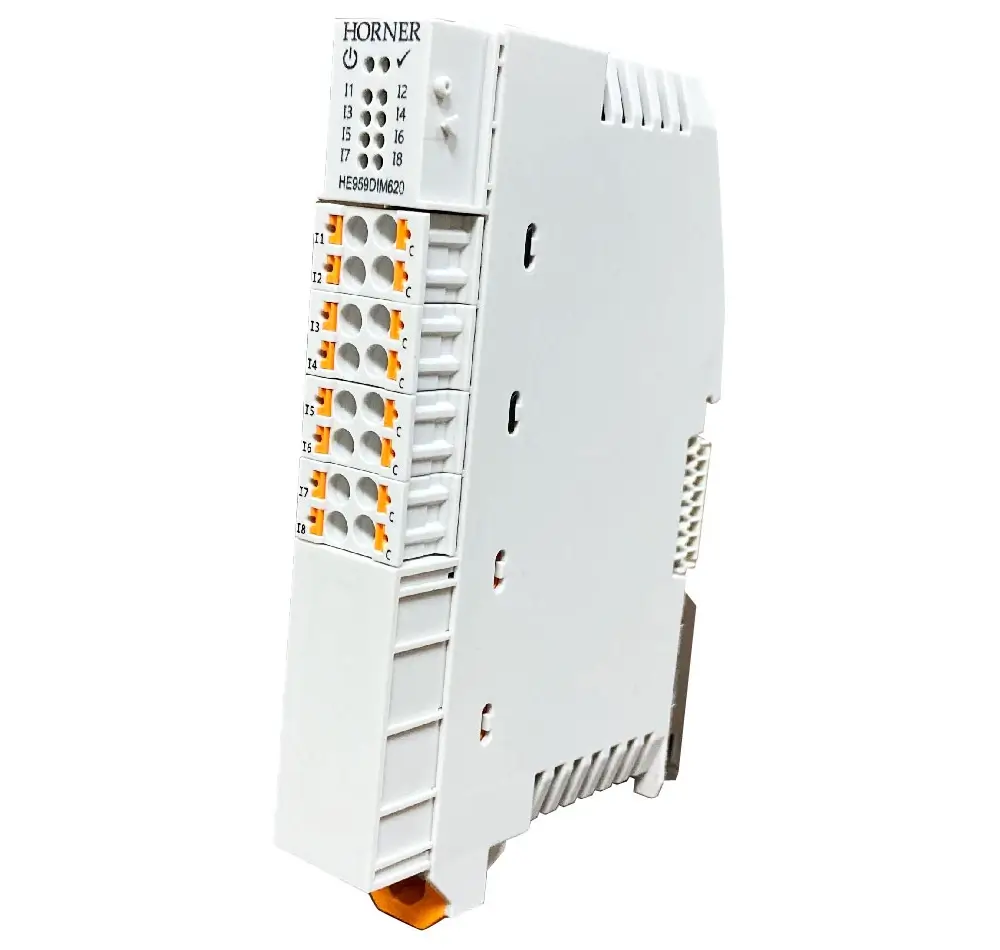
| Module with 8x digital AC inputs | HE959DIM620 | Delivery in 1-2 weeks |
175 EUR
|
|||
| Accessories: RJ45 Can Network Terminator | HE-RJTRM121 | Delivery in 1-2 weeks |
10 EUR
|
|||
| Next | ||||||
Build I/O to suit your machine. A base and up to seven modules.
OCS-I/O extends the supported PLC HORNER with digital, analog and temperature signals. You choose the base CsCAN, add the necessary modules and configure the assembly in Cscape. It is useful when building a new machine as well as adding signals to existing technology.
The base connects the modules to the control system. A separate expansion module without a base and supported PLC does not form a functional control. Standard Cscape for HORNER configuration is free.
Send panel type and signal list.
We select the base, modules and connections. We will verify the firmware, power and assembly compatibility.
Introducing OCS-I/O
The original Horner product video shows the OCS-I/O modular system. Select the specific base and modules according to the signals. English.
Use of a modular assembly
More signals for a small machine
You will complete the inputs of the sensors and the outputs of the actuators. You select the combination of modules according to the list of signals, instead of changing the entire panel.
Measurement of temperature and process variables
The universal inputs connect the corresponding Pt100/Pt1000 or thermocouples. For common V/mA signals, you select a separate analog module.
Supplementing existing technology
You connect the assembly to the supported PLC via CsCAN. We will verify the model, firmware and available communication in advance.
Clear composition of the switchboard
The base and connected modules form an assembly with a clearly defined order. Power branches and cabling shall be designed according to actual loads.
Bases, modules and accessories
First select the base. Choose the necessary modules for it; HE-RJTRM121 is used only for bus termination. The prices above apply to individual items, not the complete setup.
| HE959CNX100 | Base CsCAN without built-in I/O; up to 7 connected modules |
|---|---|
| HE959CNX116 | CsCAN base: 2 selectable DI/AI inputs, 2 digital outputs, 1 universal AI and 1 AO; up to 7 connected modules |
| HE959ADU100 | 4 universal analog inputs: V, mA, mV, Pt100/Pt1000 and thermocouples; 16 bits |
| HE959ADC270 | 8 analog inputs 0-10 V, 0-20 mA or 4-20 mA; 16 bits |
| HE959DAC107 | 4 analog outputs; 0-20 mA, 4-20 mA, 0-10 V or ±10 V; 12 bits |
| HE959DIM610 | 16 digital inputs, operating voltage 10 - 24 V DC |
| HE959DIM620 | 8 digital inputs for 120 V AC; range 90-132 V AC |
| HE959DIQ616 | 8 digital inputs and 8 digital outputs |
| HE959DIQ512 | 4 digital inputs and 4 relay outputs |
| HE959DQM606 | 16 digital outputs; output branch supply 10 - 30 V DC |
| HE959DQM502 | 4 relay outputs; load according to the type of load and the limits of the entire module |
| HE-RJTRM121 | Network termination element CsCAN; does not add I/O channels |
Assembly composition and connection
- Verify that the control system supports OCS-I/O through CsCAN and has the appropriate firmware.
- Choose a CNX100 or CNX116 base and up to seven expansion modules. Check sequence, power and load.
- Design wiring and termination CsCAN. The RJ45 connectors here carry CsCAN, not Ethernet.
- In Cscape, configure base, address, I/O modules and corresponding registers. Then verify the signals as well as behavior when communication is lost.
Communication and technical requirements
| Network | CsCAN; configuration OCS-I/O in Cscape uses 125 kbit/s |
|---|---|
| PLC with two ports CAN | OCS-I/O is configured on supported port CAN1 |
| Bases CNX100 / CNX116 | Power supply 10-30 V DC; size the I/O branch supply for the current consumption of the entire setup |
| Expansion of the base | Maximum of 7 modules per base |
| Mounting dimension of the base | 76,5 × 124,5 × 19 mm |
| Operating conditions | Depends on the exact module. The setup is limited by the most restrictive permitted range and load of the components used. |
Setup equipment and price
Send the signal list and controller type. We will quote the complete setup, including the necessary base items and accessories.
| Selected item | Current price of item above |
|---|---|
| Base | CNX100 without built-in I/O or CNX116 with I/O |
| Expansion modules | Number and kind according to the necessary signals |
| PLC and communication | Compatible HORNER controller, wiring and CsCAN termination |
| Power supply and output circuits | According to the current consumption of the setup, sensors and loads |
| Configuration, training and assembly | Pricing by scope |
Training and support for the first project
Training in Liberec
We train individuals and groups in our training room in Liberec. We will agree on the scope and date according to the experience of the participants and their tasks.
Self-study
The original Horner Automation Europe video instructions are used for self-study. Translated titles and annotations explain their content, videos remain in English. Video Tutorials Horner Europe.
Training will cover OCS-I/O assembly and configuration, signal mapping, communication and status checks in Cscape. As required, we will design the project and have our own technicians carry out the installation.
Assembly configuration OCS-I/O
Horner tutorial for configuring the base and modules in Cscape. Check the model, firmware, address and module order for your setup. English.
Photo gallery and connection
Click to open the original manufacturer's material in a larger view.
Frequently asked questions
Does the expansion module work without the base?
You need a matching CNX100 or CNX116 base and a supported control system. An individual module is not a separate PLC or a separate network node.
What is the difference between CNX100 and CNX116?
CNX100 is a base without built-in I/O. Additionally, the CNX116 features two selectable DI/AI inputs, two digital outputs, one universal analog input, and one analog output.
How many modules do I connect to one base?
Up to seven expansion modules. Verify their combination according to consumption, power supply, configuration and required signals.
Are the RJ45 connectors ethernet?
In this assembly, they are used for CsCAN. It is not about connecting the OCS-I/O to a regular Ethernet switch.
Do I connect 230 V AC to HE959DIM620?
HE959DIM620 is for 120 V AC and has an input range of 90-132 V AC. For the signal 230 V AC, we choose the corresponding solution.
Is the price of one variant the price of the whole assembly?
No. Items in the menu are bases, individual modules and accessories. We will compile a complete offer according to the list of signals.
Why buy from FOXON
Distributor HORNER
We supply new HORNER products with warranty and will help you choose the right equipment and accessories.
Selection according to your project
We will discuss technology function, signals and communication. We will compare the entry with the HORNER options and select a suitable product.
Technical support and training
We advise on the use of the equipment and train individuals and groups. For self-study, we recommend the manufacturer's instructions.
Solution design and assembly
If necessary, we will design a solution, prepare a project and install the equipment with our own technicians. We will agree on the scope of work according to the technology.
The whole assembly according to your project
Send the exact PLC HORNER type, required signals, power supply and placement in the technology. We will design the base, modules and the necessary connections.
Documentation and first steps
Select the datasheet by the exact code. The quick overview provides orientation; full electrical limits are in the datasheet. All documents are original Horner materials.
Bases CNX100 and CNX116
HE959CNX100 - datasheet and electrical wiring
Parameters, limits and connections of the exact product.
Open the materialHE959CNX100 - quick overview and connection
Brief orientation in connection; check the limits in the datasheet of the same code.
Open the materialHE959CNX116 - datasheet and electrical wiring
Parameters, limits and connections of the exact product.
Open the materialHE959CNX116 - quick overview and connection
Brief orientation in connection; check the limits in the datasheet of the same code.
Open the materialExtension modules by code
HE959ADU100 - datasheet and electrical wiring
Parameters, limits and connections of the exact product.
Open the materialHE959ADU100 - quick overview and connection
Brief orientation in connection; check the limits in the datasheet of the same code.
Open the materialHE959ADC270 - datasheet and electrical wiring
Parameters, limits and connections of the exact product.
Open the materialHE959ADC270 - quick overview and connection
Brief orientation in connection; check the limits in the datasheet of the same code.
Open the materialHE959DAC107 - datasheet and electrical wiring
Parameters, limits and connections of the exact product.
Open the materialHE959DAC107 - quick overview and connection
Brief orientation in connection; check the limits in the datasheet of the same code.
Open the materialHE959DIM610 - datasheet and electrical wiring
Parameters, limits and connections of the exact product.
Open the materialHE959DIM610 - quick overview and connection
Brief orientation in connection; check the limits in the datasheet of the same code.
Open the materialHE959DIM620 - datasheet and electrical wiring
Parameters, limits and connections of the exact product.
Open the materialHE959DIM620 - quick overview and connection
Brief orientation in connection; check the limits in the datasheet of the same code.
Open the materialHE959DIQ616 - datasheet and electrical wiring
Parameters, limits and connections of the exact product.
Open the materialHE959DIQ616 - quick overview and connection
Brief orientation in connection; check the limits in the datasheet of the same code.
Open the materialHE959DIQ512 - datasheet and electrical wiring
Parameters, limits and connections of the exact product.
Open the materialHE959DIQ512 - quick overview and connection
Brief orientation in connection; check the limits in the datasheet of the same code.
Open the materialHE959DQM606 - datasheet and electrical wiring
Parameters, limits and connections of the exact product.
Open the materialHE959DQM606 - quick overview and connection
Brief orientation in connection; check the limits in the datasheet of the same code.
Open the materialHE959DQM502 - datasheet and electrical wiring
Parameters, limits and connections of the exact product.
Open the materialHE959DQM502 - quick overview and connection
Brief orientation in connection; check the limits in the datasheet of the same code.
Open the materialSeries overview and configuration
OCS-I/O - family overview
The original brochure of the system. For the electrical connection, use the datasheet of the specific code.
Open the materialConfiguration in Cscape
Horner tutorial for configuring the base and modules in Cscape. Check the model, firmware, address and module order for your setup. English.
Open the materialOnline Help OCS-I/O
CsCAN conditions, base configuration and I/O mapping.
Open the materialOCS-I/O - bases and expansion modules
Bases, individual modules and network terminations are separate items. For a complete build, verify all codes used.
Item selection by signal
| HE959CNX100 | Base CsCAN without built-in I/O; up to 7 connected modules |
|---|---|
| HE959CNX116 | CsCAN base: 2 selectable DI/AI inputs, 2 digital outputs, 1 universal AI and 1 AO; up to 7 connected modules |
| HE959ADU100 | 4 universal analog inputs: V, mA, mV, Pt100/Pt1000 and thermocouples; 16 bits |
| HE959ADC270 | 8 analog inputs 0-10 V, 0-20 mA or 4-20 mA; 16 bits |
| HE959DAC107 | 4 analog outputs; 0-20 mA, 4-20 mA, 0-10 V or ±10 V; 12 bits |
| HE959DIM610 | 16 digital inputs, operating voltage 10 - 24 V DC |
| HE959DIM620 | 8 digital inputs for 120 V AC; range 90-132 V AC |
| HE959DIQ616 | 8 digital inputs and 8 digital outputs |
| HE959DIQ512 | 4 digital inputs and 4 relay outputs |
| HE959DQM606 | 16 digital outputs; output branch supply 10 - 30 V DC |
| HE959DQM502 | 4 relay outputs; load according to the type of load and the limits of the entire module |
| HE-RJTRM121 | Network termination element CsCAN; does not add I/O channels |
Assembly conditions
| Base | CNX100 or CNX116; a maximum of seven connected modules |
|---|---|
| Communication | CsCAN; for configuration OCS-I/O in Cscape 125 kbit/s |
| Port pair CAN | Supported CAN1 port on the controller |
| Powering the bases | 10-30 V DC; separately designed I/O power supply and output circuits |
| CNX116 Flex inputs | Two channels with choice of digital or analog mode |
| HE959DIM620 | Inputs 90-132 V AC; not 230 V AC |
| Resolution HE959ADC270 | 16 bits according to the current MAN1501 datasheet |
| Bus termination | According to the topology and documentation CsCAN; HE-RJTRM121 is not a I/O module |
VIDEO: Tips and tricks for setting up HORNER PLCs with display, inputs and outputs
HORNER PLCs combine machine control, operator display and inputs/outputs in one device. If you need a compact solution for a smaller machine, part of a production line, a test station or modernization of older equipment, you do not have to source and combine a separate PLC, HMI panel and I/O modules.
The manufacturer’s training videos show how to connect the panel, work in Cscape, set up communication, use WebMI and work with basic inputs and outputs. They are especially useful during initial commissioning, so you do not have to figure everything out by trial and error.
Review: How CANbus OCS-I/O Peripherals Work with the Horner Canvas 4 PLC/HMI
External I/O peripherals can be connected to Horner PLCs with HMI—and are often required. Learn how Jaroslav Blažek (blaja.cz) tested connecting an OCS-I/O module with digital and analog inputs/outputs to a Canvas 4 PLC/HMI via the CANbus.
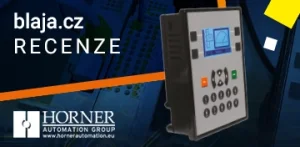
Review: the smallest PLC with HMI and I/O — Horner X2
Experienced technician Jaroslav Blažek (blaja.cz) tested a small PLC with HMI and I/O — the Horner Micro X2 — featuring a monochrome 2" display and keys for entering numbers from 0 to 9. It is ideal for smaller local control applications and simple visualization.
Highlighted items are mandatory.
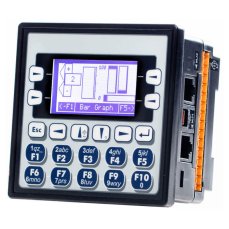
HORNER XLE PLC HMI controller with 2.2″ monochrome screen, analog / digital inputs and outputs
498,52 EUR Incl. VAT
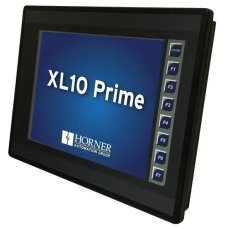
HORNER XL10 Prime PLC HMI controller with 10,4″ colour touchscreen, analog / digital inputs and outputs
2 637,80 EUR Incl. VAT
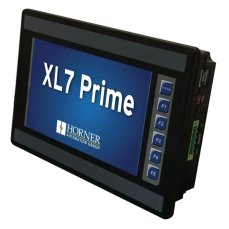
HORNER XL7 Prime PLC HMI controller with 7″ colour touchscreen, analog / digital inputs and outputs
1 747,24 EUR Incl. VAT

HORNER X7 PLC HMI controller with 7″ colour touchscreen, analog / digital inputs and outputs
936,54 EUR Incl. VAT
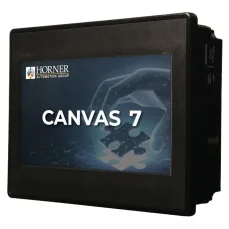
HORNER CANVAS 7 PLC HMI controller with 7″ colour touchscreen, analog / digital inputs and outputs
1 580,26 EUR Incl. VAT
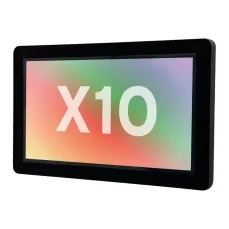
HORNER X10 PLC HMI controller with 10″ colour touchscreen, analog / digital inputs and outputs
1 363,67 EUR Incl. VAT
Related products6
HORNER XLE PLC HMI controller with 2.2″ monochrome screen, analog / digital inputs and outputs
498,52 EUR Incl. VAT
HORNER XL10 Prime PLC HMI controller with 10,4″ colour touchscreen, analog / digital inputs and outputs
2 637,80 EUR Incl. VAT
HORNER XL7 Prime PLC HMI controller with 7″ colour touchscreen, analog / digital inputs and outputs
1 747,24 EUR Incl. VAT
HORNER X7 PLC HMI controller with 7″ colour touchscreen, analog / digital inputs and outputs
936,54 EUR Incl. VAT
HORNER CANVAS 7 PLC HMI controller with 7″ colour touchscreen, analog / digital inputs and outputs
1 580,26 EUR Incl. VAT
HORNER X10 PLC HMI controller with 10″ colour touchscreen, analog / digital inputs and outputs
1 363,67 EUR Incl. VAT