




ProfiTrace 2 Ultra Pro – PROFIBUS DP/PA tester

ProfiTrace 2 Ultra Pro is a portable diagnostic solution for PROFIBUS DP, PA and MPI networks. The 38022 kit combines ProfiCore Ultra, PA Probe Ultra, ProfiCaptain 2, ScopeWare, an OPC server and professional reporting for fault finding, commissioning and preventive network checks. More
Code: 38022
ProfiTrace 2 Ultra Pro is a portable diagnostic solution for PROFIBUS DP, PA and MPI networks. The 38022 kit combines ProfiCore Ultra, PA Probe Ultra, ProfiCaptain 2, ScopeWare, an OPC server and professional reporting for fault finding, commissioning and preventive network checks. More
Code: 38022
ProfiTrace 2 Ultra Pro – PROFIBUS DP/PA tester
Order code 38022 is the most comprehensive ProfiTrace 2 kit for diagnosing PROFIBUS DP, PA and MPI networks. It helps maintenance teams, commissioning engineers and service technicians assess communication health, signal quality and network faults without unnecessary production downtime.
Would you like to purchase or repair this tester?
We will check availability of the replacement part and professional repair options for a faulty tester.
Key features
- Live monitoring, LiveList, communication statistics and telegram recording.
- ScopeWare digital oscilloscope for checking PROFIBUS A and B signal conductors.
- PA Probe Ultra for PROFIBUS PA measurement and diagnostics.
- ProfiCaptain 2 for active testing of devices as a PROFIBUS DP master.
- OPC server and professional measurement reports for documentation and further data processing.
How ProfiTrace 2 Ultra Pro is used
Use ProfiTrace 2 during commissioning, planned annual inspections, troubleshooting and after network modifications. PROFIBUS can continue running while smaller cable, connector, termination or interference problems accumulate. The tester makes these early issues visible before they develop into costly communication failures.
Long-term monitoring and trigger-based event recording help investigate intermittent faults. The topology scan, station voltage views, error statistics and oscilloscope traces enable technicians to distinguish the root cause from its effect elsewhere in the segment.
Technical parameters according to the product documentation
| Product | ProfiTrace 2 Ultra Pro |
|---|---|
| Order code | 38022 |
| Networks | PROFIBUS DP, PROFIBUS PA and MPI |
| Hardware interface | ProfiCore Ultra, USB 2.0; powered directly from USB |
| Supported PROFIBUS speed | Automatic detection from 9.6 kbps to 12 Mbps |
| Diagnostic tools | LiveList, network status, ScopeWare, voltage bar graph, topology scan and reporting |
| Additional functions | PA Probe Ultra, OPC server and ProfiCaptain 2 DP master simulation |
| PC software | ProfiTrace 2; product documentation states Windows 10 and 11 support, plus compatibility with older Windows versions |
Scope of delivery
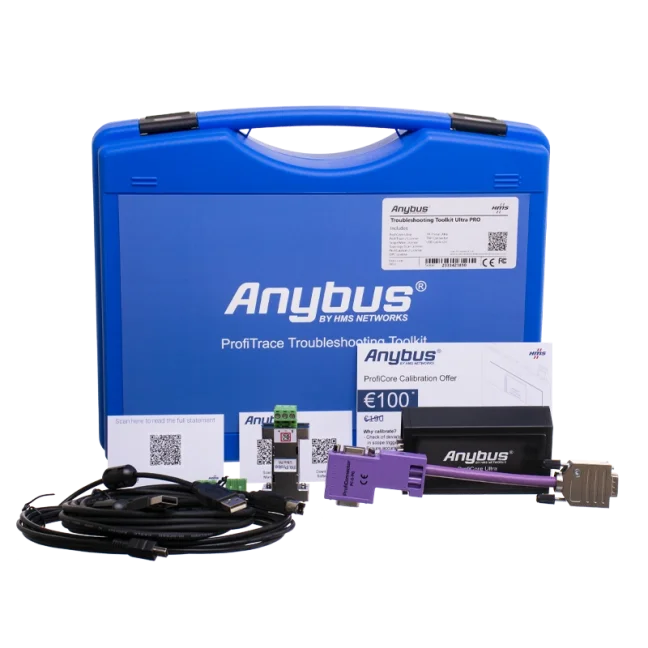
- ProfiCore diagnostic hardware in a compact plastic enclosure
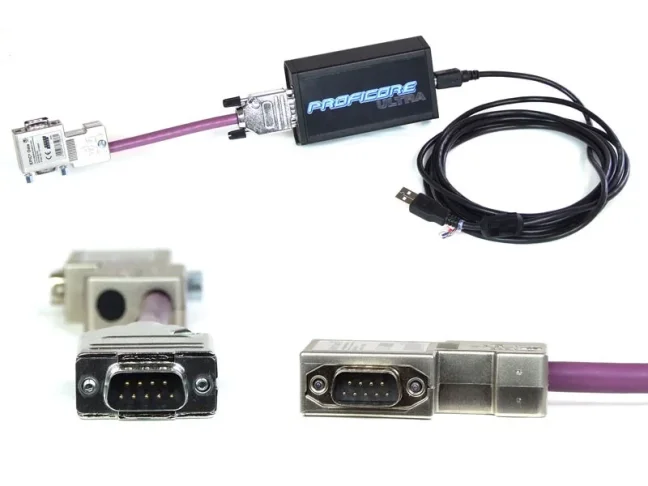
- Tap Connector 2 with a 20 cm PROFIBUS connection cable
- PA Probe Ultra for PROFIBUS PA measurement
- ProfiCaptain 2, PROFIBUS DP master simulator
- 3 m USB data/power cable and USB backup power cable
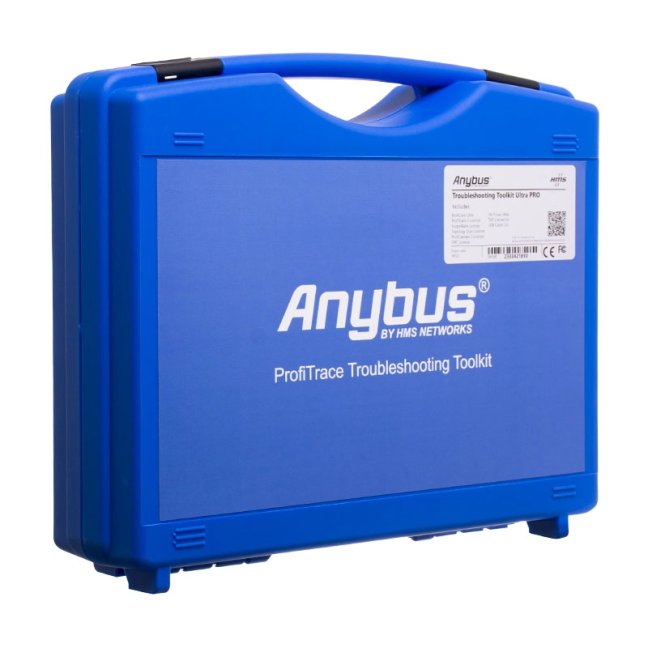
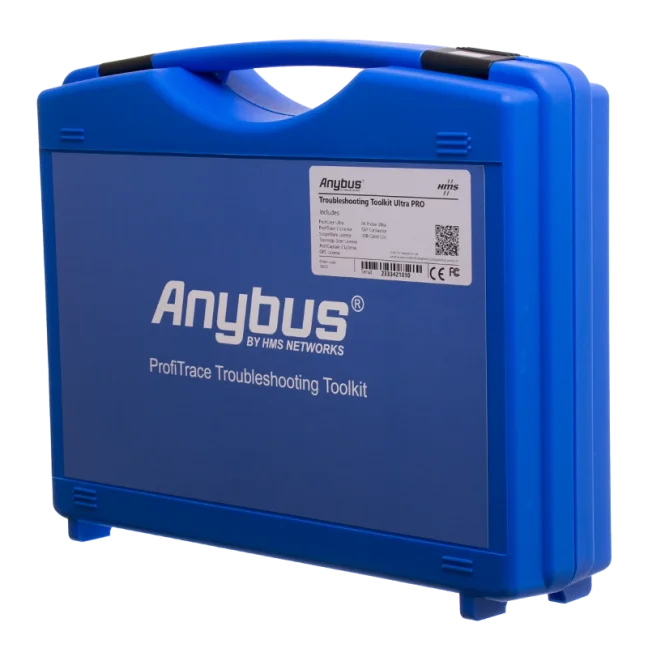
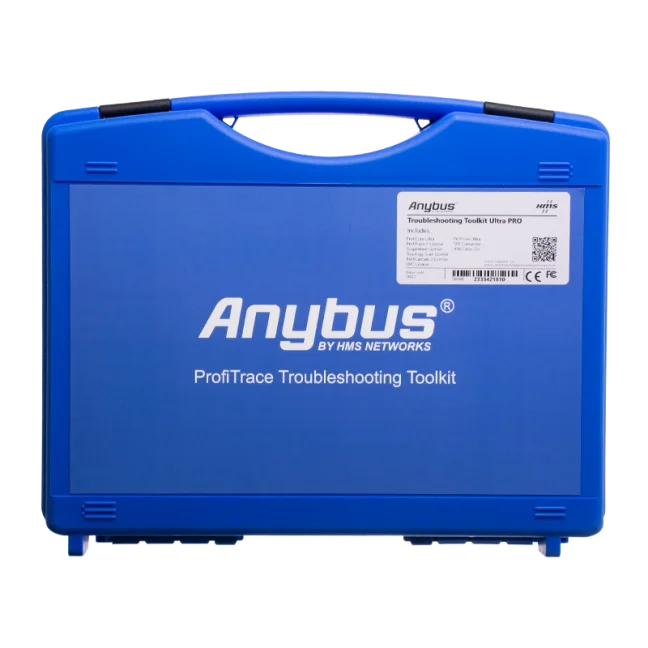
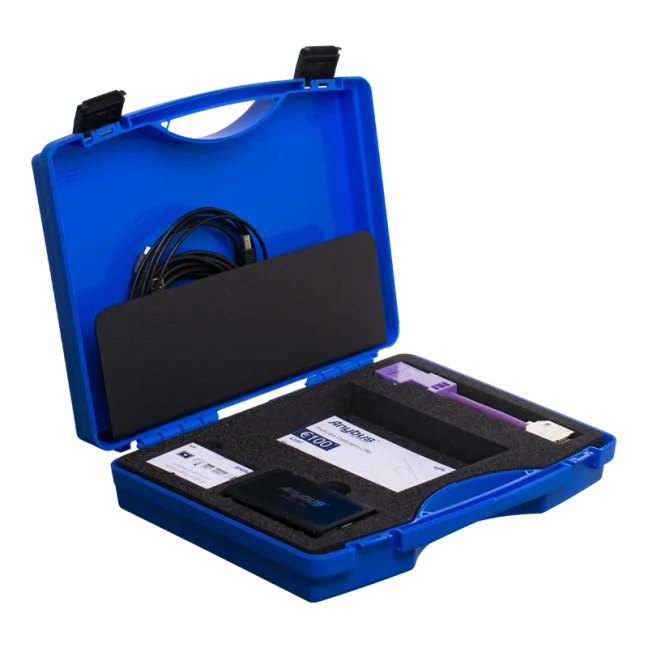
- Manual and blue protective carrying case
Note: the software is not supplied in the carrying case; download it from the Downloads tab of this product.
Frequently asked questions
Can I diagnose a network that still appears to be working?
Yes. This is one of the main reasons to use ProfiTrace 2. Signal reflections, incorrect termination, voltage drops or electromagnetic interference may exist long before a network failure becomes obvious.
What is included only with Ultra Pro?
Ultra Pro (38022) includes PA Probe Ultra for PROFIBUS PA, the OPC server and ProfiCaptain for active testing as a PROFIBUS DP master.
Can reports be used for preventive maintenance?
Yes. ProfiTrace 2 records measurement results and produces reports suitable for regular inspections and documentation.
Why buy from FOXON?
We help select the correct ProfiTrace version for your PROFIBUS network and application. FOXON provides new original and refurbished automation parts, a global supply network, warranty options and professional diagnostic and repair services.
Sales, repairs and buyback of automation parts
FOXON supplies diagnostic equipment and automation spare parts. For an existing faulty device, we can assess diagnostic and repair options. Learn more at FOXON automation parts.
Request ProfiTrace 2 Ultra Pro
Contact us for availability, technical consultation, training and implementation support.
Poptat nákup nebo opravu díluTechnical Parameters
PROFIBUS Diagnostics and Measurement
- Product type: portable PROFIBUS DP/PA analyser / tester
- Purpose: maintenance, service, commissioning and preventive checks of PROFIBUS networks
- Measured networks: PROFIBUS DP via RS-485 and PROFIBUS PA via PA Probe Ultra
- Analyser mode: passive recording of data traffic in the PROFIBUS network
- Master station simulation: full simulation via ProfiCaptain
- Supported tools: Busmonitor, LiveList, statistics, ScopeWare oscilloscope, Bar graph, Topology Scan, cable length measurement, reporting, ProfiCaptain and OPC Server
- Detected faults: communication errors, duplicate or incorrect addresses, missing devices, diagnostic and configuration errors, repeated requests, corrupted telegrams, interference, reflections, short circuits, wire breaks and termination problems
- Telegram recording: yes, including filtering and recording triggers
- PROFIBUS message decoding: DP-V0, DP-V1 and selected DP-V2 functions
- PROFIBUS PA: yes, via PA Probe Ultra, which is included in the kit
PROFIBUS PA and PA Probe Ultra
- PA Probe Ultra: included in the Ultra PRO kit for connection to PROFIBUS PA / MBP networks
- Automatic PA Probe Ultra detection: yes, after ProfiCore Ultra initialization in the ProfiTrace 2 application
- PROFIBUS PA diagnostics: signal measurement and detection of communication and physical faults in the PROFIBUS PA network
- PA Probe Ultra connection: via DB9 connector to the ProfiCore Ultra module
- Notice: PA Probe Ultra is not Ex-certified and is intended for safe areas only
Oscilloscope and Signal Check
- Integrated digital oscilloscope: yes, ScopeWare
- Signal check: differential voltage, A/B wires, noise, overshoots, reflections and triggers
- Maximum captured PROFIBUS signal speed: 12 Mbps
- Oscilloscope sampling frequency: 2 × 192 MHz for A/B wires, 384 MHz for differential measurement
- Oscilloscope bandwidth: 100 MHz
- Oscilloscope measurement range: differential -9 to +9 V, single-ended -4.5 to +8.5 V
- Bar graph: display of average, minimum and maximum signal values for individual stations
Topology and Reports
- Topology Scan: automatic drawing of the PROFIBUS DP network topology
- Topology Scan limitation: works at speeds of 500 kbps and 1.5 Mbps
- Distance measurement in topology: distances below 2 m and above 230 m cannot be measured reliably
- Cable length measurement: yes, for a PROFIBUS DP segment without an active Master
- Measurement reports: automatic generation of detailed reports with signals, errors, topology and administrative data
ProfiCaptain and Active Testing
- ProfiCaptain: included in the Ultra PRO kit
- Function: PROFIBUS DP Master station simulation
- Device testing: testing of PROFIBUS Slave stations, I/O and communication parameters
- Address setting: option to set PROFIBUS device addresses
- Practical use: checking the functionality of a PROFIBUS port on a Slave station without the original PLC Master
OPC Server and Data Integration
- OPC Server: included in the Ultra PRO kit
- Purpose: transfer of data from ProfiTrace to higher-level OPC clients
- Transferred data: device status, communication statistics, LiveList and selected process variables
- Typical use: connection to SCADA, HMI, Excel or other applications with an OPC client
- Effect on PROFIBUS communication: data is obtained from passive bus monitoring, without loading the PROFIBUS cycle
Connection and ProfiCore Ultra Hardware
- Connection to PC: USB 2.0
- Power supply: via USB, normally without the need for an external power supply
- USB current consumption: 400 mA
- External power supply: 9 V / 500 mA, adapter is not included with the product
- Connection to PROFIBUS DP: galvanically isolated RS-485 interface with DB9 connector
- Connection to PROFIBUS PA: via PA Probe Ultra
- Bus load: 1/5 of a standard PROFIBUS load
- Built-in memory/cache: yes, to reduce the risk of telegram loss under higher Windows load
Software and PC Requirements
- Software: ProfiTrace 2
- Installation: on a Windows PC or notebook
- Minimum requirements according to the manual: Windows XP, Vista, 7, 8 or 10
- Required USB port: USB 2.0 high-speed with min. 400 mA power supply
- Free disk space: min. 100 MB
- Minimum display resolution: 1024 × 768 px
- Recommended display resolution: 1280 × 1024 px or higher
- User interface: multilingual
Mechanical and Operating Parameters
- Weight of the complete kit: 1430 g
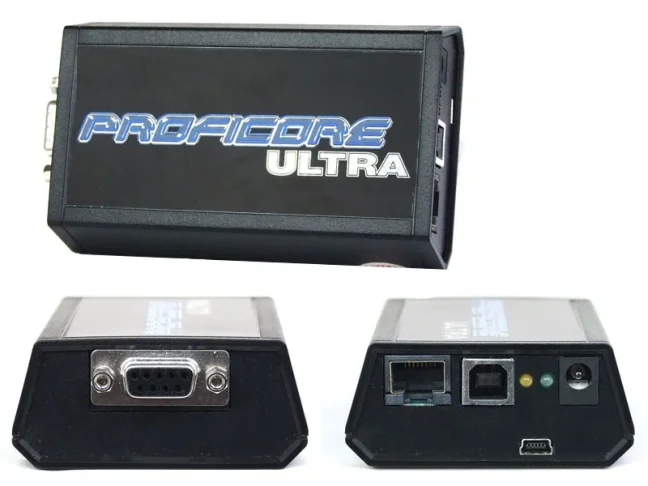
- ProfiCore Ultra dimensions: 108 × 68 × 28 mm
- ProfiCore Ultra weight: approx. 125 g
- Housing material: plastic
- Supply voltage: 5 V via USB
- Operating temperature: 0 to +60 °C
- Storage temperature: -20 to +70 °C
- Protection rating: IP20
- Contains battery: no
Ultra PRO Kit Contents
- ProfiCore Ultra
- USB A-B cable
- USB A-mini cable for optional additional power supply
- ProfiTrace 2
- ScopeWare oscilloscope
- Bar graph
- Topology Scan
- Reporting
- ProfiCaptain
- OPC Server
- PA Probe Ultra including 2 spare green connectors
- Tap Connector for connection to a PROFIBUS DP network
- Blue portable case
- Manual
- Manufacturer order code: 38022
Certifications and Standards
- CE: yes
- UL: yes
- RoHS: yes
- WEEE category: IT and telecommunications equipment
Overview of ProfiTrace 2 Ultra Pro tester tools
ProfiCore Ultra hardware module
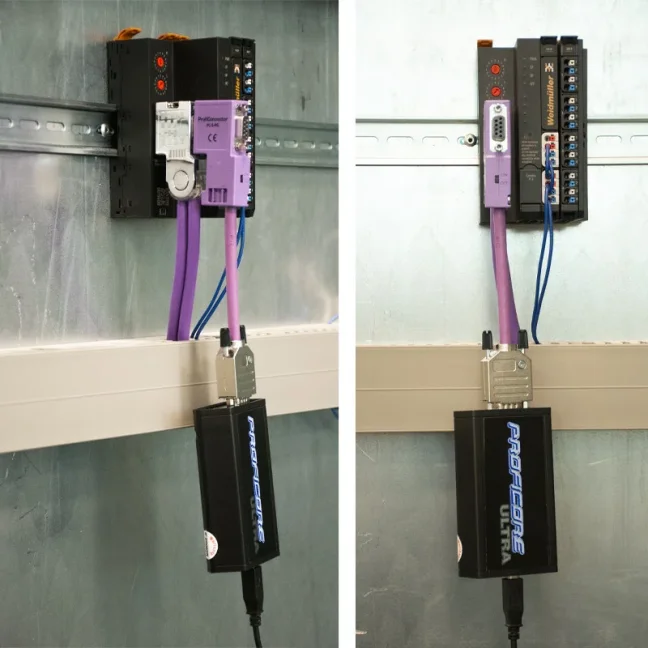
ProfiCore Ultra is the hardware module required for using ProfiTrace 2. It connects via USB, which also provides power, and converts the PROFIBUS signal to USB and vice versa. It allows measurements from both a notebook and a PC, without the risk of creating spur lines on the bus. The module has a galvanically isolated RS-485 interface with a DB9 connector and an integrated high-speed digital oscilloscope for signals up to 12 Mbps. In analyser mode, it passively records data traffic; when ProfiCaptain is activated, it can act as a PROFIBUS DP MASTER. Thanks to its built-in memory, there is no risk of telegram loss even under higher Windows system load.
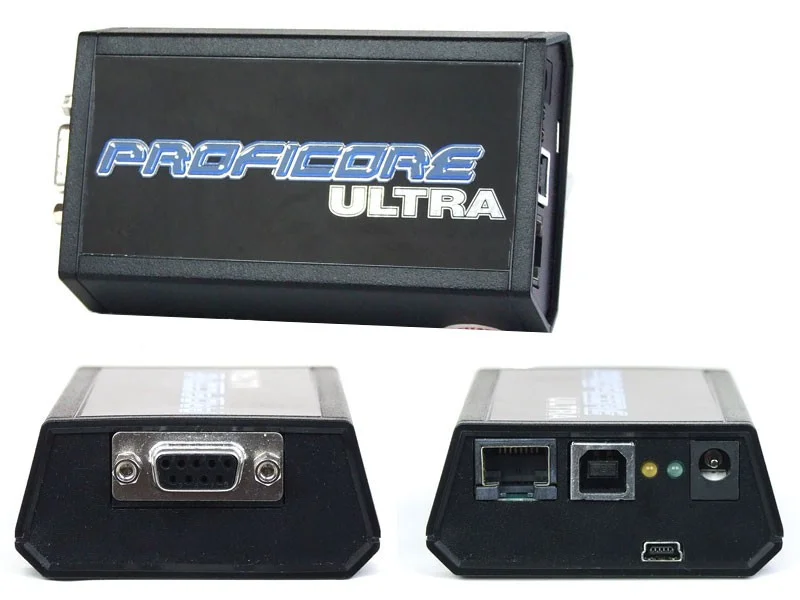
You do not need a 230 V socket to measure PROFIBUS networks
You connect the tester to the computer via a USB cable, which carries both data and power. The tester also has a connector for external power supply, but we have never used it in the last 13 years. Power from the notebook has always been sufficient, and you can measure for several hours. This is a major advantage because not every control cabinet has a 230 V socket, and dragging an extension cable or external battery for powering the tester is not always convenient, or even possible.
ProfiTrace 2 application
To measure a PROFIBUS network, you need the ProfiCore analyser, which you connect to a computer with ProfiTrace 2 installed. This program can be installed on any number of computers and is not tied to a specific PC by a software or hardware key. Measured records can be opened at any time in ProfiTrace 2, even without the ProfiCore tester module connected.
ProfiTrace 2 displays the status and communication of stations in real time, detects faults and stores records. It offers an integrated oscilloscope, voltage measurement tools, topology drawing, long-term analysis, report generation and, in the Ultra Pro version, also PROFIBUS PA diagnostics, an OPC server and full PROFIBUS DP MASTER simulation using ProfiCaptain.
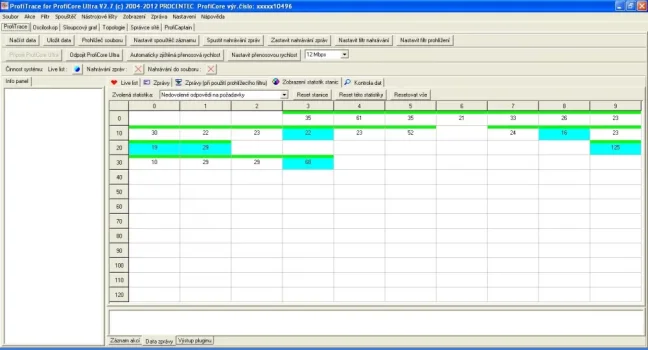
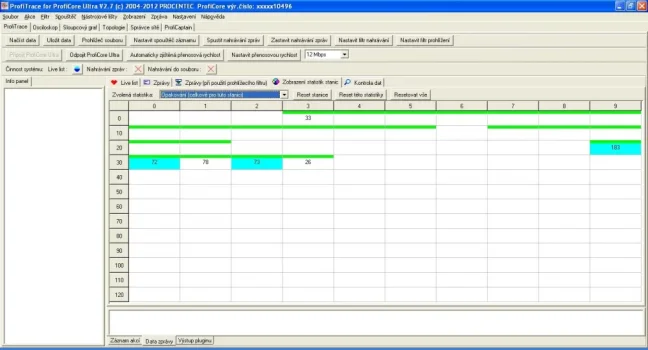
1) LiveList and PROFIBUS station statistics
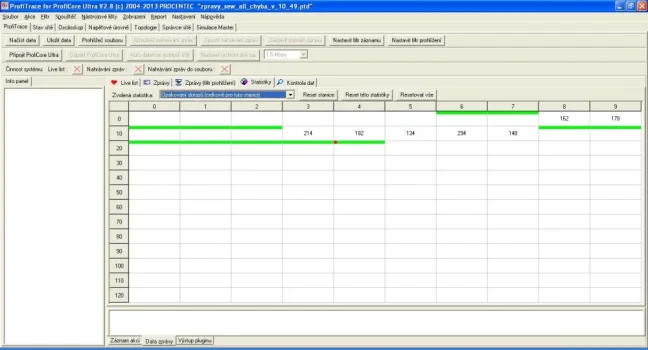
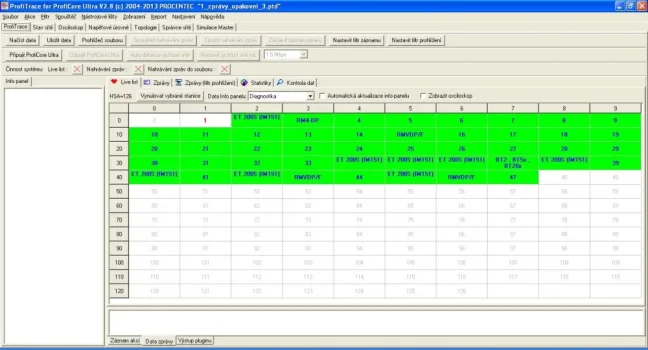
LiveList shows all detected MASTER and SLAVE stations in the network together with several statistical details. The status of each station is colour-coded:
- green background = the SLAVE station is in active data exchange with the MASTER station
- yellow background = the station was lost during measurement, meaning the tester still detected it at the beginning of the measurement
- purple background = the station has a configuration error, for example the configuration in the PLC does not match the detected configuration of the SLAVE station
- red background = the station has a parameter error, for example incorrect GSD, incorrect address, etc.
- white background = the station is not in the hardware project of the MASTER station; no MASTER communicates with it
LiveList can also generate station names when a diagnostic message synchronized with the GSD library of the given device is captured. If the GSD file contains a list of error messages for the given station, LiveList displays the exact description of the detected error as provided by the device manufacturer.
LiveList also includes communication statistics that record the frequency of unwanted network states, such as repeated requests, station losses, corrupted messages, communication cycle, message lengths, diagnostic messages and more.

Recording PROFIBUS telegrams
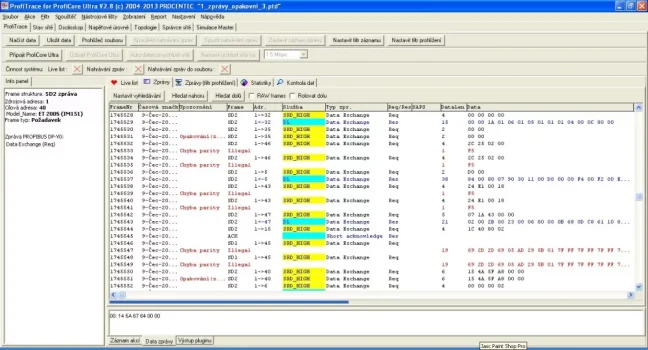
In addition to precise measurement of electrical signals, ProfiTrace 2 can monitor and record all or selected PROFIBUS telegrams. Analysis of communication messages between MASTER/SLAVE stations is one of the most accurate tools for clearly identifying incorrect station behaviour, interference, power supply failures, short circuits in cables, etc.
You can record all telegrams or only selected ones using triggers based on an error or message content. The ProfiTrace 2 tester understands telegram content, so you can capture only specific types of messages. Analysis is also faster thanks to colour-coding of messages according to their type.

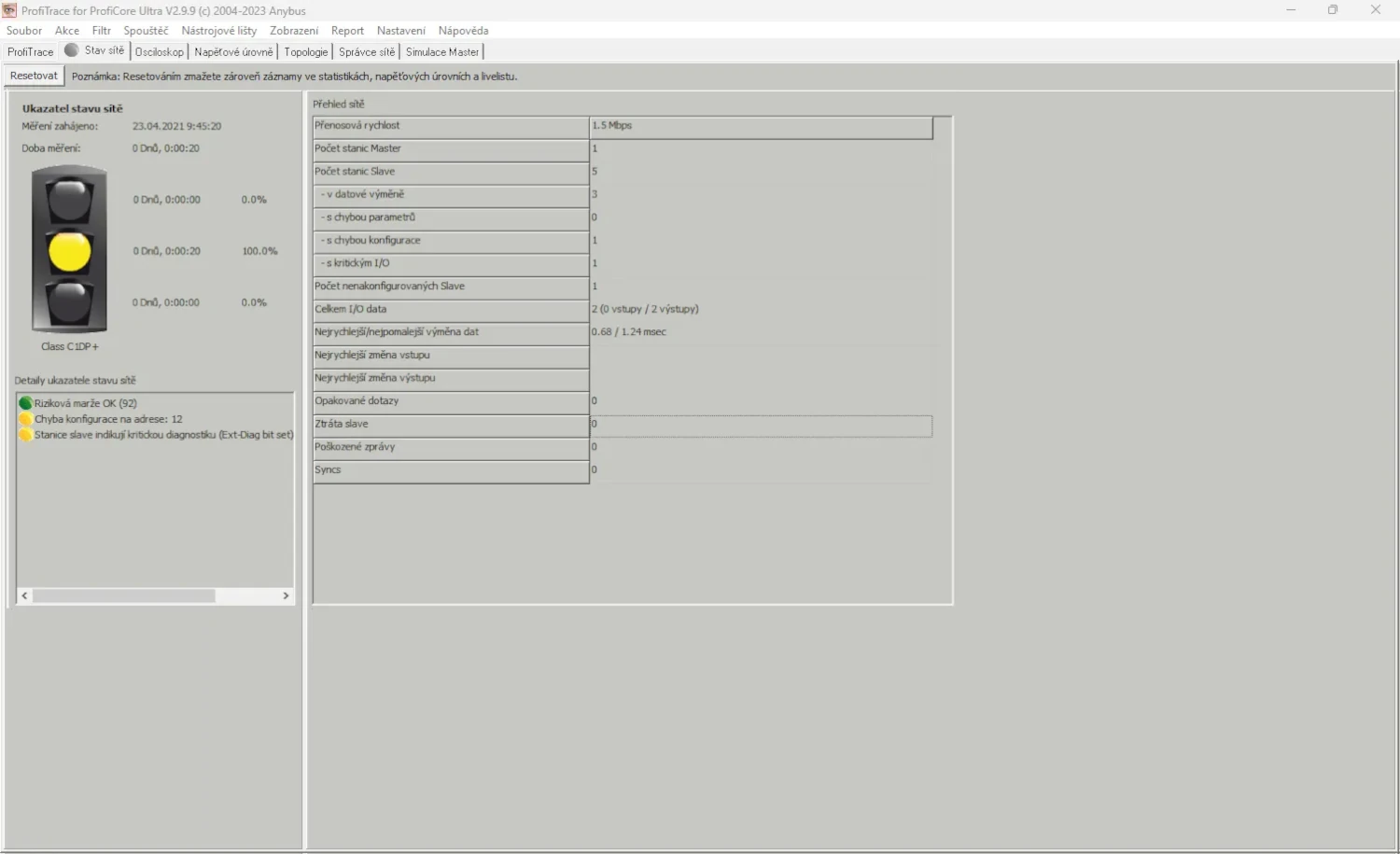
2) Network status
The network status is displayed simply using a traffic-light indicator: green = network OK, yellow = minor problems, red = critical faults requiring intervention. For each colour, the percentage of time during which the network was in that state is shown. The network status indicator details also include warnings based on electrical or telegram errors, helping to quickly identify problematic stations and bus segments.
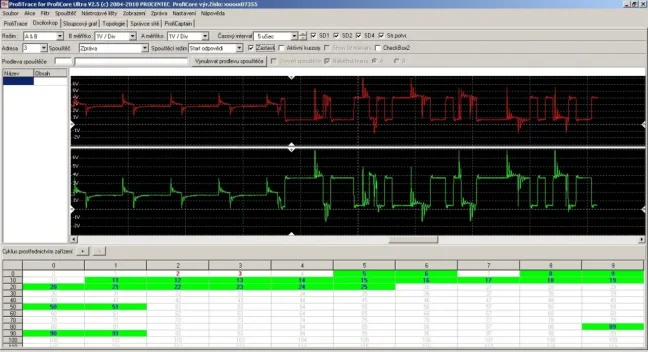
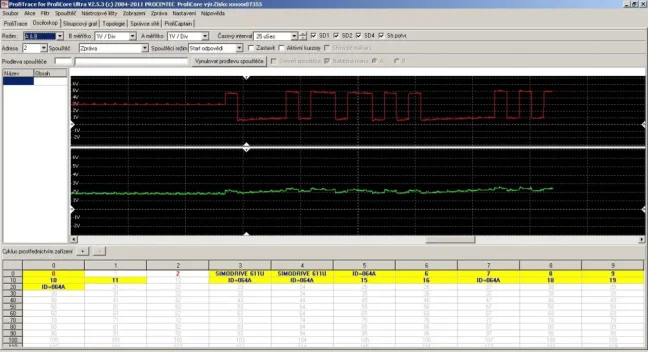
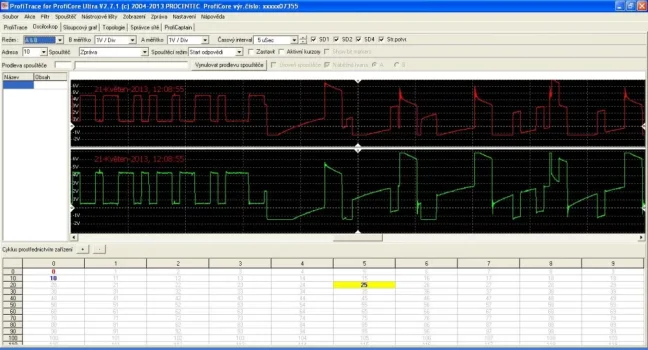
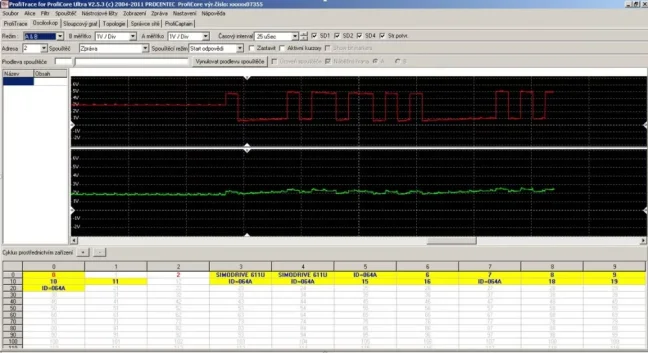
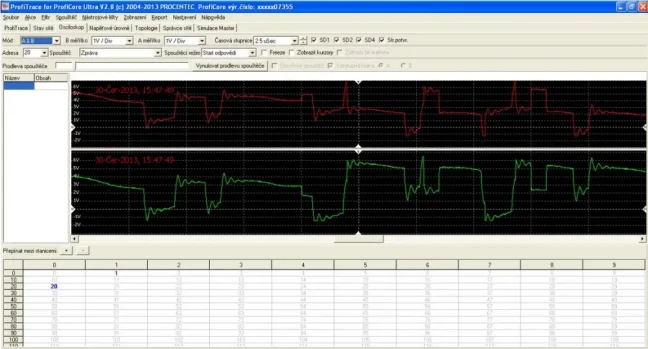
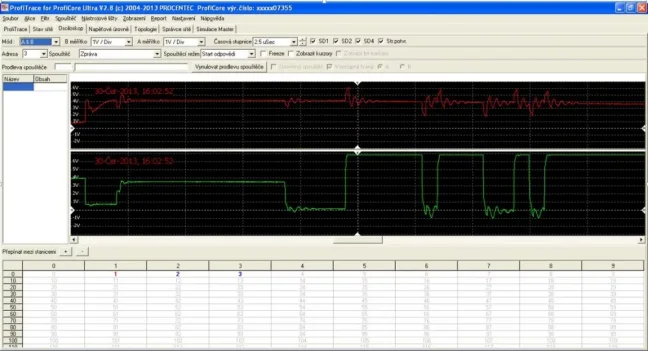
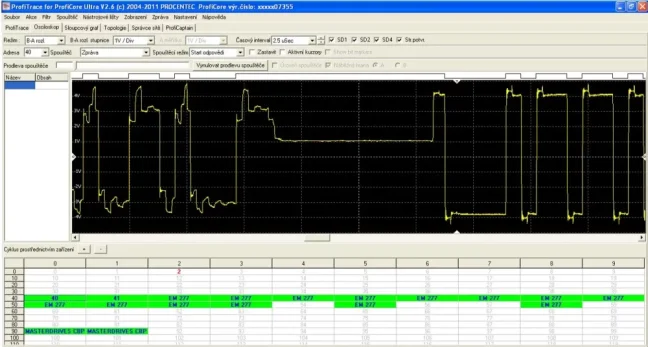
3) Digital oscilloscope
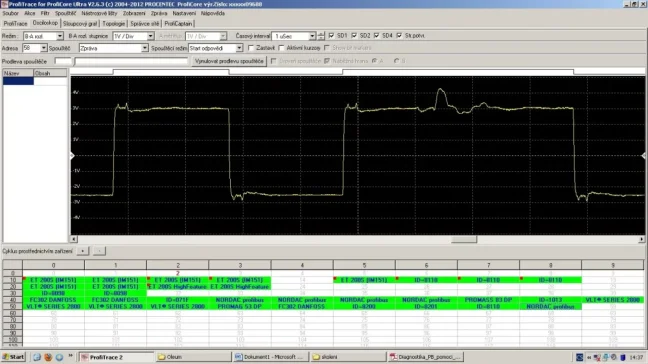
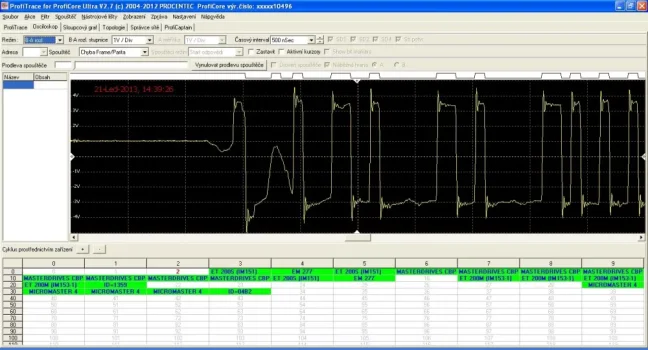
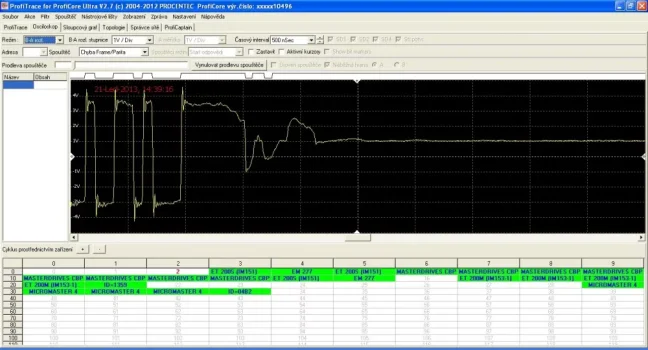
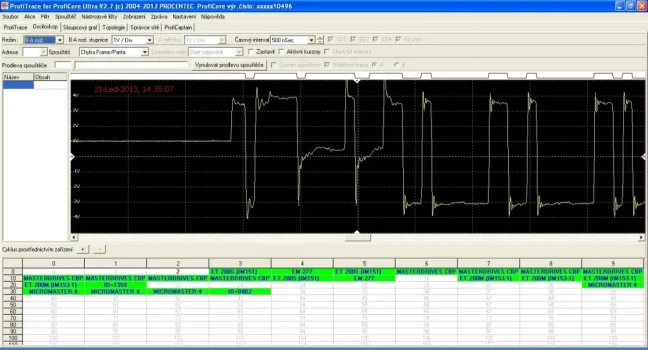
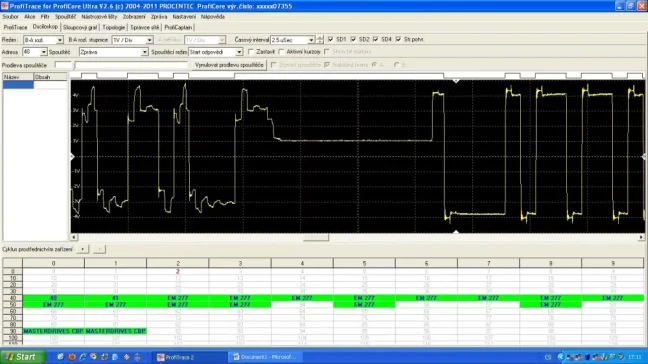
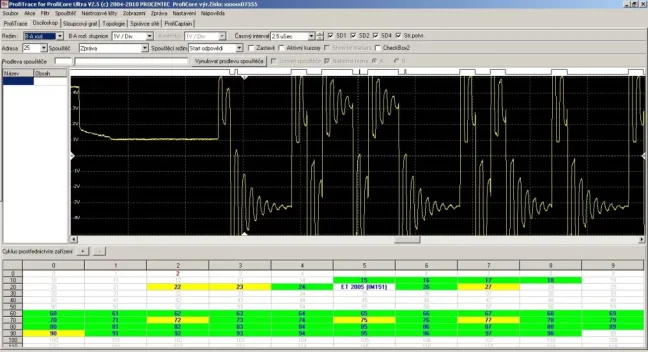
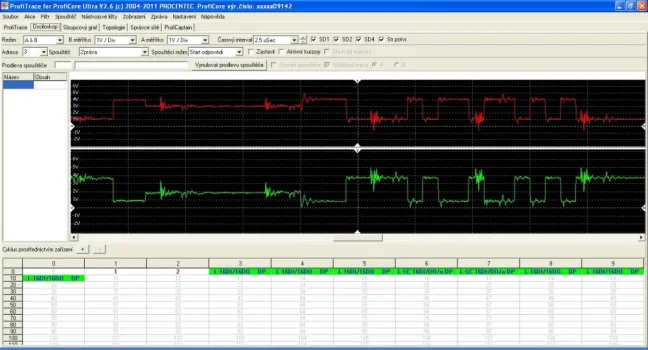
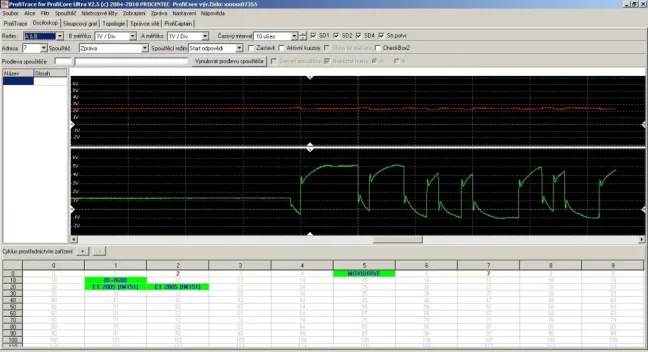
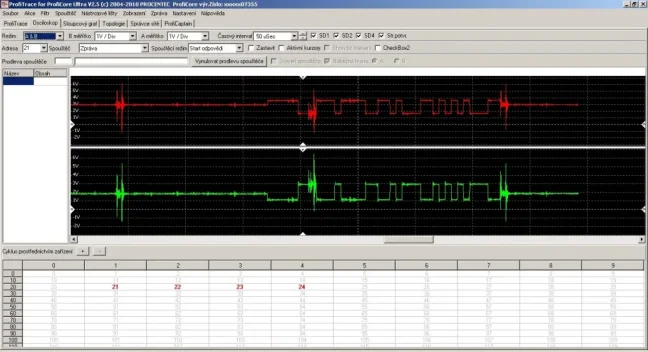
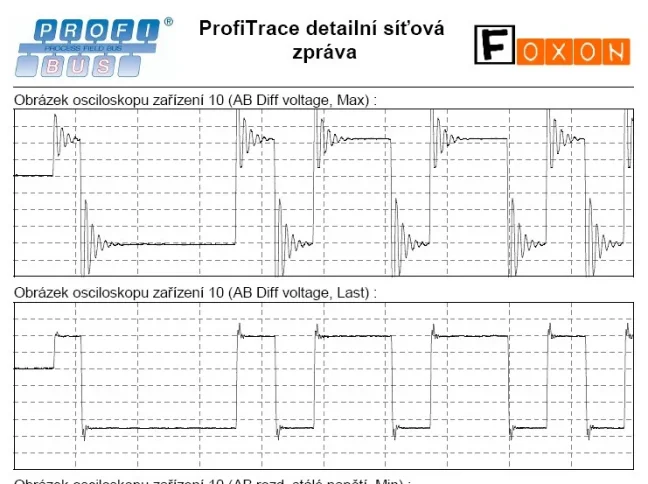
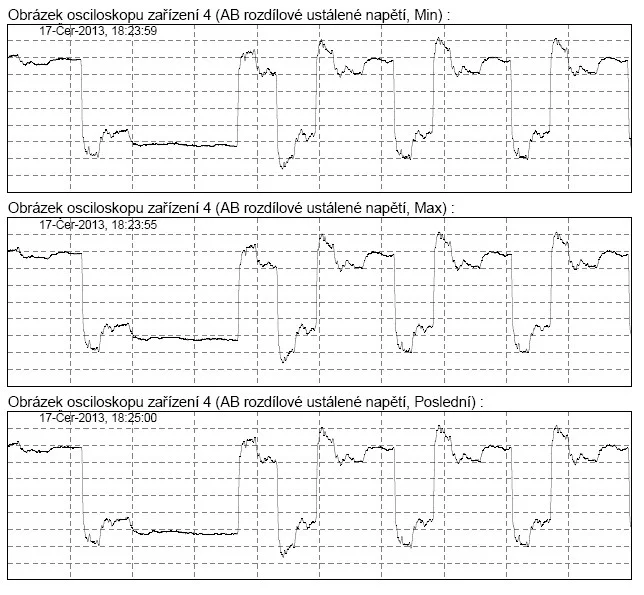
The oscilloscope is used to measure PROFIBUS signal quality. Immediately after startup, the oscilloscope starts displaying all signals measured in the connected network. For better orientation, you can change the amplitude scale, voltage range and B-A signal display method.
By double-clicking a station in LiveList, the oscilloscope starts displaying the signal measured only for that station. This is an effective way to check the signal quality of individual devices from the measurement point and, based on signal deviations, determine the real distance from the problem location.

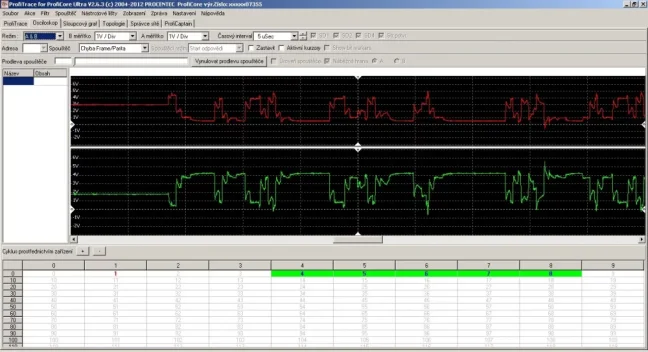
The oscilloscope display can be switched between a combined waveform, meaning one oscilloscope waveform, and a split waveform, meaning two oscilloscope signals for wires A and B. Thanks to the split display, it is easier to identify interference in the network or a fault on a specific A/B wire.

4) Voltage waveforms
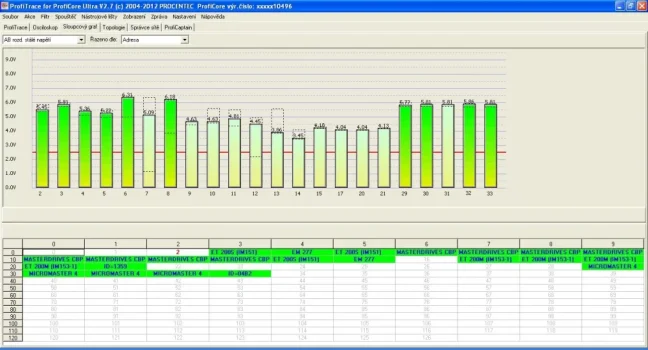
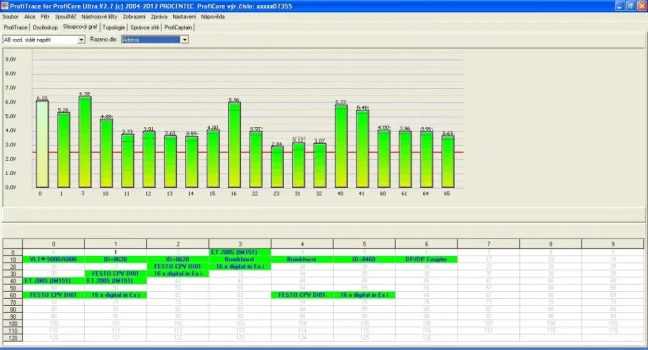
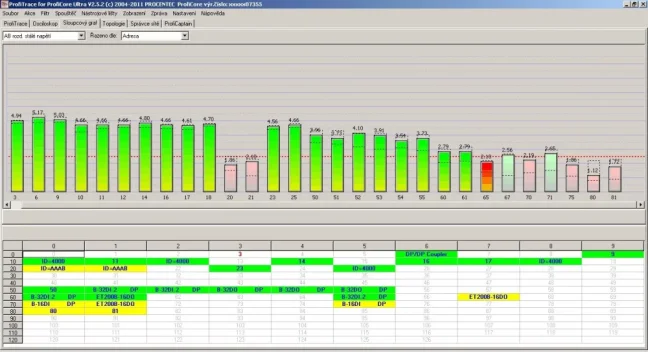
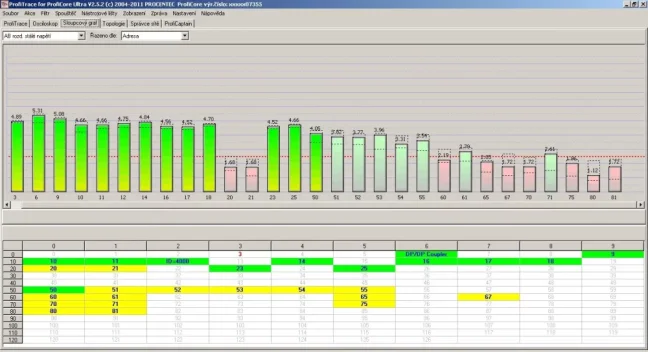
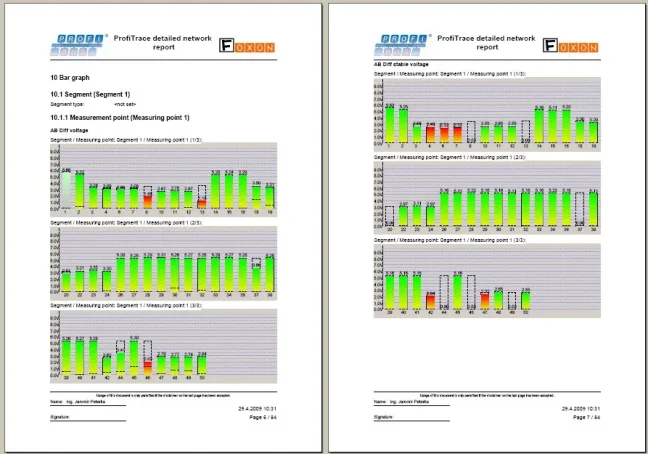
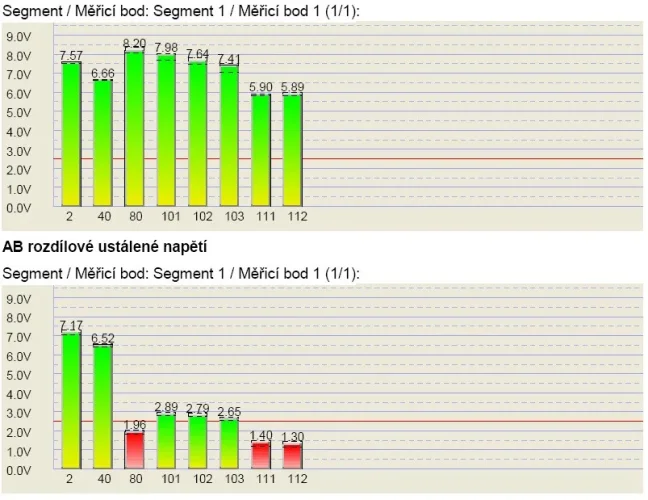
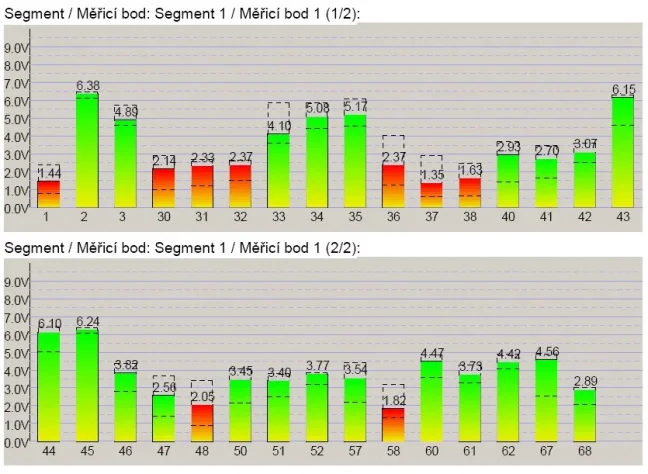
The bar graph displays the voltage level of all PROFIBUS stations in the network. Unlike other analysers, ProfiTrace 2 displays live voltage for all stations at once and with a high refresh rate, which is very useful especially when identifying network faults.
The average voltage level should be around 5 V. If there are bus problems, the bar graph displays irregular voltage values and the colour of the bars changes. The program displays the currently measured voltage and also collects maximum and minimum voltage values from the start of the measurement.

5) Topology
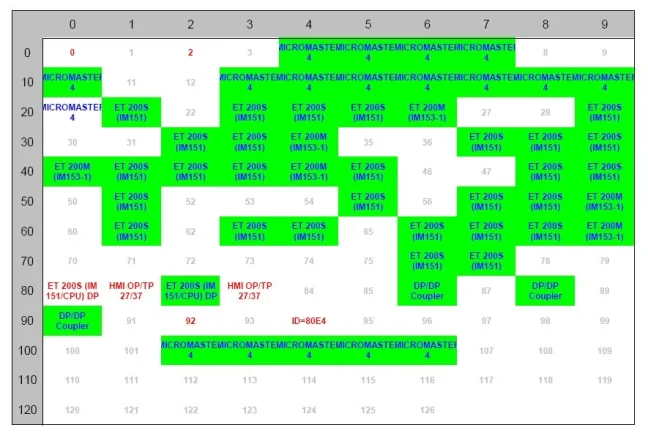
ProfiTrace 2 can generate a PROFIBUS network topology diagram, including distances between stations, without the need to shut down the network beforehand. This works only at speeds of 500 kbps and 1.5 Mbps.
Topology generation works by precisely measuring outgoing and incoming messages between the MASTER and SLAVE station, based on which the tester creates the network topology. Due to the measurement principle, it is important that the PROFIBUS network is in good condition so that the calculations are not distorted.
Another limitation is the presence of PROFIBUS repeaters or optical converters, beyond which the tester cannot see and therefore cannot draw the complete topology. For these reasons, topology generation should be treated as indicative, and additional mapping methods should be used for more complex networks.
Notice: live measurement is possible only at speeds of 500 kbps or 1.5 Mbps. At other speeds, the original MASTER must be disconnected.
6) Network Manager
Network Manager is a tool for saving and loading measured data from the oscilloscope, bar graphs and topology images. It allows you to assign names to segments, measurement points and stations, which are then displayed in reports. The Network Manager function is particularly useful when measuring networks divided into multiple segments, for example using repeaters, hubs, optical converters or other media.
Network Manager also includes the creation of templates for repeated measurements, which simplifies and speeds up regular testing. It also helps with the analysis of measured oscilloscope waveforms by displaying minimum and maximum signal values.
Important: Once the ProfiCore Ultra module is initialized, Network Manager automatically records electrical measurements in the background. This process runs continuously and must be kept in mind especially when moving the ProfiCore Ultra. Measurement recording can be stopped at any time by clicking “Stop processing”.
7) PA Probe Ultra – PROFIBUS PA diagnostics
PA Probe Ultra is a measuring adapter for diagnosing PROFIBUS PA networks. It allows you to connect the ProfiTrace 2 tester to a PA segment and passively monitor both communication and signal quality on the physical layer. It is mainly used in plants where PROFIBUS PA devices and segments are used.
Using PA Probe Ultra, you can detect typical problems in a PROFIBUS PA segment, such as communication errors, addressing problems, missing devices, configuration errors, termination problems, interference or cabling faults. For PROFIBUS PA, ProfiTrace 2 focuses, among other things, on analysing AC and DC signals, power level stability and signal quality in relation to noise on the cable.
PA Probe Ultra is the main extension of the Ultra Pro version for plants where PROFIBUS DP measurement is not enough and where PROFIBUS PA devices and segments also need to be diagnosed.
8) ProfiCaptain – PROFIBUS DP MASTER station simulator
ProfiCaptain is a software simulator of a PROFIBUS DP-V0/DP-V1 Master station. It is most often used for testing PROFIBUS Slave stations, checking PROFIBUS ports, verifying I/O and commissioning devices.
You connect the tester to a PROFIBUS Slave station, enable termination on the connector, select the PROFIBUS speed and start simulation of the PROFIBUS DP MASTER station. In the oscilloscope and voltage levels, you then see only two stations: the tester as MASTER and the tested device as SLAVE. This allows you to quickly verify whether the port of the slave station is working properly.
ProfiCaptain is designed for testing, parameterization and demonstration of PROFIBUS products, such as PLCs, PC cards, remote I/O, converters or other PROFIBUS devices. Using ProfiCaptain, you can detect the parameters of individual stations, test I/O, verify correct device settings, change addresses, assist with network mapping and perform other service tasks.
Typical uses of ProfiCaptain
- Testing PROFIBUS SLAVE stations
- Testing I/O and setting station addresses
- Demonstrating PROFIBUS product functionality
- Training and research purposes
Main features of ProfiCaptain (MASTER simulation)
- Automatic detection of PROFIBUS network parameters
- detection of Tslot, MaxTSDR, Tset, etc.
- Master address recommendation
- continuously updated live data
- support for speeds from 9.6 kbit/s to 12 Mbit/s
- prevention of sudden failures
- Class 2 function support (only with tester version 38022)
- setting Slave station addresses
- reading inputs/outputs of all stations in the network
- configuration
- I/O testing (only with tester version 38022)
- Monitoring and editing selected value types (bool, hex, decimal, float, etc.)
- Stealing slaves function - only with tester version 38022
- option to take over Slave stations from the Master station without removing these stations from the network or deactivating the Master
- Configuration
- user-friendly program operation
- GSD file import
- no loss of connection when parameters are changed
9) OPC server
ProfiTrace 2 includes an OPC server that provides a standardized interface for transferring selected diagnostic information from the PROFIBUS network to higher-level OPC clients. This typically includes device status, LiveList data, communication statistics, process values from Data Exchange messages and general network information, such as communication speed or measurement status.
Data from the OPC server can be further used in visualization systems, SCADA/HMI applications, trends, alarm systems or reporting tools. Individual ProfiTrace values, meaning OPC tags, can be displayed in a visualization or connected to an SMS/e-mail client to send alerts when changes or faults occur in the PROFIBUS network.
Another option is to use the available OPC tags for custom reports, for example in MS Word or Excel applications. Practically any application acting as an OPC client can use the available ProfiTrace values.
The advantage is that these are data obtained from passive bus monitoring. The tester therefore monitors communication and provides diagnostic information without loading or disrupting the normal communication cycle of the PROFIBUS network. Without an activated licence, OPC server use is limited to 30 minutes.
Note: The OPC server in ProfiTrace 2 is mainly suitable for diagnostics, service measurements and temporary transfer of diagnostic data to a higher-level system. For permanent transfer of diagnostic data from a PROFIBUS network via OPC, a specialized solution designed for long-term operation is more suitable, such as ComBricks products.
10) PROFIBUS network measurement reports
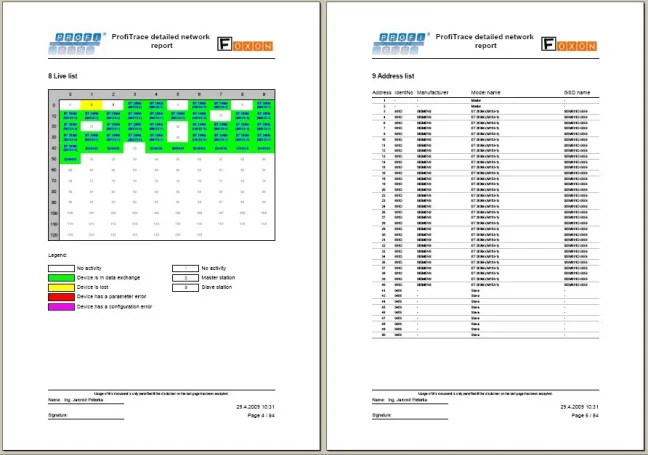
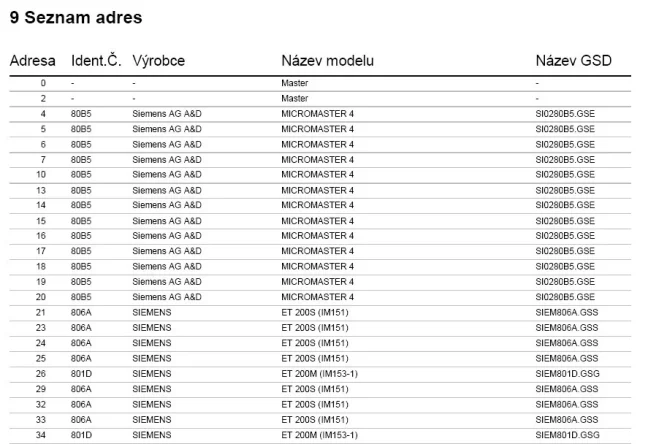
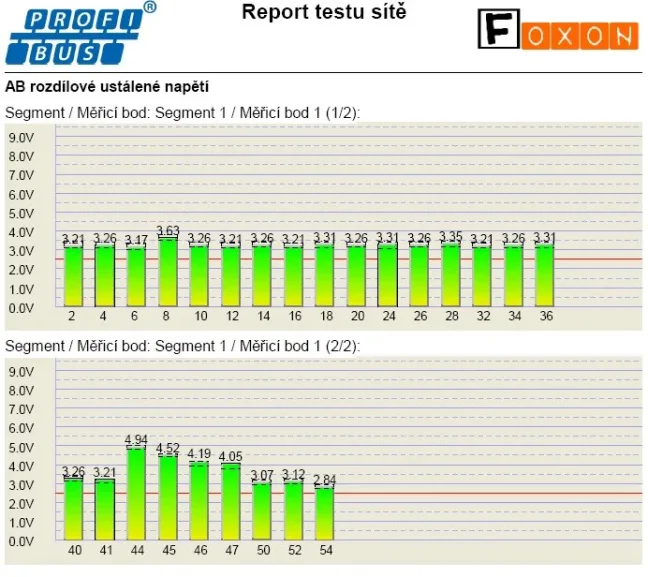
The reporting tool allows you to generate a detailed report with measurement results after the measurement is completed. The report includes electrical signals of all devices, detected errors, a station list with descriptions, network topology, voltage levels at stations, oscilloscope graphs for individual PROFIBUS stations and other information. The introduction of the report includes a recommendation whether the PROFIBUS network is approved for operation or requires intervention.
Reports serve as handover protocols for new networks or as inspection documentation from the performed measurement. ProfiTrace 2 generates globally recognized measurement reports, which can be created in several languages, including Czech, Spanish, etc.

To acquire practical skills and work effectively with PROFIBUS networks, we recommend the 2-day training course PROFIBUS - Basics, Diagnostics & Network Troubleshooting.
Frequently Asked Questions (FAQ) – ProfiTrace 2 Ultra Pro
What is ProfiTrace 2 Ultra Pro?
ProfiTrace 2 Ultra Pro is a portable tester and analyzer for diagnosing PROFIBUS networks. It is used for measurement, fault detection, and communication analysis in both PROFIBUS DP and PROFIBUS PA networks. It is suitable for service, maintenance, commissioning, and troubleshooting hard-to-find faults in operation.
Which networks is ProfiTrace 2 Ultra Pro designed for?
This variant is designed for both PROFIBUS DP and PROFIBUS PA. Compared to the lower Ultra Plus variant, it also includes the PA Probe Ultra for measuring PROFIBUS PA segments.
What is ProfiTrace 2 Ultra Pro used for in practice?
It helps detect communication faults, unstable stations, signal problems, interference, parameter errors, topology issues, and recurring diagnostic messages. It is useful during commissioning, regular inspections, and when looking for the causes of random PROFIBUS network failures.
Can the network be measured during operation?
Yes. ProfiTrace allows measurements during normal operation without the need to shut the network down. This is especially important where faults occur only occasionally or under load.
What can the LiveList tool do?
LiveList displays the detected MASTER and SLAVE stations in the network and their current status. It can show, for example, lost stations, configuration errors, parameter errors, or devices with which no MASTER is communicating. It also includes communication statistics such as repeated queries, corrupted messages, or diagnostic messages.
Can the tester display signal quality?
Yes. A digital oscilloscope called ScopeWare is available to display signal waveforms on the A and B lines, as well as a bar graph for an overview of the voltage levels of individual stations. This makes it easier to detect weak signals, reflections, or electromagnetic interference.
Can ProfiTrace 2 Ultra Pro display topology and create a report?
Yes. The functions include network topology scanning and reporting. Measurement outputs can be saved and used for documenting the network condition, handing results over to the customer, or comparing the state before and after an intervention.
Does ProfiTrace 2 Ultra Pro include MASTER station simulation?
Yes. The Ultra Pro variant includes ProfiCaptain 2 and enables full PROFIBUS MASTER station simulation. This is useful when commissioning devices, testing communication, or performing diagnostics without a running PLC.
Is an external 230 V power supply required?
In most cases, no. The tester connects to a computer via USB, which carries both data and power. In practice, a notebook is usually enough, and there is no need to deal with a power outlet in the control cabinet.
What is included in the Ultra Pro package?
The Ultra Pro variant includes the ProfiCore hardware module, a Tap connector for connection to the PROFIBUS bus, the PA Probe Ultra for measuring PROFIBUS PA, ProfiCaptain 2, USB cables, a manual, and a portable carrying case.
Is the software tied to one computer?
No. The ProfiTrace 2 program can be installed on multiple computers. In addition, recorded measurement files can be opened even without the connected hardware module.
Who is ProfiTrace 2 Ultra Pro suitable for?
It is suitable for service technicians, system integrators, maintenance staff, and specialists who diagnose PROFIBUS DP and PA networks. It makes the most sense where a basic bus check is not enough and a deeper analysis of the signal, communication, and active device testing is required.
What is the difference between ProfiTrace 2 Ultra Pro and Ultra Plus?
Ultra Pro is the higher variant. Compared to Ultra Plus, it adds PROFIBUS PA measurement thanks to the PA Probe Ultra and enables full PROFIBUS MASTER station simulation. Ultra Plus is primarily for PROFIBUS DP and only supports simplified simulation, where the tester acts as a MASTER mainly for diagnostic messages or setting the address of a SLAVE station.
When should you choose Ultra Pro and when Ultra Plus?
Choose Ultra Pro if you also work with PROFIBUS PA or need full MASTER simulation. Ultra Plus is sufficient where you only deal with PROFIBUS DP networks and do not need PA segments or fully extended testing options.

Review: ProfiTrace2 – Part 3: Advanced Analyzer Features
In the final part of our article series on the PROFIBUS analyzer, we will show, among other things, how to connect the analyzer to PROFIBUS as a Master, control Slave stations, adjust network speed (you’ve probably never seen PROFIBUS running at 9.6 kbps), and install and use plugins that extend the tool’s capabilities. Review by Jaroslav Blažek (blaja.cz).

Review: ProfiTrace2 – Part 2: Most Common PROFIBUS Faults
Another part of the series on the ProfiTrace2 analyzer for PROFIBUS networks, where we’ll show what the most common faults look like and how and where they appear in the analyzer. This is where things really start to get interesting. At the end, there are also some videos where you can clearly see how the signal changes—for example during a short circuit on the line. The analyzer review was prepared by Jaroslav Blažek (blaja.cz).

Review: ProfiTrace2 – Part 1: What Does a PROFIBUS Network Really Look Like? An Analyzer Can Help
PROFIBUS—a robust communication network found in thousands of industrial systems. It has been used for years and still plays an important role in automation. But what happens when a problem occurs? Is it really enough to watch the green LEDs on the peripherals and trust that everything is fine? Unfortunately not. That’s why we invite you to read Jaroslav Blažek’s reviews of the ProfiTrace2 tool.

PROFIBUS: 3 Sins and 10 Tips
The PROFIBUS industrial bus is highly tolerant and will forgive many faults. But if a critical fault occurs—or several small ones accumulate—you will definitely notice. That’s why this aging industrial network deserves attention. Even if faults on your network are still rare, they will gradually accumulate. What do our technicians recommend? What are their 10 tips for maintaining PROFIBUS?
Highlighted items are mandatory.

Training PROFIBUS - Basics, Diagnostics & Network Troubleshooting, 2 days
1 076,90 EUR Incl. VAT

Diagnostics, troubleshooting and monitoring of PROFIBUS networks
from 367,84 EUR Incl. VAT

ProfiTrace2 PROFIBUS Tester Training (1 Day)
from 600,16 EUR Incl. VAT
USB Server Megabit 2.0
360,58 EUR Incl. VAT
Related products4
Training PROFIBUS - Basics, Diagnostics & Network Troubleshooting, 2 days
1 076,90 EUR Incl. VAT
Diagnostics, troubleshooting and monitoring of PROFIBUS networks
from 367,84 EUR Incl. VAT
ProfiTrace2 PROFIBUS Tester Training (1 Day)
from 600,16 EUR Incl. VAT
USB Server Megabit 2.0
360,58 EUR Incl. VAT