

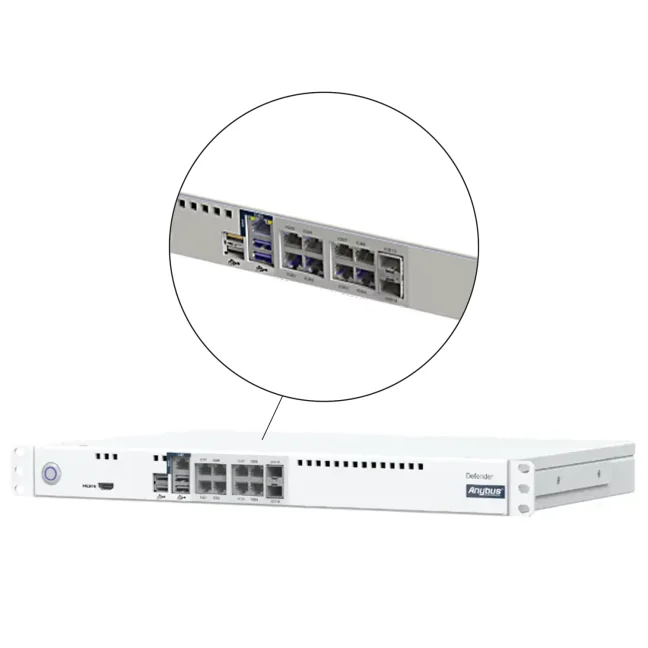
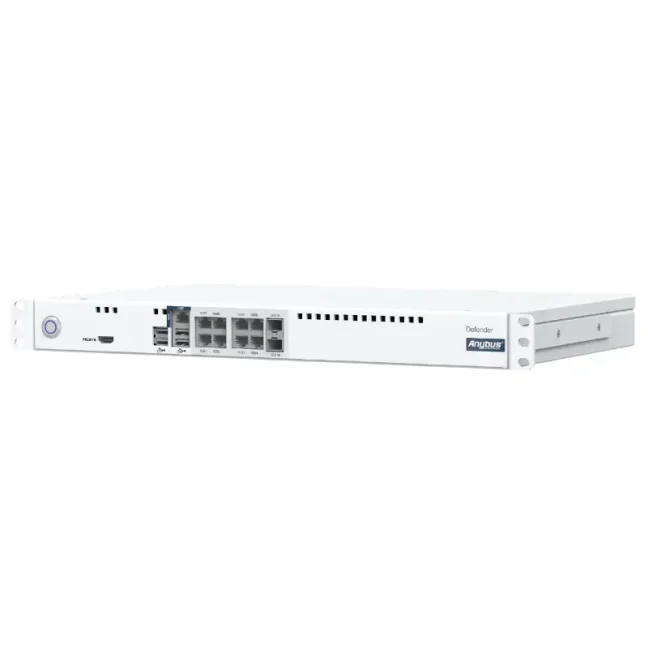
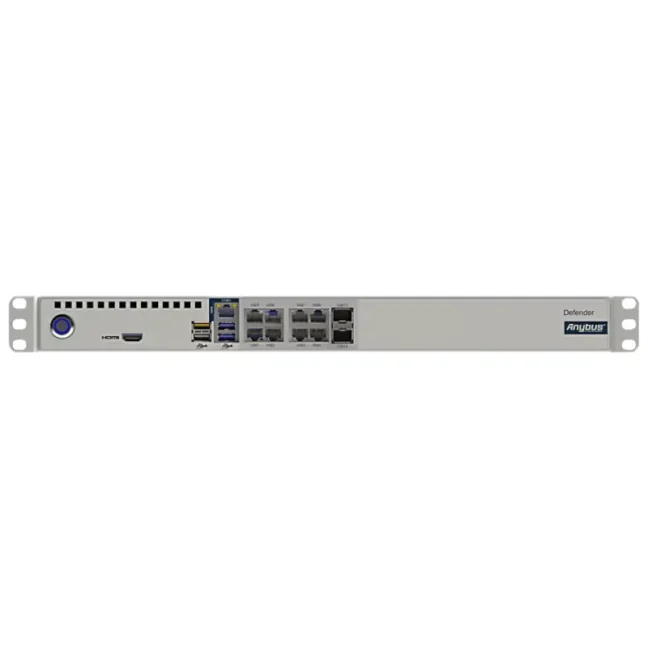


Anybus Defender 8029 - License type: PRO/FW – AC

Industrial firewall and security router for protecting, segmenting, and interconnecting larger OT networks. It offers 1× WAN, 8× LAN, Gigabit Ethernet, 2× SFP ports for fiber or copper connections, VLAN support, and a 19" 1U rack-mount design. The PRO/FW license includes NAT for connecting networks with identical or overlapping IP addressing, industrial protocol inspection, protection against known vulnerabilities, VPN, advanced routing, multiple WAN connections, network traffic management, and high availability. It is available in 2 power supply variants: 100–240 VAC or 24 VDC. More
Code: ABD8029-AC-PROFW
Industrial firewall and security router for protecting, segmenting, and interconnecting larger OT networks. It offers 1× WAN, 8× LAN, Gigabit Ethernet, 2× SFP ports for fiber or copper connections, VLAN support, and a 19" 1U rack-mount design. The PRO/FW license includes NAT for connecting networks with identical or overlapping IP addressing, industrial protocol inspection, protection against known vulnerabilities, VPN, advanced routing, multiple WAN connections, network traffic management, and high availability. It is available in 2 power supply variants: 100–240 VAC or 24 VDC. More
Code: ABD8029-AC-PROFW
Options 2
| License type | Code | Availability | Price excl. VAT | |
|---|---|---|---|---|
| PRO/FW – AC | ABD8029-AC-PROFW | Delivery in 1-2 weeks |
4 060 EUR
|
|
| PRO/FW – DC | ABD8029-DC-PROFW | Delivery in 1-2 weeks |
4 205 EUR
|
Anybus Defender 8029
Anybus Defender 8029 is a high-performance industrial firewall and security router in a 19" rack-mount design for isolating, securing, and interconnecting larger OT networks. It helps control communication between network segments, resolve IP address conflicts, and protect industrial communication. The PRO/FW license also includes DPI, IPS, VPN, advanced routing, network traffic management, and high availability.
Why choose Anybus Defender 8029?
- Connects up to 11 physical network segments – provides 1× WAN, 8× LAN, and 2× SFP ports, with each interface independently configurable.
- Separates individual parts of the OT network – allows communication between production systems, the OT network, and higher-level IT systems to be controlled.
- Helps resolve IP address conflicts – NAT allows devices and networks with identical or overlapping IP addressing to be connected.
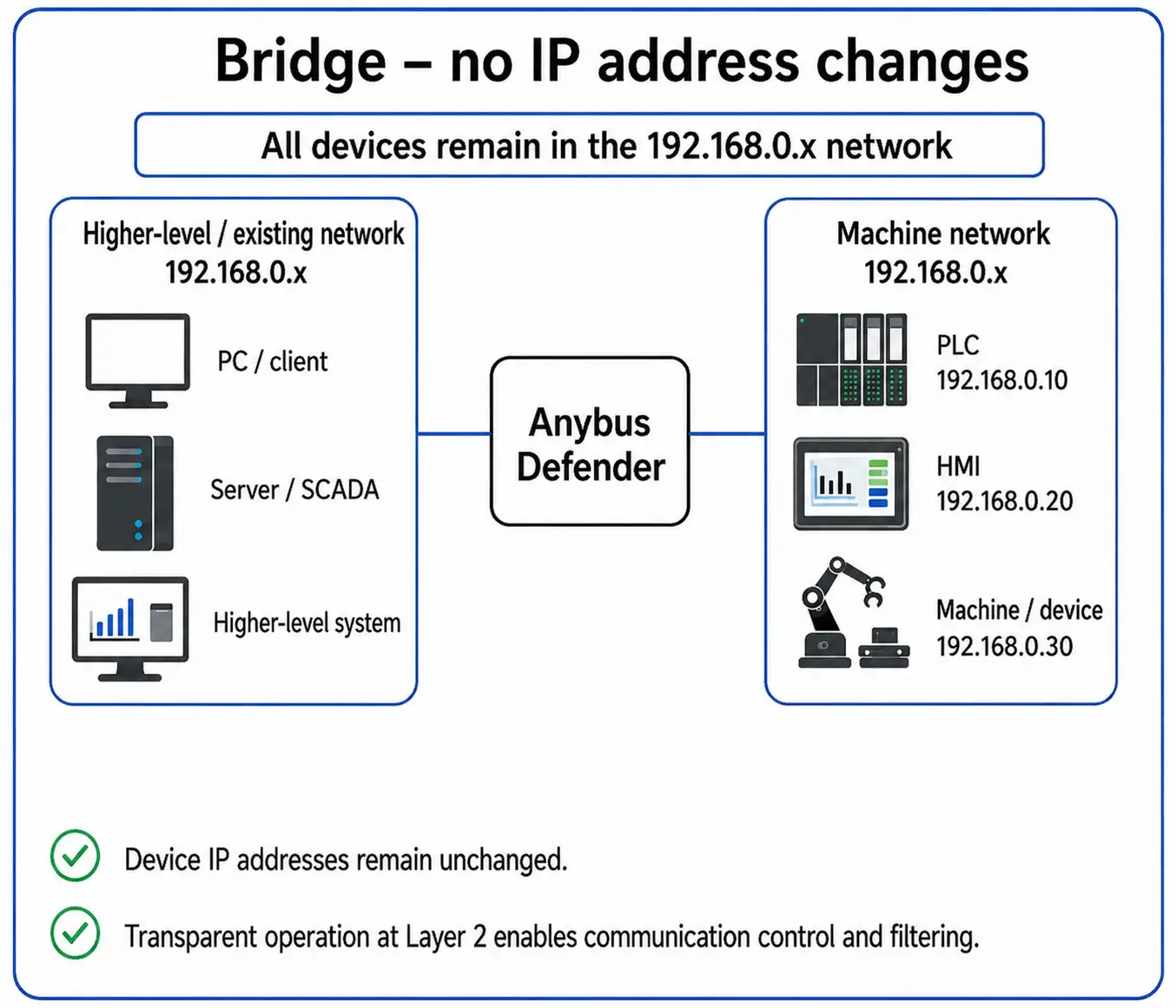
- Can be added to an existing network – transparent bridge operation allows communication to be filtered without changing the IP addresses of connected devices.
- Protects industrial communication – Deep Packet Inspection enables more detailed inspection of industrial protocols, while IPS using Snort and Suricata helps protect vulnerable devices against known attacks without requiring updates.
- Supports secure interconnection of remote OT networks – provides VPN, advanced routing, Multi-WAN, Traffic Shaping, and other features suitable for OT-SDWAN.
- Improves network connection availability – two devices can operate in active-standby mode for automatic failover if the active unit fails.
- Provides visibility of devices in the OT network – Asset Discovery & Inventory discovers and identifies connected industrial devices.
- Designed for 19" racks – the 1U design is suitable, for example, for central control cabinets, industrial server rooms, and main network nodes.
- Available for both AC and DC power – choose between 100–240 VAC or 24 VDC versions.
Anybus Defender 8029 variants
Anybus Defender 8029 is available only with the highest PRO/FW license. It includes the complete Defender security and networking feature set:
- network isolation, communication control, and IP address translation (NAT),
- industrial communication inspection (DPI),
- protection of vulnerable devices against known attacks without requiring updates (IPS / Virtual Patching),
- secure remote access and network interconnection via VPN,
- advanced routing and network traffic management,
- support for multiple network connections (Multi-WAN, Load Balancing),
- high availability with the option of a backup Defender.
The individual variants do not differ in functionality, but only in the type of power supply. The PRO/FW license is perpetual:
- Anybus Defender 8029 AC PRO/FW – 100–240 VAC power supply, suitable, for example, for central network racks and industrial server rooms,
- Anybus Defender 8029 DC PRO/FW – 24 VDC power supply, particularly suitable for industrial installations with a standard 24V power system.
Not sure which Defender to choose?
Tell us about your network and what you need to secure. We will recommend the right model and variant.
Consult your Defender selection
Connecting multiple parts of the OT network
Anybus Defender 8029 is equipped with one Gigabit WAN port, eight Gigabit LAN ports, and two SFP ports for fiber or copper connections. In total, it can therefore work with up to 11 physical network segments. VLANs can also be used to create additional logically isolated networks.
The individual network interfaces are independently configurable and, depending on the application, can also be configured as the primary or secondary WAN port. Defender 8029 is therefore suitable for larger network topologies, multiple isolated production segments, or redundant network connections.
Firewall and OT network isolation
Anybus Defender 8029 uses a stateful firewall and the principle “what is not allowed is denied”. Inbound and outbound communication is blocked unless it is explicitly permitted by configured rules.
The device can be used, for example, to separate OT and IT networks, segment larger production networks, or create security zones and controlled communication paths according to IEC 62443 principles.
NAT, bridge, and routing
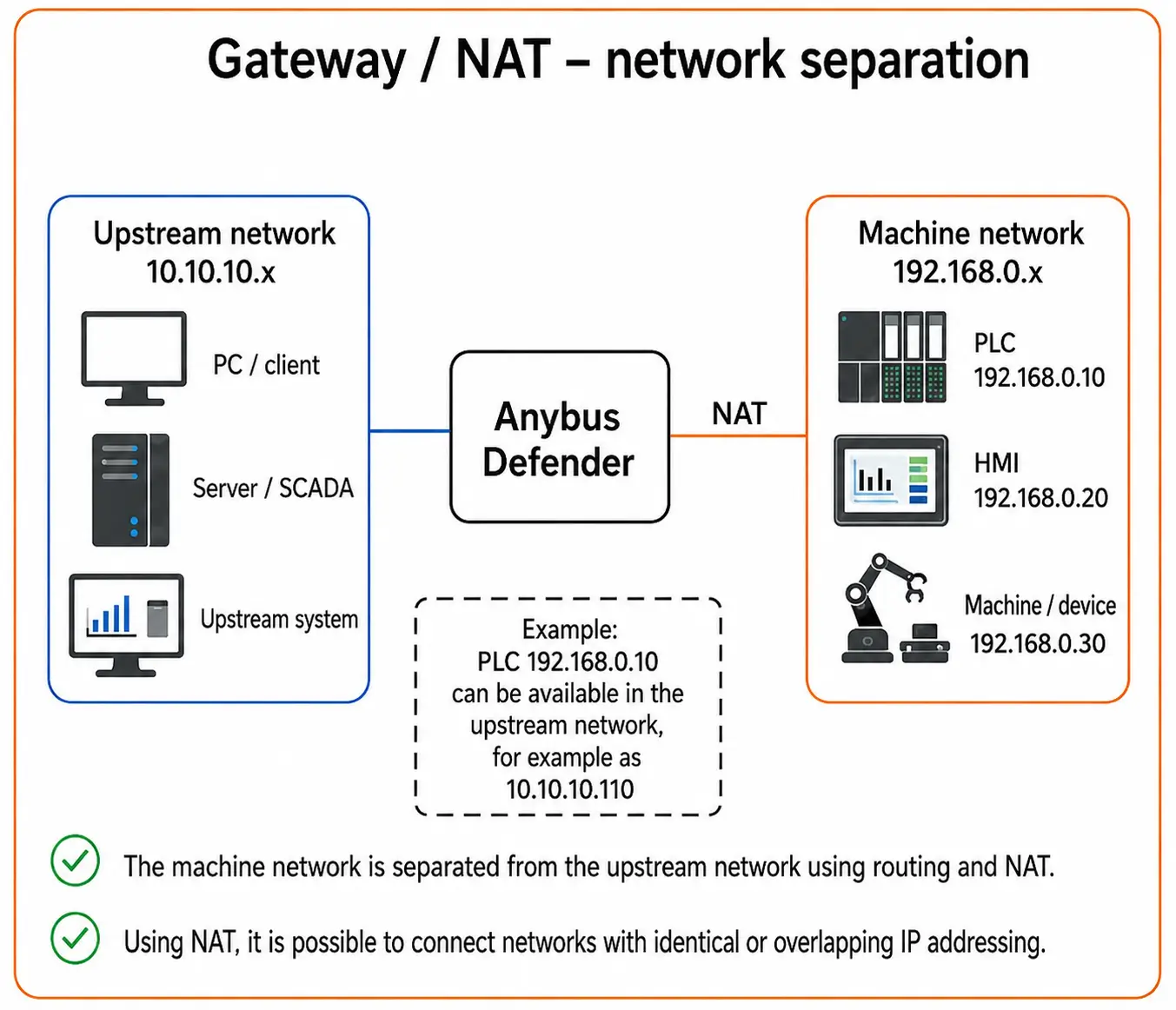
Anybus Defender 8029 supports both transparent bridge operation and gateway operation. In a bridge configuration, network interfaces can be connected and communication filtered at Layer 2 without changing the IP addressing of connected devices.
In a gateway configuration, NAT and routing can be used. Simplified NAT configuration supports individual IP addresses, multiple addresses, or entire subnets. The Defender can therefore help, for example, when connecting machines with conflicting IP addressing to a higher-level production network.
For larger network infrastructures, it supports the RIPv1, RIPv2, and BGPv4 routing protocols. DHCP server and forwarding, PPPoE, IGMP Proxy, and support for both IPv4 and IPv6 are also available.
 |
 |
Detailed inspection of industrial communication
The PRO/FW license includes Deep Packet Inspection for more detailed inspection of industrial communication. Supported protocols include EtherNet/IP CIP, Siemens TCP/IP, and Modbus. The integrated traffic analyzer with automatic learning helps identify the communication being used and simplifies the creation of corresponding security rules.
It also includes an Intrusion Protection System using Snort and Suricata technologies. IPS can protect, for example, legacy PLCs, HMIs, industrial computers, and other vulnerable devices against known attacks without requiring a patch to be installed directly on the device (Virtual Patching).
VPN and interconnection of remote OT networks
Anybus Defender 8029 supports VPN using WireGuard, OpenSSL, and IPsec. It can be used for secure remote access as well as encrypted interconnection of production networks across different sites, for example in a hub-and-spoke topology.
For larger network topologies, it also provides Multi-WAN, Load Balancing, and Traffic Shaping. These features make it possible to work with multiple network connections and manage the priority and use of available bandwidth.
High availability
Two Anybus Defender devices can operate in active-standby mode. If the active Defender fails, the backup unit can take over its function, helping reduce the risk of interruption to critical network communication.
Visibility of devices in the OT network
The Asset Discovery & Inventory feature discovers and identifies devices connected to OT and ICS networks. Depending on the available data, it can identify details such as the manufacturer, device type, software version, update level, and serial number.
The result also includes an identification confidence rating. The information can be displayed directly in the web interface or optionally sent to the Anybus Cybersecurity Console.
Web interface and central management
Anybus Defender 8029 is configured through the integrated web interface. Wizards are available for common application scenarios, along with diagnostic tools and the One-Click Easy Rule feature, which allows a rule to be created directly from a firewall log entry.
The Floating Rules feature allows common rules to be applied across multiple interfaces. A REST API is available for integration with higher-level systems, while service tasks can also be performed through the CLI via SSH or a local console. Multiple Anybus Defender devices can optionally be managed through the central Anybus Cybersecurity Console.
Access control and rule scheduling
Anybus Defender 8029 allows rules to be scheduled by date, time, or duration. Access or selected communication can therefore be permitted only during a defined period, for example during a planned service intervention.
User authentication via RADIUS and LDAP / Active Directory is also available, along with a Captive Portal feature for controlling user access to the protected network.
Online documentation
Online documentation from the manufacturer is available for configuring and working with Anybus Defender features. It contains information on installation, firewall configuration, NAT, DPI, VPN, routing, and other functions depending on the specific model and variant.
Technical specifications
Network interfaces and connection
- WAN: 1× RJ45, Gigabit Ethernet
- LAN: 8× RJ45, Gigabit Ethernet
- SFP: 2× SFP for 1Gb fiber or copper connections, depending on the module used
- Fiber connection: multimode or singlemode
- Number of physical network segments: 11
- Port configuration: all ports are independently configurable
- Additional WAN: ports can be configured as the primary or secondary WAN port for suitable applications
- Connection mode: transparent bridge or gateway
NAT and firewall
- NAT: Simple NAT Wizard, 1:1 and 1:∞
- NAT configuration: for individual IP addresses, multiple IP addresses, or entire subnets
- Firewall type: stateful firewall
- Default security policy: Deny by Default – inbound and outbound communication is blocked unless explicitly permitted
- Transparent operation: Layer 2 communication filtering between bridged interfaces
- Certificate management: yes
Deep Packet Inspection and IPS
- Deep Packet Inspection (DPI): detailed inspection of supported industrial communication
- Supported industrial DPI protocols: EtherNet/IP CIP, Siemens TCP/IP, and Modbus
- Traffic analyzer with automatic learning: yes
- IPS: Snort and Suricata
- Virtual patching: yes
VPN and access control
- Remote Client VPN: yes
- VPN: WireGuard, OpenSSL, and IPsec
- User authentication: RADIUS and LDAP/Active Directory
- Captive Portal: yes
- Rule scheduling: by date, time, or duration
Routing and network features
- IPv4: yes
- IPv6: yes
- DHCP: DHCP server and DHCP relay/forwarding
- PPPoE: yes
- IGMP Proxy: yes
- Routing protocols: RIPv1, RIPv2, and BGPv4
- Load Balancing: yes
- Multi-WAN: yes
- Traffic Shaping: yes
- High Availability Redundancy: yes
- Application and URL Whitelisting: yes
Asset Discovery & Inventory
- Function: discovery, querying, and identification of devices in the OT/ICS network
- Detected information: depending on availability, manufacturer, device type, software version, update level, and serial number
- Identification confidence rating: yes
- Data display: in the web interface or optionally via Anybus Cybersecurity Console
Configuration and management
- Configuration: integrated web interface
- Setup wizards: yes, for common application scenarios
- One-Click Easy Rule: creates a rule directly from a firewall log entry
- Floating Rules: common rules that can be applied across multiple interfaces
- Diagnostics: tools for network traffic diagnostics and analysis
- REST API: yes
- CLI: SSH or local console for service tasks
- Central management: optionally via Anybus Cybersecurity Console
Monitoring and notifications
- Notifications: email, Syslog, Telegram Messenger, and Pushover
- ARP monitoring: available via API
- Bandwidth monitoring: available via API
- NetFlow: optional integration
Power supply
- AC variant: 100–240 VAC
- DC variant: 24 VDC
- Maximum power consumption: 40 W
Mechanical and operating specifications
- Design: 19" rack, 1U
- Dimensions including connectors (W × D × H): 482.1 × 334.0 × 44.5 mm
- Weight: 2,500 g
- Enclosure material: metal
- Cooling: passive, fanless
- Degree of protection: IP20
- Operating temperature: 0 to +50 °C at full CPU load, up to +60 °C under typical load
- Relative humidity: 20–80%, non-condensing
Certifications and compliance
- Certifications and compliance: CE and RoHS 2011/65/EU
Frequently Asked Questions (FAQ) – Anybus Defender 8029
Use and network connection
What is Anybus Defender 8029 and what is it used for?
Anybus Defender 8029 is an industrial firewall and security router in a 19" rack-mount design for protecting, segmenting, and interconnecting larger OT networks. It is used to control communication between network segments, provide NAT, inspect industrial protocols in detail, enable VPN, support advanced routing, manage network traffic, and increase network connection availability.
How can I use one industrial firewall to isolate multiple parts of a production or OT network?
Anybus Defender 8029 provides 11 physical network segments through Gigabit Ethernet and SFP interfaces. Each interface can be configured independently, allowing one firewall to isolate multiple machines, production areas, or other parts of the OT infrastructure and control communication between them.
How can I create more network segments than the firewall has physical ports?
Anybus Defender 8029 supports VLANs in addition to its 11 physical segments. VLANs can be used to create additional logical network segments and isolate more devices or parts of the production system without requiring a separate physical port for each segment.
How can I connect copper and fiber parts of an industrial network through one firewall?
Anybus Defender 8029 has two SFP ports that, depending on the module used, can be used for 1Gb fiber connections in multimode or singlemode configurations, or for copper Gigabit connections. This makes it possible to combine copper RJ45 and fiber network links in one device.
How can I isolate the production network from the enterprise network and allow only the required communication?
Anybus Defender 8029 uses a stateful firewall based on the Deny by Default principle. Communication between individual network segments can be controlled by rules, allowing only the required connections, protocols, and services.
How can I add security to an existing industrial network without changing device IP addresses?
Anybus Defender 8029 can be used in a transparent bridge configuration. Selected network interfaces are bridged at Layer 2 within the same IP subnet, and the Defender inspects and filters communication between them without requiring changes to the IP addressing of connected PLCs, HMIs, and other devices.
How can I use Anybus Defender in bridge operation in a Siemens PROFINET network?
Anybus Defender 8029 can be used in a PROFINET network in a transparent bridge configuration to inspect communication without changing device IP addresses. When Siemens PROFINET DCP is used, a managed Ethernet switch that correctly handles VLAN 0 tags must be installed between the Defender and the Siemens device. With a direct connection, device discovery via DCP, for example in TIA Portal, may otherwise fail.
How can I provide a backup Internet or WAN connection for an industrial network?
Anybus Defender 8029 supports Multi-WAN and Load Balancing. Depending on the network topology, network interfaces can be configured for multiple WAN connections, for example to provide a primary and backup network path or distribute traffic across multiple connections.
Security and networking features
How can I connect machines or production networks with identical or overlapping IP addresses?
Anybus Defender 8029 supports NAT for individual IP addresses, multiple addresses, and entire subnets. NAT can be used, for example, to connect multiple machines or production systems with identical or overlapping IP addressing to a higher-level network without changing their original configuration.
How can I inspect the content of industrial communication, not just IP addresses and ports?
Anybus Defender 8029 PRO/FW supports Deep Packet Inspection (DPI) for the EtherNet/IP CIP, Siemens TCP/IP, and Modbus industrial protocols. The firewall can therefore evaluate not only the source and destination IP address or port, but also the supported industrial communication itself.
How can I identify normal industrial communication and use it to create firewall rules more easily?
Anybus Defender 8029 includes a traffic analyzer with automatic learning. It monitors actual industrial communication and helps determine what traffic devices normally use. This information can then be used to create more accurate security rules more easily.
How can I protect older PLCs or HMIs that can no longer be updated?
Anybus Defender 8029 includes IPS using Snort and Suricata technologies and supports virtual patching. The Defender can therefore help block known methods of exploiting vulnerabilities before they reach a protected PLC, HMI, or other device that cannot easily be updated.
How can I provide secure remote access to a production or OT network?
Anybus Defender 8029 supports Remote Client VPN and the WireGuard, OpenSSL, and IPsec VPN technologies. It can therefore be used for secure remote access by service technicians as well as encrypted interconnection of industrial networks across different sites.
How can I connect two or more industrial sites using VPN?
Anybus Defender 8029 supports WireGuard, OpenSSL, and IPsec, among other technologies. WireGuard can be used for simple point-to-point and point-to-multipoint VPN connections, for example between two Anybus Defender devices or between a Defender and a remote client.
How can I allow an external service technician access only for a limited period?
Anybus Defender 8029 supports rule scheduling by date, time, or duration. Selected remote access or a communication rule can therefore be enabled only for the required period and restricted again after that period ends.
How can I control user access to a protected industrial network?
Anybus Defender 8029 supports user authentication through RADIUS and LDAP/Active Directory as well as Captive Portal. User access to the protected network can therefore be controlled using centrally managed user accounts and authentication.
Firewall, NAT, and traffic management
What NAT options does Anybus Defender 8029 provide?
Anybus Defender 8029 supports Simple NAT Wizard, 1:1 NAT, and 1:∞ NAT. NAT can be configured for individual IP addresses, multiple addresses, or entire subnets and can be used, for example, to connect networks with identical or overlapping IP addressing.
How can I easily create industrial firewall rules?
Anybus Defender 8029 is configured through the integrated web interface. The One-Click Easy Rule feature allows a rule to be created directly from a firewall log entry, while Floating Rules allow common rules to be applied across multiple network interfaces.
How can I manage traffic across multiple WAN connections?
Anybus Defender 8029 supports Multi-WAN and Load Balancing for working with multiple network paths. The RIPv1, RIPv2, and BGPv4 routing protocols are also available for advanced routing.
How can I prioritize important industrial communication and manage bandwidth usage?
Anybus Defender 8029 supports Traffic Shaping, which can be used to manage bandwidth usage and prioritize important network traffic over less critical communication.
How can I maintain network operation if the industrial firewall fails?
Anybus Defender 8029 supports High Availability Redundancy. Two Anybus Defender devices can operate in an active-standby arrangement, where one device acts as the primary unit and the other as the backup. If the primary Defender fails, the backup unit can take over its role, reducing the risk of interruption to important network communication.
Network visibility and management
How can I find out which devices are connected to the OT or ICS network?
Anybus Defender 8029 includes the Asset Discovery & Inventory feature for discovering and identifying devices in the OT/ICS network. Depending on the available data, it can identify the manufacturer, device type, software version, update level, and serial number. The result also includes an identification confidence rating.
How is Anybus Defender 8029 configured and managed?
Anybus Defender 8029 is configured through the integrated web interface. Wizards for typical application scenarios, firewall logs, and diagnostic tools are available. A REST API is provided for integration, while a CLI via SSH or local console is also available for advanced management.
How can I centrally manage multiple Anybus Defender industrial firewalls?
Multiple Anybus Defender devices can optionally be managed from one place using the Anybus Cybersecurity Console. Central management is particularly suitable for larger installations with multiple Defenders in different parts of a production facility or across multiple sites.
How can I restore Anybus Defender to factory settings if the access password is lost?
Anybus Defender 8029 can be restored to factory settings if the access password is lost by following the manufacturer's procedure with physical access to the device. It is important to note that restoring the device to factory settings will delete the existing configuration.
Variants and power supply
What is the difference between Anybus Defender 8029 AC and Anybus Defender 8029 DC?
Anybus Defender 8029 AC and Anybus Defender 8029 DC provide the same PRO/FW networking and security features. The main difference is the power supply: the AC variant is designed for 100–240 VAC, while the DC variant uses 24 VDC.
Highlighted items are mandatory.