




ProfiTrace 2 Ultra Plus – PROFIBUS DP Tester

Professional diagnostic tool for measuring and identifying faults in PROFIBUS DP and MPI networks. It includes various types of triggers for message recording and an oscilloscope for signal quality monitoring. Allows simplified simulation of a PROFIBUS MASTER station. Generates internationally recognized measurement reports. The ProfiTrace 2 environment is available in multiple languages. More
Code: 37021
Professional diagnostic tool for measuring and identifying faults in PROFIBUS DP and MPI networks. It includes various types of triggers for message recording and an oscilloscope for signal quality monitoring. Allows simplified simulation of a PROFIBUS MASTER station. Generates internationally recognized measurement reports. The ProfiTrace 2 environment is available in multiple languages. More
Code: 37021
ProfiTrace 2 Ultra Plus – PROFIBUS DP tester
 ProfiTrace 2 Ultra Plus is a professional tool for diagnosing PROFIBUS DP and MPI networks. It allows you to monitor device status in real time and quickly detect communication faults without production downtime. It is designed for maintenance, service, and preventive inspections.
Why Choose ProfiTrace 2 Ultra Plus?
- Instant overview of the network status and topology
- Integrated digital oscilloscope for signal quality analysis
- Fast return on investment through reduced downtime and efficient maintenance
- Professional report generation for documentation and audits
- Compact, portable tool that fits in your pocket
PROFIBUS can work even with errors
Do you build machines with PROFIBUS networks or have production lines with PROFIBUS in your plants? Then you should know how healthy these networks are.
PROFIBUS is a very robust protocol and can operate even when minor issues already exist in the network. Errors typically begin to appear only when these problems escalate or a new issue arises. For this reason, we recommend regular inspection of the PROFIBUS network – at least once a year.
Test your PROFIBUS yourself
The ProfiTrace 2 tester includes a wide range of diagnostic tools to help you easily assess the health of PROFIBUS networks:
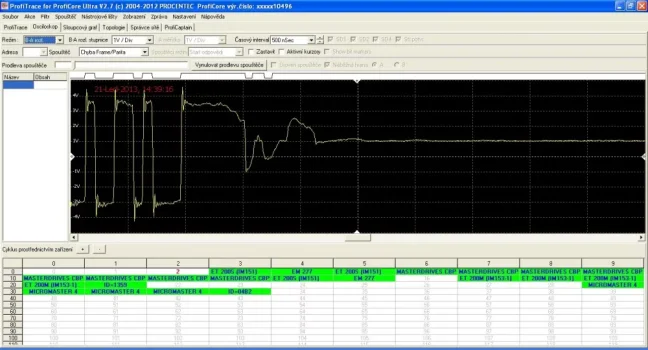
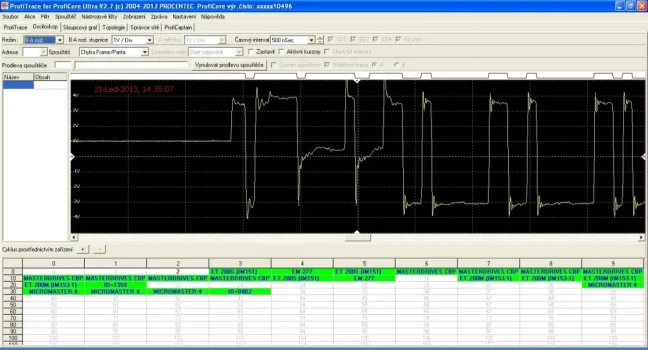
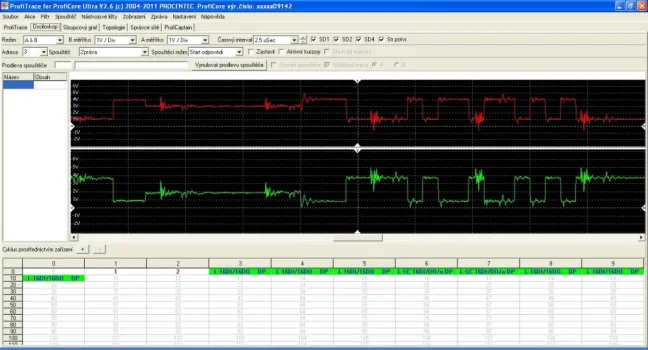
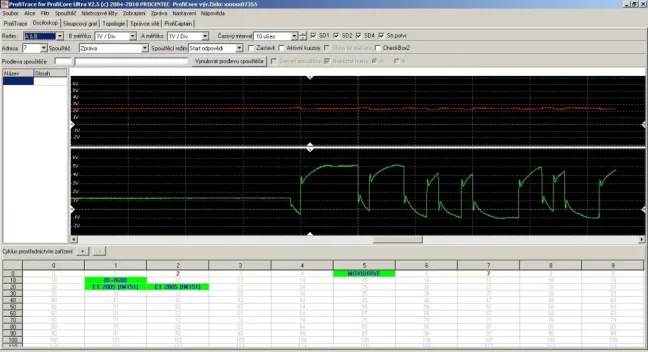
- A sophisticated oscilloscope shows the signal quality on wires A and B,
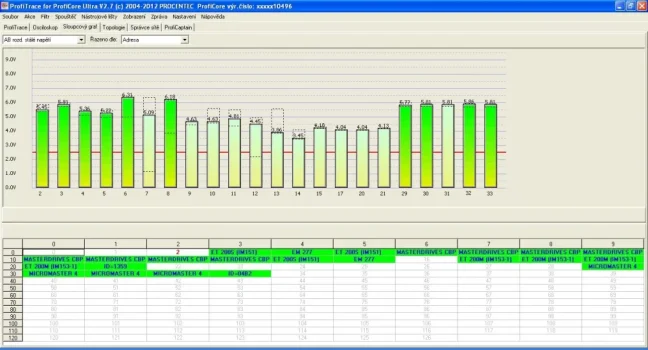
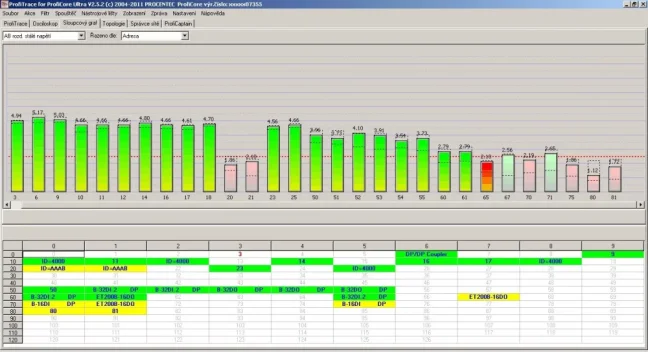
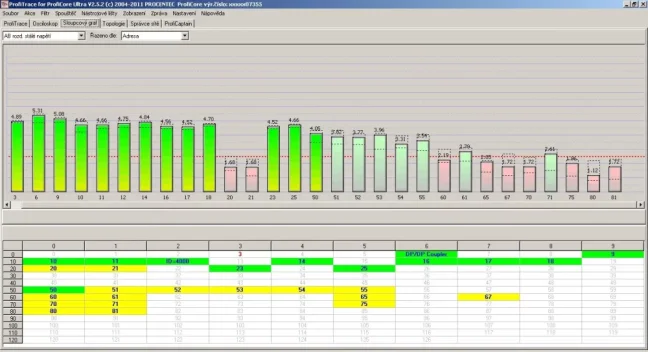
- A bargraph displays the voltage levels at stations,
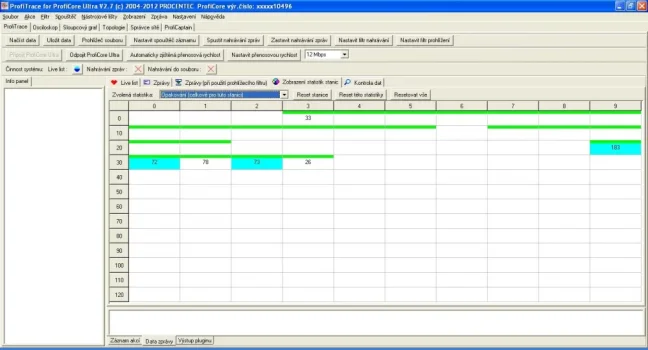
- The Livelist shows active stations, error statistics, etc.
These tools help you identify unwanted issues such as interference, voltage drops, incorrect termination resistors, communication errors, duplicate addresses, and more. If you're experiencing intermittent PROFIBUS network outages, you can use long-term monitoring and event logging functions based on multiple triggers. Once the measurement is complete, a report can be generated in PDF format, available in several languages.
Why it is important to regularly measure PROFIBUS network quality
Many companies still use – and will continue to use – PROFIBUS communication bus systems. Like anything else, PROFIBUS requires care. Neglecting maintenance will eventually lead to outages and cause significant financial and time losses. With PROFIBUS, the rule is that most outages are related to cable quality, connectors, interference etc.
A PROFIBUS network might fail due to a single fatal error (which is usually easy to locate) or due to an accumulation of minor issues (more common). Believe it or not, when your PROFIBUS starts to fail, it's often because of errors that have been accumulating silently for months or even years.
Standard PLC programming tools usually won’t help you detect these issues – they typically only show the result of the problem, not its cause. That’s why you need a PROFIBUS analyzer like ProfiTrace 2, which gives you a clear view into the bus and precisely displays voltage quality, oscilloscope signals, statistics, and many other important details about the measured network and PROFIBUS stations.
Without a tester, you don’t know whether you’ve really fixed everything in a PROFIBUS network
Most issues in PROFIBUS networks are caused by signal reflections, which grow stronger with longer cable lengths. In practice, this often means that a faulty PROFIBUS connector at one end of the network causes reflections that travel through the network, intensify, and ultimately result in a station failure at the end of the segment. However, this station is merely a symptom, not the cause.
Mistaking a consequence for the actual cause leads to unresolved issues – resulting in ongoing network failures and rushed decisions like replacing all PROFIBUS cables, connectors, the CPU, or some PROFIBUS stations. These can be expensive operations, and even then, the network may still not work. You might unknowingly fix the original issue, but if a new connector is incorrectly installed, the network still won’t function.
Even if the network seems to be working again, you haven’t won yet. Without a tester, you’ll never know whether you’ve removed all minor errors or just one. In other words, you won’t know whether your PROFIBUS signal is at 100 % quality or just 5 % above critical failure.

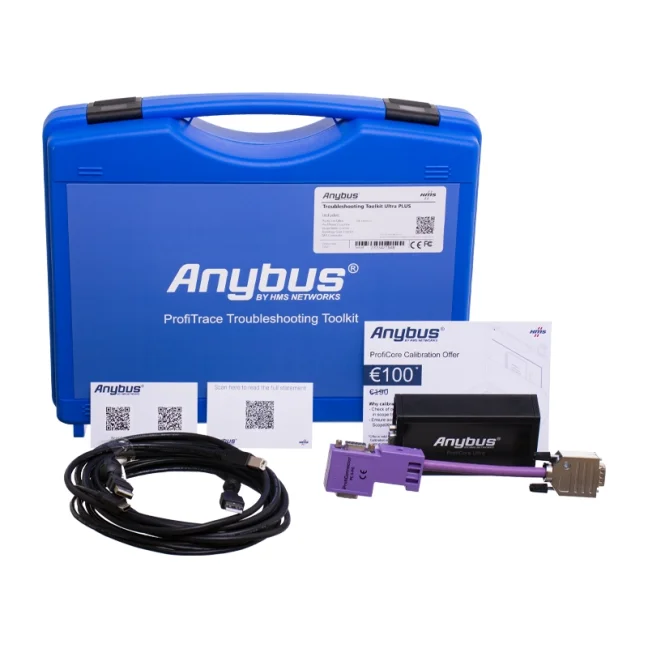
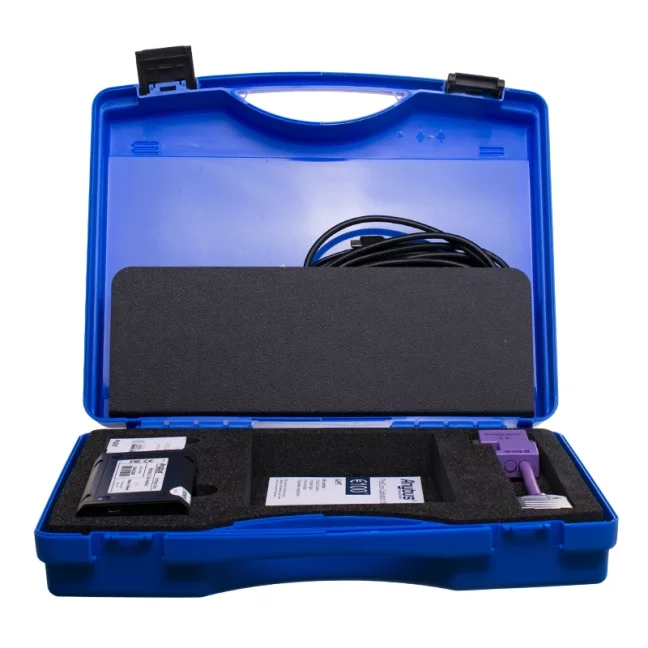
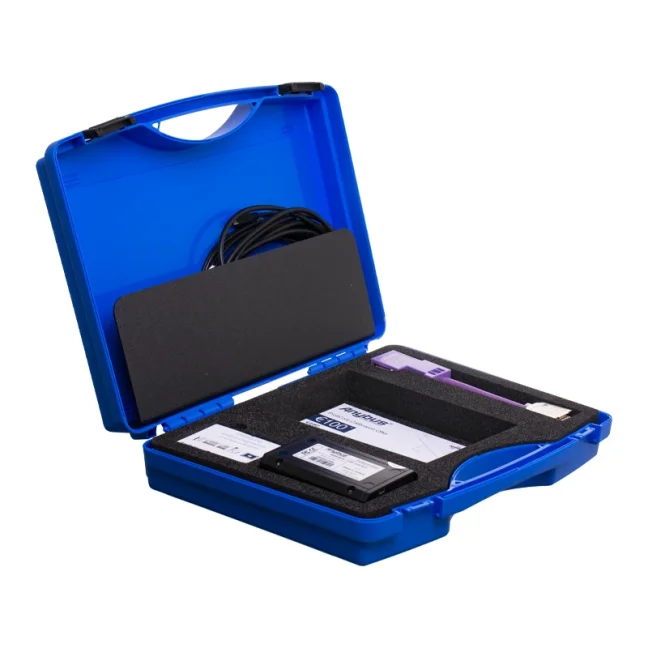
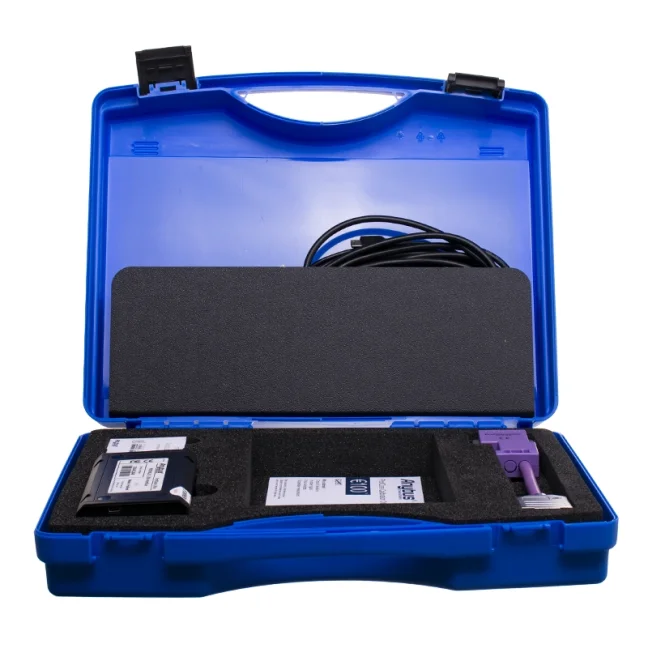
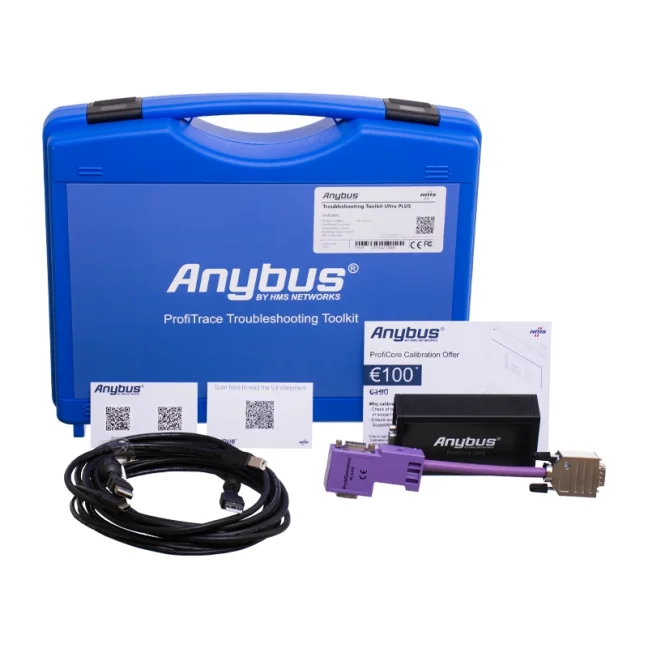
Package contents of ProfiTrace 2 Ultra Plus – PROFIBUS DP tester (part no. 37021):
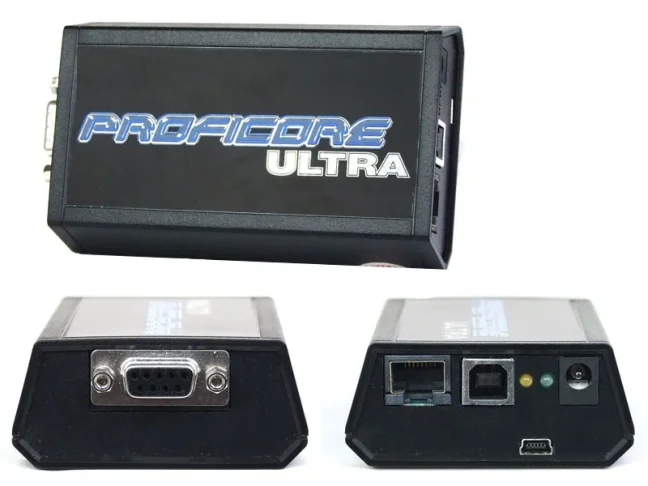
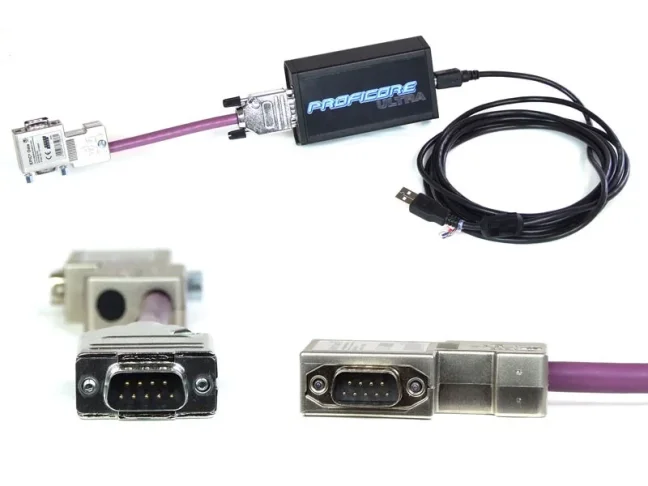
- ProfiCore – the actual tester in a compact plastic design
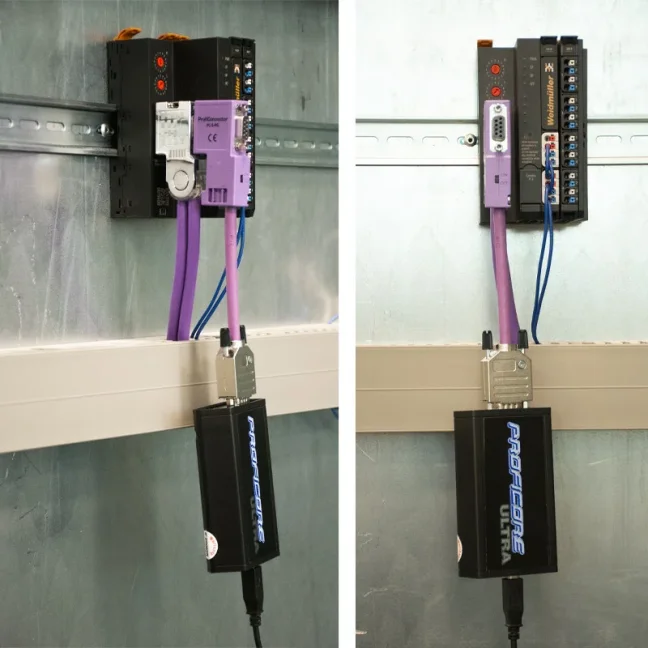
- Tap connector – short cable (20 cm) for connecting to the PROFIBUS bus
- USB data/power cable for PC connection (3 m)
- USB backup power cable for optional external power
- User Manual
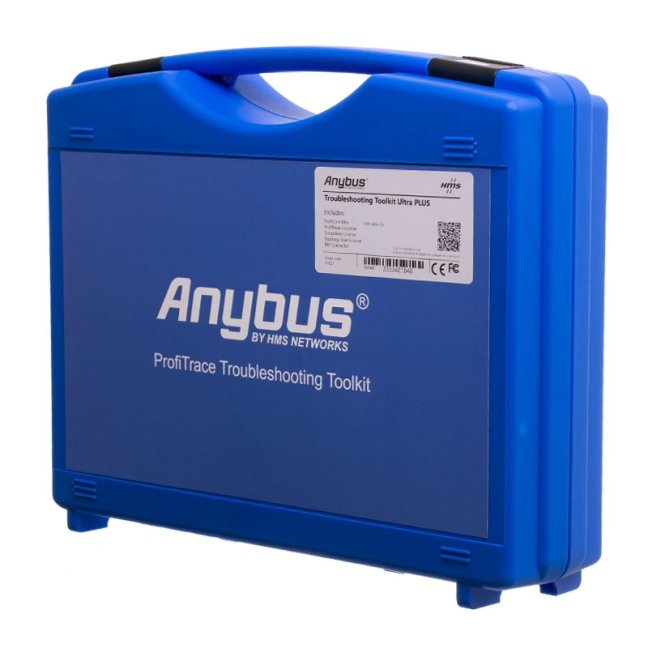
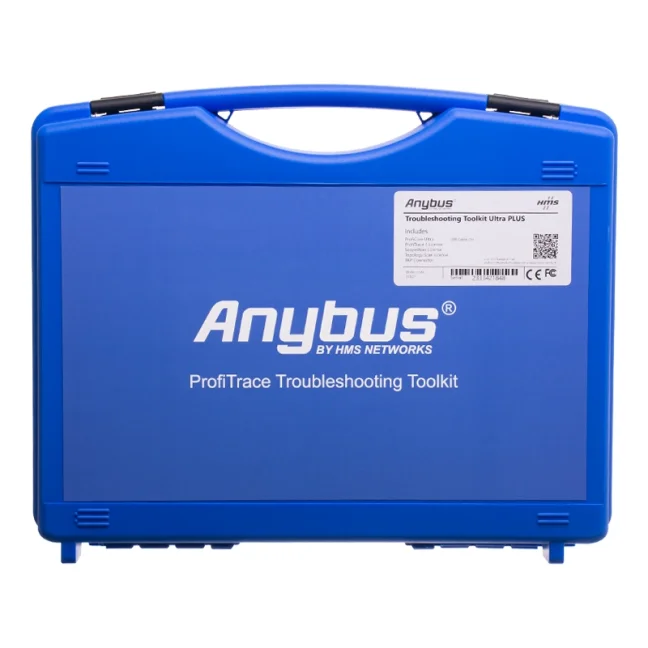
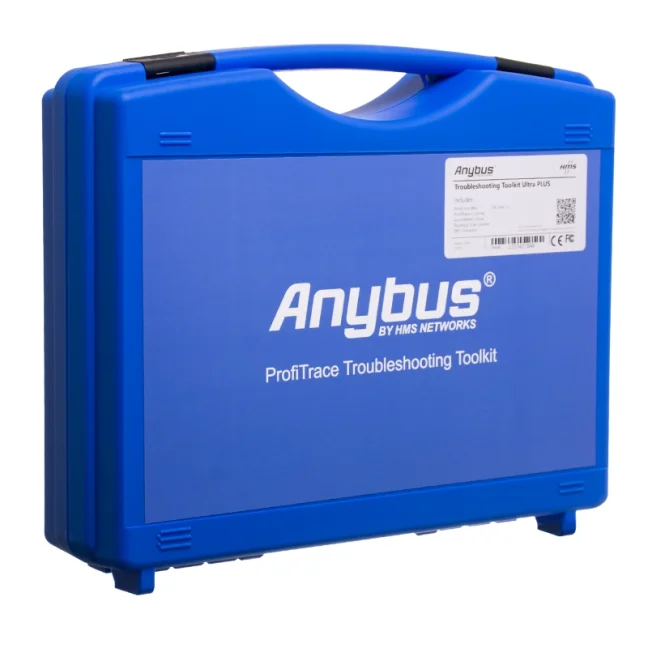
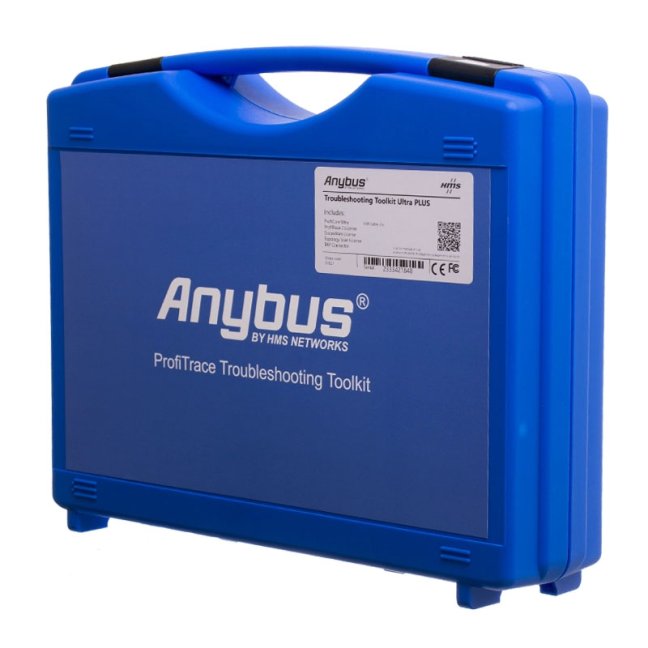
- Blue plastic carrying case
Note: The software itself is not included in the case. We recommend downloading it under the „Downloads“ tab on this product page.
Brief Overview of ProfiTrace 2 Tools
- ProfiCore Ultra USB Hardware Module
- Hardware module for connecting a PC to PROFIBUS DP/PA, MPI networks
- USB 2.0 interface, PC platform
- Powered directly via USB
- Supports Windows 10 and 11 (also works on older systems such as XP, 7 and 8)
- PROFIBUS speed autodetection from 9.6 kbps to 12 Mbps
- ProfiTrace 2 Application
- Can be installed on multiple PCs
- Supports Windows 10 and 11 (also works on older systems such as XP, 7 and 8)
- Switchable language interface and report generation (Czech, English, German, French, Italian, Chinese, Polish, Spanish, etc.)
- LiveList
- Overview and information about all detected live Master/Slave stations on the network
- Over 20 types of communication statistics for Slave stations
- Communication message logging – long-term or based on set triggers
- Network Status
- Displays the status of the analyzed network in a traffic light format
- Basic information on station communication
- Error display in the network
- Digital Oscilloscope
- Oscilloscope waveforms on both B&A wires
- Electromagnetic interference detection
- Identification of reflections, short circuits, and other wiring/connector faults
- Available trigger for identifying corrupted telegrams
- Voltage Levels
- Displays voltage levels for all stations simultaneously
- Shows min./max. voltage values per station
- Shows total or steady-state differential voltage
- Topology
- Visualizes network topology including distances between stations
- Works only on a healthy network
- Live measurements at 500 kbps or 1.5 Mbps; other speeds require disconnecting the original Master
- Network Manager
- Create templates for repeat measurements
- Long-term analysis of min./max. voltages at stations
- Assign custom names to stations
- Master Simulation
- Option to enable Master station simulation in three different modes (depends on tester version)
- ProfiCaptain application for I/O testing and debugging (only with version 38022)
- PROFIBUS port functionality check for Slave stations
- Handy tools for station analysis, address changes, diagnostics, etc.
A detailed description of ProfiTrace 2 tools is available for under the “Features” tab on this product page.
Available Versions of the ProfiTrace 2 Tester
The most practical versions of the tester are the Ultra Plus and the more advanced Ultra Pro.
Ultra Plus (item no. 37021) is designed for measuring PROFIBUS DP networks and also allows a simplified simulation (the tester acts as a MASTER but only sends diagnostic messages to the network, or sets the address of a SLAVE device).
Ultra Pro (item no. 38022) additionally supports measuring PROFIBUS PA networks and provides full MASTER station simulation.
| PROFIBUS Bus Monitor No: 30021 |
PROFIBUS Tester Ultra Plus No: 37021 |
PROFIBUS Tester Ultra PRO No: 38022 |
|
| ProfiCore Ultra Hardware module |
Yes |
Yes
|
Yes
|
| ProfiTrace Software application |
Yes |
Yes
|
Yes
|
| Blue carrying case & USB cable |
Yes |
Yes
|
Yes
|
| ScopeWare Digital oscilloscope |
Yes
|
Yes
|
|
| Tap Connector 2 Connector for connecting the ProfiCore to a PROFIBUS network via the SUB-9 connector |
Yes
|
Yes
|
|
| Bar Graph Shows the average signal strength from all available devices |
Yes
|
Yes
|
|
| Topology Scan Generates the topology of the network |
Yes
|
Yes
|
|
| Reporting Report generation |
Yes
|
Yes
|
|
| PA Probe Ultra Connector for measuring PROFIBUS PA |
Yes
|
||
|
OPC Server |
Yes
|
||
| ProfiCaptain 2 PROFIBUS MASTER emulator |
Yes
|
Technical Parameters
PROFIBUS Diagnostics and Measurement
- Product type: portable PROFIBUS DP analyser / tester
- Purpose: maintenance, service, commissioning and preventive checks of PROFIBUS networks
- Measured network: PROFIBUS DP via RS-485
- Analyser mode: passive recording of data traffic in the PROFIBUS network
- Master station simulation: simplified simulation via ProfiCaptain; full Master station simulation is available with the Ultra PRO version
- Supported tools: Busmonitor, LiveList, statistics, ScopeWare oscilloscope, Bar graph, Topology Scan, cable length measurement and reporting
- Detected faults: communication errors, duplicate or incorrect addresses, missing devices, diagnostic and configuration errors, repeated requests, corrupted telegrams, interference, reflections, short circuits, wire breaks and termination problems
- Telegram recording: yes, including filtering and recording triggers
- PROFIBUS message decoding: DP-V0, DP-V1 and selected DP-V2 functions
- PROFIBUS PA: only with the optional PA Probe Ultra or with the Ultra PRO version
Oscilloscope and Signal Check
- Integrated digital oscilloscope: yes, ScopeWare
- Signal check: differential voltage, A/B wires, noise, overshoots, reflections and triggers
- Maximum captured PROFIBUS signal speed: 12 Mbps
- Oscilloscope sampling frequency: 2 × 192 MHz for A/B wires, 384 MHz for differential measurement
- Oscilloscope bandwidth: 100 MHz
- Oscilloscope measurement range: differential -9 to +9 V, single-ended -4.5 to +8.5 V
- Bar graph: display of average, minimum and maximum signal values for individual stations
Topology and Reports
- Topology Scan: automatic drawing of the PROFIBUS DP network topology
- Topology Scan limitation: works at speeds of 500 kbps and 1.5 Mbps
- Distance measurement in topology: distances below 2 m and above 230 m cannot be measured reliably
- Cable length measurement: yes, for a PROFIBUS DP segment without an active Master
- Measurement reports: automatic generation of detailed reports with signals, errors, topology and administrative data
Connection and ProfiCore Ultra Hardware
- Connection to PC: USB 2.0
- Power supply: via USB, normally without the need for an external power supply
- USB current consumption: 400 mA
- External power supply: 9 V / 500 mA, adapter is not included with the product
- Connection to PROFIBUS: galvanically isolated RS-485 interface with DB9 connector
- Bus load: 1/5 of a standard PROFIBUS load
- Built-in memory/cache: yes, to reduce the risk of telegram loss under higher Windows load
Software and PC Requirements
- Software: ProfiTrace 2
- Installation: on a Windows PC or notebook
- Minimum requirements according to the manual: Windows XP, Vista, 7, 8 or 10
- Required USB port: USB 2.0 high-speed with min. 400 mA power supply
- Free disk space: min. 100 MB
- Minimum display resolution: 1024 × 768 px
- Recommended display resolution: 1280 × 1024 px or higher
- User interface: multilingual
Mechanical and Operating Parameters
- Weight of the complete kit: 1394 g
- ProfiCore Ultra dimensions: 108 × 68 × 28 mm
- ProfiCore Ultra weight: approx. 125 g
- Housing material: plastic
- Operating temperature: 0 to +60 °C
- Storage temperature: -20 to +70 °C
- Protection rating: IP20
- Contains battery: no
Ultra Plus Kit Contents
- ProfiCore Ultra
- USB A-B cable
- USB A-mini cable for optional additional power supply
- ProfiTrace 2
- ScopeWare oscilloscope
- Bar graph
- Topology Scan
- Reporting
- Tap Connector for connection to a PROFIBUS DP network
- Blue portable case
- Manual
- Manufacturer order code: 37021
Certifications and Standards
- CE: yes
- UL: yes
- RoHS: yes
- WEEE category: IT and telecommunications equipment
Overview of ProfiTrace 2 Ultra Plus Tools
ProfiCore Ultra Hardware Module
The ProfiCore Ultra is the required hardware module for using ProfiTrace 2. It connects via USB, which also provides power, and translates PROFIBUS signals to USB and vice versa. It allows measurements from both laptops and PCs without creating spur lines on the bus. The module features an isolated RS-485 interface with a DB9 connector and a built-in high-speed digital oscilloscope capable of capturing signals up to 12 Mbps. In analyzer mode, it passively records data traffic, and when ProfiCaptain is activated, it can act as a MASTER. Its onboard memory ensures no telegrams are lost even under high Windows system load.
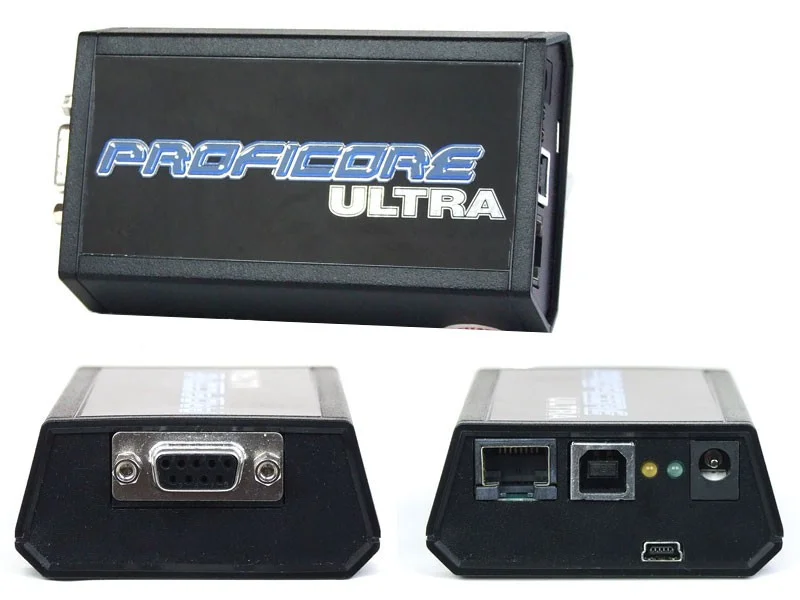
You don’t need a 230 V socket to measure PROFIBUS networks
The tester connects to your computer via a USB cable, which transmits both data and power. The tester also includes a connector for external power, but we haven’t needed it in 13 years. Power from a laptop has always been enough, and you can measure for several hours. This is a major advantage, because not every control cabinet has a 230 V outlet, and dragging around an extension cord or external battery for the tester isn’t always convenient – or even possible.
ProfiTrace 2 Software
To measure a PROFIBUS network, you need the ProfiCore analyzer (the black plastic module), which connects to a PC running the ProfiTrace 2 software. The software can be installed on any number of computers and is not tied to a specific PC via software or hardware keys. Recorded measurements can be opened at any time in ProfiTrace 2, even without the ProfiCore module connected.
ProfiTrace 2 displays the status and communication of all devices in real time, detects errors, and stores logs. It includes an integrated oscilloscope, tools for voltage measurement, network topology mapping, and MASTER station simulation. The software supports long-term analysis and the generation of clear, professional reports.
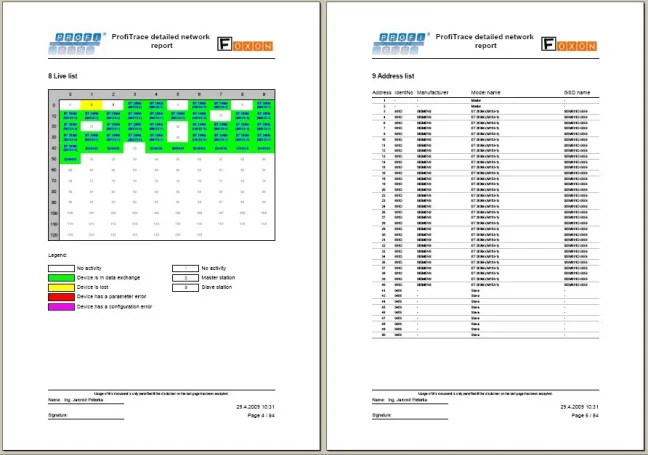
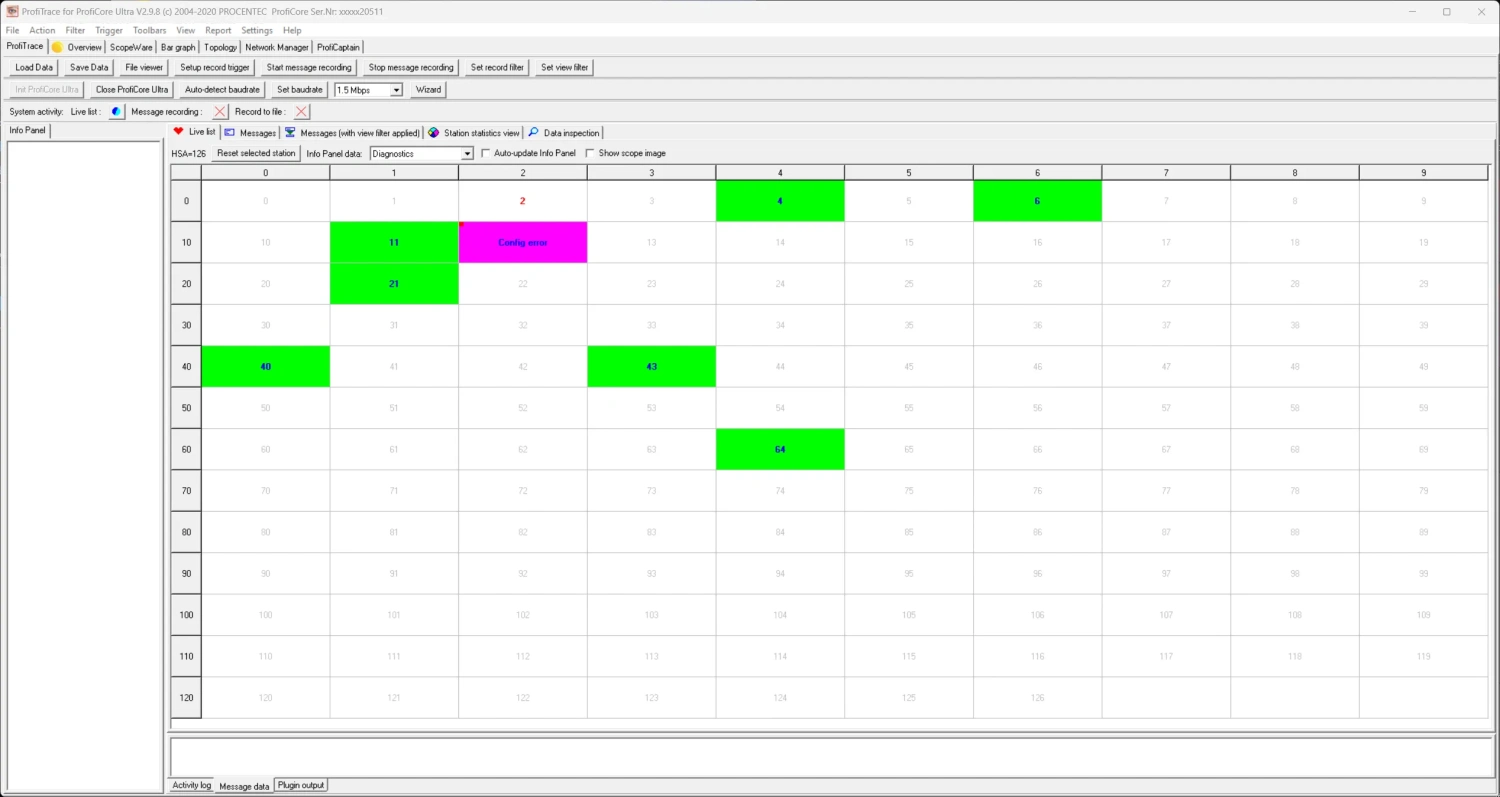
1) LiveList and PROFIBUS Station Statistics
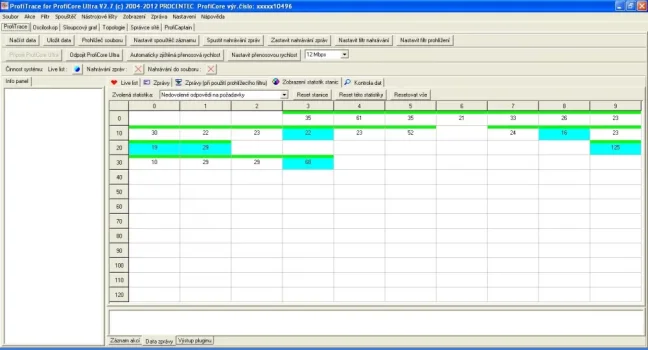
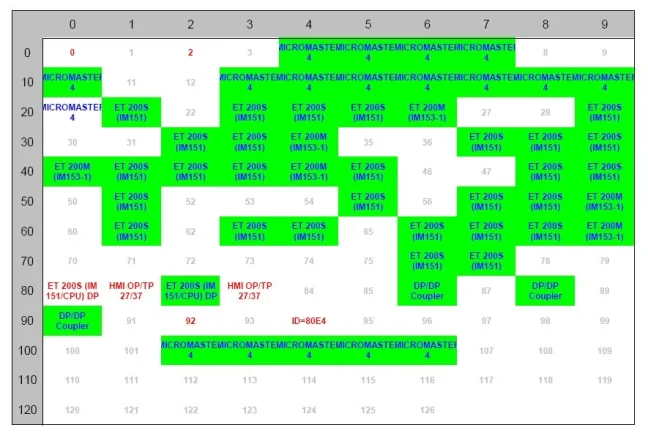
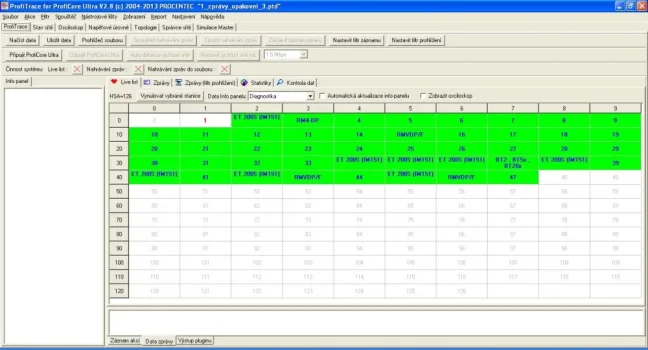
LiveList shows all found MASTER and SLAVE stations in the network along with various statistical information. Each station’s status is color-coded (background color):
- Green background = SLAVE station is actively exchanging data with a MASTER
- Yellow background = Station was detected at the beginning but lost during measurement
- Purple background = Configuration error (PLC configuration does not match the SLAVE station configuration)
- Red background = Parameter error (usually incorrect GSD file, wrong address, etc.)
- White background = Station is not part of the MASTER’s hardware project; no MASTER is communicating with it
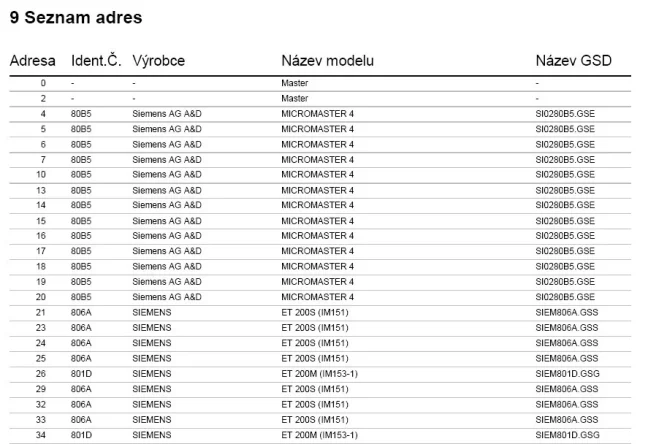
LiveList also generates device names when a diagnostic message is captured (synchronized with the device’s GSD file). If the GSD file contains a list of error messages for a device, LiveList will display the exact description of the error provided by the device manufacturer when an issue is detected.
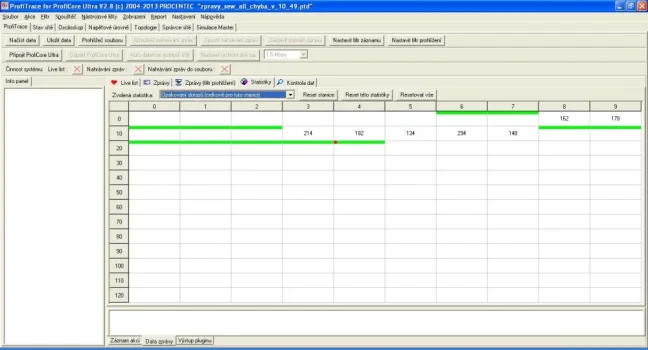
LiveList also includes communication statistics that track the frequency of unwanted network conditions, such as repeated requests, device losses, corrupted messages, communication cycles, message lengths, diagnostic messages, and more.
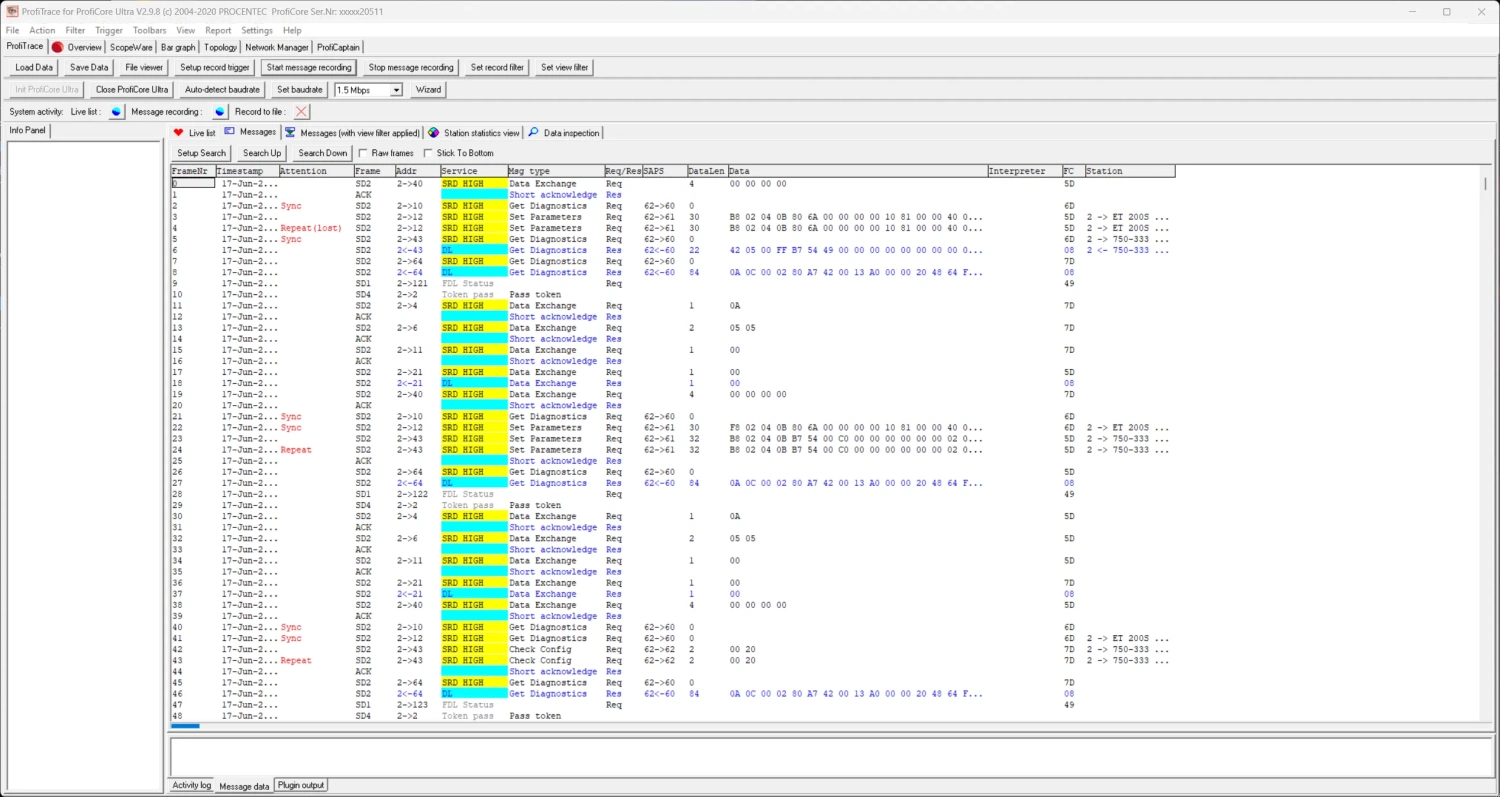
PROFIBUS Telegram Logging
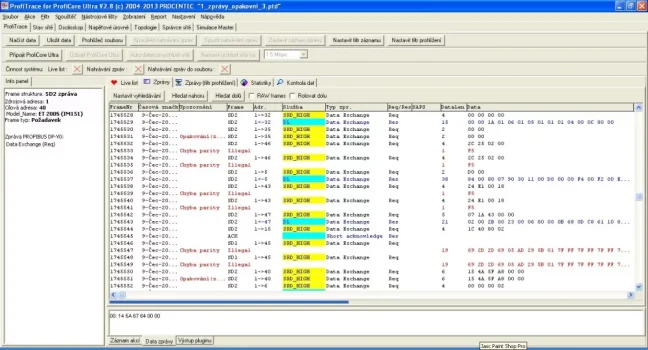
In addition to precise measurement of electrical signals, ProfiTrace 2 can monitor and record all or selected PROFIBUS telegrams. Analyzing communication messages between MASTER/SLAVE stations is one of the most accurate tools for clearly identifying improper station behavior, presence of interference, power outages, cable shorts, etc. You can record all telegrams or only selected ones using sophisticated triggers – based on errors or the message content. Yes, that’s right – ProfiTrace 2 understands telegram content, so it’s easy to capture only specific messages, such as those related to the activation of a limit switch at the end of a conveyor. ProfiTrace 2 also speeds up message analysis by color-coding telegrams by type.
2) Network Condition
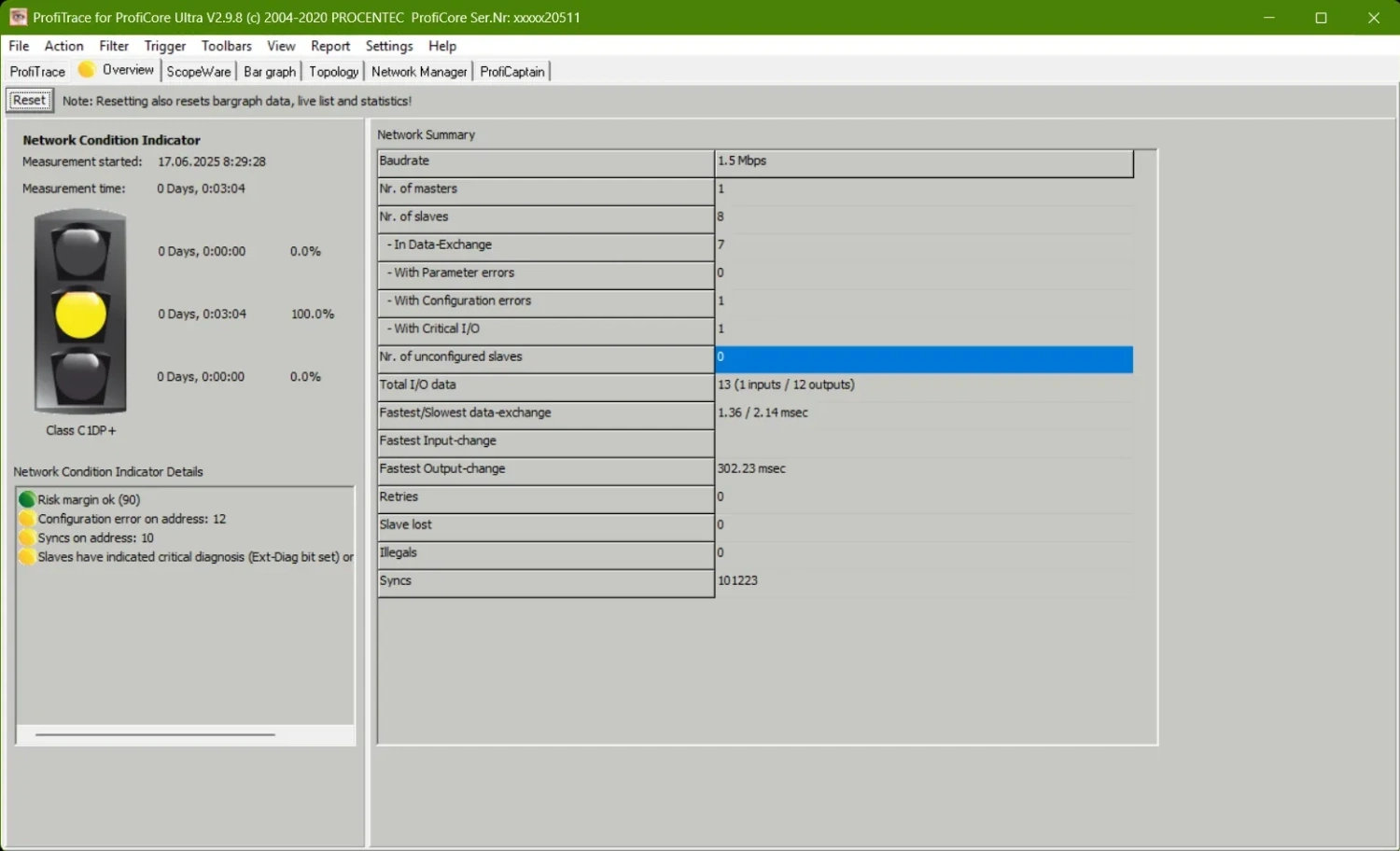
The network condition is displayed using a simple traffic light: green = network OK, yellow = minor issues, red = critical errors requiring attention. For each color, the percentage of time the network has been in that state is shown. In the network condition details, additional warnings based on electrical or telegram errors help quickly identify problematic devices and bus segments.
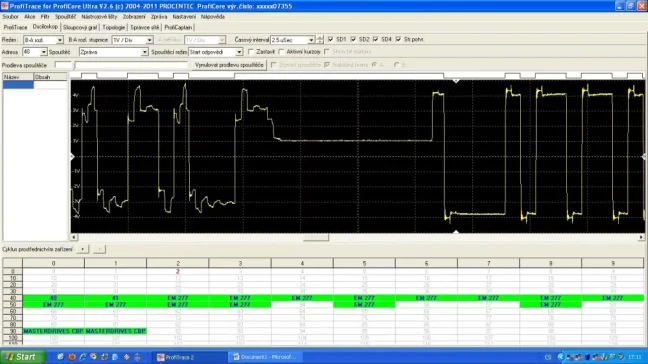
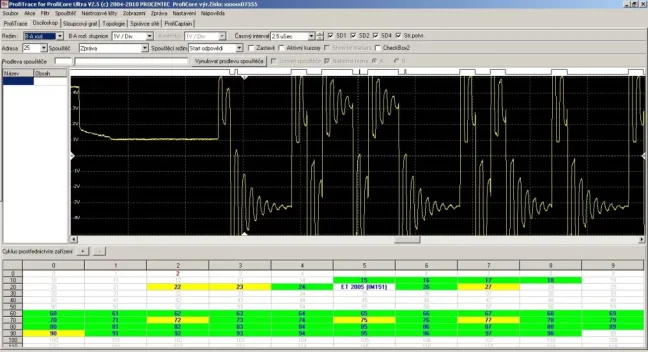
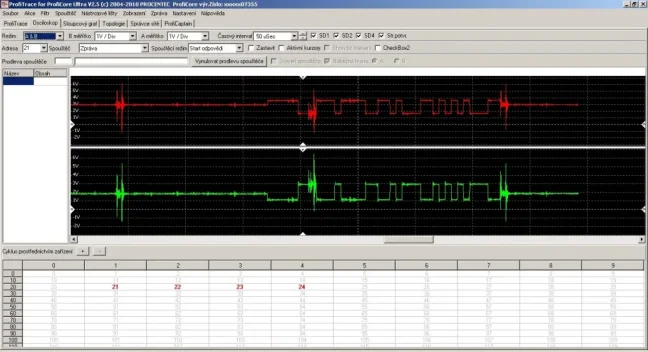
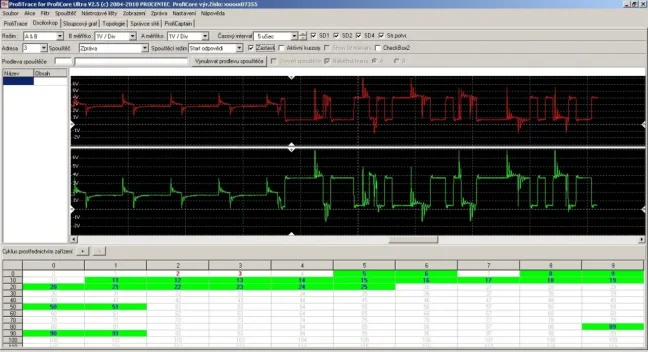
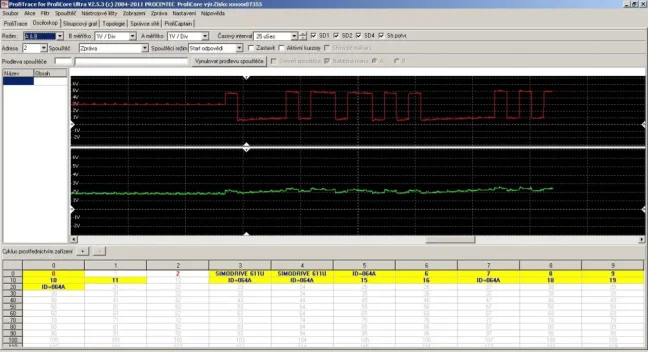
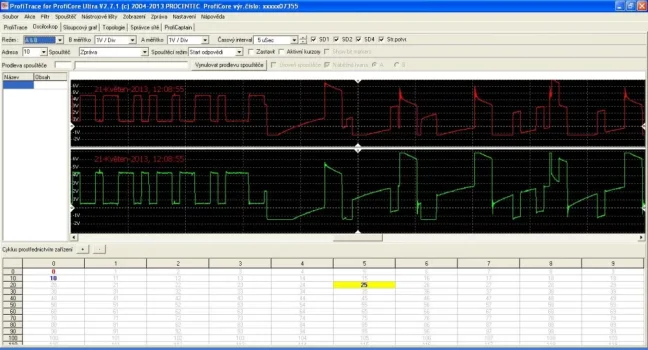
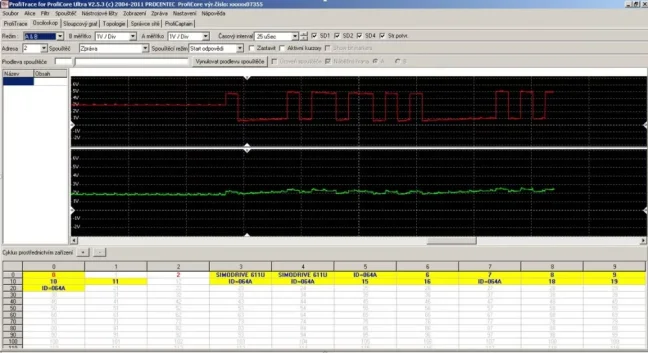
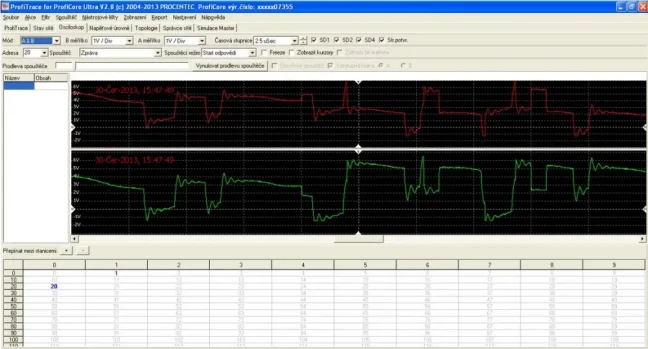
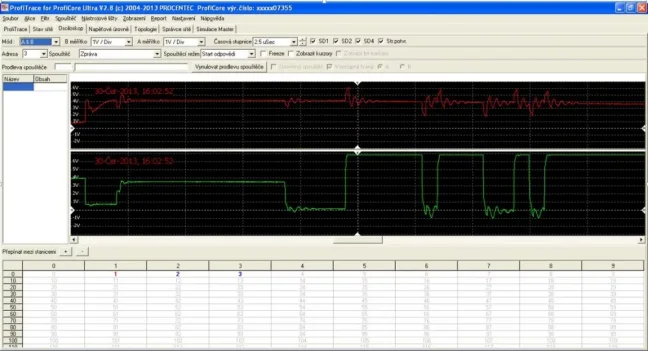
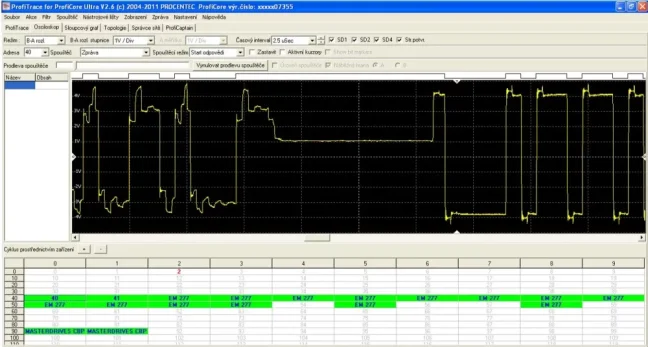
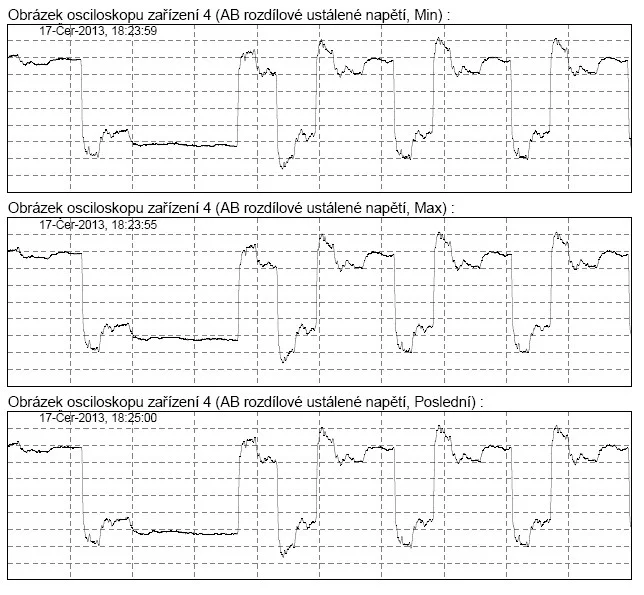
3) PROFIBUS DP Signal Oscilloscope
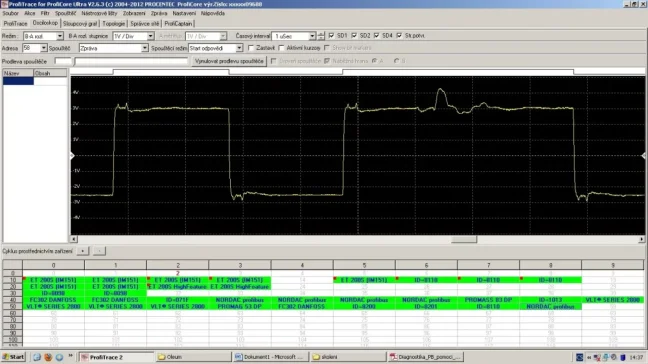
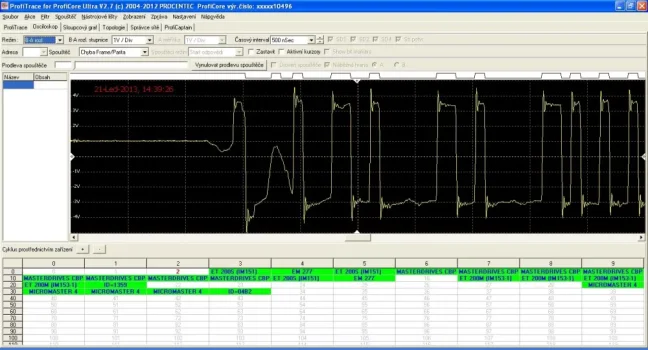
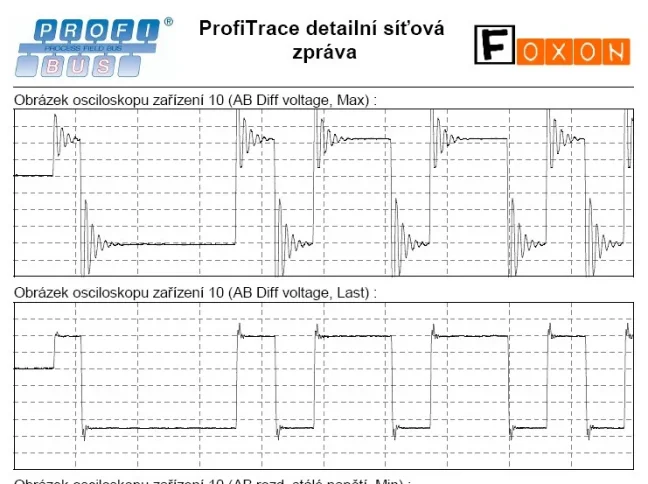
The oscilloscope is used to measure the signal quality on PROFIBUS. Once launched, the oscilloscope immediately begins displaying all signals detected on the connected network. For better clarity, the amplitude scale, voltage range, and signal display mode (B-A) can be adjusted. Double-clicking a station in LiveList displays only the signal for that specific station. This is an effective way to inspect the signal quality of individual devices at the measurement point and estimate the real distance to the problem location based on signal deviation levels.
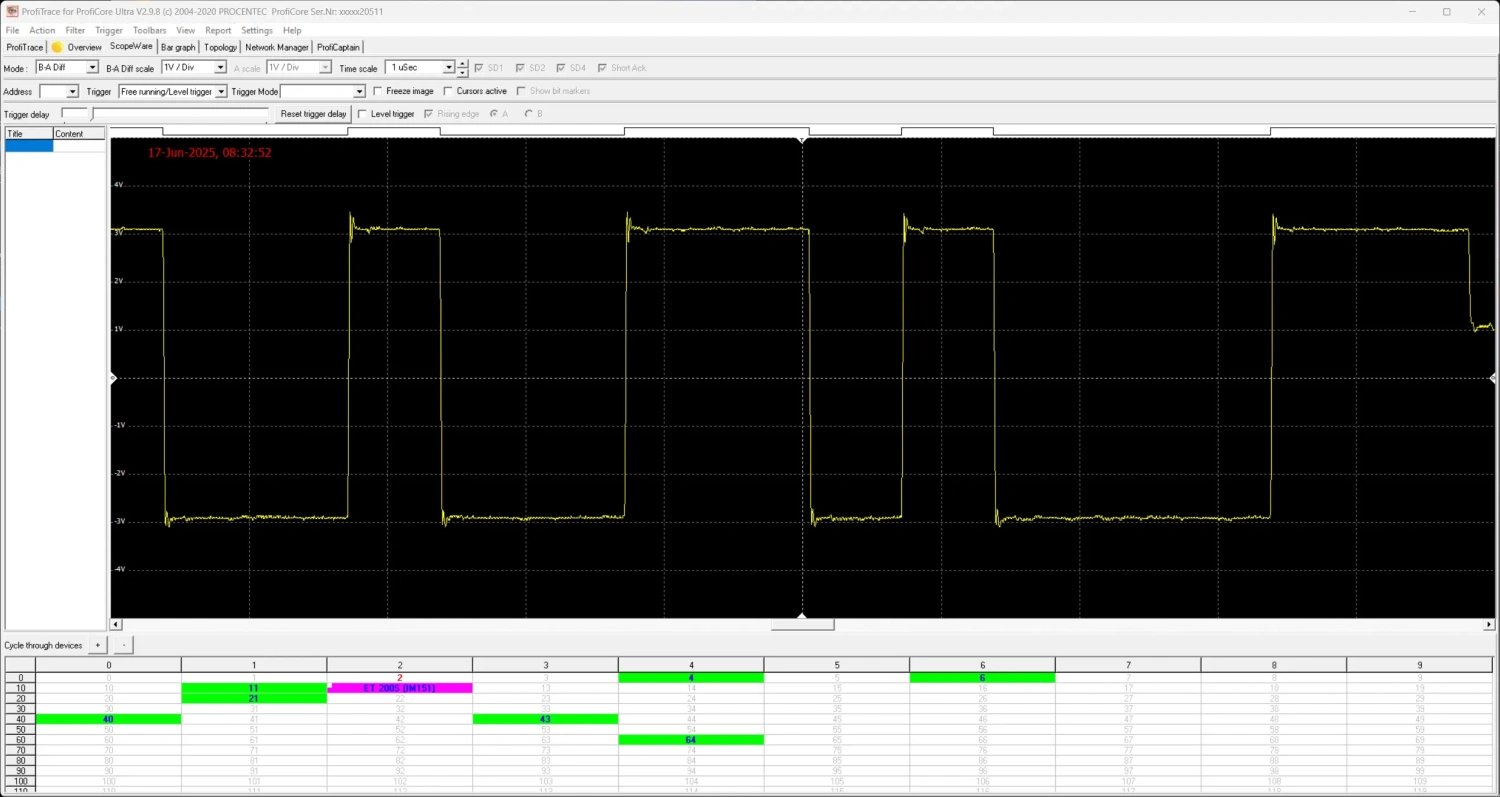
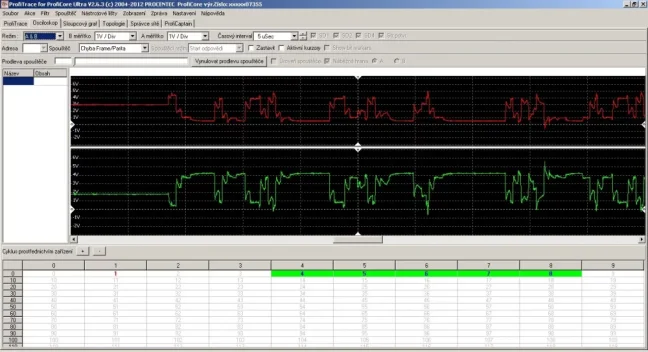
The oscilloscope display can be switched between combined waveform (one oscilloscope trace) and split waveform (two separate traces for wires A and B). Thanks to the split display, it’s easier to identify interference in the network or pinpoint faults on a specific wire (A/B).
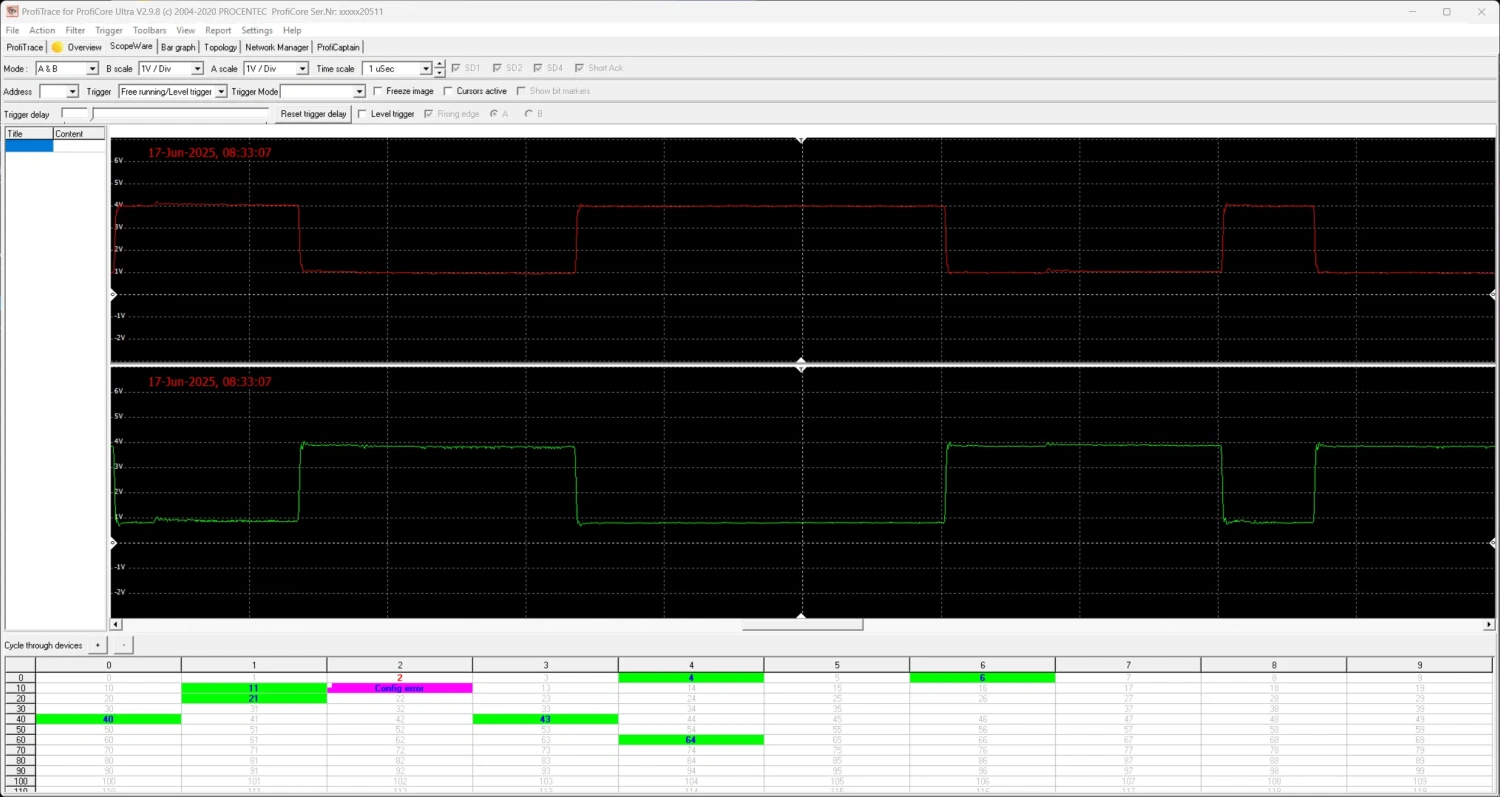
4) Voltage Levels of PROFIBUS Stations
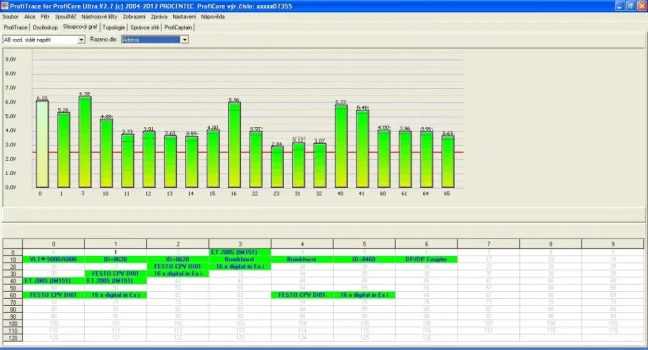
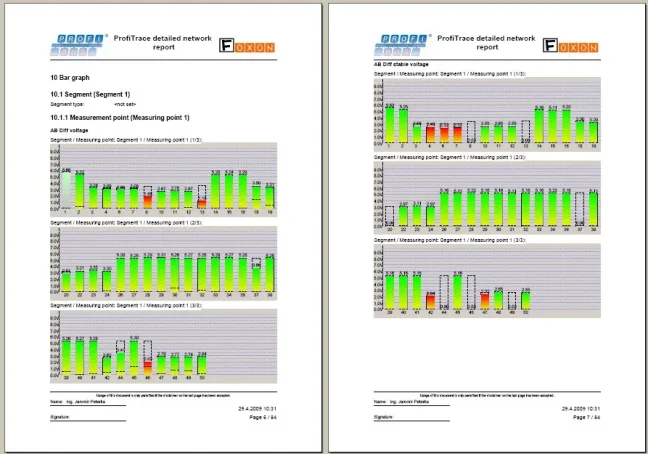
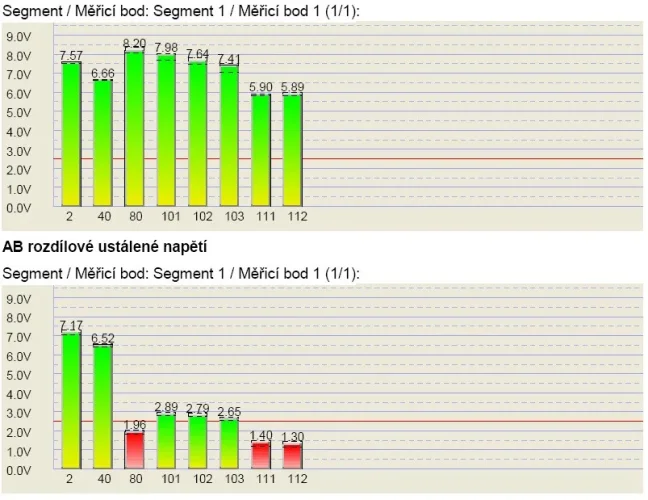
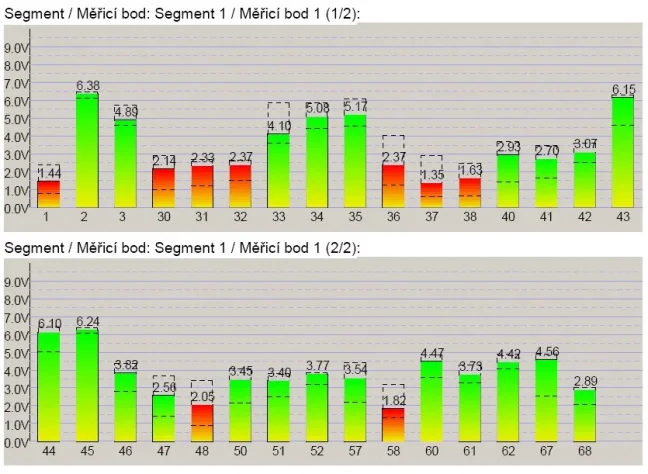
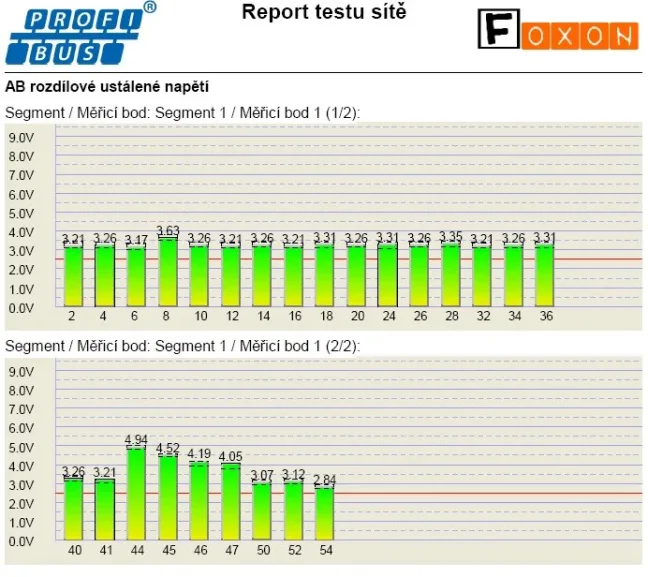
A bar graph shows the voltage levels at all PROFIBUS stations on the network. Unlike other analyzers, ProfiTrace 2 displays live voltage readings for all stations simultaneously, with a fast refresh rate. This is especially useful for identifying network faults. The average voltage should be around 5 V. If there are issues on the bus, the graph will show irregular voltage values, and the bar colors will change. The software displays the current voltage readings while also collecting maximum and minimum values since the beginning of the measurement.
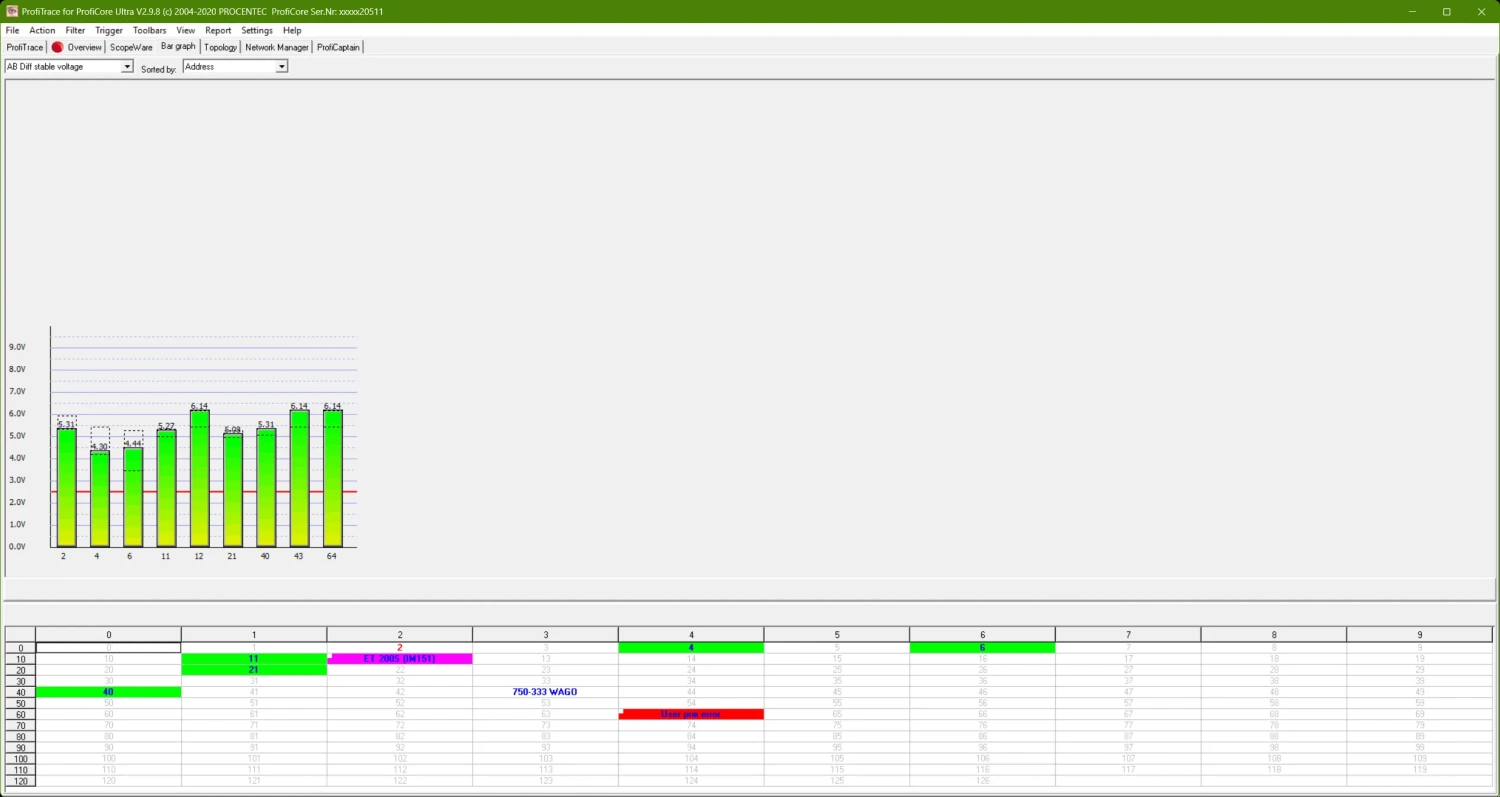
5) PROFIBUS DP Network Topology Scanning
ProfiTrace 2 can generate a schematic of the PROFIBUS network topology without needing to shut down the network beforehand (works only at 500 kbps and 1.5 Mbps). Topology generation is based on precise measurement of outgoing and incoming messages between the MASTER and SLAVE stations, from which the tester builds the network topology. Due to the nature of this measurement, it’s essential that the PROFIBUS network is in perfect health to avoid inaccurate results. Another limitation is the presence of PROFIBUS repeaters or optical converters – these block visibility for the tester, making it impossible to render topology. For these reasons, topology generation should be considered approximate. We recommend using alternative topology mapping methods taught in our training courses.
Note: Live measurement is only possible at 500 kbps or 1.5 Mbps. At other speeds, the original Master must be disconnected.
6) Network Manager
The Network Manager is a tool for saving and loading measurements from the oscilloscope, bar graphs, and topology images. It allows you to assign names to segments, measurement points, and stations, which then appear in reports. The Network Manager is particularly useful when measuring networks divided into multiple segments, for example using repeaters, hubs, fiber optic converters, or other media.
It also includes template creation for repeated measurements, simplifying and speeding up regular testing. Additionally, it helps analyze oscilloscope recordings by showing minimum and maximum signal values.
Important: Once the ProfiCore Ultra module is initialized, the Network Manager automatically records electrical measurements in the background. This process runs continuously, so it should be considered, especially when relocating the ProfiCore Ultra. Measurement recording can be stopped at any time by clicking “Stop processing.”
7) ProfiCaptain – PROFIBUS MASTER Station Simulator
The Master station simulation can be run in different modes depending on the tester version used.
ProfiCaptain is a simulator of PROFIBUS DP-V0/DP-V1 MASTER stations, most useful for testing PROFIBUS Slave stations. Connect the tester to a PROFIBUS SLAVE station, enable termination on the connector, choose the PB speed, and launch the simulation of a PB MASTER station. In the oscilloscope and voltage level view, you’ll see only two stations – the tester as the MASTER and the other station as the SLAVE. Check the signal on the SLAVE station, split it across A/B lines, and immediately identify whether the SLAVE port is working correctly. This test often reveals issues on the PROFIBUS port. ProfiCaptain is a PROFIBUS DP Master software application used for testing, parameterizing, and demonstrating PROFIBUS products (PLCs, PC cards, cables, etc.). With ProfiCaptain, you can map the network topology, detect parameters of each station, test I/O, verify proper station configuration, and more. The application requires the ProfiCore module (sold separately), connected to the PC via USB.
Use Cases for ProfiCaptain
- Testing PROFIBUS SLAVE stations
- Testing I/O and station address settings
- Demonstrating PROFIBUS product functionality
- Educational and research purposes
Key Features of ProfiCaptain (MASTER Simulation)
- Automatic detection of PROFIBUS network parameters
- Detects Tslot, MaxTSDR, Tset, etc.
- Recommends Master address
- Continuously updated live data
- Supports speeds from 9.6 kbit/s to 12 Mbit/s
- Prevents sudden communication losses
- Support for Class 2 functions (only tester version 38022)
- Slave station address configuration
- Reading I/Os from all network stations
- Configuration setup
- I/O Testing (only tester version 38022)
- Monitor and edit selected value types (bool, hex, decimal, float, etc.)
- Stealing slaves function (only tester version 38022)
- Ability to take over Slave stations from a Master without needing to remove them from the network or deactivate the Master
- Configuration
- User-friendly program interface
- GSD file import
- No connection loss during parameter changes
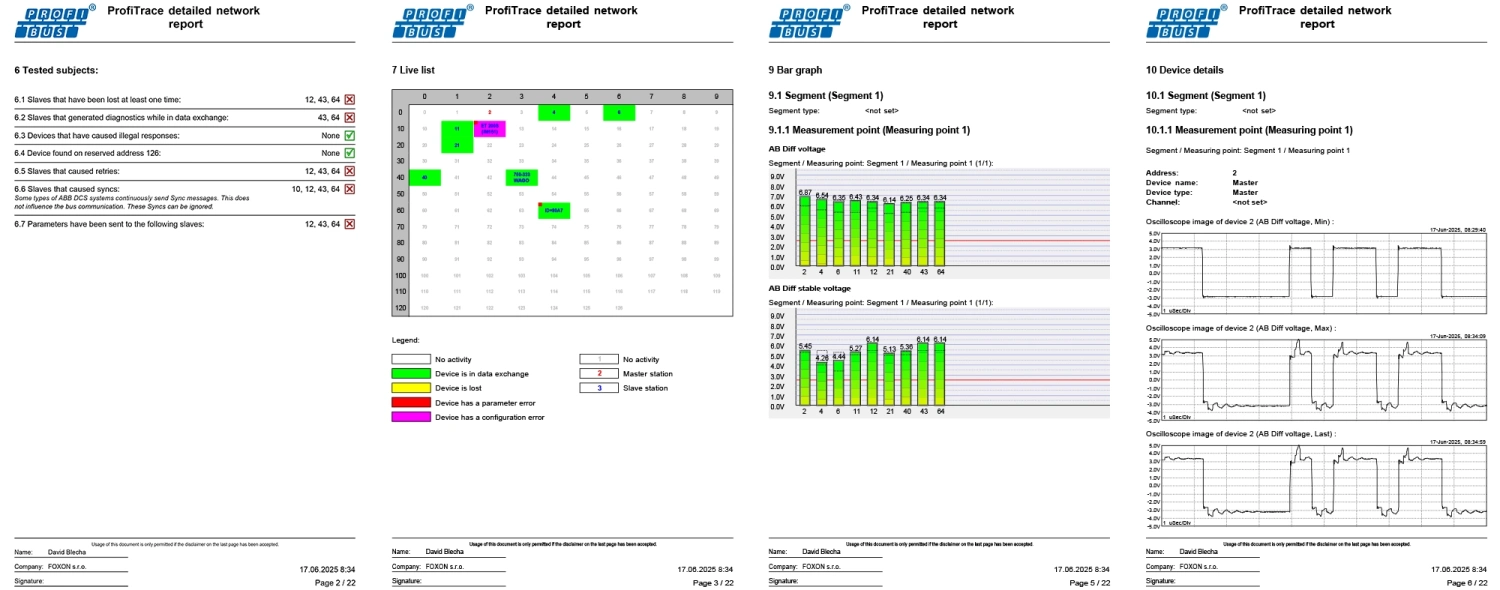
8) PROFIBUS Network Measurement Reports
The reporting tool allows you to generate a detailed report after the measurement is completed, including the display of electrical signals of all devices, their faults, the network topology, voltage levels at the stations, and other information. The introduction of the report contains a recommendation on whether the PROFIBUS network is approved for operation. Reports also serve as handover protocols for new networks or as inspection documentation.
To gain practical skills and work efficiently with PROFIBUS networks, we recommend the 2-day PROFIBUS training – Principles, Diagnostics, and Troubleshooting.
Frequently Asked Questions (FAQ) – ProfiTrace 2 Ultra Plus
What is ProfiTrace 2 Ultra Plus?
ProfiTrace 2 Ultra Plus is a portable tester and analyzer for diagnosing PROFIBUS networks. It is used for measurement, fault detection, and communication analysis in PROFIBUS DP networks. It is suitable for service, maintenance, commissioning, and troubleshooting hard-to-find faults during operation.
Which networks is ProfiTrace 2 Ultra Plus designed for?
This variant is primarily designed for PROFIBUS DP networks. Unlike the Ultra Pro variant, it is not intended for measuring PROFIBUS PA segments.
What is ProfiTrace 2 Ultra Plus used for in practice?
It helps detect communication faults, unstable stations, signal problems, interference, parameter errors, topology issues, and recurring diagnostic messages. It is useful during commissioning, regular inspections, and when looking for the causes of random PROFIBUS DP network failures.
Can the network be measured during operation?
Yes. ProfiTrace allows measurements during normal operation without the need to shut the network down. This is especially important where faults occur only occasionally or under load.
What can the LiveList tool do?
LiveList displays the detected MASTER and SLAVE stations in the network and their current status. It can show, for example, lost stations, configuration errors, parameter errors, or devices with which no MASTER is communicating. It also includes communication statistics such as repeated queries, corrupted messages, or diagnostic messages.
Can the tester display signal quality?
Yes. A digital oscilloscope called ScopeWare is available to display signal waveforms on the A and B lines, as well as a bar graph for an overview of the voltage levels of individual stations. This makes it easier to detect weak signals, reflections, or electromagnetic interference.
Can ProfiTrace 2 Ultra Plus display topology and create a report?
Yes. The functions include network topology scanning and reporting. Measurement outputs can be saved and used for documenting the network condition, handing results over to the customer, or comparing the state before and after an intervention.
Does ProfiTrace 2 Ultra Plus include MASTER station simulation?
Yes, but only in a simplified form. The tester can act as a MASTER mainly for diagnostic messages or for setting the address of a SLAVE station. Unlike the Ultra Pro variant, this is not full PROFIBUS MASTER station simulation.
Is an external 230 V power supply required?
In most cases, no. The tester connects to a computer via USB, which carries both data and power. In practice, a notebook is usually enough, and there is no need to deal with a power outlet in the control cabinet.
What is included in the Ultra Plus package?
The Ultra Plus variant includes the ProfiCore hardware module, a Tap connector for connection to the PROFIBUS bus, a USB data and power cable, a USB backup power cable, a manual, and a portable carrying case.
Is the software tied to one computer?
No. The ProfiTrace 2 program can be installed on multiple computers. In addition, recorded measurement files can be opened even without the connected hardware module.
Who is ProfiTrace 2 Ultra Plus suitable for?
It is suitable for service technicians, system integrators, maintenance staff, and specialists who diagnose PROFIBUS DP networks. It makes the most sense where a basic bus check is not enough and a deeper analysis of the signal, communication, and active device testing is required.
What is the difference between ProfiTrace 2 Ultra Plus and Ultra Pro?
Ultra Plus is a variant focused on PROFIBUS DP. Compared to Ultra Pro, it does not include the PA Probe Ultra for measuring PROFIBUS PA and does not support full PROFIBUS MASTER station simulation. Instead, it only offers simplified simulation, where the tester acts as a MASTER mainly for diagnostic messages or setting the address of a SLAVE station.
When should you choose Ultra Plus and when Ultra Pro?
Choose Ultra Plus if you work only with PROFIBUS DP networks and want a portable tester for routine as well as more advanced diagnostics. Ultra Pro makes sense where you also need to measure PROFIBUS PA or use full MASTER simulation.

Review: ProfiTrace2 – Part 3: Advanced Analyzer Features
In the final part of our article series on the PROFIBUS analyzer, we will show, among other things, how to connect the analyzer to PROFIBUS as a Master, control Slave stations, adjust network speed (you’ve probably never seen PROFIBUS running at 9.6 kbps), and install and use plugins that extend the tool’s capabilities. Review by Jaroslav Blažek (blaja.cz).

Review: ProfiTrace2 – Part 2: Most Common PROFIBUS Faults
Another part of the series on the ProfiTrace2 analyzer for PROFIBUS networks, where we’ll show what the most common faults look like and how and where they appear in the analyzer. This is where things really start to get interesting. At the end, there are also some videos where you can clearly see how the signal changes—for example during a short circuit on the line. The analyzer review was prepared by Jaroslav Blažek (blaja.cz).

Review: ProfiTrace2 – Part 1: What Does a PROFIBUS Network Really Look Like? An Analyzer Can Help
PROFIBUS—a robust communication network found in thousands of industrial systems. It has been used for years and still plays an important role in automation. But what happens when a problem occurs? Is it really enough to watch the green LEDs on the peripherals and trust that everything is fine? Unfortunately not. That’s why we invite you to read Jaroslav Blažek’s reviews of the ProfiTrace2 tool.

PROFIBUS: 3 Sins and 10 Tips
The PROFIBUS industrial bus is highly tolerant and will forgive many faults. But if a critical fault occurs—or several small ones accumulate—you will definitely notice. That’s why this aging industrial network deserves attention. Even if faults on your network are still rare, they will gradually accumulate. What do our technicians recommend? What are their 10 tips for maintaining PROFIBUS?
We train the basics and troubleshooting of PROFIBUS networks | FOXON Academy
Do you want to know why your industrial communication is dropping out? Know where the errors are on the bus and fix them quickly? How the PROFIBUS network works and how to upgrade it and make it more robust? Learn all this in a training session full of practical examples
Highlighted items are mandatory.

Training PROFIBUS - Basics, Diagnostics & Network Troubleshooting, 2 days
1 076,90 EUR Incl. VAT

Diagnostics, troubleshooting and monitoring of PROFIBUS networks
from 367,84 EUR Incl. VAT
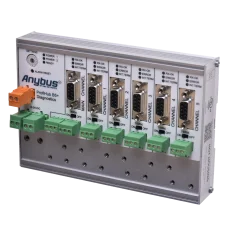
ProfiHub B5+R PROFIBUS multi-repeater
1 724,25 EUR Incl. VAT
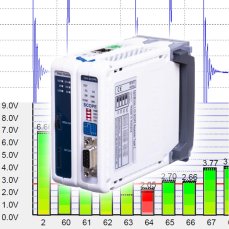
ComBricks Standard set for permanent monitoring of one PROFIBUS network / segment
3 037,10 EUR Incl. VAT
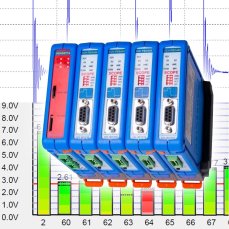
ComBricks Advanced set for permanent measuring of max four PROFIBUS networks / segments
7 221,28 EUR Incl. VAT
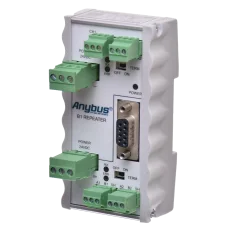
B1 PROFIBUS DP repeater
442,86 EUR Incl. VAT
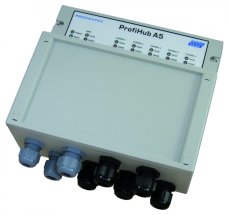
ProfiHub A5 PROFIBUS multi-repeater, IP65
1 819,84 EUR Incl. VAT
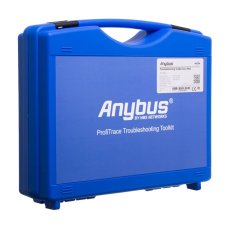
ProfiTrace 2 Ultra Pro – PROFIBUS DP/PA tester
5 944,73 EUR Incl. VAT
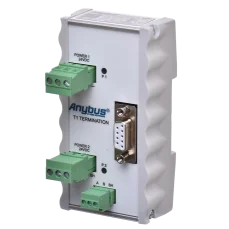
T1 Active PROFIBUS DP terminator
252,89 EUR Incl. VAT

ProfiTrace2 PROFIBUS Tester Training (1 Day)
from 600,16 EUR Incl. VAT
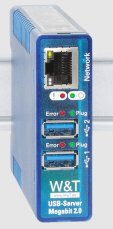
USB Server Megabit 2.0
360,58 EUR Incl. VAT
Related products11
Training PROFIBUS - Basics, Diagnostics & Network Troubleshooting, 2 days
1 076,90 EUR Incl. VAT
Diagnostics, troubleshooting and monitoring of PROFIBUS networks
from 367,84 EUR Incl. VAT
ProfiHub B5+R PROFIBUS multi-repeater
1 724,25 EUR Incl. VAT
ComBricks Standard set for permanent monitoring of one PROFIBUS network / segment
3 037,10 EUR Incl. VAT
ComBricks Advanced set for permanent measuring of max four PROFIBUS networks / segments
7 221,28 EUR Incl. VAT
B1 PROFIBUS DP repeater
442,86 EUR Incl. VAT
ProfiHub A5 PROFIBUS multi-repeater, IP65
1 819,84 EUR Incl. VAT
ProfiTrace 2 Ultra Pro – PROFIBUS DP/PA tester
5 944,73 EUR Incl. VAT
T1 Active PROFIBUS DP terminator
252,89 EUR Incl. VAT
ProfiTrace2 PROFIBUS Tester Training (1 Day)
from 600,16 EUR Incl. VAT
USB Server Megabit 2.0
360,58 EUR Incl. VAT