

Pocket tester ProfiTrace2 - FOXON PLUS
Portable ProfiTrace 2 testers for PROFIBUS DP, MPI and, depending on the version, PROFIBUS PA diagnostics. We help select the right kit for your maintenance team.
Selecting and using ProfiTrace 2 testers
Portable PROFIBUS diagnostics
ProfiTrace 2 – Portable PROFIBUS Network Tester
ProfiTrace 2 is a professional portable tester for fast diagnostics of PROFIBUS DP and MPI networks and, depending on the selected version, PROFIBUS PA as well. Connect it to a laptop and check communication, signal quality, station voltage levels, network topology and faulty telegrams while the production line is running. The measured data can be turned into a clear technical report.
- Measurement without production downtime
- Digital oscilloscope
- Topology and station voltage levels
- Professional reports
- Multilingual software interface

The two most widely used ProfiTrace 2 versions
ProfiTrace 2 Ultra Plus
The most frequently selected version for diagnostics of industrial PROFIBUS DP and MPI networks. It is suitable for maintenance, preventive measurements, service work and commissioning new networks.
- monitoring of PROFIBUS communication,
- ScopeWare digital oscilloscope,
- display of voltage levels for individual stations,
- network topology scanning,
- generation of measurement reports,
- basic simulation of a MASTER station.
ProfiTrace 2 Ultra Pro
The extended version for technicians who need to measure PROFIBUS PA process networks in addition to PROFIBUS DP and MPI, or fully simulate a PROFIBUS MASTER station.
- all Ultra Plus functions,
- PA Probe Ultra for PROFIBUS PA measurement,
- full MASTER simulation using ProfiCaptain 2,
- testing and parameterisation of SLAVE stations,
- checking device inputs and outputs,
- suitable for service and laboratory testing.
What can you check with ProfiTrace 2?
When will you use ProfiTrace?
- when identifying the cause of communication failures,
- during preventive inspections of production lines,
- when accepting a new or modernised network,
- after replacing cables, connectors or devices,
- when verifying the work of an external supplier,
- during regular maintenance of several networks in a plant.
What do you obtain from the measurement?
- an immediate overview of the entire network,
- a list of active and problematic stations,
- voltage and signal-quality graphs,
- communication and fault-event records,
- network topology and location of weak points,
- a professional report for documentation.
A technician uses the portable tester on several networks and production lines in succession. It is ideal for targeted diagnostics, regular preventive inspections and service interventions.
ComBricks remains permanently connected in the control cabinet and continuously monitors a critical network. It therefore captures intermittent events that may not occur during a short portable measurement.
For standard diagnostics of PROFIBUS DP and MPI networks, ProfiTrace 2 Ultra Plus is sufficient for most technicians. Choose Ultra Pro when you need to measure PROFIBUS PA or use full MASTER station simulation. We will help you select the right version and teach you how to use the tester during practical FOXON Academy training.

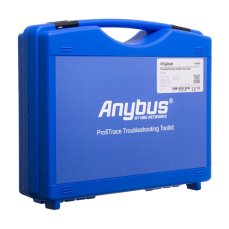
ProfiTrace 2 Ultra Plus – PROFIBUS DP Tester
4 399,56 EUR Incl. VAT
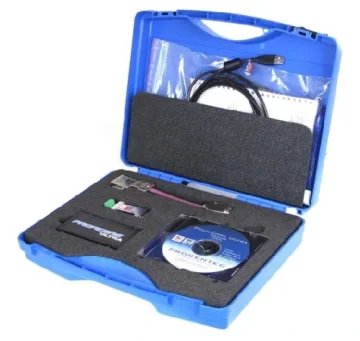
ProfiTrace 2 Ultra Pro – PROFIBUS DP/PA tester
5 944,73 EUR Incl. VAT
PROFIBUS diagnostics with ProfiTrace 2 - practical guide
FOXON’s practical guide for ProfiTrace 2: connecting the tester, LiveList, statistics, oscilloscope, reflections, interference, termination, topology and telegram analysis. With illustrations and examples of faults.

ProfiTrace2 REVIEW - Part 3: Advanced analyser functions
In this final series of articles on the PROFIBUS analyser, we will, amongst other things, demonstrate connecting the analyser to the PROFIBUS as a Master, the subsequent control of Slaves, setting the network speed (you’ve probably never seen PROFIBUS at 9.6 kbps before) and also the installation and use of plugins that expand this tool’s capabilities. Review by Jaroslav Blažek (blaja.cz).

ProfiTrace2 REVIEW - Part 2: The Most Common PROFIBUS Faults
Another instalment on the ProfiTrace2 analyser for PROFIBUS networks, in which we’ll show you what the most common faults look like and how and where they are displayed using the analyser. Now the interesting bit really begins. To round things off, I’ve also got some videos for you where you can see exactly how the signal changes, for example, during a short circuit on the line and so on. This review of the analyser was prepared by Jaroslav Blažek (blaja.cz).

ProfiTrace2 REVIEW - Part 1: What does a PROFIBUS network really look like? An analyser can help you
PROFIBUS - a robust communication network found in thousands of industrial devices. It has been in use for years and continues to play an important role in automation. But what if a problem arises? Is it really enough to watch the green lights on the peripherals and trust that everything is fine? Unfortunately not. That’s why you should read Jaroslav Blažek’s reviews of the ProfiTrace2 tool.

PROFIBUS: 3 Sins and 10 Tips
The PROFIBUS industrial bus is highly tolerant and will forgive many faults. But if a critical fault occurs—or several small ones accumulate—you will definitely notice. That’s why this aging industrial network deserves attention. Even if faults on your network are still rare, they will gradually accumulate. What do our technicians recommend? What are their 10 tips for maintaining PROFIBUS?

The 3 Biggest Killers of the PROFINET Industrial Network
Our engineers perform diagnostics of industrial networks in hundreds of manufacturing companies. They travel across the country to find the causes of failures. We have asked them what problems they have most frequently diagnosed in customers' PROFINET networks recently. What have they told us?

We train the basics and troubleshooting of PROFIBUS networks | FOXON Academy
Do you want to know why your industrial communication is dropping out? Know where the errors are on the bus and fix them quickly? How the PROFIBUS network works and how to upgrade it and make it more robust? Learn all this in a training session full of practical examples

Pocket VS permanent PROFIBUS diagnostics
If you are in charge of several PROFIBUS networks and want to check their quality from time to time or troubleshoot problems that have already occurred in a particular PROFIBUS network, the ProfiTrace2 tester is a great tool for you. You connect to the PROFIBUS network and measure signal qualities, voltages, communication errors, presence of interference, etc. When the measurement is complete, you create a report and disconnect again. The tester can be left connected to the PROFIBUS network for longer periods of time, but requires a laptop to which it is connected via the USB port.
If you operate a PROFIBUS line that is critical to you and an unplanned failure of the PROFIBUS network is not desirable, then get permanent diagnostics via the ComBricks solution. You connect the device to the DIN rail, connect it to the PROFIBUS network, without the need to assign an address or change the PLC program. From the first moment of connection, the tester measures the PROFIBUS network 24/7 and provides comprehensive overviews of the network quality in clear tools. It alerts you in time to the first undesirable event such as lost stations, lost packets, corrupted messages, voltage drops, interference, etc.
Question or Inquiry
Highlighted items are mandatory.