

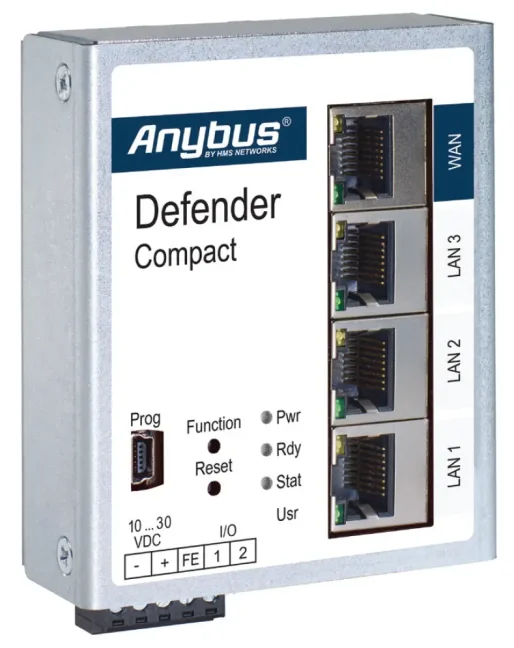
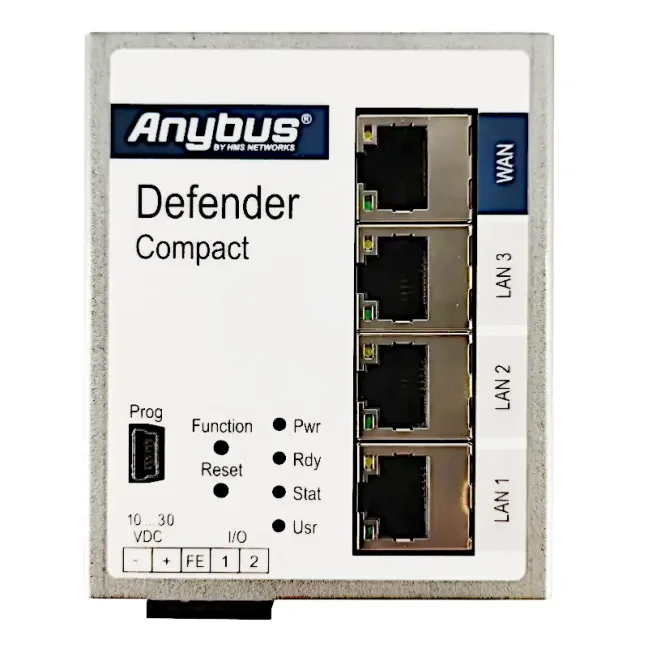
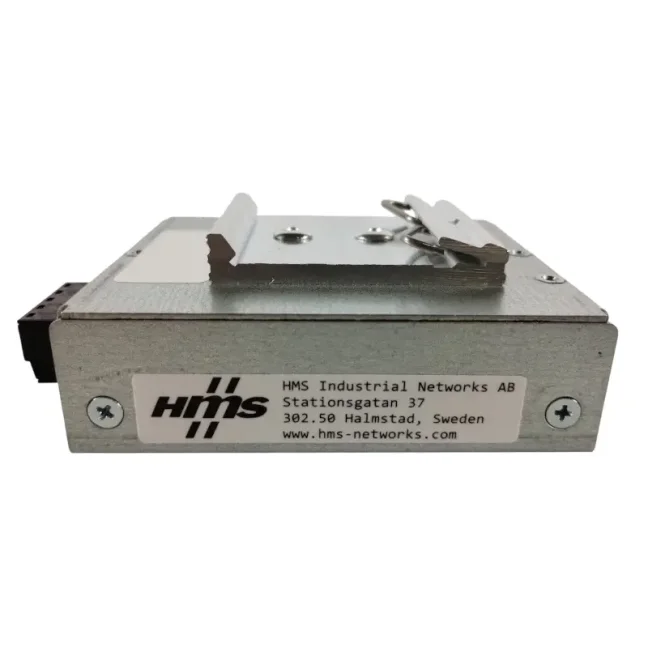
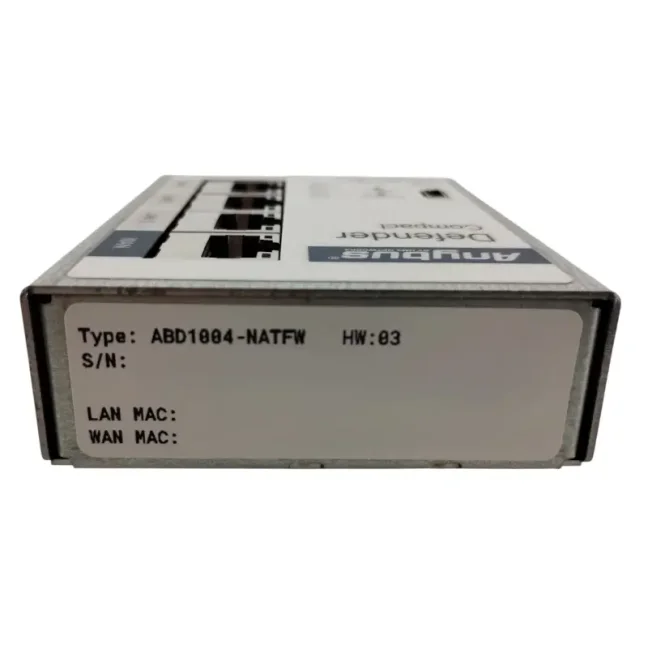
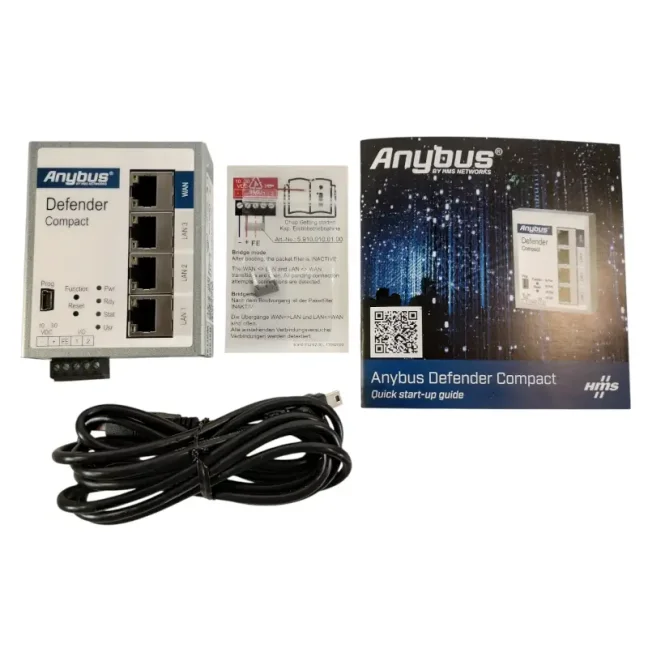
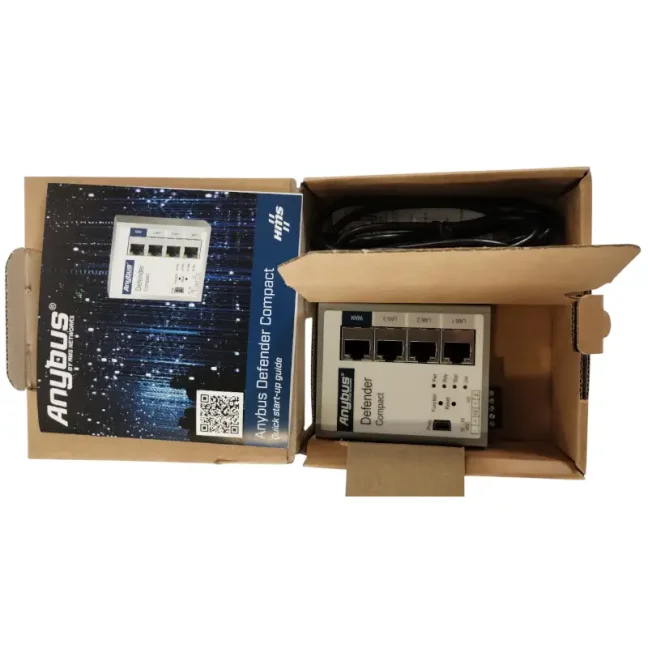
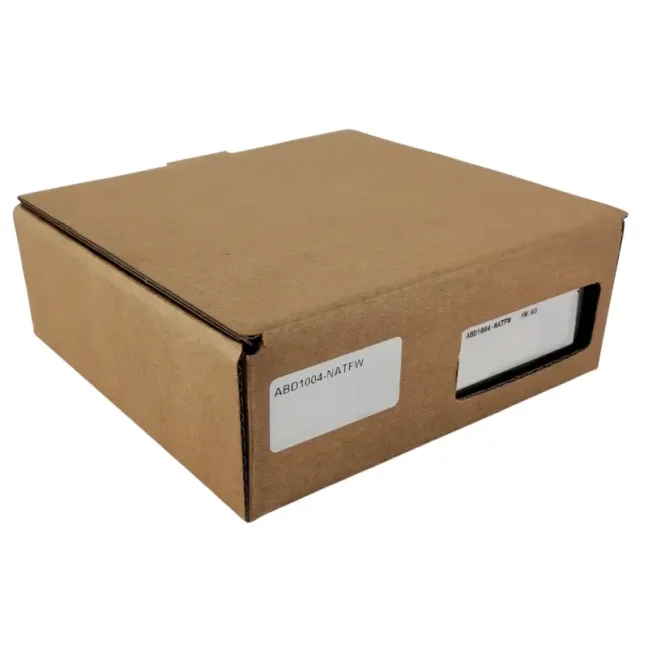


Anybus Defender Compact 1004 - NAT/FW

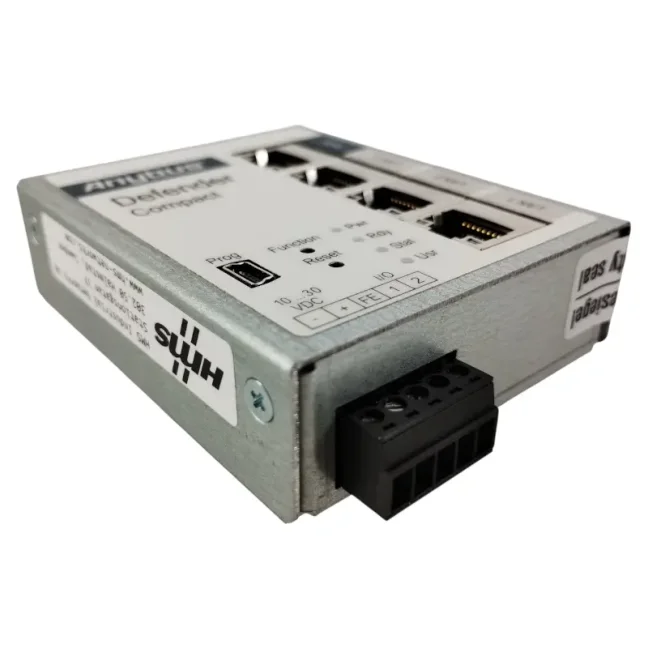
Compact industrial firewall for isolating and securing machines, production lines, and other parts of the OT network against unauthorized access and network attacks. Using NAT, it also allows multiple machines with identical IP addresses to be connected to the same higher-level network. Provides 1× WAN, 3× LAN, and communication filtering by IP and MAC addresses, ports, and protocols. More
Code: ABD1004-NATFW
Compact industrial firewall for isolating and securing machines, production lines, and other parts of the OT network against unauthorized access and network attacks. Using NAT, it also allows multiple machines with identical IP addresses to be connected to the same higher-level network. Provides 1× WAN, 3× LAN, and communication filtering by IP and MAC addresses, ports, and protocols. More
Code: ABD1004-NATFW
Anybus Defender Compact 1004 is a compact industrial firewall for isolating and securing machines, production lines, and other parts of the OT network. It helps restrict unwanted communication, resolve IP address conflicts, and securely connect machines to higher-level systems.
Why choose Anybus Defender Compact 1004?
- Reduces the risk of production downtime – by isolating machines and production lines, it helps prevent problems and cyber threats from spreading to other parts of the network.
- Saves time and costs when connecting identical machines – using NAT (Network Address Translation), multiple machines with identical internal IP addresses can be connected to the same higher-level network.
- Allows only the communication you need – access to machines can be restricted based on IP and MAC addresses, ports, and protocols.
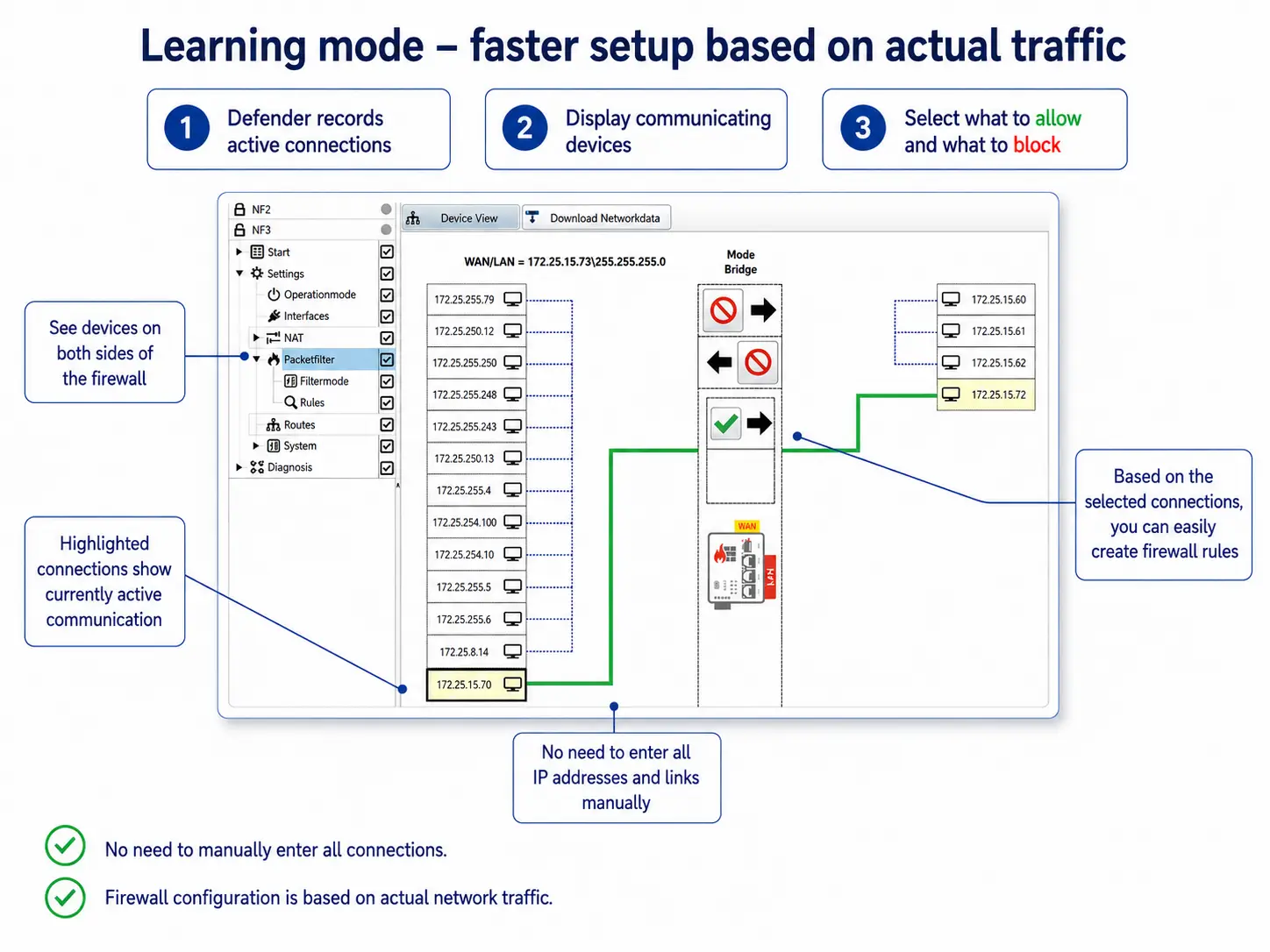
- Speeds up firewall configuration – the learning mode records actual network communication and helps you create rules based on the detected traffic.
- Can be added to an existing network without changing IP addresses – in a bridge configuration, it filters communication between different parts of the network.
- Makes configuration easier for automation engineers – setup is performed using Windows software with an environment similar to PLC programming software.
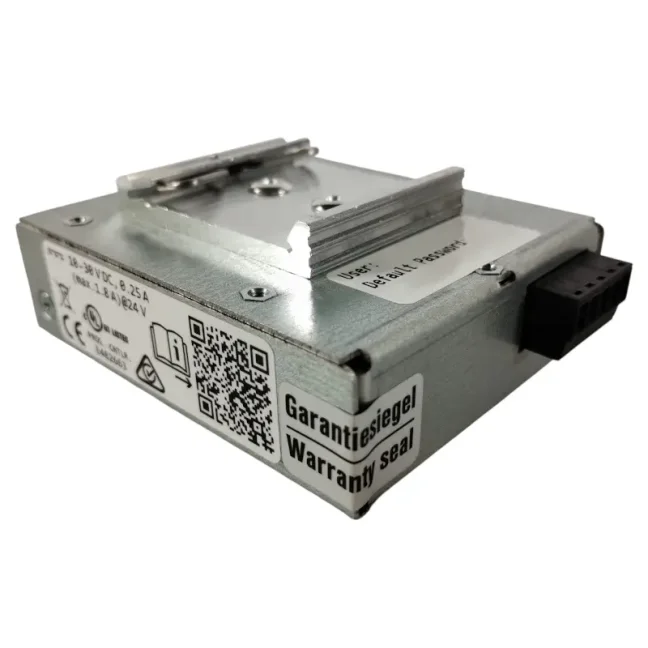
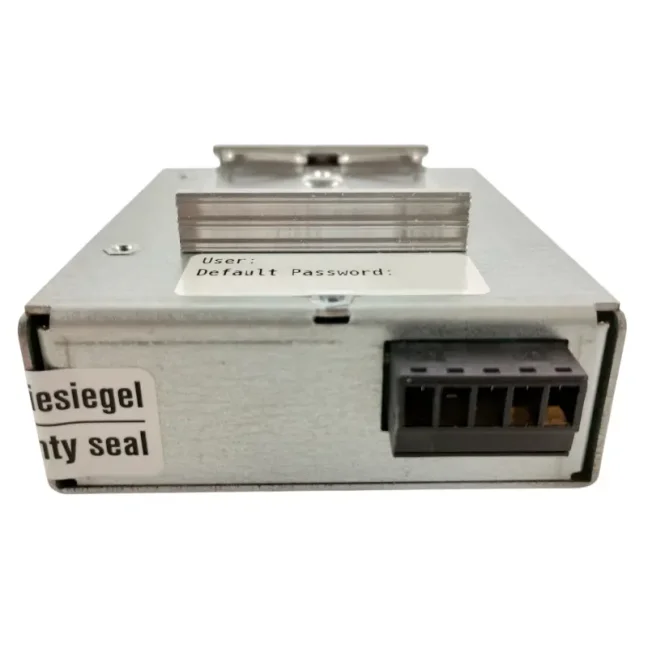
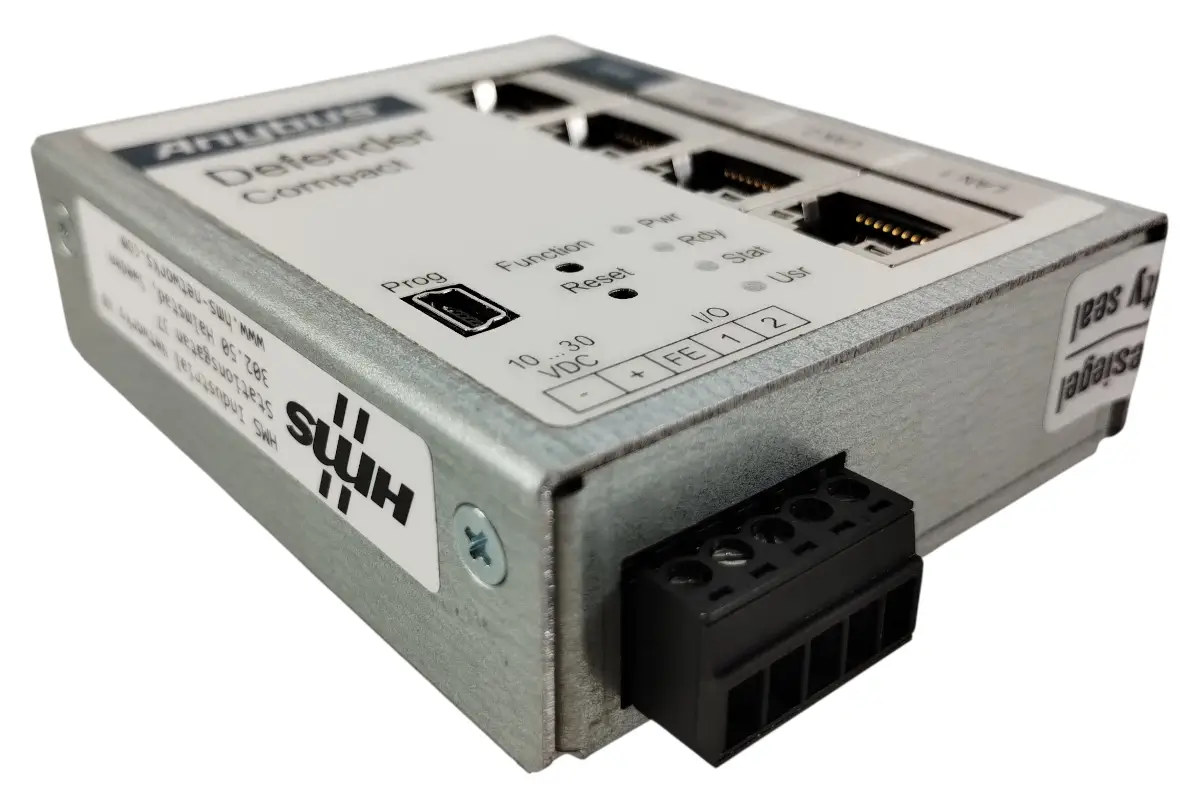
- Designed for installation directly in an industrial control cabinet – it features a metal housing, DIN rail mounting, and a wide operating temperature range.
Anybus Defender Compact 1004 feature set
Anybus Defender Compact 1004 is available only in the NAT/FW variant. It is designed for network segmentation, controlling permitted communication, and resolving IP address conflicts using NAT.
If you also need deep inspection of industrial protocols, IPS, VPN, or advanced networking features, these capabilities are available in higher-end Anybus Defender models.
Not sure which Defender to choose?
Tell us about your network and what you need to secure. We will recommend the right model and variant.
Consult your Defender selection
Network connection and communication filtering
Anybus Defender Compact 1004 is installed between the machine network and the higher-level production or enterprise network. All communication between the two parts of the network passes through the firewall, which allows or blocks it according to the configured rules.
Rules can be configured based on IP and MAC addresses, communication ports, and protocols. By default, communication between WAN and LAN is blocked until you explicitly allow it using firewall rules. In practice, you can, for example, allow access to a PLC only from a designated service computer, permit communication with a SCADA system, and block all other connections.
Two ways to connect it to the network
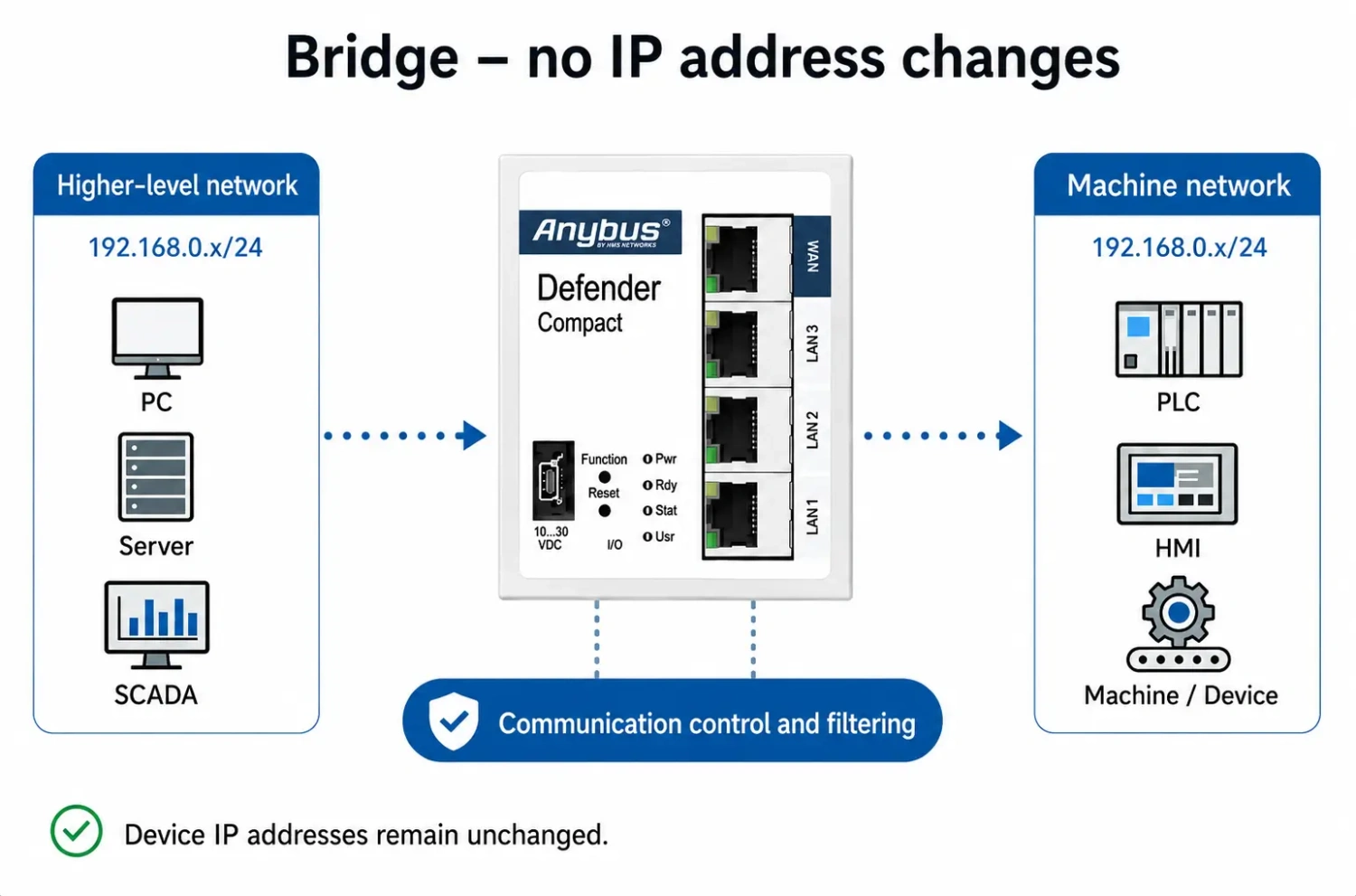
Bridge – without changing IP addresses
In a bridge configuration, the firewall can be inserted into an existing network without changing the IP addresses of PLCs, HMIs, and other devices. The Defender operates transparently in the network and filters communication between the machine network and the higher-level network.
This configuration is particularly suitable for adding security to an existing machine or production line.
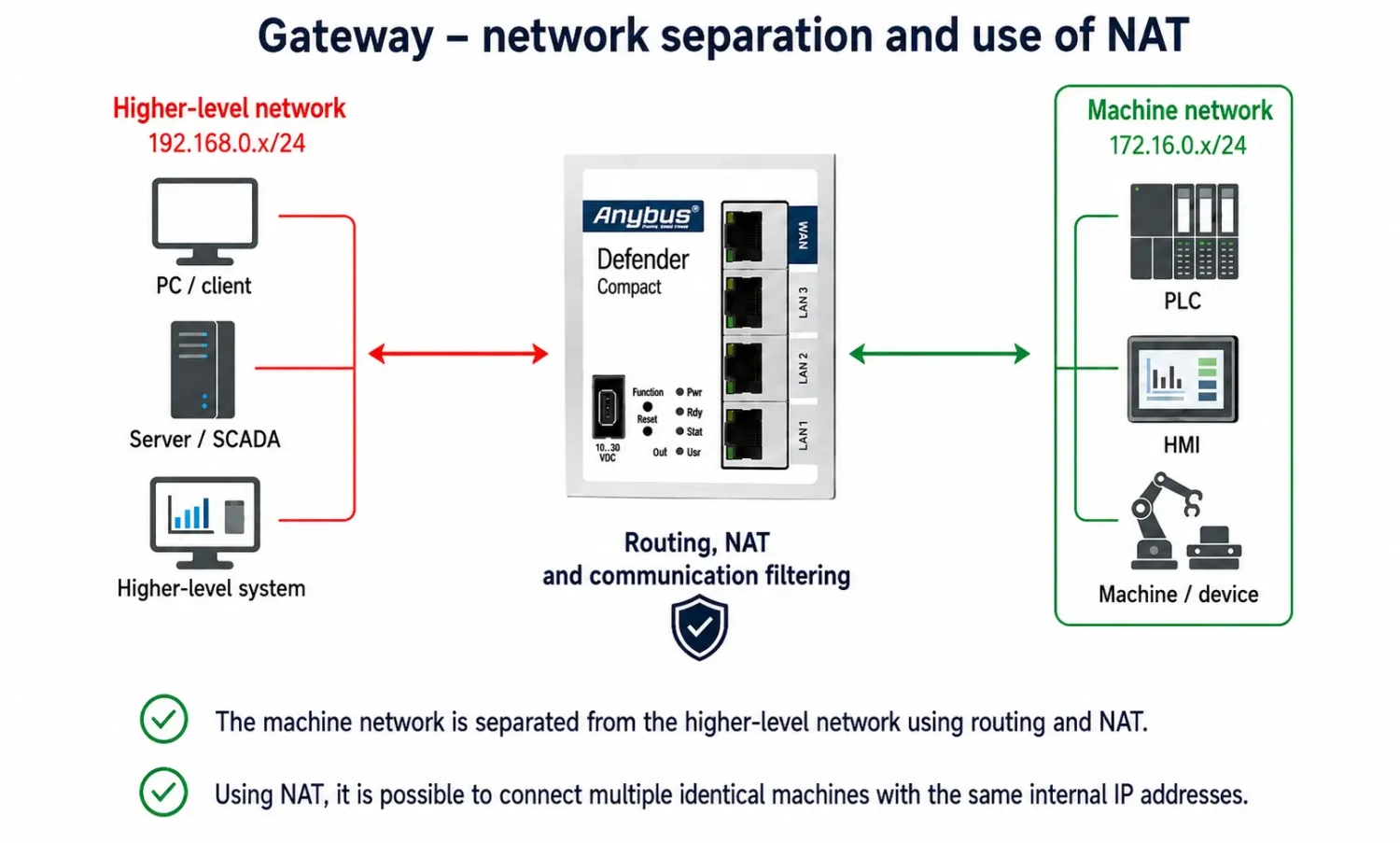
Gateway – network separation and NAT
In a gateway configuration, the Defender operates as a router between the machine network and the higher-level network. Both sides can use different IP address ranges, while communication between them is controlled using static routing, NAT, and filtering rules.
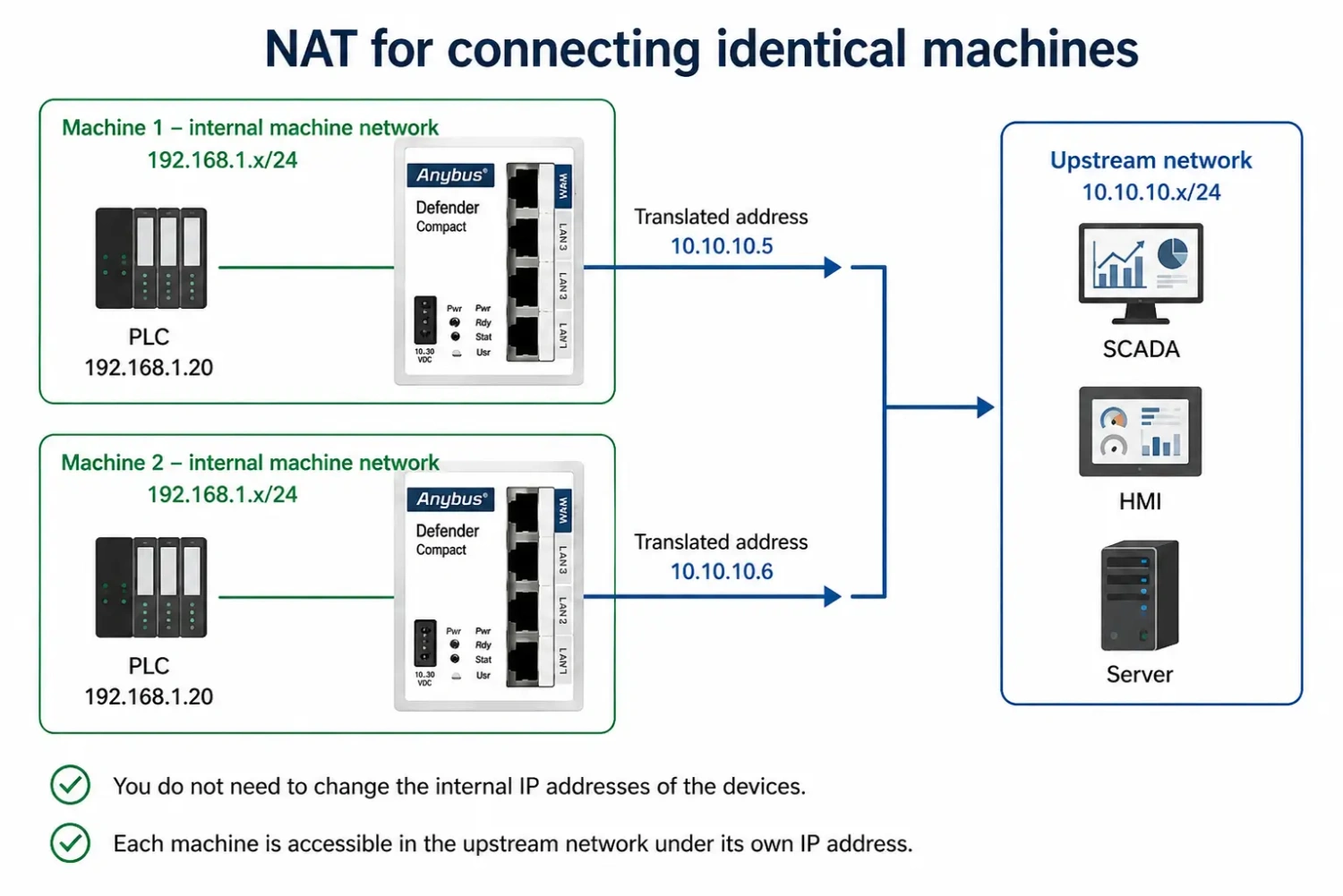
NAT (Network Address Translation) allows you to keep the original IP addresses inside the machine while communicating with the devices from the higher-level network using translated addresses. This is useful, for example, when connecting multiple identical machines with the same internal IP addressing, because you do not need to change the IP addresses of PLCs, HMIs, or other devices.
The Defender supports several types of Network Address Translation. In practice, the most useful are:
- SimpleNAT – allows a specific device in the machine network to be accessed using a dedicated IP address from the higher-level network.
- Network NAT – translates an entire network and is useful, for example, when connecting multiple machines with identical internal IP addressing.
- SNAT – changes the source IP address of the communication and can be used, for example, when the destination device does not have the correct default gateway configured.
- Port forwarding (DNAT) – makes only a specific service or communication port of a device inside the machine accessible from the higher-level network.
Learning mode – faster configuration based on actual traffic
Learning mode makes the initial firewall configuration significantly easier. The Defender records ongoing network communication and displays actively communicating devices and detected connections in the configuration software.
This means you do not have to identify all communication between PLCs, HMIs, SCADA systems, and other devices manually in advance. You can then decide which detected connections should remain permitted and create filtering rules based on them. All other communication can be blocked.
Graphical interface for firewall configuration
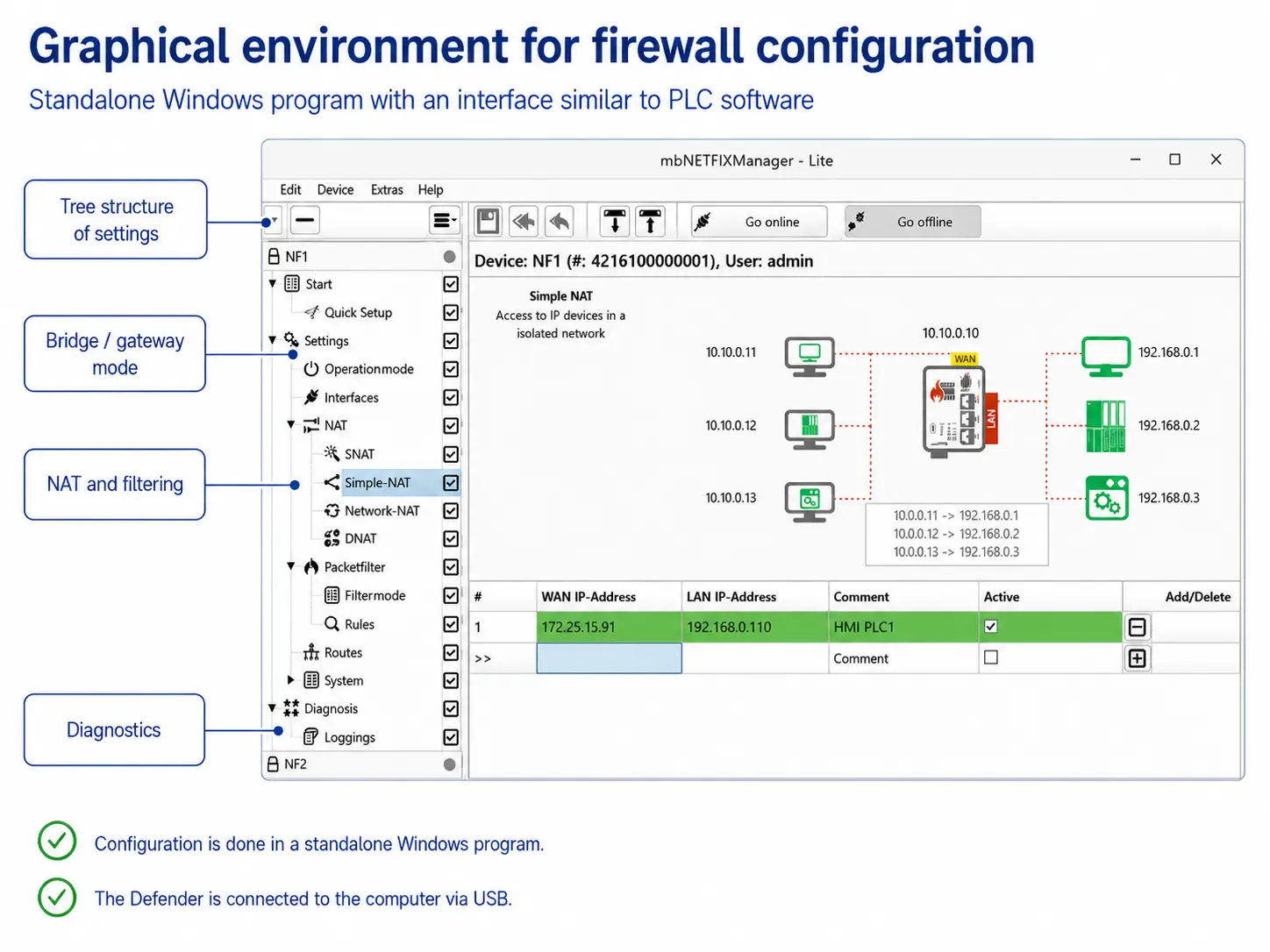
Anybus Defender Compact 1004 is configured using Anybus Defender Compact Manager for Windows. The graphical interface is designed in a similar way to PLC programming software and includes wizards for basic firewall configuration.
The software allows you to configure bridge or gateway operation, NAT, routing, and filtering rules. The device does not have a built-in web interface, which reduces the number of potential attack vectors. A command-line interface via SSH is also available for configuration and advanced management.
Technical specifications
Network interfaces and connection
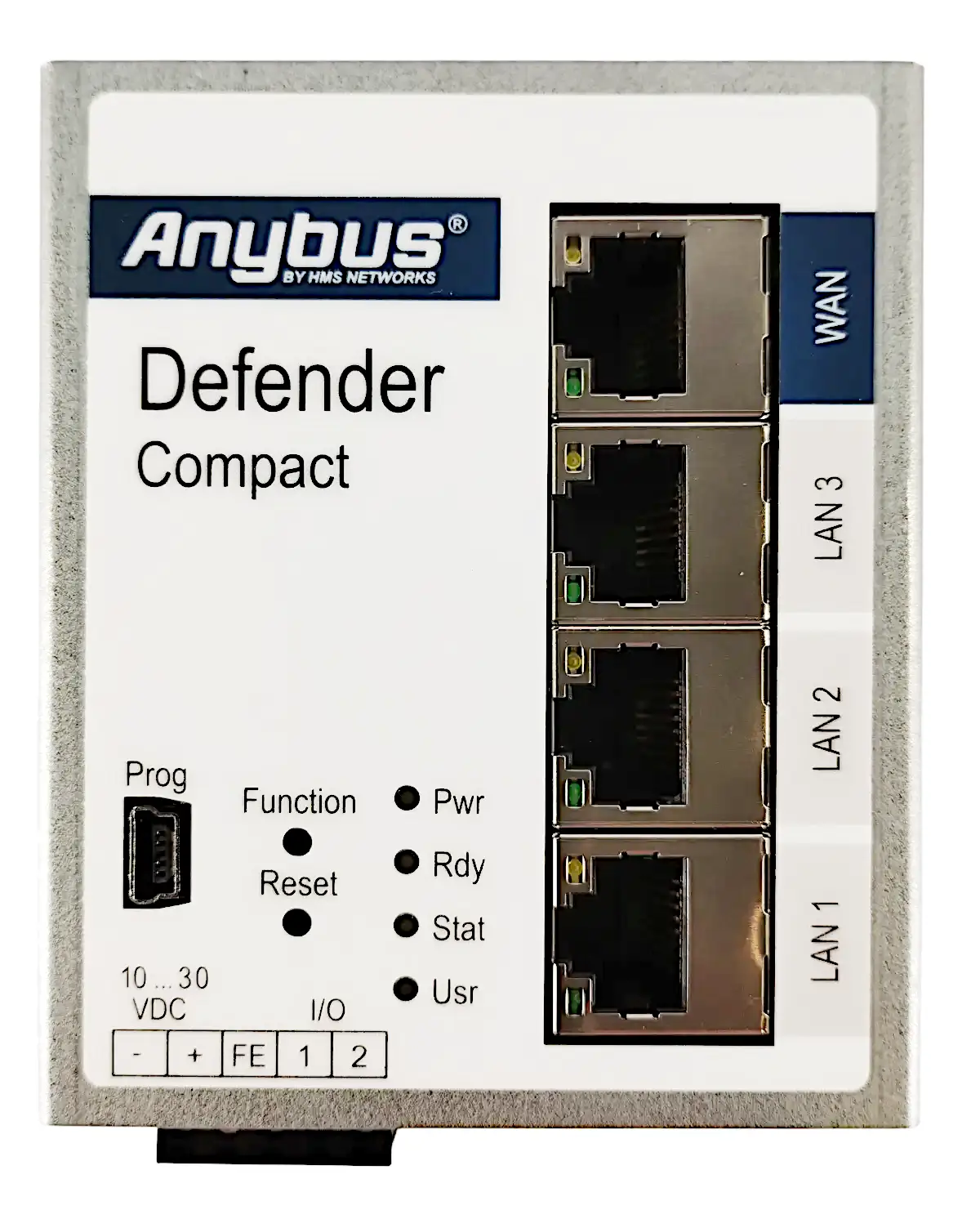
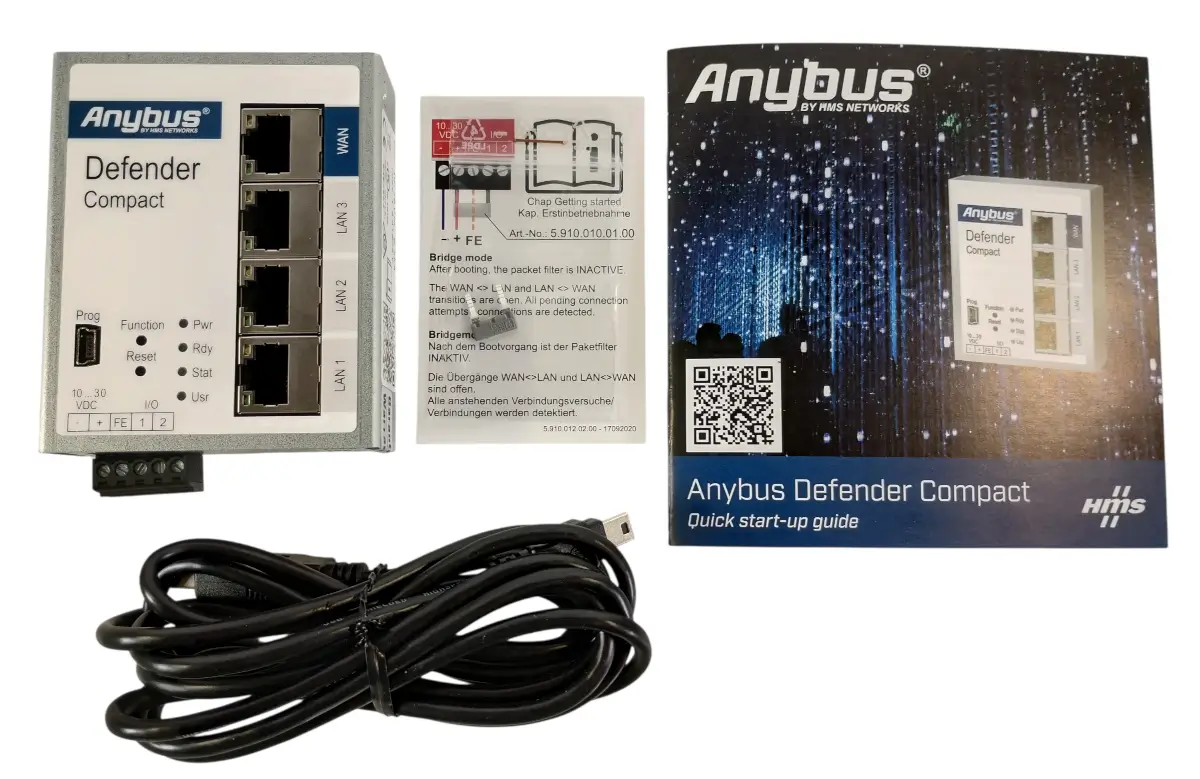
- WAN: 1× RJ45, 10/100BASE-T(X)
- LAN: 3× RJ45, 10/100BASE-T(X)
- Bridge: transparent integration into an existing network without changing the IP addresses of connected devices
- Gateway: network separation using NAT, routing, and filtering rules
- Routing: static routing
NAT and IP address translation
- Supported NAT functions: SimpleNAT, Network NAT, SNAT, and DNAT
- SimpleNAT: makes a specific device in the LAN network accessible under a dedicated IP address from the WAN network
- Network NAT: translates an entire network, for example when connecting multiple machines with identical internal IP addressing
- SNAT: translates the source IP address, for example if the destination device does not have the correct default gateway configured
- DNAT (port forwarding): makes a specific service or communication port of a device behind the firewall accessible
Firewall and communication filtering
- Filtering: by MAC addresses, IP addresses, communication ports, and protocols
- Filtering direction: WAN–LAN and LAN–WAN
- Default settings: the packet filter is active and communication between WAN and LAN is blocked
- Filtering modes: whitelisting, blacklisting, or disabled filter
- Learning mode: records network communication to simplify the creation of filtering rules
- Learning mode output: displays communicating devices and detected connections in the graphical interface of the configuration software
Configuration and management
- Configuration software: Anybus Defender Compact Manager for Windows
- Configuration method: graphical interface similar to PLC programming software
- Configuration via USB: USB 2.0 Mini
- Advanced configuration: command-line interface via SSH
- Web interface: the device does not have a built-in web interface
- Network services: NTP client and Syslog client
- Digital inputs: 2× for dynamic control of selected filtering and NAT rules
Security features
- Secure Boot: yes
- Configuration protection: configurations are encrypted and uniquely paired with the specific device using an RSA key
Power supply
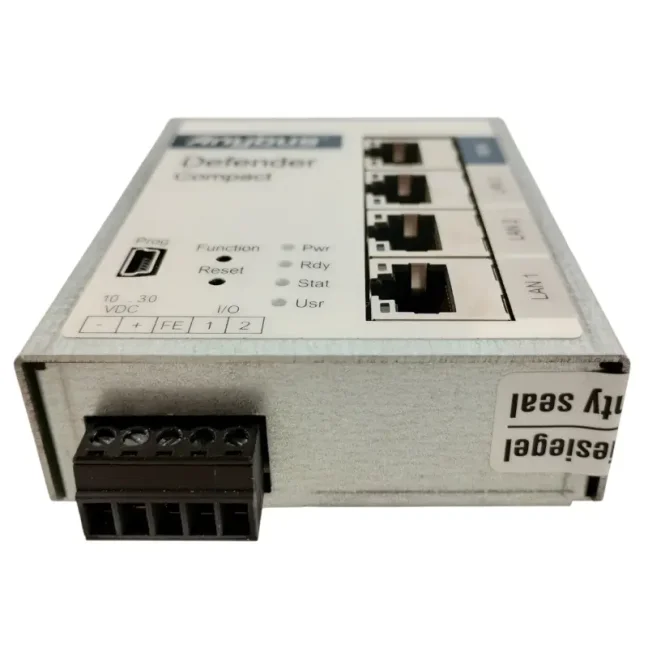
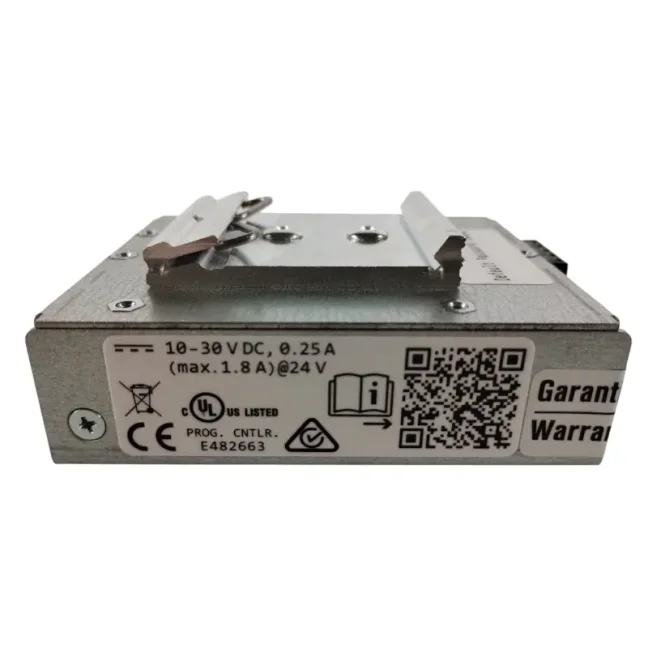
- Supply voltage: 10–30 VDC
- Maximum current consumption: 250 mA at 24 VDC
Mechanical and operating specifications
- Dimensions (H × W × D): 92.6 × 69 × 38.5 mm
- Weight: 235 g
- Housing material: metal
- Degree of protection: IP30 when all ports and interfaces are populated
- Operating temperature: −40 to +75 °C
- Storage temperature: −40 to +85 °C
- Relative humidity: 0–95%, non-condensing
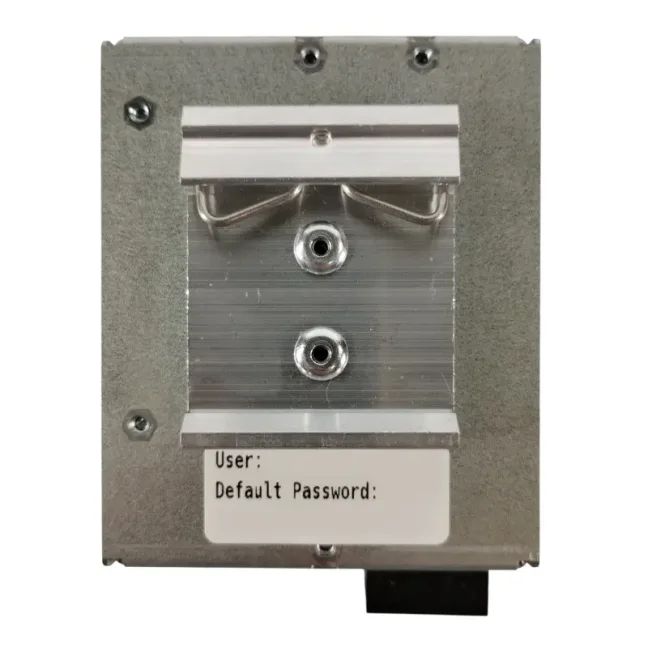
- Mounting: DIN rail according to EN 50022
Certifications and compliance
- Certifications and compliance: CE and UL
Frequently Asked Questions (FAQ) – Anybus Defender Compact 1004
Use and network connection
What is Anybus Defender Compact 1004 and what is it used for?
Anybus Defender Compact 1004 is a compact industrial firewall and router for isolating and securing machines, production lines, and other parts of the OT network. It is used to restrict unwanted communication, resolve IP address conflicts, and protect devices when connecting them to a higher-level network.
How can I isolate a machine from the enterprise network and allow only the required communication?
Anybus Defender Compact 1004 is installed between the machine network and the higher-level network. Firewall rules can be used to allow the required connections based on IP and MAC addresses, communication ports, and protocols, while blocking all other communication.
How can I secure an existing machine without changing its network settings?
Anybus Defender Compact 1004 can be inserted into an existing network connection in a bridge configuration without changing the IP addresses of PLCs, HMIs, and other devices. The existing addressing is preserved, while communication between the machine network and the higher-level network passes through the firewall.
What is the difference between bridge and gateway configurations?
In a bridge configuration, the firewall is inserted transparently into the existing network connection without changing the IP addresses of connected devices. In a gateway configuration, it operates as a router between the machine network and the higher-level network and allows the use of static routing, NAT, and filtering rules.
Firewall and NAT
How can I connect several identical machines with the same IP addresses to one network?
Using Network NAT, individual machine networks with identical internal IP addressing can be made accessible in the higher-level network under different network ranges. This means there is no need to change the IP addresses of PLCs, HMIs, or other devices inside the machine.
How can I make a specific device or service inside the machine accessible?
SimpleNAT can be used to access a specific device by making it available from the WAN network under a dedicated IP address. If only a specific service or communication port needs to be accessible, port forwarding using DNAT can be used.
What can Anybus Defender Compact 1004 use to filter network communication?
Firewall rules can be configured based on IP addresses, MAC addresses, communication ports, and protocols. Filtering can be configured for both WAN–LAN and LAN–WAN communication.
Is communication between WAN and LAN automatically allowed after initial installation?
No. By default, communication between WAN and LAN is blocked until you allow it using firewall rules.
Which NAT functions does Anybus Defender Compact 1004 support?
Anybus Defender Compact 1004 supports SimpleNAT, Network NAT, SNAT, and DNAT. SimpleNAT is used to make a specific device accessible under a dedicated WAN address, Network NAT translates an entire network, SNAT translates the source address, and DNAT forwards specific services or ports.
How can I determine which network communication is actually required for machine operation?
Anybus Defender Compact 1004 includes a learning mode that records network communication and displays communicating devices and detected connections in the configuration software. The technician can then decide which connections should remain permitted and use them to create filtering rules more easily.
Can individual LAN ports be separated into independent networks?
Yes. Using advanced configuration via SSH, each LAN port can be assigned its own IP address and separate network. The Defender can then control and filter communication between these networks. However, NAT options are limited in this configuration, so it is not suitable for typical scenarios involving address translation between multiple separate LAN networks.
Configuration and management
How is Anybus Defender Compact 1004 configured?
Anybus Defender Compact 1004 is configured using Anybus Defender Compact Manager for Windows. The graphical interface is similar to PLC programming software and allows you to configure bridge or gateway operation, NAT, routing, and firewall rules.
Is paid software required to configure Anybus Defender Compact 1004?
No. A free version of Anybus Defender Compact Manager can be downloaded from the manufacturer's website and used to configure the device.
Does Anybus Defender Compact 1004 have a built-in web interface?
No. Anybus Defender Compact 1004 does not have a built-in web interface. Configuration is performed using Anybus Defender Compact Manager or via the command-line interface over SSH.
Technical design and model selection
How many Ethernet ports does Anybus Defender Compact 1004 have and what speeds do they support?
Anybus Defender Compact 1004 has one WAN port and three LAN ports. All four ports use RJ45 connectors and support 10/100 Mb/s.
Is Anybus Defender Compact 1004 suitable for installation in an industrial control cabinet?
Yes. Anybus Defender Compact 1004 has a metal housing, DIN rail mounting, and an operating temperature range from −40 to +75 °C. The supply voltage is 10–30 VDC.
When should I choose a higher-end Anybus Defender model?
Anybus Defender Compact 1004 is primarily suitable for securing a single machine or a smaller part of a production network using firewall, NAT, and routing functions. Higher-end Anybus Defender models are more suitable if you need Gigabit Ethernet, more isolated network segments, or advanced security features such as deep packet inspection of industrial communication (DPI), intrusion detection, or VPN for secure remote access.
Highlighted items are mandatory.