

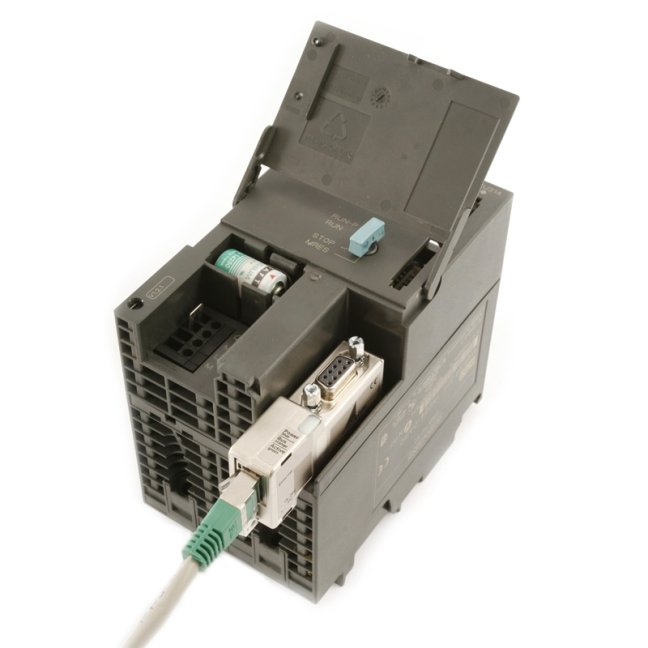
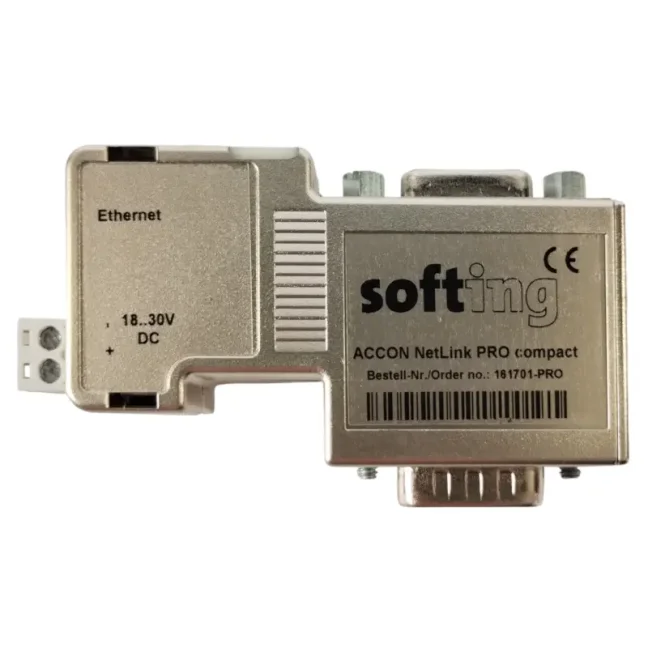
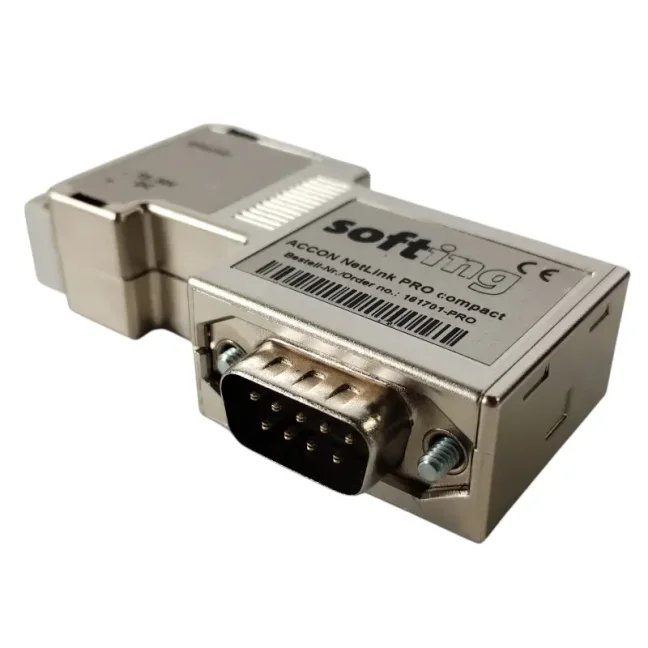

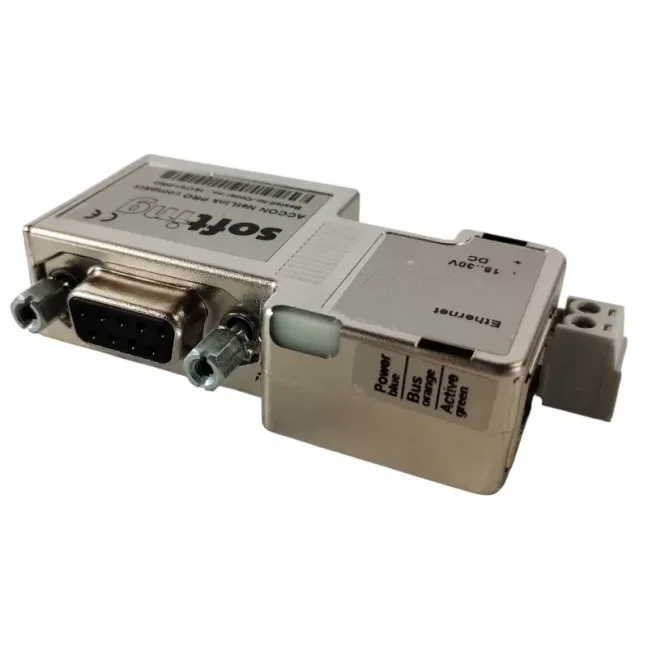
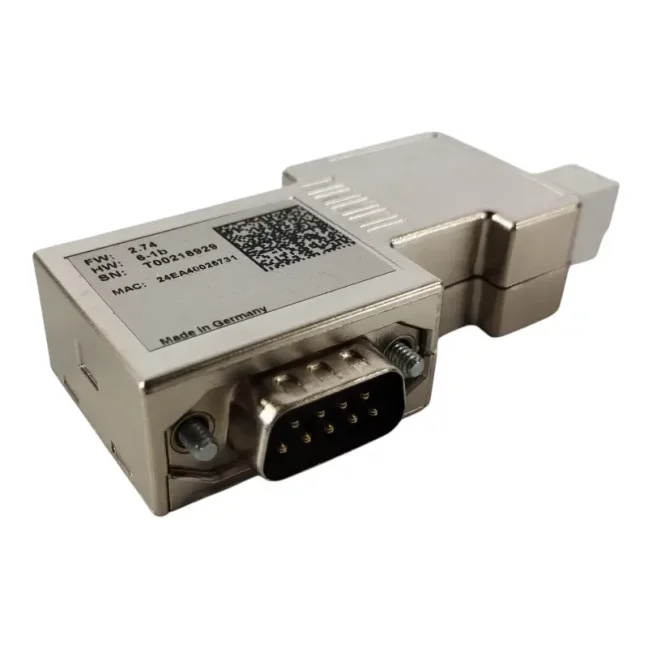
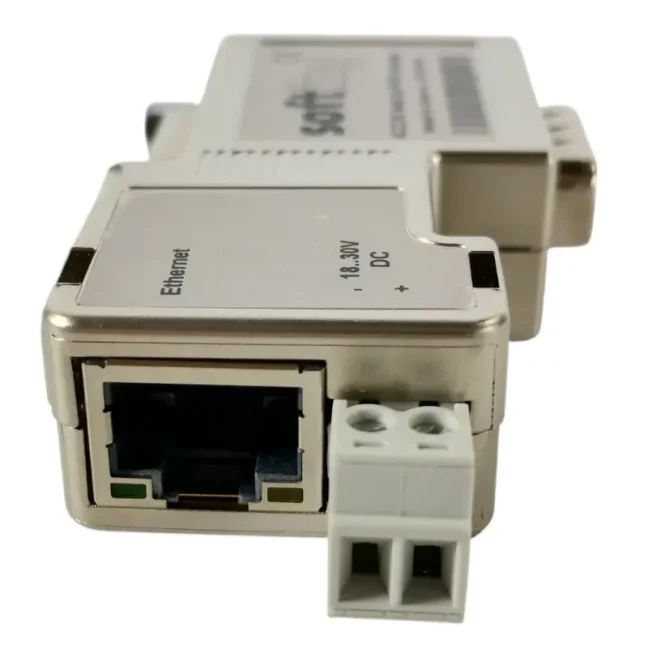
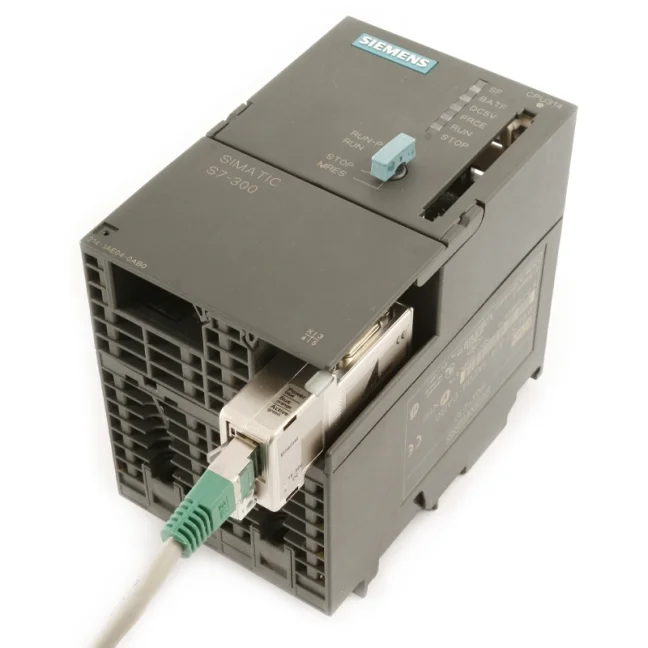


ACCON NetLink PRO Compact - Ethernet adapter for SIMATIC S7-200/ -300/-400

Ethernet adapter for data acquisition and programming of SIMATIC S7-200/-300/-400 PLCs and SIEMENS HMI panels, supporting the PPI, MPI and PROFIBUS communication protocols. A cost-effective alternative to SIMATIC NET communication processors. It requires no modifications to the STEP7 / TIA Portal project or to the hardware installation. It connects directly to the MPI interface and preserves access through the pass-through PG connector. More
Code: 161701-PRO
Ethernet adapter for data acquisition and programming of SIMATIC S7-200/-300/-400 PLCs and SIEMENS HMI panels, supporting the PPI, MPI and PROFIBUS communication protocols. A cost-effective alternative to SIMATIC NET communication processors. It requires no modifications to the STEP7 / TIA Portal project or to the hardware installation. It connects directly to the MPI interface and preserves access through the pass-through PG connector. More
Code: 161701-PRO
ACCON NetLink PRO Compact is a compact adapter for connecting SIEMENS SIMATIC S7-200 / S7-300 / S7-400 PLCs and SIEMENS HMI panels to an Ethernet network. It enables programming and data acquisition via MPI, PPI, and PROFIBUS protocols and represents a cost-effective alternative to a SIMATIC NET communication processor. It is especially suitable for older control systems without an Ethernet interface that need to be quickly connected to a company network or made accessible to higher-level applications.
Why choose ACCON NetLink PRO Compact?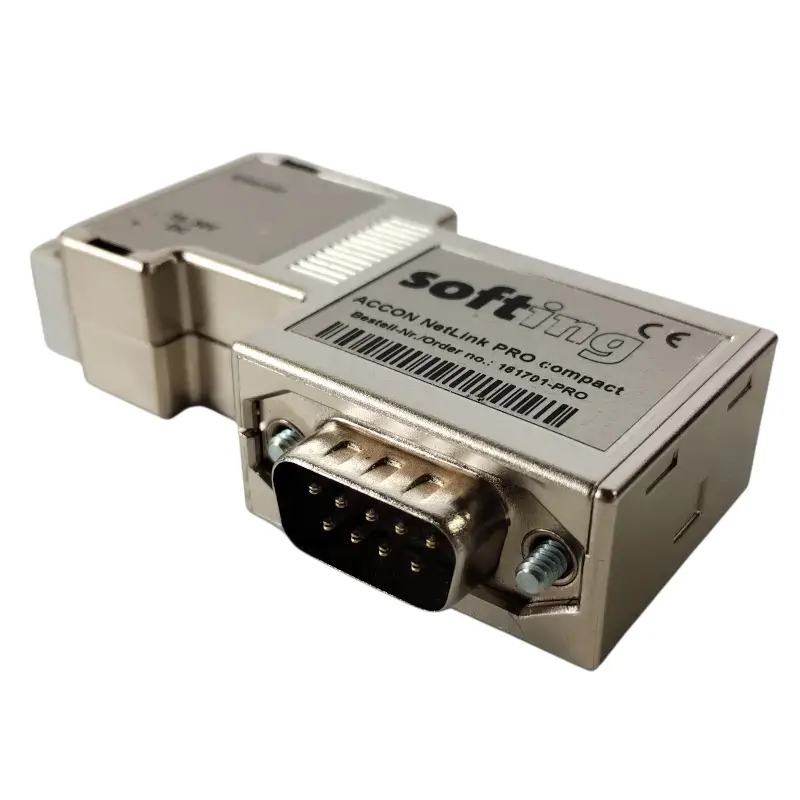
- Connects older SIMATIC S7-200 / S7-300 / S7-400 PLCs to an Ethernet network without a communication processor
- Does not require changes to the STEP7 / TIA Portal project or modifications to the HW installation
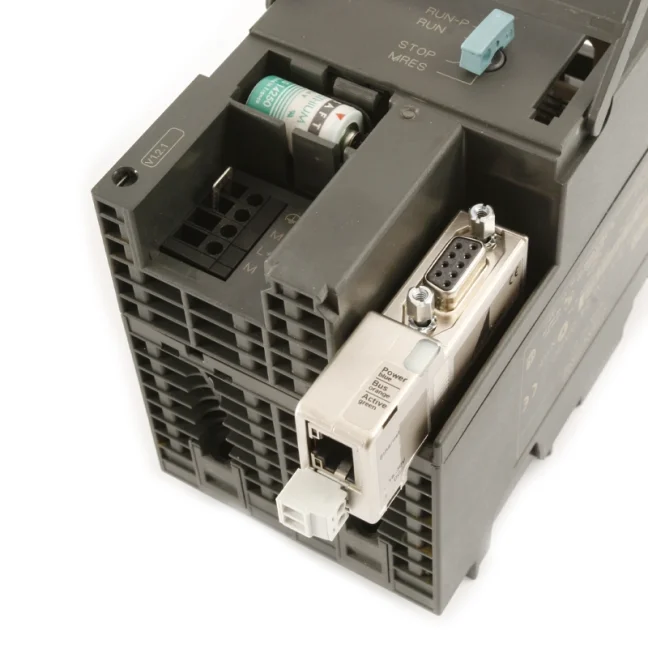
- Connects directly to the MPI interface and keeps access available through the pass-through PG connector
- Enables PLC programming and permanent data acquisition via Ethernet
- Powered directly from the PLC or externally by 24 VDC
Main features
- Support for PPI, MPI, and PROFIBUS communication protocols
- Communication via 10/100 Mbit/s Ethernet
- Automatic baud rate detection
- Up to 16 simultaneous TCP/IP connections
- Up to 32 connections on the MPI / PROFIBUS side
- Web interface for basic adapter configuration
Typical applications
- Programming and servicing SIMATIC S7-200 / S7-300 / S7-400 PLCs via Ethernet
- Permanent data acquisition from PLCs to an OPC server or SCADA application
- Connecting older SIMATIC S7 systems without an Ethernet interface to a company network
- Connecting SIEMENS PLCs and HMI panels via Ethernet
- Engineering and communication with HMI panels in WinCC flexible
- Remote access to PLCs via VPN
- Backup of PLC programs in STEP7 / TIA Portal
How the connection works
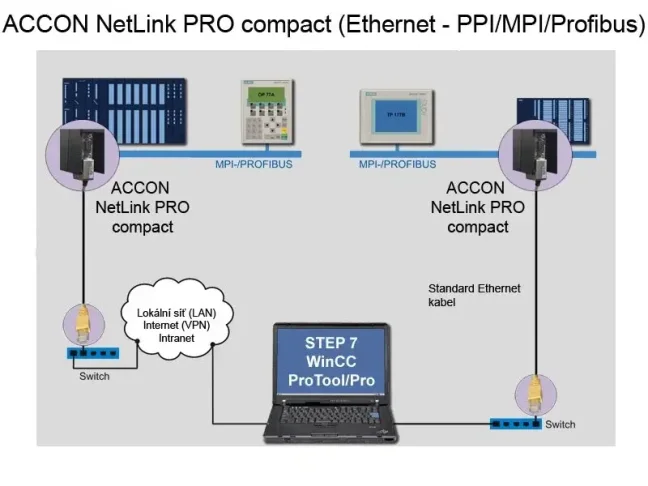
The adapter connects directly to the MPI / PPI / PROFIBUS interface on a PLC or HMI panel and makes the device accessible via Ethernet. Using PG/PC Interface drivers, it can be configured in STEP7, TIA Portal, WinCC, or ProTool/Pro as a communication interface between the computer and the control system. It is also suitable for local programming interventions when you need to quickly connect to a PLC, make the necessary changes, and disconnect again.
Direct connection to PC:
Connection via Ethernet network:
Programming SIMATIC S7-200, S7-300, and S7-400 PLCs via Ethernet
Simply connect the ACCON NetLink PRO Compact adapter to an available MPI / PPI / PROFIBUS port and it will automatically detect the communication type and baud rate. Then you need to set the IP address in both the adapter and the computer, install and configure the drivers in PG/PC Interface, and the adapter is ready for use. In STEP7 / TIA Portal, just click the “Scan for accessible devices” icon and, if everything is set correctly, you will see the addresses of the MASTER stations in the network and can start working.
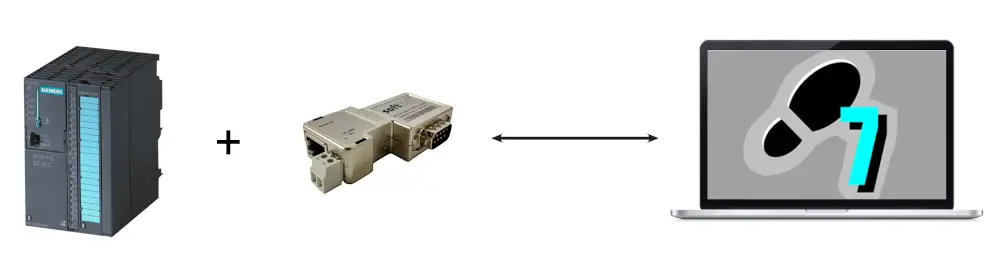
Data acquisition from SIMATIC S7-200, S7-300, and S7-400 PLCs via Ethernet
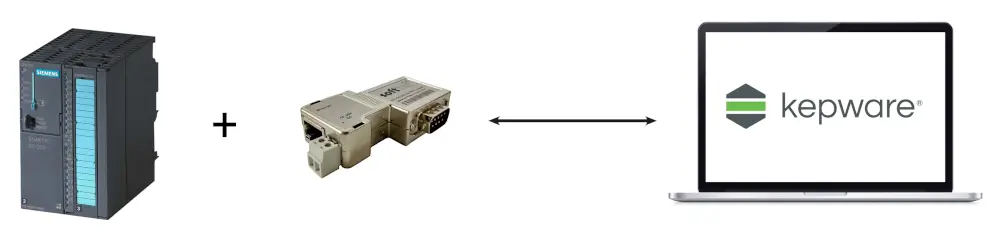
ACCON NetLink PRO Compact is suitable not only for programming, but also for permanent data acquisition from PLCs to applications such as OPC servers. At FOXON, we use it for example together with Kepware Server and its Siemens Suite or Siemens Plus Suite drivers. With older SIEMENS S7 control systems, it is often difficult to add a SIMATIC NET HW card because there may not be enough space in the assembly or it may not be possible to modify the PLC HW project. Instead, simply connect the ACCON NetLink PRO Compact converter to the MPI / PB port of the PLC and the connection is practically ready. There is no need to modify the project or add a communication processor; in most cases, the adapter is powered directly from the PLC port, or it can be powered externally from a 24 VDC source.
Bidirectional communication
The adapter supports bidirectional data transfer, so it enables not only reading values from the PLC, but also writing data back to the control system. It is therefore suitable for applications where the PLC needs not only to be monitored, but also actively written to with values or parameters.
Automatic bus type and baud rate detection
The adapter supports automatic detection of the communication protocol and baud rate (up to 12 Mbit/s on the PROFIBUS side). This makes commissioning easier, especially in older installations where it can be difficult to find the exact communication parameters. If needed, the parameters can also be adjusted manually via the web interface or through PG/PC Interface.
In addition to easy commissioning, it also offers sufficient communication capacity for parallel operation of multiple connections and applications. It supports up to 32 connections on the MPI / PROFIBUS side and up to 16 simultaneous TCP/IP connections via Ethernet, so it can be used at the same time, for example, for an OPC server, STEP7, TIA Portal, or backup software.

Power supply of the converter
ACCON NetLink PRO Compact is usually powered directly from the PLC port to which it is connected (95 % of devices provide this power supply). If the required voltage is not available on the port, it can also be powered externally from a 24 VDC source.
Remote PLC programming via VPN
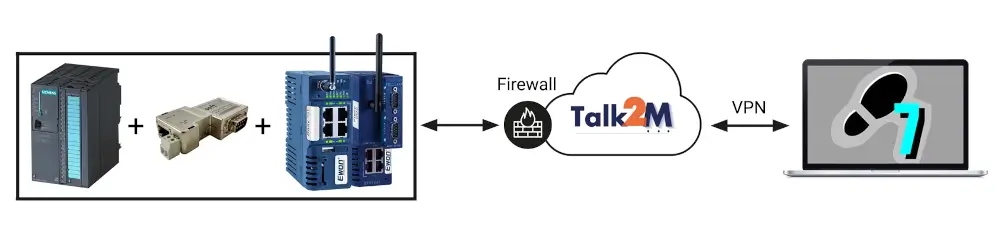
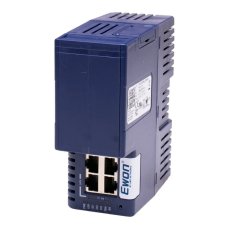
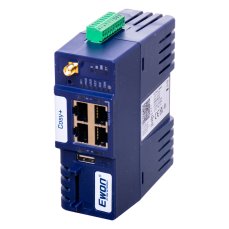
The adapter can also be used for remote access to PLCs via a VPN router. At FOXON, we often use it with Ewon Cosy+ routers (remote management) or Ewon Flexy 205 routers (remote management, data acquisition, visualization). This combination enables quick access to the MPI / PPI / PROFIBUS serial ports (mostly older SIMATIC S7-300/-400 systems) and also to the Ethernet interfaces of newer SIMATIC S7-1200/-1500 systems. In neither case is it necessary to modify the PLC HW project.
Backup of S7-300 / S7-400 PLCs
The adapter is also suitable for manual and automatic PLC program backups. For older systems, where up-to-date backups are often missing, it provides a simple way to connect the PLC and perform regular program archiving without the need to add additional communication hardware.
Drivers for STEP7, TIA Portal, MicroWIN, ProTool, and WinCC
Drivers are available for the PG/PC Interface of SIEMENS programs. The drivers are freely available in the Downloads tab and allow quick adapter setup for use in standard engineering and visualization tools.
PG/PC Interface setup
After connecting the adapter to the PLC or HMI, open PG/PC Interface and select the appropriate driver according to the interface.

In the next step, search for your adapter and set the adapter IP address according to the IP range of your computer.

Select the configured adapter from the adapter list (you can have multiple configurations saved).

Click the Diagnostics button, check the Read MLFB number option, and click the Read button. If you see the converter address (e.g. 12) and the PLC/HMI address (e.g. 2), the pairing was successful. Otherwise, an error window will appear and you need to correct the configuration.

Example of remote connection to an S7-300 PLC via an Ewon router and ACCON NetLink PRO Compact adapter
Technical Parameters
Compatibility and Software
- Supported PLCs: Siemens SIMATIC S7-200, S7-300, S7-400
- Supported operating systems: no limitations; the ACCON-S7-NET driver is available for Windows XP, Windows 7, Windows 8.1, Windows 10, Windows Server 2003 R2, 2008 R2 and 2012 R2
- Configuration software: web interface
- Engineering and HMI tools: STEP7 from version V5.3, TIA Portal, WinCC 6.0, WinCC flexible, ProTool, STEP 7-Micro/WIN
Ethernet and PC Communication
- Number of Ethernet interfaces: 1
- Ethernet interface: RJ45
- Ethernet standard: 10 Base-T / 100 Base-TX
- Supported transfer rates to PC: 10/100 Mb/s with automatic detection
- Maximum number of simultaneous TCP/IP connections: 16
- Hardware requirements: Ethernet interface and TCP/IP protocol
MPI / PROFIBUS Communication
- Number of MPI / PROFIBUS interfaces: 1
- Interface type: RS485, galvanically isolated
- Connector: 9-pin male SUB-D connector with pass-through PG interface and repeater
- Supported communication protocols: PROFIBUS, MPI
- Supported communication profiles: MPI, PROFIBUS (DP, Standard, Universal – DP/FMS, user-defined), fixed or with automatic bus parameter detection
- Supported transfer rates to PLC: 9.6 kb/s to 12 Mb/s with automatic detection
- Maximum number of connections on the MPI / PROFIBUS side: 32
- Status indication: 5 LEDs, 2 of them bi-colour
Mechanical Design and Power Supply
- Dimensions: 40 x 17 x 64 mm (W x H x D)
- Weight: approx. 110 g
- Protection rating: IP20
- Power supply: externally 24 VDC (18–30 VDC) or directly from the PLC / MPI / PROFIBUS port if power is available on the port
- Current consumption: max. 200 mA at 24 VDC
Operating Conditions
- Operating temperature: 0 °C to +60 °C
- Storage temperature: -20 °C to +80 °C
- Relative humidity: max. 95% non-condensing
- Pollution degree: 2
Markings and Compliance
- Marking: CE
- RoHS: yes
- REACH: yes
Frequently Asked Questions (FAQ) – ACCON NetLink PRO Compact
What is ACCON NetLink PRO Compact?
ACCON NetLink PRO Compact is an Ethernet adapter for connecting SIEMENS SIMATIC S7-200, S7-300 and S7-400 PLCs or selected HMI panels to a computer and an Ethernet network. It converts the MPI, PPI and PROFIBUS communication protocols to Ethernet and is used for programming, backup and PLC data acquisition.
Which PLCs is the adapter designed for?
It is designed for SIEMENS SIMATIC S7-200, S7-300 and S7-400 PLCs. It is mainly used where the PLC does not have a built-in Ethernet interface, but needs to be accessed from a computer or over the network.
Which protocols does ACCON NetLink PRO Compact support?
The adapter supports PPI, MPI and PROFIBUS protocols. This makes it suitable for older SIEMENS control systems that communicate via these interfaces.
What is ACCON NetLink PRO Compact used for?
It is most commonly used for PLC programming, uploading and backing up programs, access to PLC data, linking PLCs with visualisation systems or OPC servers, and also for remote access via VPN.
Is the adapter suitable only for service work, or also for permanent operation?
It is suitable for both. It can be used for short-term service connections during programming and maintenance, as well as for permanent data acquisition to higher-level systems, for example an OPC server.
How is ACCON NetLink PRO Compact connected to the PLC?
The adapter is connected to the MPI, PPI or PROFIBUS port on the PLC. On the network side, it has an RJ45 10/100 Mb/s Ethernet interface. After connection, it is necessary to set the IP address of both the adapter and the computer and select the correct driver in PG/PC Interface.
Can the adapter automatically detect the communication type and speed?
Yes. ACCON NetLink PRO Compact supports automatic detection of the communication protocol and transmission speed. Supported communication speeds towards the PLC range from 9.6 kb/s up to 12 Mb/s. If necessary, the parameters can also be set manually via the web interface or PG/PC Interface.
Does ACCON NetLink PRO Compact need to be added to the PLC hardware configuration?
No. The adapter is normally not added to the project hardware configuration. It works via the available PG/PC Interface drivers, so it can be used without any changes to the PLC hardware configuration.
What software can be used with the adapter?
The adapter can be used for example with SIMATIC Manager, STEP7, TIA Portal, WinCC, WinCC flexible, ProTool, STEP 7-Micro/WIN, Kepware Server and other tools intended for communication with SIMATIC PLCs.
How many connections can the adapter handle?
The adapter supports up to 16 simultaneous TCP/IP connections and up to 32 connections on the MPI / PROFIBUS side. This makes it suitable even for applications where multiple software tools access the PLC at the same time.
Does it block the PLC port when connected?
No. The adapter electronics are built into a pass-through connector, so connecting it to the MPI / PPI / PROFIBUS port does not block that port. Additional devices can still be connected to the same port.
How is the adapter powered?
It is normally powered directly from the PLC port. If the required voltage is not available on the port, the adapter can also be powered externally with 24 VDC.
Is ACCON NetLink PRO Compact galvanically isolated?
Yes. The adapter is galvanically isolated, which helps improve communication robustness in industrial environments.
Is it suitable for remote access via VPN?
Yes. The adapter can also be used for remote access to PLCs via an Ethernet network and a VPN router. In practice, it is used for remote service access as well as access to data from older SIEMENS PLCs.
Is ACCON NetLink PRO Compact suitable for an OPC server?
Yes. The adapter is commonly used for accessing PLC data via an OPC server, for example Kepware Server. It is therefore suitable wherever data from older SIEMENS PLCs needs to be collected into SCADA, MES, a database or another higher-level system.
Who is this adapter suitable for?
It is suitable for PLC programmers, service technicians, integrators and maintenance personnel who need to connect older SIEMENS PLCs to an Ethernet network, perform service work, read PLC data or ensure remote access without replacing the CPU and without adding a communication card.
Highlighted items are mandatory.

OPC UA/DA Server for SIEMENS SIMATIC S7-1200/-1500/-200/-300/-400 and OPC UA devices, Kepware Server, Siemens Plus Suite
1 047,86 EUR Incl. VAT
TOP 100 OPC UA/DA Servers in one license Kepware Server, Manufacturing Suite
1 936 EUR Incl. VAT
OPC UA/DA Server for SIEMENS SIMATIC S7-1200/-1500/-200/-300/-400, Kepware Server, Siemens Suite
718,74 EUR Incl. VAT
Ewon Flexy 205 router
951,06 EUR Incl. VAT
Ewon Cosy+ 4G LTE EU / Ethernet router
982,52 EUR Incl. VAT
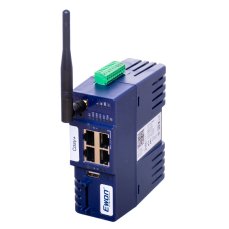
Ewon Cosy+ WiFi / Ethernet router
817,96 EUR Incl. VAT
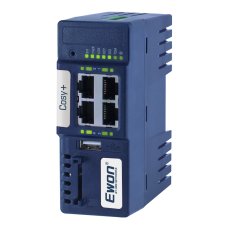
Ewon Cosy+ Ethernet router
705,43 EUR Incl. VAT
IoT Gateway MQTT/REST plugin for OPC UA/DA Server Kepware Server
718,74 EUR Incl. VAT
TOP 100+ OPC UA/DA Servers + Datalogger and Link Tags in one Kepware Server license – Advanced Manufacturing Suite
3 617,90 EUR Incl. VAT
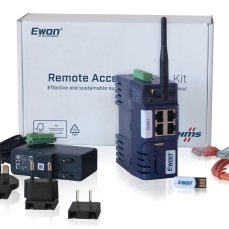
Ewon Cosy+ Starter Kit
487,63 EUR Incl. VAT
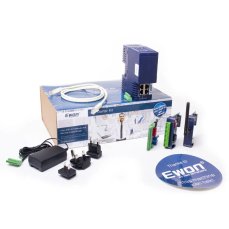
Ewon Flexy 205 - Starter Kit
597,74 EUR Incl. VAT
Related products11
OPC UA/DA Server for SIEMENS SIMATIC S7-1200/-1500/-200/-300/-400 and OPC UA devices, Kepware Server, Siemens Plus Suite
1 047,86 EUR Incl. VAT
TOP 100 OPC UA/DA Servers in one license Kepware Server, Manufacturing Suite
1 936 EUR Incl. VAT
OPC UA/DA Server for SIEMENS SIMATIC S7-1200/-1500/-200/-300/-400, Kepware Server, Siemens Suite
718,74 EUR Incl. VAT
Ewon Flexy 205 router
951,06 EUR Incl. VAT
Ewon Cosy+ 4G LTE EU / Ethernet router
982,52 EUR Incl. VAT
Ewon Cosy+ WiFi / Ethernet router
817,96 EUR Incl. VAT
Ewon Cosy+ Ethernet router
705,43 EUR Incl. VAT
IoT Gateway MQTT/REST plugin for OPC UA/DA Server Kepware Server
718,74 EUR Incl. VAT
TOP 100+ OPC UA/DA Servers + Datalogger and Link Tags in one Kepware Server license – Advanced Manufacturing Suite
3 617,90 EUR Incl. VAT
Ewon Cosy+ Starter Kit
487,63 EUR Incl. VAT
Ewon Flexy 205 - Starter Kit
597,74 EUR Incl. VAT