

CANopen – license for Horner PLC HMI controllers X4, X7 and X10

Perpetual license CANopen for 1 supported controller HORNER, for example Micro X4, X7 or X10. Connection with compatible drives, sensors and I/O. Before ordering, we will verify the model, firmware and usage of the CAN port.
MoreCode: HE-VFC1-01
Perpetual license CANopen for 1 supported controller HORNER, for example Micro X4, X7 or X10. Connection with compatible drives, sensors and I/O. Before ordering, we will verify the model, firmware and usage of the CAN port.
MoreCode: HE-VFC1-01
Connect the actuators, sensors and I/O via CANopen to the small machine.
The CANopen license activates protocol support in the supported HORNER controller. In this way, you connect devices with CANopen to the project and use their data in the program and on the panel screens. You set the necessary data for each device according to its documentation.
For Micro X4, X7 and X10 as optional extensions. XL Prime, CANVAS and CPU300 have CANopen by default. The CAN connector itself does not yet confirm the correct protocol.
Send the model of the panel and the description of the desired function.
We will check whether the function is already part of the device, what license you need and what will need to be set.
Network principle CANopen
Addressing, communication structure and use of CANopen in automation.
Use of CANopen in a small machine
Drive connection
You pass the required values and read the state of the drive if it supports the corresponding CANopen objects and modes.
Expansion of inputs and outputs
Connect the compatible CANopen I/O according to machine needs and network conditions.
Sensor data
The values of sensors or encoders with CANopen can be used in the program and displayed on HMI.
Local operation of connected devices
You prepare a common screen for operating values and enabled control of machine elements.
License selection and compatibility
Verify the protocol of the connected device as well as which CAN port will be used in the panel. CANopen, CsCAN and J1939 have a different configuration.
| Order code | HE-VFC1-01 |
|---|---|
| License unit | 1 license for 1 controller HORNER; permanent activation by voucher. |
| Micro X4, X7 and X10 | CANopen is an optional license. X2 is not among these licensable models. |
| CPU200 and CPU250 | CANopen is an optional license; we will verify the model and firmware. |
| XL Prime, CANVAS and CPU300 | CANopen is a standard function. |
| Older series | We will verify the license and any firmware change according to the exact order code. |
| Standard Cscape | Free. This item is a separately paid feature extension. |
| Price and work of technicians | The current price of the license is in the menu above. We will price configuration, training and the project according to the agreed scope. |
Network data, parameters and control
PDO - operational data
You set the transfer of values for the normal operation of the application according to the mapping supported by the connected device.
SDO - device parameters
Access to device objects is used when setting and reading parameters according to its documentation.
Nodes and network status
Each node needs the correct address, communication speed and communication supervision configuration.
First test CANopen
Some older units require corresponding firmware to change the protocol. The procedure varies by series; backup the application and operating data before changing.
- Send us the panel code, firmware and designation of the connected CANopen device.
- Prepare its documentation and EDS file if applicable. Verify power, connection and network termination.
- In Cscape, set the corresponding role, nodes and mapping of the necessary data.
- Test the transmission first with one device and verify the response to communication failure.
License content and necessary equipment
| Part of this item | Perpetual license CANopen for one supported device. |
|---|---|
| Separately | Panel, CANopen device, power supply, bus cable and termination. |
| Basics for setting | Full device codes, firmware, data description and object documentation or EDS file. |
| Our help | License selection, connection consultation, setup and testing according to the agreed scope. |
Training and support for the first project
Training in Liberec
We train individuals and groups in our training room in Liberec. We will agree on the scope and date according to the experience of the participants and their tasks.
Self-study
The original Horner Automation Europe video instructions are used for self-study. Translated titles and annotations explain their content, videos remain in English. Video Tutorials Horner Europe.
We offer training in Liberec for individuals and groups. We will agree on the scope and price according to the project; you can also start with a self-study from the manufacturer's videos below.
CANopen configuration in practice
Practical configuration of the CANopen network with the HORNER control unit.
Original material HORNER
Click to open the original manufacturer's material in a larger view.
Frequently asked questions
Is a matching connector CAN enough?
Not enough. Both devices must support CANopen, the corresponding network parameters and the necessary data objects.
Do I need a license for XL Prime?
For XL Prime, CANopen is included by default. We will verify the settings and the desired use, so do not automatically order another license.
Do I keep the original CsCAN network on the same port?
Changing the port to CANopen will affect the original usage. We will assess the concurrence of protocols and available ports according to the exact model and connected devices.
Is a programmed drive link included in the license?
The license makes available the function in the supported panel. Node configuration, data mapping and program for a specific drive must be prepared in the project.
Is standard Cscape paid?
The Cscape standard programming software is free. You buy a license that expands a specific function of the supported device, or you order our help with the project separately.
Can you help with the activation and the first project?
Yes. We will verify the model and license, advise on settings and offer training in Liberec. According to the agreement, we will also design the project and ensure assembly with our own technicians. We will confirm the scope and price of the services in the offer.
Why buy from FOXON
Distributor HORNER
We are a distributor of HORNER. We deliver new licenses and devices with warranty, advise on selection and provide technical support.
Selection according to your project
We will discuss technology function, signals and communication. We will compare the entry with the HORNER options and select a suitable product.
Technical support and training
We advise on the use of the equipment and train individuals and groups. For self-study, we recommend the manufacturer's instructions.
Solution design and assembly
If necessary, we will design a solution, prepare a project and install the equipment with our own technicians. We will agree on the scope of work according to the technology.
License for your specific project
Send panel order code, firmware version and Cscape and brief job description. We will verify the necessary license and propose a range of configuration assistance.
Documentation and first steps
Start with the compatibility overview and then open the manual for the selected feature. Documents and videos are original HORNER materials in English. Use the older manuals according to the version of your device.
Compatibility and software
When a license is needed
Current table of functions in the price of the panel and optional licenses for individual series.
Open the materialFree Cscape
Programming environment for PLC and HMI. The paid license on this page is a separate feature extension.
Open the materialFirmware by model
Verify exact model and feature requirements before changing. Back up the project and operational data first.
Open the materialSetting CANopen
CANopen - online guide
Configuration of roles, nodes, data and communication supervision. Select the procedure for your series and number of CAN ports.
Open the materialDemonstration of SmartMotor control
An original sample project related to the video. Applies to the assembly used; for another drive, modify the configuration according to its documentation.
Open the materialTechnical features and license conditions
The HE-VFC1-01 license extends the functionality of the supported device HORNER. It depends on the exact model, its equipment and the corresponding firmware.
License and Activation
| Order code | HE-VFC1-01 |
|---|---|
| License unit | 1 license for 1 controller HORNER; permanent activation by voucher. |
| Software | Free Cscape and firmware supporting the function. |
| Delivery | License / activation voucher. Panel, cables, power supply or technician labor are not included in this item. |
Communication and configuration
| Protocol | CANopen; do not confuse with CsCAN or SAE J1939. |
|---|---|
| Physical interface | Supported CAN controller port. |
| Configuration | Cscape; roles, nodes, data mapping and network parameters by device. |
| Data Mechanisms | PDO for operational data, SDO for access to objects by configuration. |
| Optional extension | Micro X4, X7, X10 and CPU200/CPU250 after firmware verification. |
| Included as standard | XL Prime, CANVAS and CPU300. |
| Micro X2 | We do not offer this license for X2 as a supported extension. |
VIDEO: Tips and tricks for setting up HORNER PLCs with display, inputs and outputs
HORNER PLCs combine machine control, operator display and inputs/outputs in one device. If you need a compact solution for a smaller machine, part of a production line, a test station or modernization of older equipment, you do not have to source and combine a separate PLC, HMI panel and I/O modules.
The manufacturer’s training videos show how to connect the panel, work in Cscape, set up communication, use WebMI and work with basic inputs and outputs. They are especially useful during initial commissioning, so you do not have to figure everything out by trial and error.

Review: Horner Canvas Series PLC with Integrated HMI – Part 1: PLC
Horner PLCs with integrated HMI are new not only to our e-shop, but also to our market. We asked respected industrial automation specialist Jaroslav Blažek (blaja.cz) to explore all the functions and user-friendliness of these devices. You can find out whether he was satisfied and what it was like working with the Horner units in his review.
Review: How CANbus OCS-I/O Peripherals Work with the Horner Canvas 4 PLC/HMI
External I/O peripherals can be connected to Horner PLCs with HMI—and are often required. Learn how Jaroslav Blažek (blaja.cz) tested connecting an OCS-I/O module with digital and analog inputs/outputs to a Canvas 4 PLC/HMI via the CANbus.

Review: Cscape Software for Horner PLCs with Integrated HMI
For efficient work with Horner panels (PLCs with integrated HMI), you need a reliable and intuitive programming tool. The Cscape software allows configuration of both the PLC and the integrated HMI within a single environment—and it’s free. Once again, we asked specialist Jaroslav Blažek (blaja.cz) to take a closer look at the software. You can find out how the installation and registration went in his review.

Review: Horner Canvas Series PLC with Integrated HMI – Part 2: HMI and Remote Monitoring
Horner PLCs with integrated HMI have not been part of our product range for long, but they are already attracting well-deserved attention. We asked industrial automation expert Jaroslav Blažek (blaja.cz) to take a closer look at them — especially in terms of functionality, intuitive operation, and practical deployment options. Find out how these Horner devices performed and what he has to say about them in the following review.

New on the Market: Touchscreen PLC with Integrated HMI and I/Os from Horner Automation
Are you looking for a compact, powerful and easy-to-integrate solution for machine control or upgrading existing technology? We are pleased to introduce a new addition to our product range: panels from Horner Automation. Their PLCs, which feature an integrated HMI with a touchscreen display and inputs/outputs, are ideal for designers of new machines as well as engineers looking to innovate their companies' production.
Case Study: How the Horner X7 Control Panel Automated Weighing and Dosing
A new fully automated dosing and weighing machine is controlled by a Horner X7 PLC with integrated HMI and I/Os. In this setup, the industrial panel manages recipes, temperature control, and precise weighing of ingredients. At the same time, it collects batch data, eliminates human errors, and ensures consistent food quality. What does it look like in practice?
Highlighted items are mandatory.
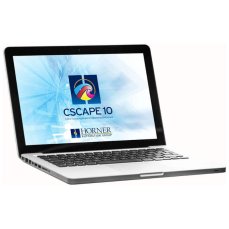
Cscape 10 – application development software for Horner PLC HMI controllers

HORNER X4 PLC HMI controller with 4.3″ colour touchscreen, analog / digital inputs and outputs
561,44 EUR Incl. VAT

HORNER X7 PLC HMI controller with 7″ colour touchscreen, analog / digital inputs and outputs
936,54 EUR Incl. VAT

HORNER X10 PLC HMI controller with 10″ colour touchscreen, analog / digital inputs and outputs
1 363,67 EUR Incl. VAT
Accessories1
Cscape 10 – application development software for Horner PLC HMI controllers
Related products3
HORNER X4 PLC HMI controller with 4.3″ colour touchscreen, analog / digital inputs and outputs
561,44 EUR Incl. VAT
HORNER X7 PLC HMI controller with 7″ colour touchscreen, analog / digital inputs and outputs
936,54 EUR Incl. VAT
HORNER X10 PLC HMI controller with 10″ colour touchscreen, analog / digital inputs and outputs
1 363,67 EUR Incl. VAT