

EWON Flexy cards - FOXON PLUS
Ewon Flexy expansion cards allow you to customise an industrial router Ewon Flexy 205 specific application. You can easily expand the communication interfaces, mobile connections or Wi-Fi according to the requirements of the connected PLCs, machines and industrial equipment. Thanks to its modular design, the router can be fitted with additional interfaces at any time without the need to replace the entire device.
Expansion options for Ewon Flexy 205 routers
- 2 free slots for expansion cards, plug-and-play installation
- 4G LTE modem for remote access via a mobile network
- Ethernet WAN, Wi-Fi, MPI, serial and other communication interfaces
- Simple installation directly into the Ewon Flexy 205 router
- The router can be expanded at any time with up to two cards
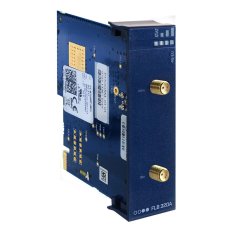
SIM card with 4G EU modem for Ewon Flexy 205
326,70 EUR Incl. VAT
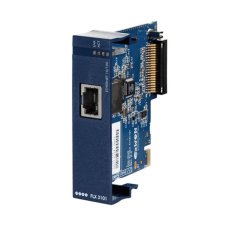
Card with Ethernet WAN port for Ewon Flexy 205
242 EUR Incl. VAT
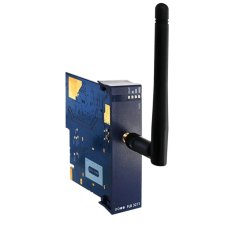
2.4GHz Wi-Fi card for Ewon Flexy 205
162,14 EUR Incl. VAT
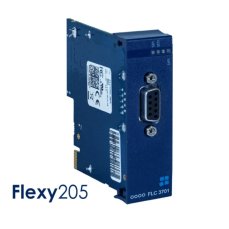
Card with 1x MPI port for Ewon Flexy 205
164,56 EUR Incl. VAT
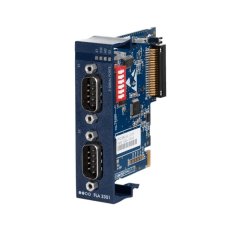
Card with 2x serial ports for Ewon Flexy 205
164,56 EUR Incl. VAT

Card with 3 USB ports for the Ewon Flexy 205
160,93 EUR Incl. VAT
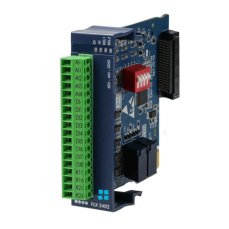
Card with 8x DI, 4x AI and 2x DO for Ewon Flexy 205
226,27 EUR Incl. VAT
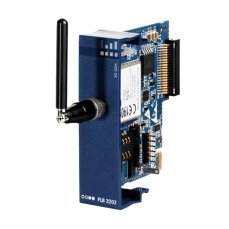
SIM card with 3G modem for Ewon Flexy 205
137,94 EUR Incl. VAT

How to Meet NIS2 Requirements: Secure Remote Access with Ewon Routers and W&T Firewalls
The European NIS2 directive introduces new obligations for companies in protecting against cyber threats. Below, we compare these requirements with the technical measures in IEC 62443 and show how to meet them easily using Ewon industrial routers, the secure Talk2M cloud service, and firewalls from the German manufacturer W&T.

The New LIGHT Account Type in Talk2M on Ewon Routers Is a Happy Medium
The Talk2M cloud service allows EWON router users to easily and securely connect to their devices/machines remotely via the Internet from anywhere in the world. Until now, two types of service have been available – Talk2M free and Talk2M pro. From 2 May 2024, a new, affordable account type – Talk2M light – will be available. In addition, the rules for the free account will change.
TALK2M Free, Light or Pro? Which service should you choose for Ewon devices, and why?
Do you use Ewon Cosy or Flexy routers for remote management and are you wondering which Talk2M remote access service is right for you? We’ve put together a few points to help you decide.
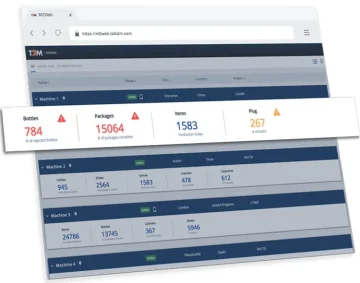
Remote access to Ewon routers from a web browser via M2Web
M2Web provides browser access to web interfaces, HMIs and device remote desktops via Ewon and Talk2M. See supported protocols, LAN device configuration, six Flexy KPIs and current service limits.

VIDEO guide to remote management of PLCs/HMIs/PCs via Ewon routers
Ewon industrial routers are rightly among the most widely used global solutions for the remote management of PLC control systems, robots, industrial computers and HMI panels via the Internet. Simply managing systems remotely is no longer enough, and Ewon routers are the only ones that can offer you so much more. They can read (and write) data from remote PLC control systems such as SIEMENS, Allen-Bradley, Mitsubishi, Omron, Schneider, Modbus and others. This data is sent via the Internet to your computer, where you can store it in a database and display it in visualisations or in Power BI reports. Find out more in our video guide.
Advisor
Ewon videos
Watch several videos on how to configure, manage and secure Ewon and Talk2M. There are tutorials on how to set up Ewon for remote management over Ethernet, WiFi or mobile network. We also cover managing and securing your Talk2M Free+ account, including two-factor authentication. You'll also learn about connecting to devices remotely via Ewon and watch a few videos about Talk2M Pro security.
Question or Inquiry
Highlighted items are mandatory.