

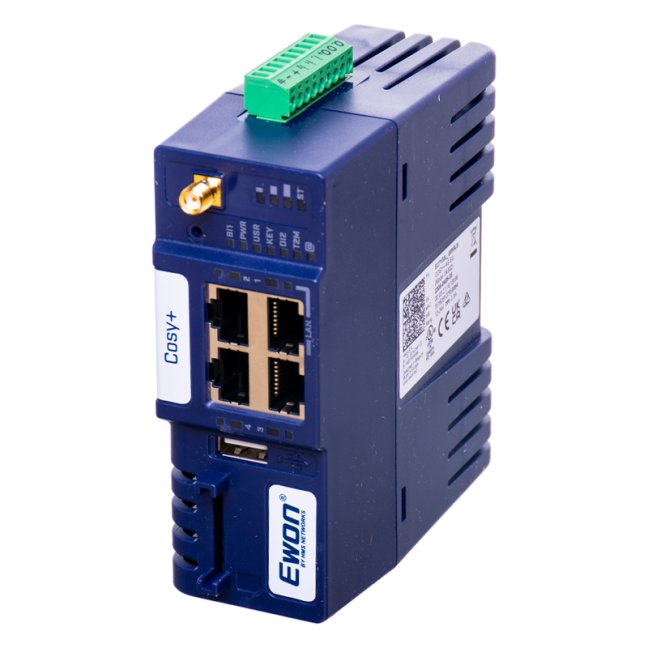
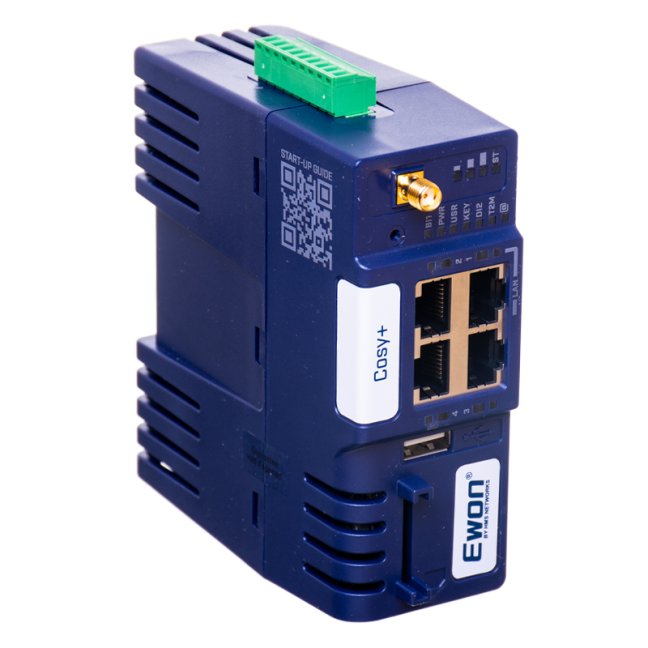
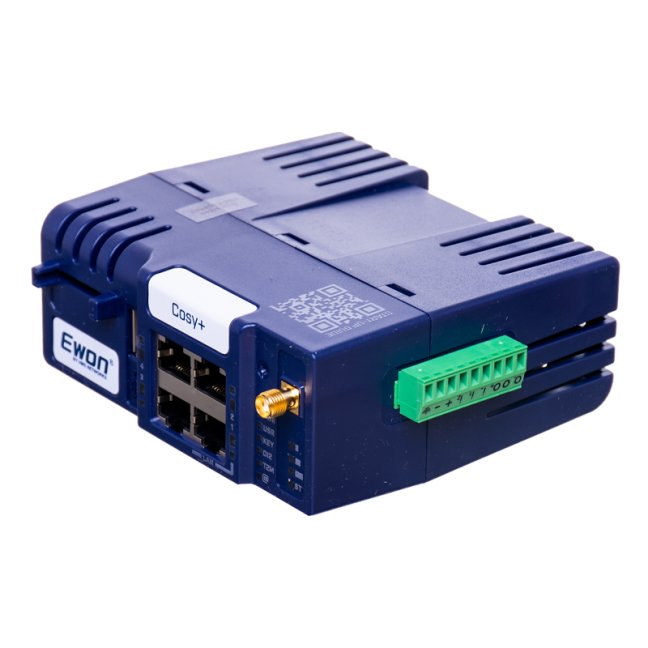
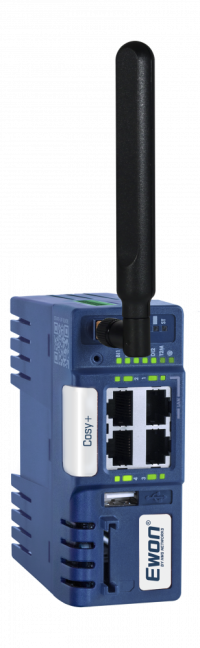


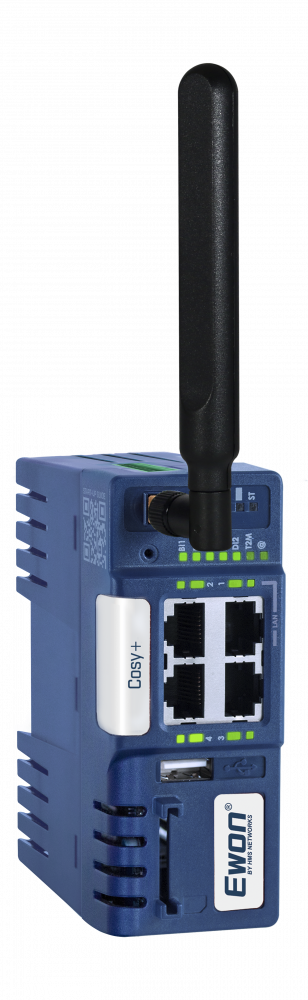
Ewon Cosy+ 4G LTE EU / Ethernet router

An industrial router for remote connection to a PLC, HMI or PC via the Talk2M cloud service. It connects to the internet via a built-in 4G EU modem or an Ethernet WAN port. Suitable for machines without a fixed internet connection, remote installations and mobile machines with service access via a SIM card. Saves technicians’ time and reduces travel costs. More
Code: EC7133L_00MA
An industrial router for remote connection to a PLC, HMI or PC via the Talk2M cloud service. It connects to the internet via a built-in 4G EU modem or an Ethernet WAN port. Suitable for machines without a fixed internet connection, remote installations and mobile machines with service access via a SIM card. Saves technicians’ time and reduces travel costs. More
Code: EC7133L_00MA
Ewon Cosy+ 4G EU
connects the technician to the machine from anywhere
An industrial router for secure service access to PLCs, HMIs, computers and IP cameras via a 4G LTE mobile network or Ethernet WAN.
Not sure which model or accessory is right for you?
We can help with connection design, antennas, SIM cards and setting up remote service.
The Ewon Cosy+ 4G EU is an industrial router for the remote management of PLCs, HMI panels, computers or IP cameras via the 4G EU mobile network or a fixed Ethernet WAN port. It is a direct and fully compatible replacement for the previous Ewon COSY 131 4G EU, with order number EC6133G_00MA.
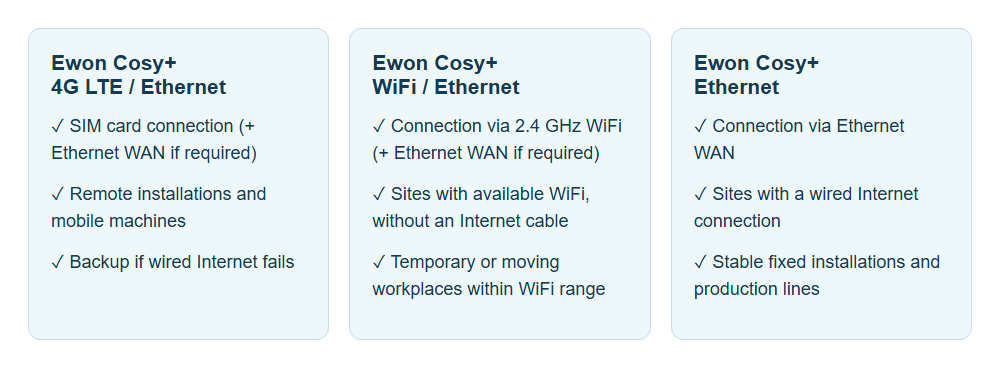
How to choose an Ewon Cosy+ variant?
Why choose the Ewon Cosy+ 4G?
- Remote access to machines for diagnostics, monitoring and configuration of PLCs, HMIs and other devices - just as with a local connection.
- Reduced downtime and lower costs thanks to interventions that do not require on-site service visits.
- Operation without a public IP address and without opening incoming ports to the machine network.
- Secure communication via an encrypted Talk2M VPN connection with controlled user access.
- Connection via 4G LTE even in areas without a fixed network, including mobile machinery.
Typical applications
- Machine manufacturers - remote management of equipment installed at customers’ premises.
- System integrators - remote servicing, diagnostics and modifications.
- PLC programmers and maintenance - rapid troubleshooting without the need for on-site visits.
Key features of the Ewon Cosy+
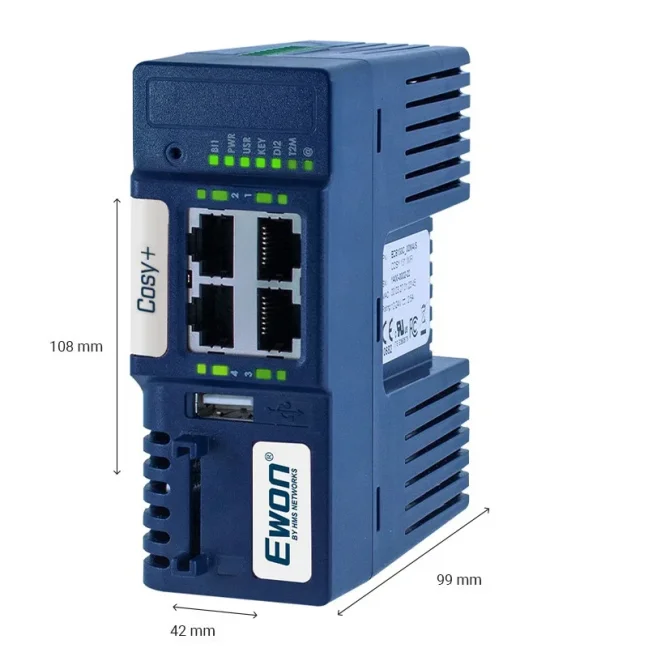
- 1× WAN port for connecting to the internet.
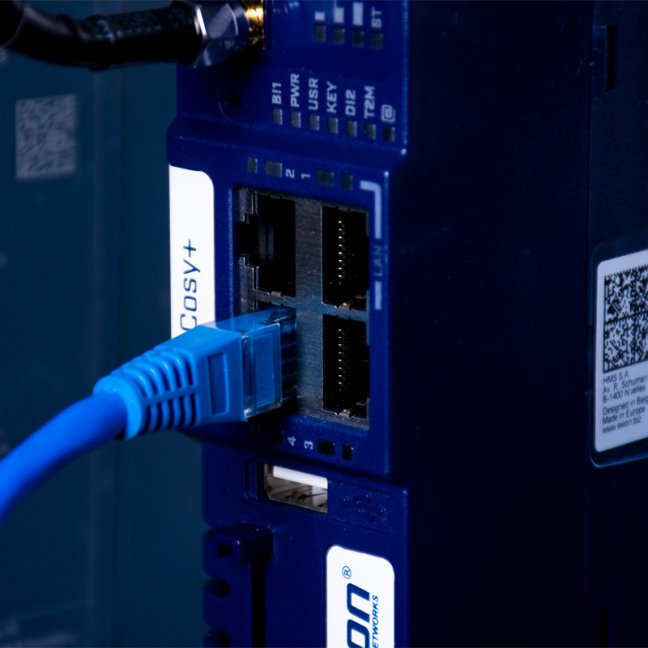
- 3× LAN ports for PLCs, HMIs, IP cameras, Ethernet switches and other devices.
- 2× digital inputs / 1× digital output for monitoring and controlling external devices.
- Plug & Route for easy access to devices behind the router.
- 24 VDC power supply and DIN rail mounting.
How Ewon Cosy+ works
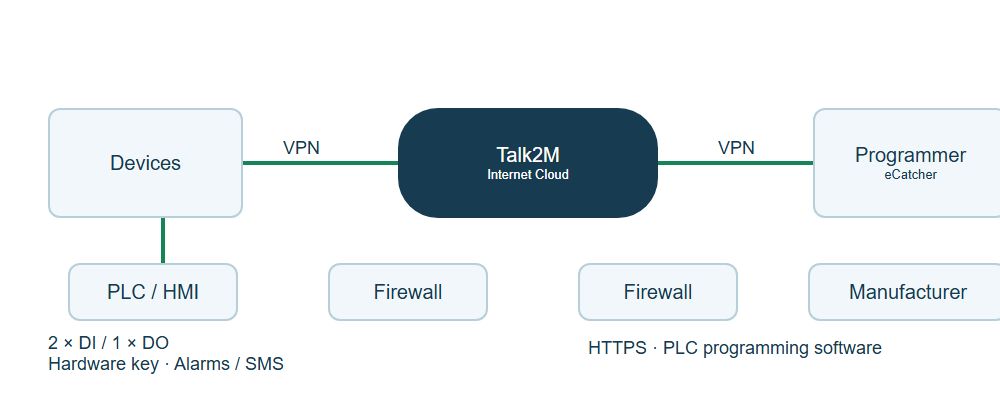
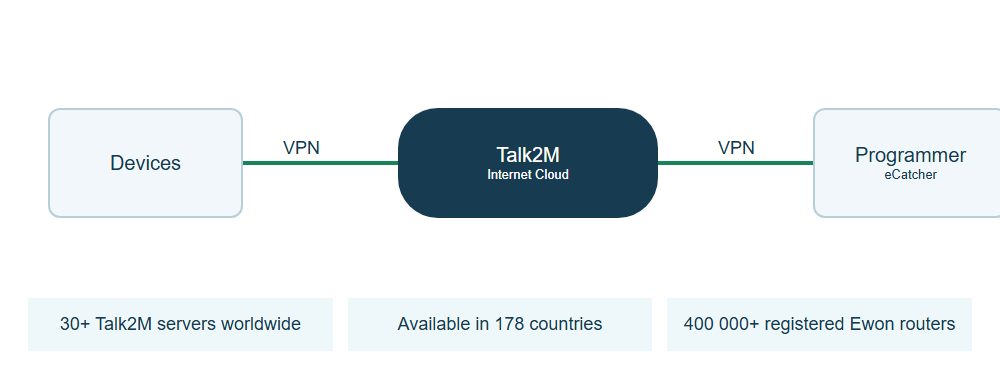
The router connects to the cloud service Talk2M, through which it is subsequently available to registered users worldwide. Remote access takes place via a secure VPN tunnel, so devices can be operated in much the same way as on a local network.
Once connected, it is possible to remotely programme the PLC, carry out diagnostics, back up data from HMI panels or monitor the production line via an IP camera. Devices behind the router connect via Ethernet ports or USB.
Principles of communication
Connection to the internet and the Talk2M cloud service is via an Ethernet WAN port, a 2.4 GHz Wi-Fi network or an LTE mobile network, depending on the selected Ewon variant. The router establishes an outbound connection, typically via port 443 (HTTPS) or 1194 (UDP), so there is no need for a public IP address or any changes to the company network. All communication between the user and the device takes place via a secure VPN tunnel.
Practical application
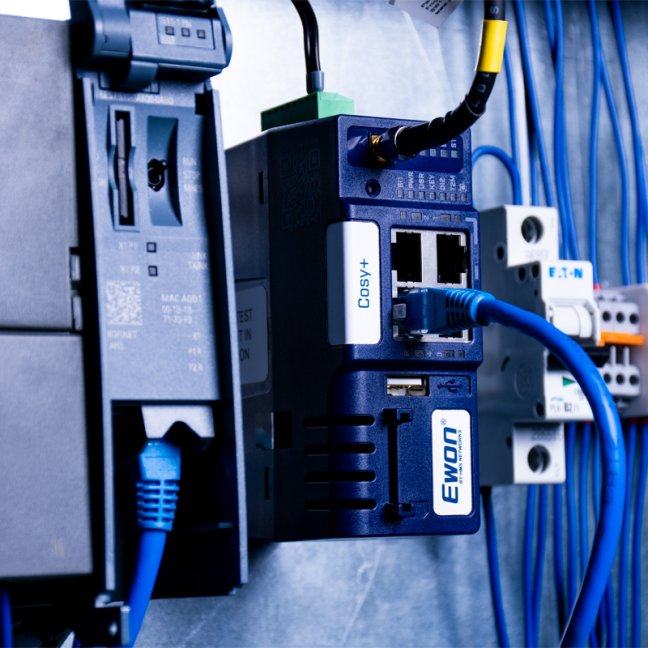
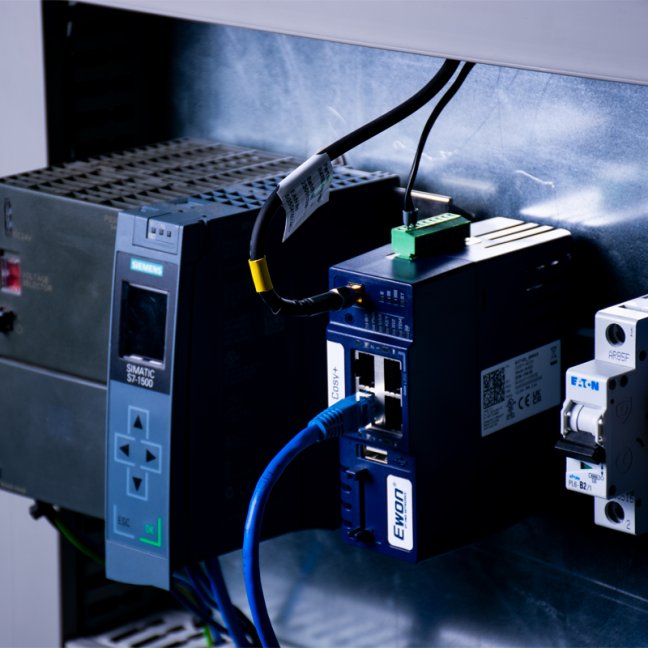
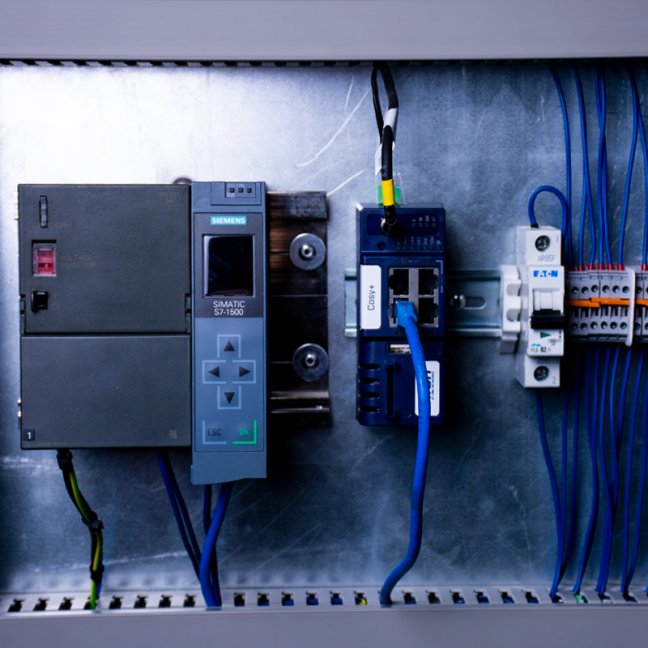
The router is installed directly into the machine’s control cabinet. Machine manufacturers and system integrators can then connect to the equipment at customers’ sites, monitor operations, make programme adjustments, carry out diagnostics or download backups - without having to be physically present at the equipment.
Practical access control
Remote access can be enabled or disabled via a digital input, for example using a key switch on the control cabinet door. The second input can be used for a door contact or the status of a PLC. The digital output can signal an active VPN connection, for example via an Andon light.
Integration into an existing network
Ethernet ports are available for PLCs, HMI panels, IP cameras or switches. For older SIMATIC S7-300/400 PLCs with MPI or PROFIBUS, we recommend an adapter ACCON NetLink PRO Compact, which converts the communication to Ethernet.
Security and access control
The router uses a cloud service Talk2M and a secure VPN connection for remote access to devices from any computer, mobile phone or tablet connected to the internet. Communication is encrypted and access can be controlled according to the users and devices to which they are authorised. Cosy+ also uses a hardware component Secure Element to protect sensitive security data.
Connection does not imply automatic access to the entire network. Within Talk2M, it is possible to precisely define which IP addresses and ports a user should have access to. This allows service access to be separated from the rest of the corporate network.
Overview of security features:
- Device protection via a built-in firewall and access control (protection against botnets, DDoS attacks and malware).
- Control user access to specific devices, IP addresses, ports or protocols.
- Two-factor authentication and password rules: minimum length, complexity and expiry.
- Option to enforce a password change for remote users upon their first login to Talk2M.
- The router’s digital output can be used to signal that someone has connected remotely to Ewon.
- Access section - a remote user has access only to the LAN, not to the WAN.
- Manage routers in Groups / Pools with different permissions, users and roles.
- Remote and bulk firmware updates as part of device management, available only with the Talk2M Pro plan.
- Access logging on the router with the option to export to CSV and PDF.
- Firewall with multiple security levels: Standard, High, High + ports, Enforced and Ultra.
Communication between the remote user and the router is encrypted using SSL/TLS. Both users and routers are authenticated using X.509 certificates. The router supports IP filtering and redirection, NAT, port forwarding, proxy, routing tables and DHCP client/server.
Cloud Talk2M
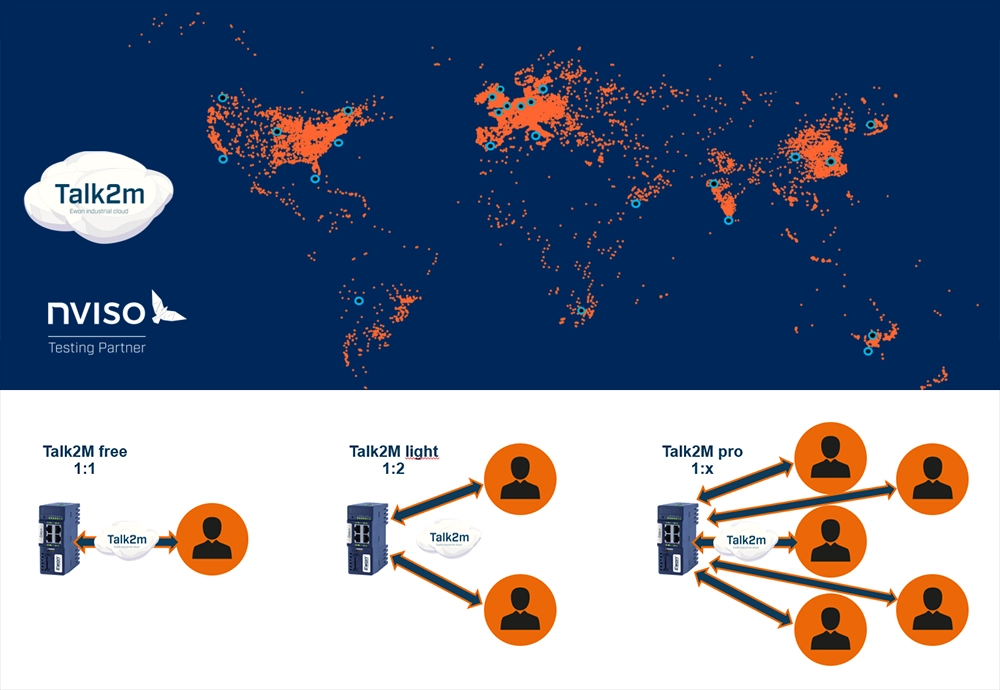
Talk2M is an industrial cloud service from Ewon / HMS Networks for the secure connection of remote technicians and machines. It offers a redundant global server infrastructure and centralised management of connections, devices and users.
Configuration and rapid deployment
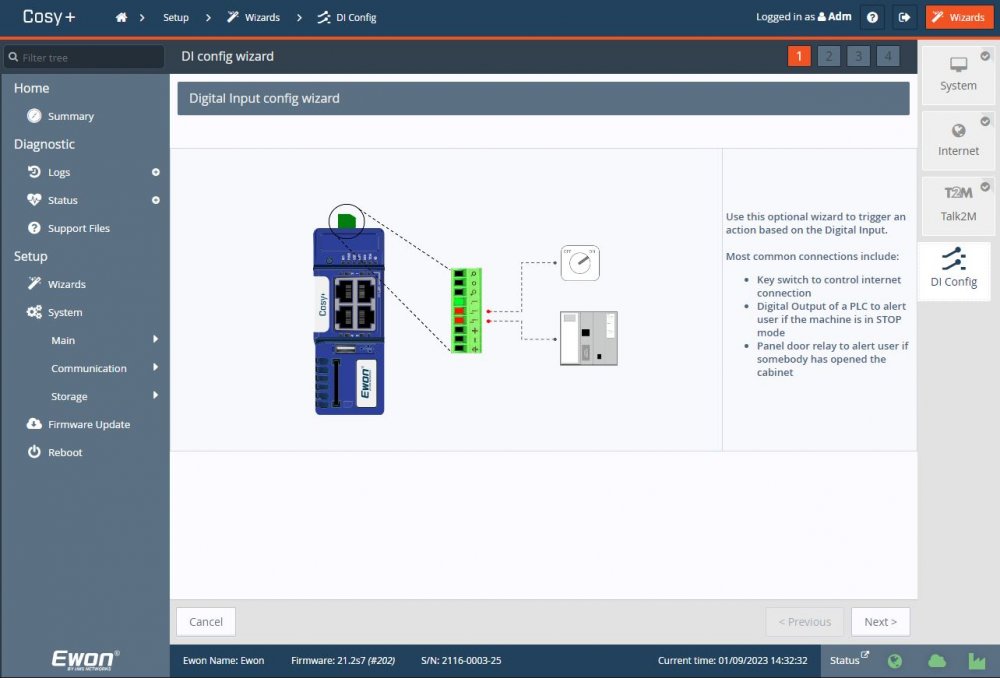
Basic setup is carried out via the built-in web interface with configuration wizards; no additional configuration software is required. The wizard will assist with IP addressing, internet connection, WAN port functionality and registration with Talk2M.
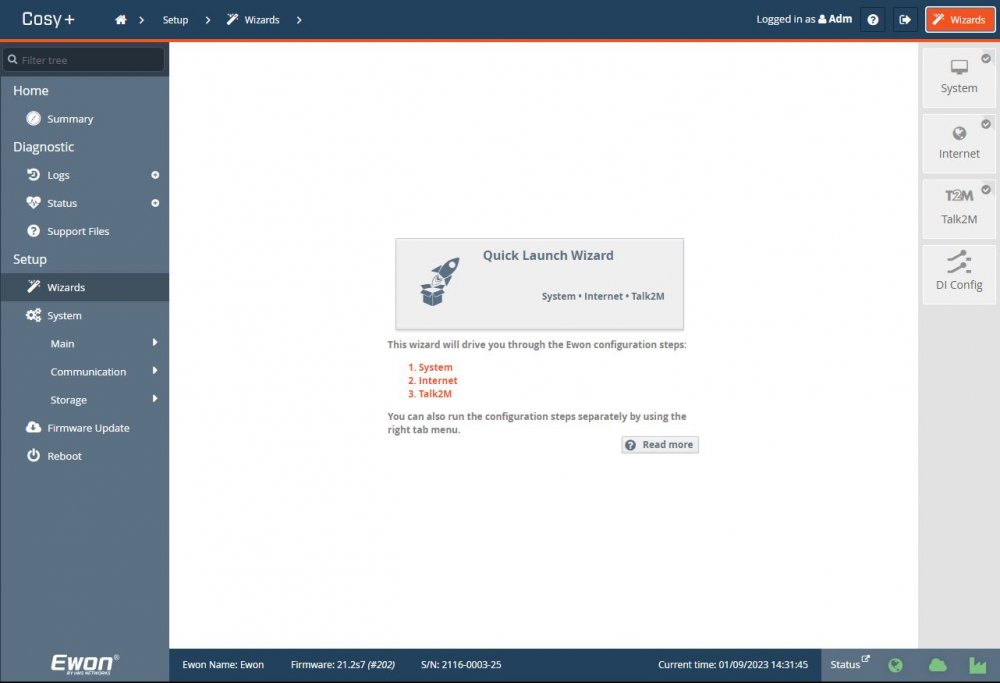
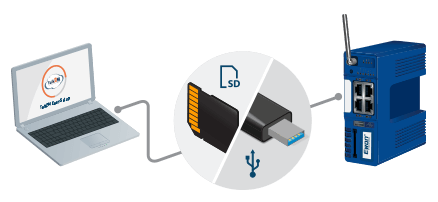
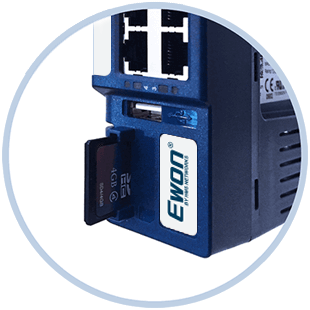
The SD card is used for firmware updates, backing up and restoring configurations, or automatic registration with Talk2M using the GRK - Global Registration Key. This facilitates the bulk deployment of routers and the rapid replacement of devices in operation.
Clear dashboard and eCatcher
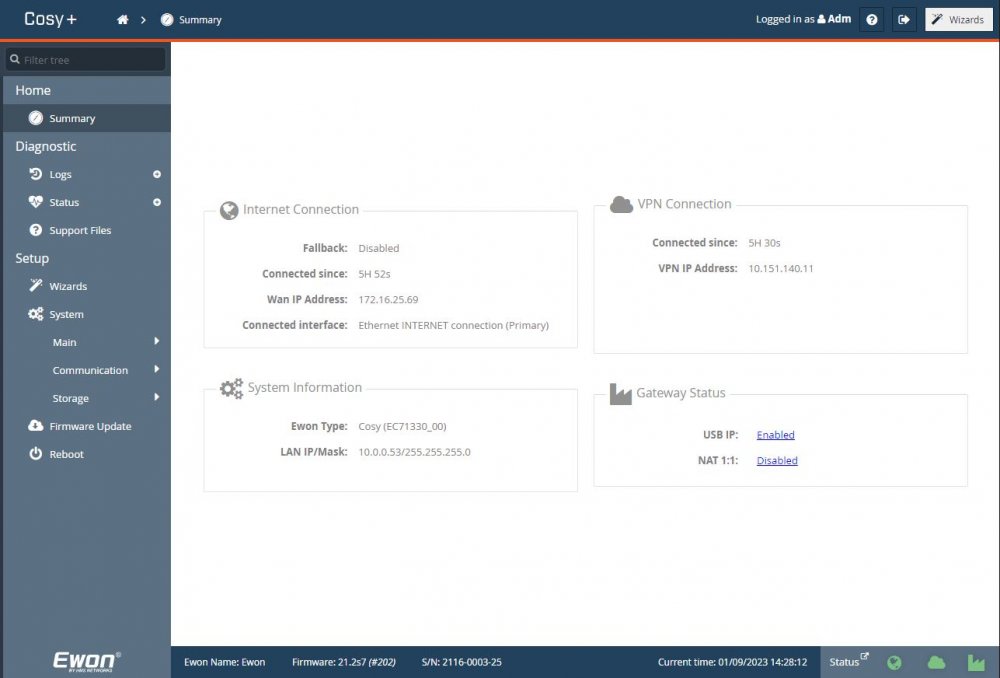
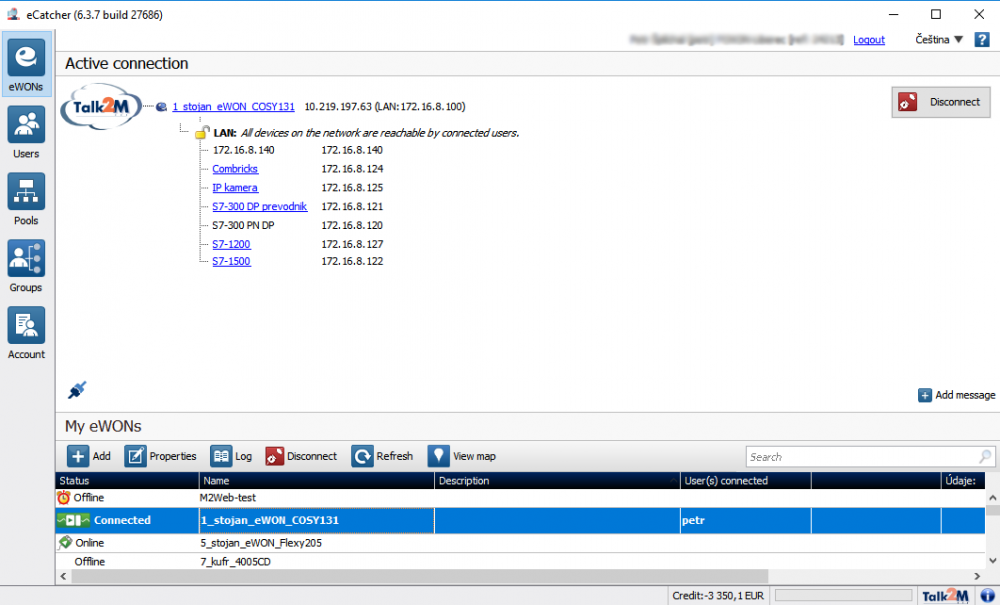
The router’s dashboard provides an overview of connections, IP addresses, connection time to Talk2M, gateway functionality and firmware version. The eCatcher app and a Talk2M account are used for remote connection. Once a VPN connection has been established, the available devices behave in much the same way as they would on a local network.
Technical specifications of the Ewon Cosy+ 4G EU
| Order number | EC7133L_00MA |
|---|---|
| Model | 04302 |
| Mobile connectivity | 4G LTE: B1, B3, B7, B8, B20, B28; 3G: B1, B3, B8; automatic switch to 3G. |
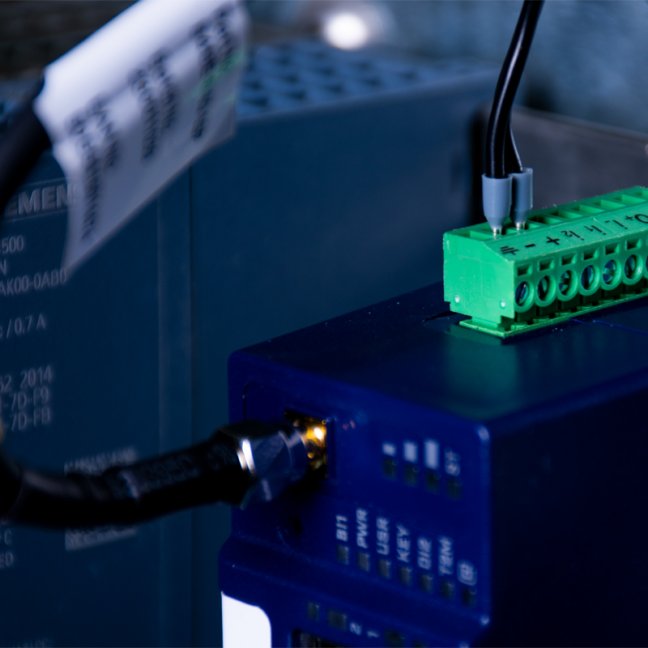
| Antenna | SMA connector; the antenna is not included. |
| Ethernet | 10/100 Mb/s Ethernet for WAN and LAN communication. |
| Inputs and outputs | 2× digital inputs; 1× open-drain MOSFET digital output 200 mA, 1.5 kV isolation. |
| VPN | OpenVPN over SSL UDP or TCP; SSL/TLS and X.509 certificates. |
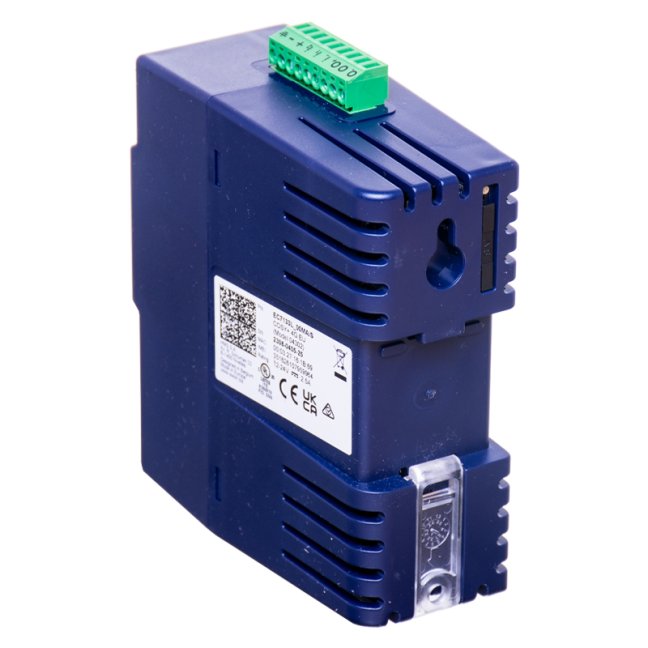
| Power supply | 12-24 VDC ±20 %, LPS; 9-pin connector. |
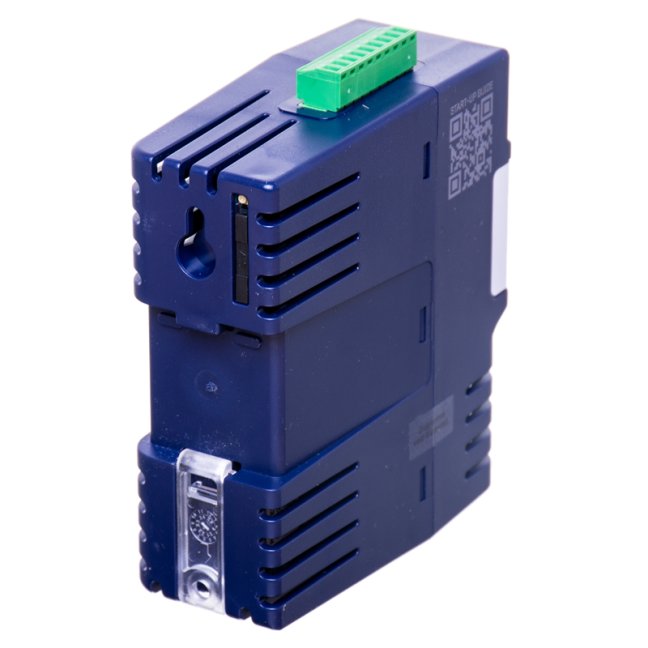
| Installation | DIN rail, bracket included; wall mounting may also be possible. |
| Device dimensions | 42 × 117 × 105 mm (W × H × D). |
| Device weight | 224 g. |
| Package dimensions and weight | 168 × 45 × 148 mm; 289 g. |
| Operating temperature | −25 to +60 °C. |
| Storage temperature | −30 to +70 °C. |
| Relative humidity | 10 to 95 per cent, non-condensing. |
| Certification | CE, UL, RCM, UKCA; RoHS. |
| Manufacturer’s warranty | 3 years. |
Frequently Asked Questions
Do I need a public IP address?
No. The router establishes an outgoing secure connection to Talk2M. In a typical deployment, neither a public IP address nor the opening of incoming ports to the machine network is required.
Are the antenna and SIM card included in the package?
No. Neither the antenna nor the SIM card are included in the package. Choose a suitable antenna based on coverage, the location of the control cabinet and the mobile network used.
Is the router suitable for Siemens PLCs and TIA Portal?
Yes, provided the PLC is accessible via the machine’s Ethernet network and the network settings and permissions are configured accordingly. For MPI or PROFIBUS, a suitable Ethernet adapter is required.
Is remote access active at all times?
This is not necessary. Access can be controlled via a digital input, a key switch on the control panel or user rules in Talk2M.
What if the mobile or fixed internet connection goes down?
A remote session is not available without a working internet connection. For critical applications, we recommend checking mobile network coverage and the required operational availability in advance.
How do I set up the router?
Basic setup is carried out via the integrated web interface with wizards. For quick and bulk deployment, an SD card and Global Registration Key can be used to register with Talk2M.
How long is the warranty?
The manufacturer of the Ewon Cosy+ 4G EU offers a three-year warranty. For a specific quote, we will check availability, delivery times and warranty terms.
Links and technical support
- Ewon Technical Support Portal - installation, configuration, firmware and troubleshooting guides.
- TIA Portal / Talk2M integration - remote uploading of a project to a Siemens device.
- Talk2M service status - current availability and planned outages.
- E-learning Ewon - training materials for working with Ewon routers.
Talk2M service options
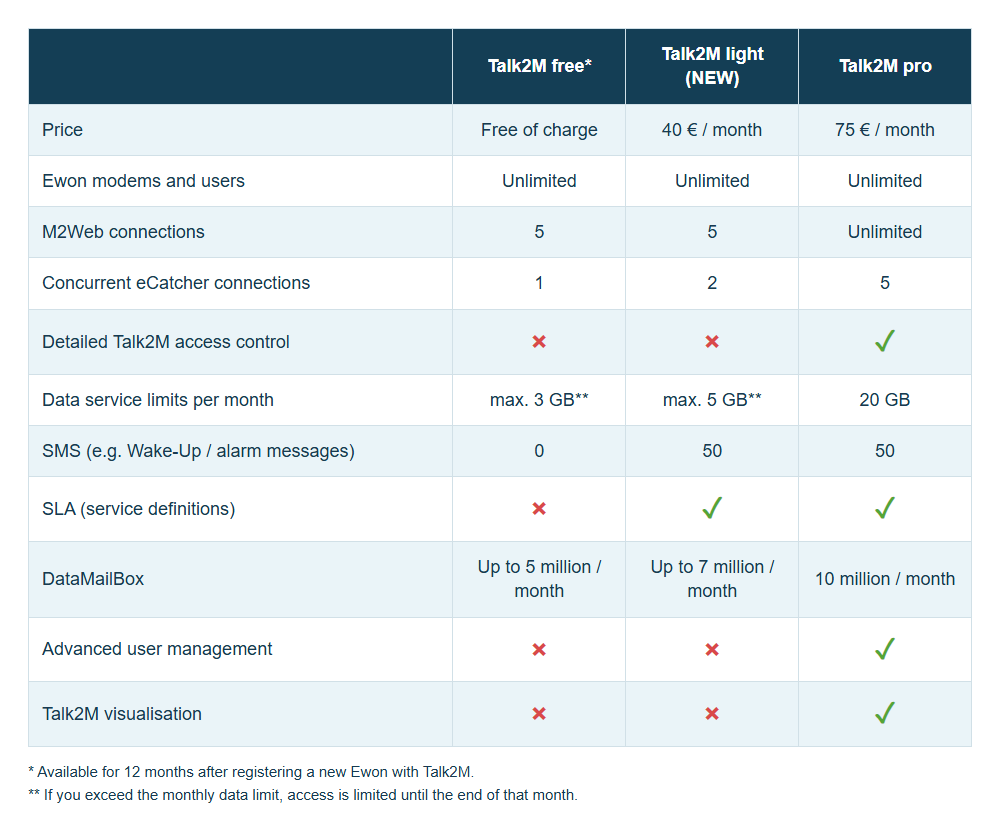
You can get the Talk2M service free of charge with the router in the free, which is sufficient for routine maintenance and is limited to 12 months from the first registration of the router to the Talk2M account. Once this period has expired, you will need to choose a paid option light or pro, or register a new Ewon router and use the service free of charge for a further 12 months.
- Talk2M Free - one user at a time per router.
- Talk2M Light - up to 2 users simultaneously within a single account, access to multiple routers.
- Talk2M pro - multiple simultaneous users, advanced access control, user management and enhanced security features.
Configuration of digital inputs
In the final step of the wizard, you can configure the function of the two digital inputs. Most commonly, these are connected to a switch for activating access via Talk2M, a digital output from a PLC for signalling the device’s status (such as STOP mode), or a door contact or relay for detecting when a control cabinet is opened, with an alert sent via email or SMS.
Firmware version v11 or higher is required to use registration via GRK. A backup of the configuration can also be transferred via a USB flash drive.
Further resources for Ewon
- Firmware and upgrade procedures - an overview of current versions and recommended updates.
- Software and tools for Ewon - eCatcher, eBuddy and other device management tools.
- Ewon Cosy / Cosy+ documentation - manuals and technical documentation for specific models.
- General Ewon documentation - manuals, troubleshooting guides and technical articles.
- HMS Forum - Ewon Support - sharing experiences and solving real-world problems.
Remote access as part of cyber security
Secure remote access must be controlled, authenticated and traceable. Ewon Cosy+ and Talk2M provide technical features that help implement the principles described in NIS2 and IEC 62443. However, the router itself does not replace risk assessments, internal policies or other organisational obligations of the operator.
You can find more context and practical scenarios in the article How to meet NIS2 requirements: secure remote access with Ewon routers and W&T firewalls.
Do you want reliable remote access to your machine?
Please let us know which devices you wish to connect, whether an Ethernet connection or a SIM card will be available, and how many machines you will be managing. We will recommend a suitable router and accessories.
Enquire about a solutionManuals, safety information and IT documentation
Prepare the first connection and approval of remote access. The support overview includes FOXON guides and documentation for network administrators.
Features of the Ewon Cosy+ 4G EU
Specifications and scope of supply for order number EC7133L_00MA. Select the optional accessories and connection method for this specific model.
Technical specifications
| Order number | EC7133L_00MA |
|---|---|
| Model | 04302 |
| Mobile connectivity | 4G LTE: B1, B3, B7, B8, B20, B28; 3G: B1, B3, B8; automatic switch to 3G. |
| Ethernet ports | 4× RJ45, 10/100 Mb/s; configurable LAN/WAN, port 1 is always LAN |
| Antenna | SMA connector; the antenna is not included. |
| Inputs and outputs | 2× digital inputs; 1× open-drain MOSFET digital output 200 mA, 1.5 kV isolation. |
| VPN | OpenVPN via UDP or TCP; SSL/TLS and X.509 certificates. |
| Power supply | 12-24 VDC ±20 %, LPS; 9-pin connector. |
| Installation | DIN rail, bracket included; wall mounting may also be possible. |
| Device weight | 224 g. |
| Operating temperature | −25 to +60 °C. |
| Storage temperature | −30 to +70 °C. |
| Relative humidity | 10 to 95 per cent, non-condensing. |
| Certification | CE, UL, RCM, UKCA; RoHS. |
| Manufacturer’s warranty | 3 years. |
| Device identity | Secure Element hardware security module |
| SD card | For backup, commissioning and service procedures, refer to the Cosy+ manual. |
Remote service and limitations of use
Cosy+ provides VPN access to devices on the machine’s Ethernet network. It does not include Flexy’s data functions for independent reading of PLC tags, process historisation or the OPC UA server. Please verify the suitability of remote access for the specific device, its software and network settings.
| Service technician connection | eCatcher and Talk2M account; M2Web is also a supported web interface. |
|---|---|
| USB | USB 2.0 supports the service and remote USB functions as specified in the Cosy+ manual; USB device compatibility must be verified. |
| Local configuration | Built-in web interface, eBuddy for router search and service management. |
VPN, network and access management
| VPN connection | OpenVPN, SSL/TLS encryption and X.509 certificate authentication. The router establishes an outgoing connection to Talk2M. |
|---|---|
| Network functions | LAN/WAN separation, routing, NAT, IP filtering and DHCP according to configuration. Set up network access for the machine according to service requirements. |
| Consent to connection | The digital input can be used to enable service access, for example via a key switch. The digital output can be configured to indicate a connection. |
| User accounts | Multi-factor authentication and authorisation depending on account settings and the Talk2M tariff. |
| Talk2M tariffs | Free: 1, Light: 2, Pro: 5 simultaneous VPN connections in the basic tariff. This is an account limit, not the total number of registered routers or users. |
| Talk2M Free | A 12-month free period from the last registration of a router that has not yet been registered. Re-registering a previously used device does not renew this period. |
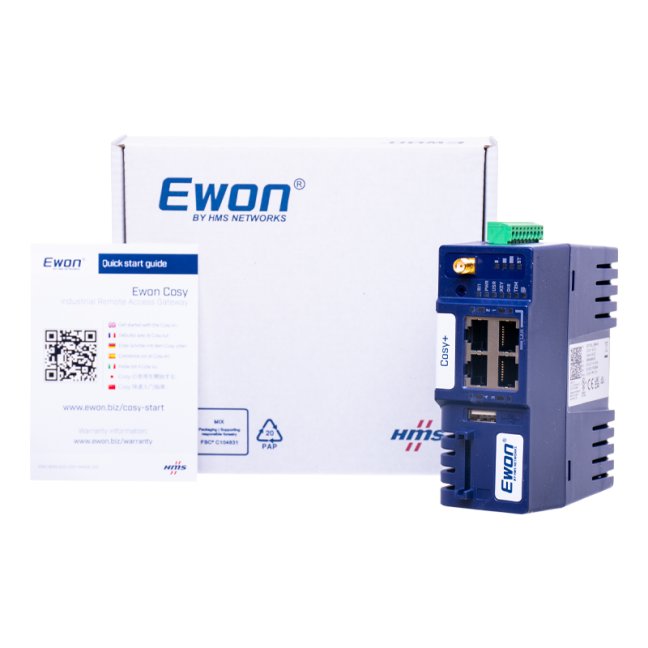
Contents of the package
- Ewon Cosy+ 4G EU router, DIN rail mount and power connector.
Documentation and technical support
You can find manuals, firmware and tools for this product in the ‘Downloads’ tab. For initial set-up and to have access approved by the network administrator, use Guides and IT documentation.
FAQ: Ewon Cosy+ 4G EU
Practical answers for this specific router or configuration.
Connection, operation and servicing
What is the Ewon Cosy+ 4G EU designed for?
For remote servicing of PLCs, HMIs and other devices on the machine network via Talk2M. A technician can use supported programming or diagnostic software provided the network is correctly configured and the necessary permissions are in place.
Are the mobile antenna and SIM card included in the pack?
No. For the EC7133L_00MA model, you must provide a suitable mobile antenna with an SMA connector and a data SIM card separately.
Which bands does the 4G EU variant use?
LTE bands B1, B3, B7, B8, B20 and B28. The modem also supports 3G bands B1, B3 and B8; the use of the fallback via 3G depends on the availability of this network with the operator.
What SIM card and APN do I need?
The SIM card must have data traffic enabled and a tariff suitable for the installation location. Set up the APN and any login details as specified by your mobile network operator. You do not need a public IP address for Talk2M. Roaming, data limits and mobile network availability are determined by the terms and conditions of the SIM card and the mobile network operator.
Can Cosy+ collect and archive process data independently?
For direct reading of PLC tags, process historisation, alarms or an OPC UA server, choose Flexy. Transmitting OPC UA communication via a service VPN does not mean that Cosy+ is itself an OPC UA server.
Do I need a public IP address and incoming ports?
No. The router establishes an outbound connection to Talk2M, so neither a public IP address nor the forwarding of incoming ports to the PLC is required for this method of remote access.
What does the company network administrator need to enable?
The necessary outbound communication, DNS resolution and network services according to the current Talk2m guide. The exact destinations and ports are listed in the IT documentation.
What are eCatcher and eBuddy used for?
eCatcher is used to log in to Talk2M and establish a service VPN connection. eBuddy helps you locate a router on the local network, manage its address and carry out supported maintenance procedures.
Is Talk2M Free available without a time limit?
No. The free period lasts for 12 months from the last registration of a previously unregistered Ewon router. A newly registered device will renew the account period; re-registering a router that is already in use will not renew it. To continue using the service without re-registering, select a paid tariff.
How many technicians will be connected at the same time?
The basic plans offer 1 concurrent VPN session for Free, 2 for Light and 5 for Pro. The limit applies to the entire account. The total number of registered users and routers is not restricted by this figure; plans also differ in terms of data transfer limits and access management.
Can access only be granted during a service call?
Yes. The connection can be controlled via a digital input, such as an operator key switch. Set up user permissions and multi-factor authentication in Talk2M; the range of features depends on the tariff.
Will I be able to programme my PLC via VPN?
Check compatibility for the exact PLC type, programming software, addressing and permissions. When searching for devices, do not assume the same broadcast or multicast traffic as on a local network; it may be necessary to specify a destination IP address or adjust the routing.
What happens in the event of an internet outage?
The remote service session is not available. Restore your internet connection and check your Talk2M registration status. Cosy+ does not replace the machine’s local control system.
How do I update the firmware?
Use the package and procedure designed for Cosy+, such as eBuddy or the documented procedure using a storage device. Centralised cloud-based firmware management for Cosy+ is available on the Talk2M Pro plan. Before updating, create a backup and verify the recommended path between versions.
How to prepare documentation for technical support?
Please provide the exact model, firmware version, wiring diagram, status of indicator lights and error messages. Prepare diagnostic logs and a backup of the configuration.
Documentation and technical support
You can find manuals, firmware and tools for this product in the ‘Downloads’ tab. For initial set-up and to have access approved by the network administrator, use Guides and IT documentation.

From Practice: At De & Co, They Can Find a PROFINET Fault in Just a Few Minutes
De & Co Hranice s.r.o. supplies production lines and robotic workstations for various industrial sectors. As the company gradually moved from smaller machines to large automated lines, the complexity of its communication networks increased as well. This created a need to diagnose PROFINET and at the same time connect securely and remotely to equipment already operating at customer sites. What technologies help their technicians do that?
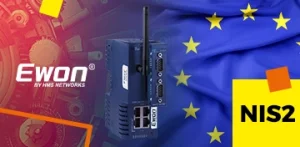
How to Meet NIS2 Requirements: Secure Remote Access with Ewon Routers and W&T Firewalls
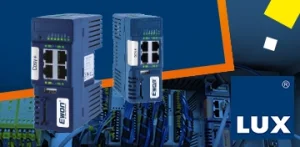
The European NIS2 directive introduces new obligations for companies in protecting against cyber threats. Below, we compare these requirements with the technical measures in IEC 62443 and show how to meet them easily using Ewon industrial routers, the secure Talk2M cloud service, and firewalls from the German manufacturer W&T.
TALK2M Free, Light or Pro? Which service should you choose for Ewon devices, and why?
Do you use Ewon Cosy or Flexy routers for remote management and are you wondering which Talk2M remote access service is right for you? We’ve put together a few points to help you decide.

The New LIGHT Account Type in Talk2M on Ewon Routers Is a Happy Medium
The Talk2M cloud service allows EWON router users to easily and securely connect to their devices/machines remotely via the Internet from anywhere in the world. Until now, two types of service have been available – Talk2M free and Talk2M pro. From 2 May 2024, a new, affordable account type – Talk2M light – will be available. In addition, the rules for the free account will change.
How to upgrade from Talk2M free to Talk2M light or pro and add Ewon routers
Do you use one or more Talk2M free accounts? Have you found that this solution is no longer enough and that you need Talk2M light or Talk2M pro? This guide will show you:
- how to upgrade your existing Talk2M free account to Talk2M light or Talk2M pro,
- how to import Ewon devices from one or more Talk2M free accounts into the upgraded account,
- how to create a group of routers in the upgraded account and assign users to it, including access rights.

VIDEO guide to remote management of PLCs/HMIs/PCs via Ewon routers
Ewon industrial routers are rightly among the most widely used global solutions for the remote management of PLC control systems, robots, industrial computers and HMI panels via the Internet. Simply managing systems remotely is no longer enough, and Ewon routers are the only ones that can offer you so much more. They can read (and write) data from remote PLC control systems such as SIEMENS, Allen-Bradley, Mitsubishi, Omron, Schneider, Modbus and others. This data is sent via the Internet to your computer, where you can store it in a database and display it in visualisations or in Power BI reports. Find out more in our video guide.
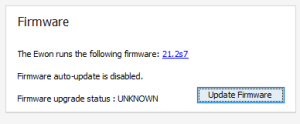
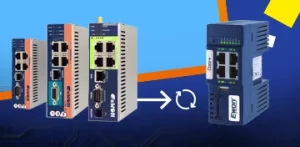
How to update the firmware on Ewon COSY and eWON Flexy routers
U We recommend that users of Ewon routers upgrade to the latest firmware version. Firmware updates are usually released to implement new features, security enhancements and use, or to rectify errors. We can upgrade the firmware in several ways and each of It is intended for a different situation.
Highlighted items are mandatory.
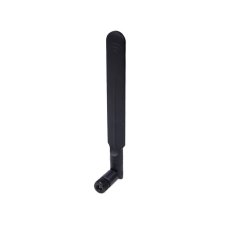
LTE connector antenna 90°/180°, 5 dBi
12,10 EUR Incl. VAT
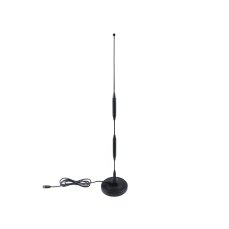
Magnetic LTE antenna, 5-9 dBi, 44 cm, 5 m cable
27,83 EUR Incl. VAT
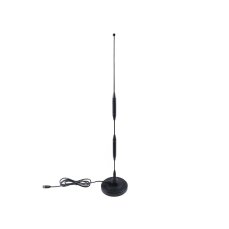
Magnetic LTE antenna, 5-9 dBi, 44 cm, 3 m cable
20,57 EUR Incl. VAT
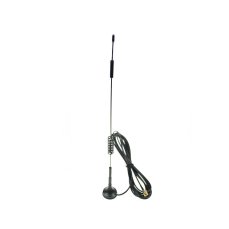
Magnetic LTE antenna, 6 dBi, 31 cm, 3 m cable
16,94 EUR Incl. VAT
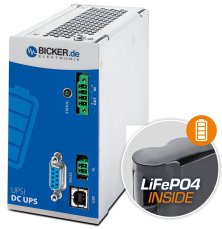
144 W 24 VDC / 6 A UPS backup power supply Bicker, LiFePO4 battery
398,09 EUR Incl. VAT
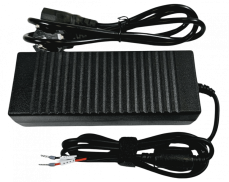
Power supply 24V 5A 120W
25,41 EUR Incl. VAT
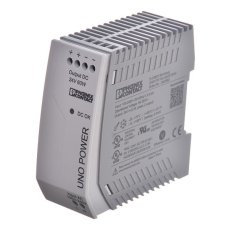
Power Supply UNO 1 phase 24VDC, 2.5A, 60W
67,76 EUR Incl. VAT

Talk2M Light
580,80 EUR Incl. VAT
Talk2M pro
1 089 EUR Incl. VAT
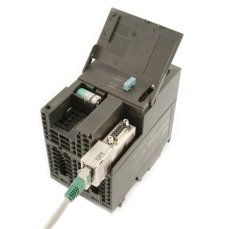
ACCON NetLink PRO Compact - Ethernet adapter for SIMATIC S7-200/ -300/-400
638,88 EUR Incl. VAT
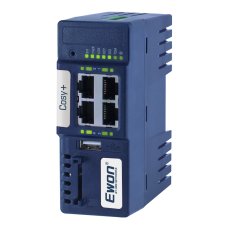
Ewon Cosy+ Ethernet router
705,43 EUR Incl. VAT
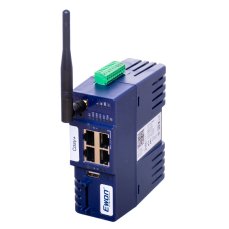
Ewon Cosy+ WiFi / Ethernet router
817,96 EUR Incl. VAT
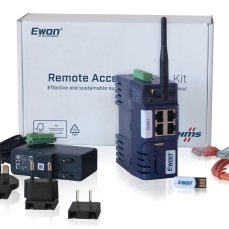
Ewon Cosy+ Starter Kit
487,63 EUR Incl. VAT
Accessories7
LTE connector antenna 90°/180°, 5 dBi
12,10 EUR Incl. VAT
Magnetic LTE antenna, 5-9 dBi, 44 cm, 5 m cable
27,83 EUR Incl. VAT
Magnetic LTE antenna, 5-9 dBi, 44 cm, 3 m cable
20,57 EUR Incl. VAT
Magnetic LTE antenna, 6 dBi, 31 cm, 3 m cable
16,94 EUR Incl. VAT
144 W 24 VDC / 6 A UPS backup power supply Bicker, LiFePO4 battery
398,09 EUR Incl. VAT
Power supply 24V 5A 120W
25,41 EUR Incl. VAT
Power Supply UNO 1 phase 24VDC, 2.5A, 60W
67,76 EUR Incl. VAT
Related products3
Talk2M Light
580,80 EUR Incl. VAT
Talk2M pro
1 089 EUR Incl. VAT
ACCON NetLink PRO Compact - Ethernet adapter for SIMATIC S7-200/ -300/-400
638,88 EUR Incl. VAT
Alternatives3
Ewon Cosy+ Ethernet router
705,43 EUR Incl. VAT
Ewon Cosy+ WiFi / Ethernet router
817,96 EUR Incl. VAT
Ewon Cosy+ Starter Kit
487,63 EUR Incl. VAT