

SIMATIC WinCC V21 for TIA Portal – Basic / Comfort / Advanced / Professional - SIEMENS license type: WinCC Basic V21 – floating license, USB key
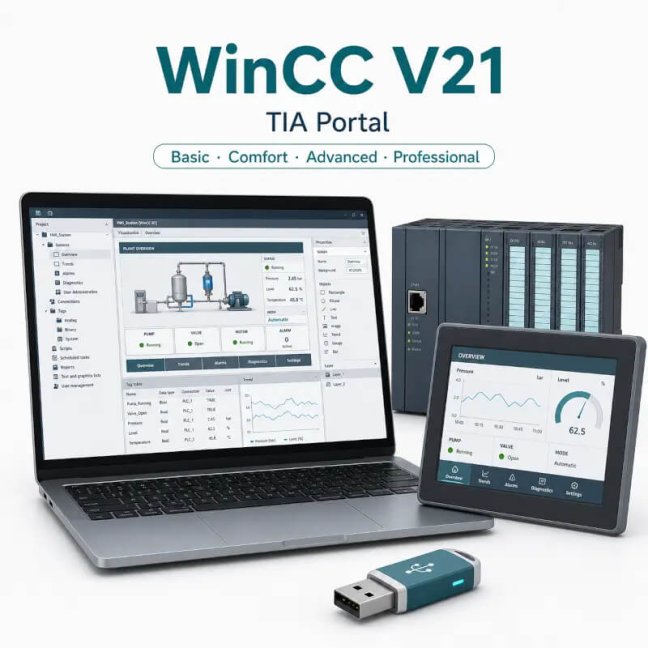
SIMATIC WinCC V21 for TIA Portal – Basic / Comfort / Advanced / Professional - SIEMENS license type: WinCC Basic V21 – floating license, USB key

SIEMENS software for configuring HMI panels and creating visualization applications in TIA Portal. The Basic, Comfort, Advanced and Professional editions cover solutions ranging from SIMATIC Basic and Comfort Panels through PC-based visualization to WinCC Runtime Professional and larger SCADA systems. More
Code: 6AV2100-0AA02-5AA5
SIEMENS software for configuring HMI panels and creating visualization applications in TIA Portal. The Basic, Comfort, Advanced and Professional editions cover solutions ranging from SIMATIC Basic and Comfort Panels through PC-based visualization to WinCC Runtime Professional and larger SCADA systems. More
Code: 6AV2100-0AA02-5AA5
Options 12
| SIEMENS license type | Code | Availability | Price excl. VAT | |||
|---|---|---|---|---|---|---|
| WinCC Basic V21 – floating license, USB key | 6AV2100-0AA02-5AA5 | Delivery in 1-2 weeks |
On request
|
|||
| WinCC Basic V21 – floating license, e-mail delivery | 6AV2100-0AA02-5AH5 | Delivery 1-2 days |
On request
|
|||
| WinCC Comfort V21 – floating license, USB key | 6AV2101-0AA02-5AA5 | Delivery in 1-2 weeks |
On request
|
|||
| WinCC Comfort V21 – floating license, e-mail delivery | 6AV2101-0AA02-5AH5 | Delivery 1-2 days |
On request
|
|||
| WinCC Advanced V21 – floating license, USB key | 6AV2102-0AA02-5AA5 | Delivery in 1-2 weeks |
On request
|
|||
| WinCC Advanced V21 – floating license, e-mail delivery | 6AV2102-0AA02-5AH5 | Delivery 1-2 days |
On request
|
|||
| WinCC Professional V21 – 512 PowerTags, floating license, USB key | 6AV2103-0DA02-5AA5 | Delivery in 1-2 weeks |
On request
|
|||
| WinCC Professional V21 – 512 PowerTags, floating license, e-mail delivery | 6AV2103-0DA02-5AH5 | Delivery 1-2 days |
On request
|
|||
| WinCC Professional V21 – 4096 PowerTags, floating license, USB key | 6AV2103-0HA02-5AA5 | Delivery in 1-2 weeks |
On request
|
|||
| WinCC Professional V21 – 4096 PowerTags, floating license, e-mail delivery | 6AV2103-0HA02-5AH5 | Delivery 1-2 days |
On request
|
|||
| WinCC Professional V21 – max. PowerTags, floating license, USB key | 6AV2103-0XA02-5AA5 | Delivery in 1-2 weeks |
On request
|
|||
| WinCC Professional V21 – max. PowerTags, floating license, e-mail delivery | 6AV2103-0XA02-5AH5 | Delivery 1-2 days |
On request
|
|||
| Next | ||||||
SIMATIC WinCC V21 for TIA Portal
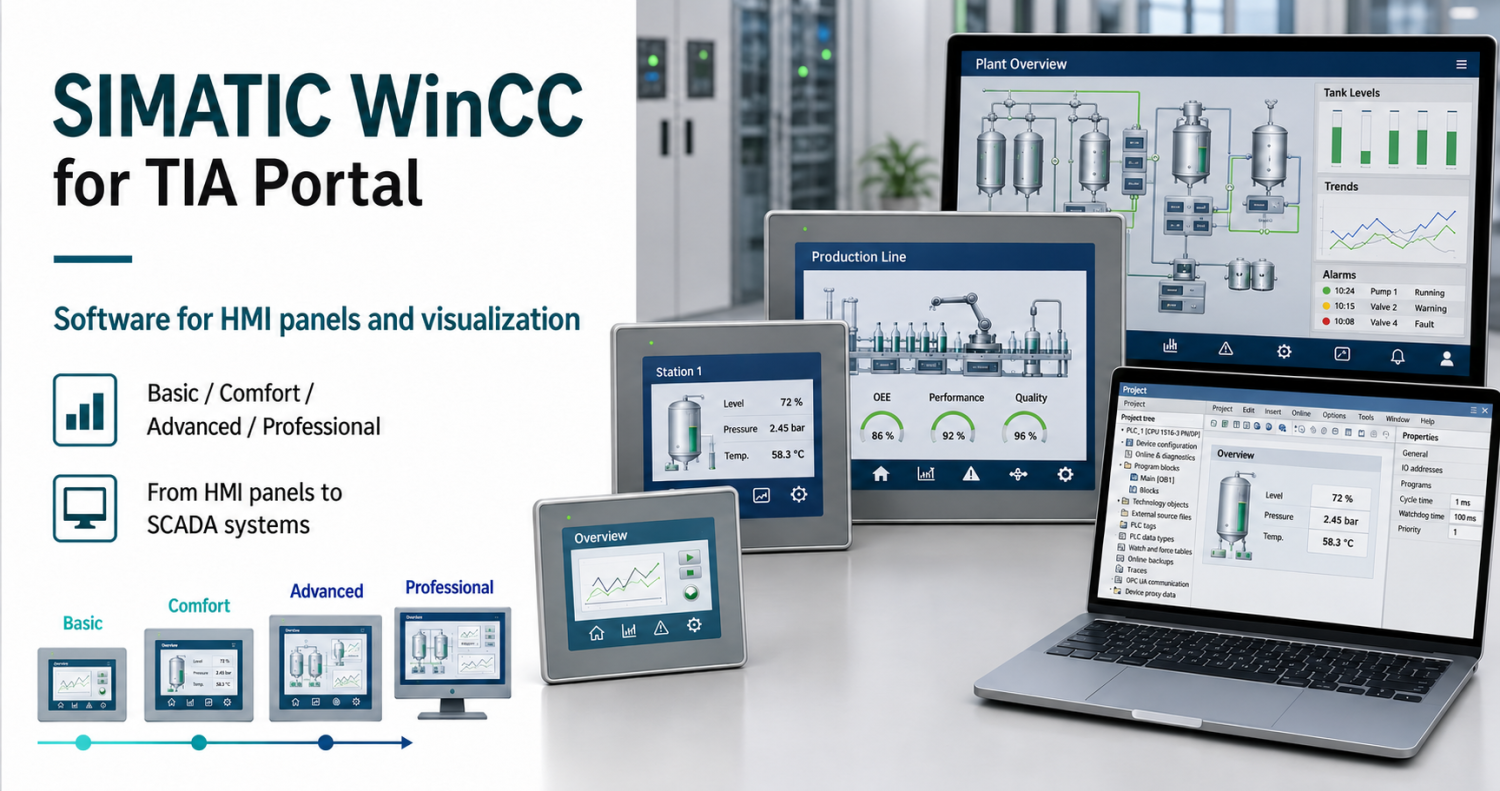
WinCC V21 is development software for creating visualisations in TIA Portal. Select the edition according to the target panel or the runtime environment on a PC. This page lists Basic, Comfort, Advanced and Professional licences, including Professional variants with different numbers of PowerTags.
Do you need a new licence or an extension?
We will match the order number to your project, your existing licence and your preferred delivery method.
Software usage
For a machine with a Basic panel, consider WinCC Basic. For other supported panels, select the appropriate higher edition. For PC visualisation, distinguish between application development and its execution on the target computer. Selecting an edition based solely on screen size is not sufficient.
Technical and licensing information
| Version | V21 |
|---|---|
| Offer type | Engineering software for TIA Portal |
| Editions | Basic, Comfort, Advanced, Professional |
| Professional | 512, 4096 or max. PowerTags depending on the order number |
| Licence | Floating License |
| Delivery | Software, documentation and licence key on a USB stick or available for download |
| Standalone Runtime licence | The runtime environment for a specific PC is assessed separately |
WinCC edition selection
| Editions | Target environments listed | Essential condition |
|---|---|---|
| Basic | SIMATIC Basic Panels and Unified Basic Panels | Basic Engineering; specific panel depending on version and firmware |
| Comfort | SIMATIC Basic, Comfort, Unified Basic and Unified Comfort panels supported | Specific panel depending on version and firmware |
| Advanced | SIMATIC Panels, WinCC Runtime Advanced and WinCC Unified PC Runtime | Unified PC Engineering for up to 10 000 PowerTags; Runtime licence sold separately |
| Professional | SIMATIC Panels, WinCC Runtime Advanced/Professional and WinCC Unified PC Runtime | RT Professional Engineering: 512, 4096 or max.; Unified PC Engineering: 10 000 / 10 000 / 100 000 PowerTags |
Edition, Unified and Runtime
The WinCC Basic V21 licence covers the configuration of both SIMATIC Basic Panels and Unified Basic Panels. WinCC Comfort adds support for Comfort and Unified Comfort panels. The Advanced and Professional editions also allow configuration of WinCC Unified PC Runtime; the scope of PowerTags depends on the edition. Runtime operating licences on the target PC are assessed separately.
Licence options and delivery methods
| Order number | Purpose of the variant | Delivery |
|---|---|---|
| 6AV2100-0AA02-5AA5 | Basic V21 | USB |
| 6AV2101-0AA02-5AA5 | Comfort V21 | USB |
| 6AV2102-0AA02-5AA5 | Advanced V21 | USB |
| 6AV2103-0DA02-5AA5 | Professional V21 – 512 PowerTags | USB |
| 6AV2103-0HA02-5AA5 | Professional V21 – 4096 PowerTags | USB |
| 6AV2103-0XA02-5AA5 | Professional V21 – max. PowerTags | USB |
| 6AV2100-0AA02-5AH5 | Basic V21 | Electronically |
| 6AV2101-0AA02-5AH5 | Comfort V21 | Electronically |
| 6AV2102-0AA02-5AH5 | Advanced V21 | Electronically |
| 6AV2103-0DA02-5AH5 | Professional V21 – 512 PowerTags | Electronically |
| 6AV2103-0HA02-5AH5 | Professional V21 – 4096 PowerTags | Electronically |
| 6AV2103-0XA02-5AH5 | Professional V21 – max. PowerTags | Electronically |
Scope of delivery and licence management
Physical and electronic versions are delivered in different ways. A USB is not a hardware licence dongle that must automatically be regarded as permanently connected to the computer. Assess the management and transfer of the licence key in accordance with the Automation License Manager and the terms of the specific licence.
For electronic delivery, we require the recipient’s email address. Before reinstalling or replacing a hard drive, ensure that licence keys are transferred securely; do not consider simply copying files to be a confirmed licence transfer.
Project and computer compatibility
Please send us the project version, the exact CPU or HMI type, the firmware, and the edition and version of Windows. Together, we will check the configuration in Siemens Compatibility Tool. A licence for a newer version does not in itself guarantee that every older project can be opened.
Frequently asked questions
Does it include both Engineering and Runtime licences for PCs?
The development tool and runtime environment are licensed separately. We will verify any further licences required based on the target Runtime and the scope of the application.
Is WinCC Basic the same as WinCC Unified Basic?
The WinCC Basic V21 licence also allows the use of WinCC Unified Basic V18 to V21 for supported Unified Basic panels. The specific panel and its firmware must correspond to the version of the development environment being used.
How do I choose between 512, 4096 or the maximum number of PowerTags?
For the Professional version, select the capacity based on the communication process variables and the licensing rules of the target environment. Please send the project version and the required Runtime.
Can Unified PC Runtime be set up with Advanced V21?
Siemens specifies this option for the current Advanced V21 codes. Before placing an order, we will verify the terms of issue and the required Runtime licence.
Why buy software from FOXON
New genuine licences
We supply new Siemens software licences. The specific authorisation is always determined by the order number and the relevant licence terms.
Check selection
We will compare the edition, version and required scope with your PLC, HMI or software configuration.
Delivery depending on the variant
Before placing an order, we will confirm the method of delivery (electronic or physical) and the recipient’s details.
Licensing support
Please send us the details of your existing licence. We will check which new licence, upgrade or extension is suitable.
Siemens software enquiry
Please send us the order number, software version, PLC or HMI type, and whether you already hold a licence. For licence extensions, please specify the required number of objects, connections or users.
Request a licence or supportWe will send you a non-binding quotation within 1 hour.Highlighted items are mandatory.

auto.spy - software for diagnostics of SIMATIC S7-300/-400/-1200/-1500 and S5 PLCs, OPC UA/DA data and camera recordings
from 713,90 EUR Incl. VAT
Ewon Cosy+ Ethernet router
705,43 EUR Incl. VAT

360 W 24 VDC / 15 A UPS backup power supply Bicker with LiFePO4 battery and USB-C + RS485 Modbus interfaces
716,32 EUR Incl. VAT

Training PROFINET – Basics, Diagnostics & Network Troubleshooting, 2 days
1 076,90 EUR Incl. VAT
Diagnostics, troubleshooting and monitoring of PROFINET Networks
from 367,84 EUR Incl. VAT

ProfiTrace 2 Ultra Plus – PROFIBUS DP Tester
4 399,56 EUR Incl. VAT
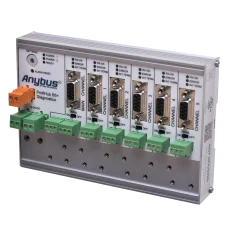
ProfiHub B5+R PROFIBUS multi-repeater
1 724,25 EUR Incl. VAT
Related products7
auto.spy - software for diagnostics of SIMATIC S7-300/-400/-1200/-1500 and S5 PLCs, OPC UA/DA data and camera recordings
from 713,90 EUR Incl. VAT
Ewon Cosy+ Ethernet router
705,43 EUR Incl. VAT
360 W 24 VDC / 15 A UPS backup power supply Bicker with LiFePO4 battery and USB-C + RS485 Modbus interfaces
716,32 EUR Incl. VAT
Training PROFINET – Basics, Diagnostics & Network Troubleshooting, 2 days
1 076,90 EUR Incl. VAT
Diagnostics, troubleshooting and monitoring of PROFINET Networks
from 367,84 EUR Incl. VAT
ProfiTrace 2 Ultra Plus – PROFIBUS DP Tester
4 399,56 EUR Incl. VAT
ProfiHub B5+R PROFIBUS multi-repeater
1 724,25 EUR Incl. VAT