

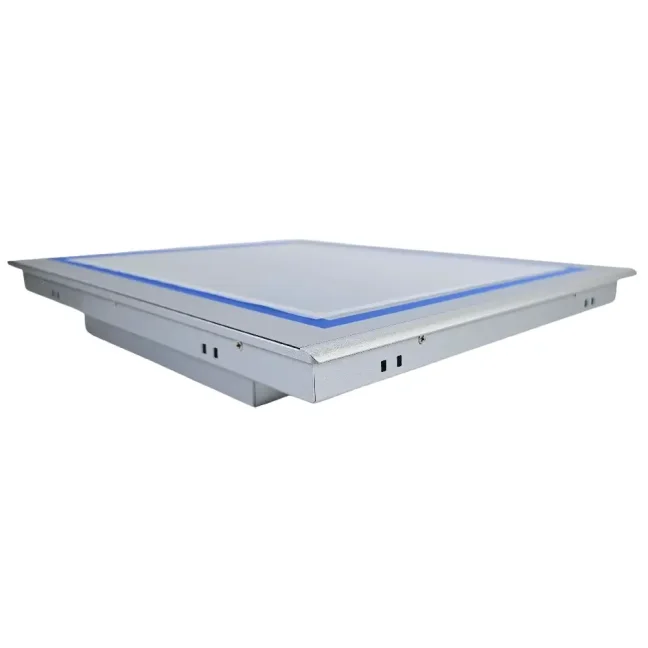
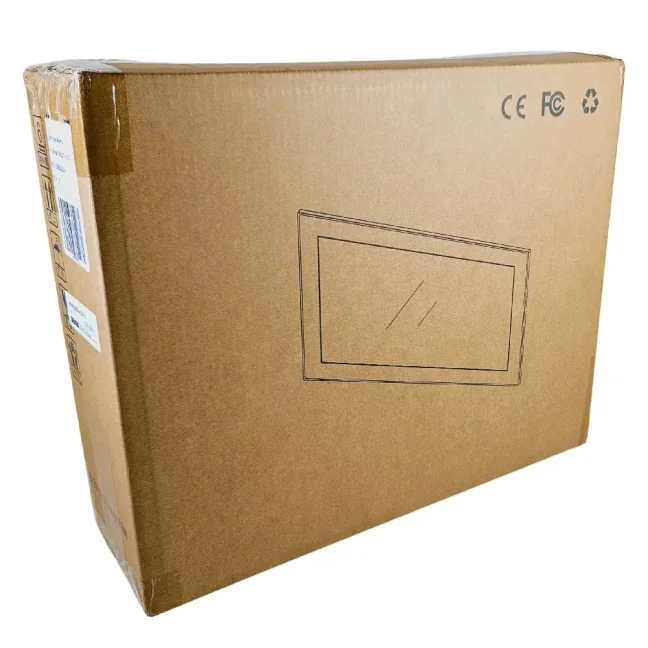


15" industrial touch screen resistive NODKA A152

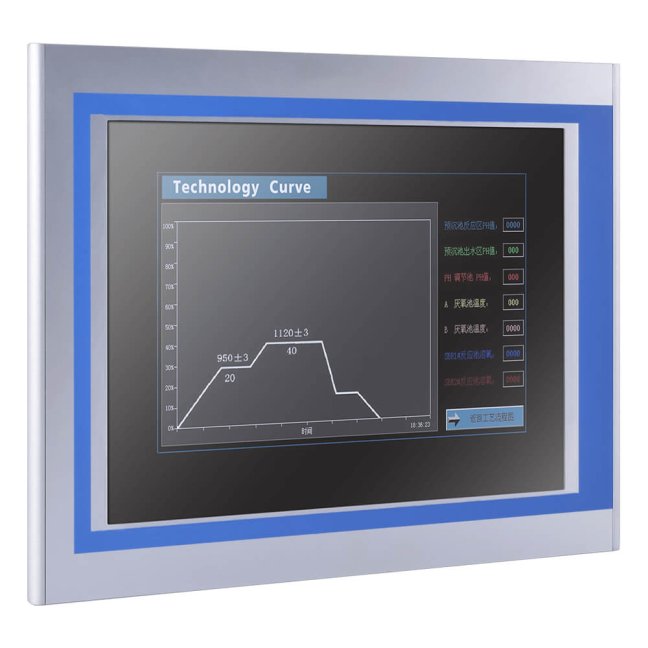
15″ NODKA PANEL5000-A152-TU industrial monitor, resistive touchscreen, 1024 × 768 (4:3), brightness 450 cd/m². DVI + VGA, touch via USB, 12-24 V DC power supply. Front panel IP65. Overall dimensions 395 × 313 × 54 mm. Panel or VESA mounting. More
Code: PANEL5000-A152-TU
15″ NODKA PANEL5000-A152-TU industrial monitor, resistive touchscreen, 1024 × 768 (4:3), brightness 450 cd/m². DVI + VGA, touch via USB, 12-24 V DC power supply. Front panel IP65. Overall dimensions 395 × 313 × 54 mm. Panel or VESA mounting. More
Code: PANEL5000-A152-TU
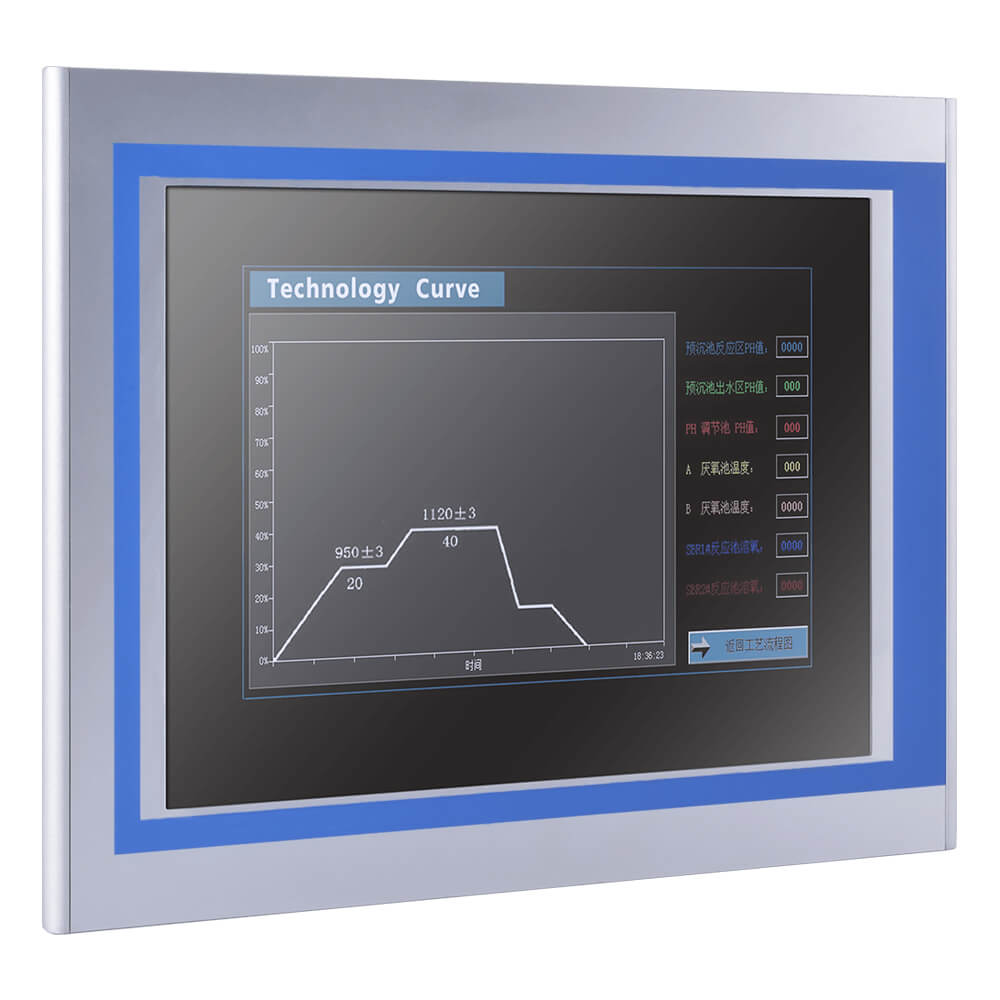
Aspect ratio 4:3 · Panel mounting or VESA mounting

NODKA
PANEL5000-A152-TU
1024 × 768 · DVI + VGA
Resistive touchscreen, USB connection
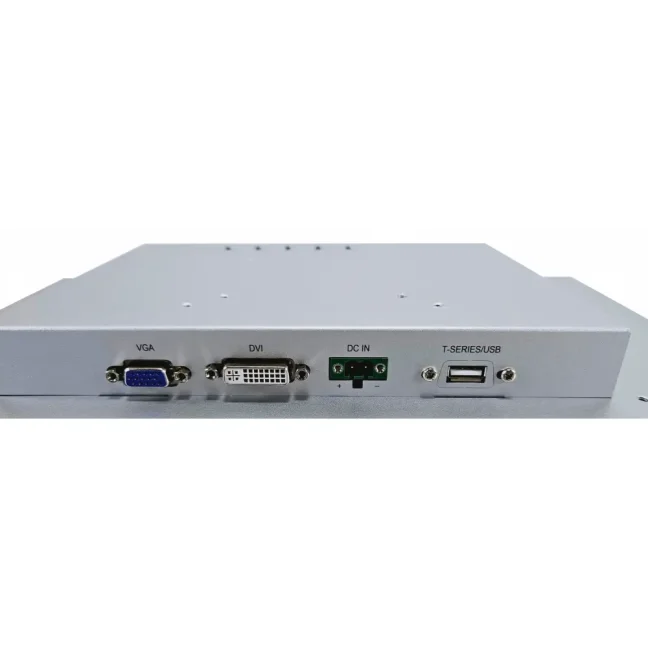
15″ touchscreen monitor for connection to an industrial PC. Resolution 1024 × 768, aspect ratio 4:3 and brightness 450 cd/m². Video inputs: DVI + VGA. Touch control connects through a separate USB cable. Power supply: 12-24 V DC. The IP65 rating applies to the front panel when correctly installed.
2-year warranty · Option to extend the warranty for a fee up to 4 years
Resolution 1024 × 768 and brightness 450 cd/m²
15″ display with a resolution of 1024 × 768, brightness of 450 cd/m² and a contrast ratio of 800:1. LED backlighting and image settings via the OSD on the rear panel.
Visualisation of the machine
To display the HMI/SCADA application running on a connected computer. Adjust the resolution and aspect ratio to match the screen layout.
Picture settings
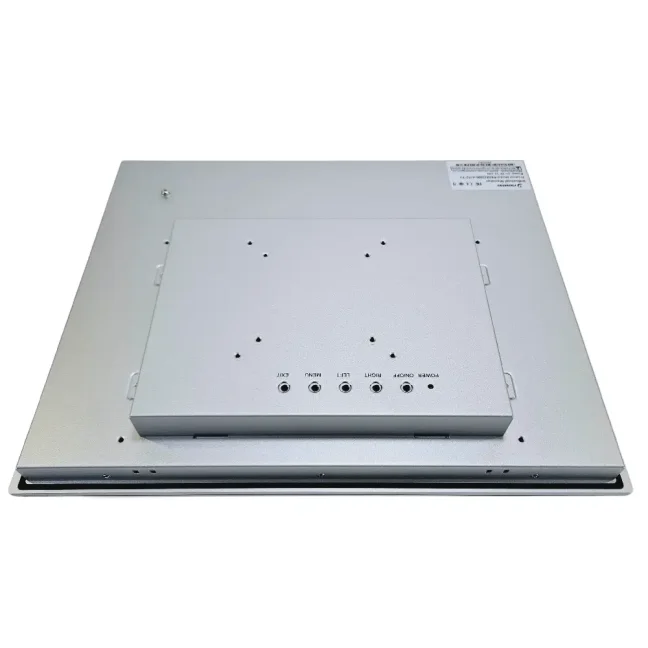
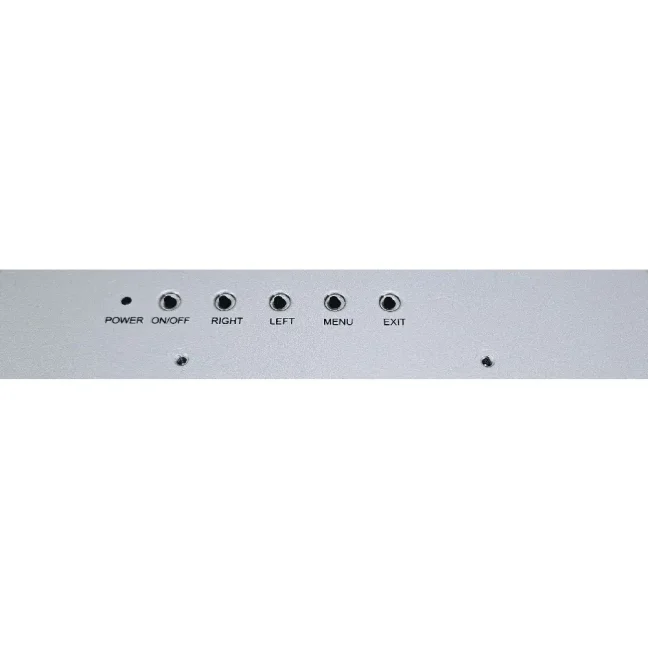
You can adjust the brightness and contrast via the OSD menu using the buttons on the back of the monitor.
Installation and cabling
Before making your selection, please check the cut-out dimensions, installation depth, video connections and USB touchscreen connections.
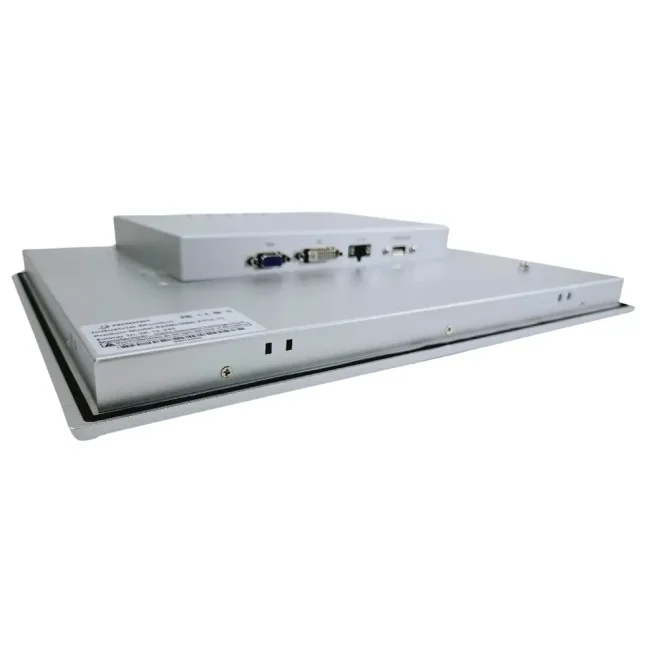
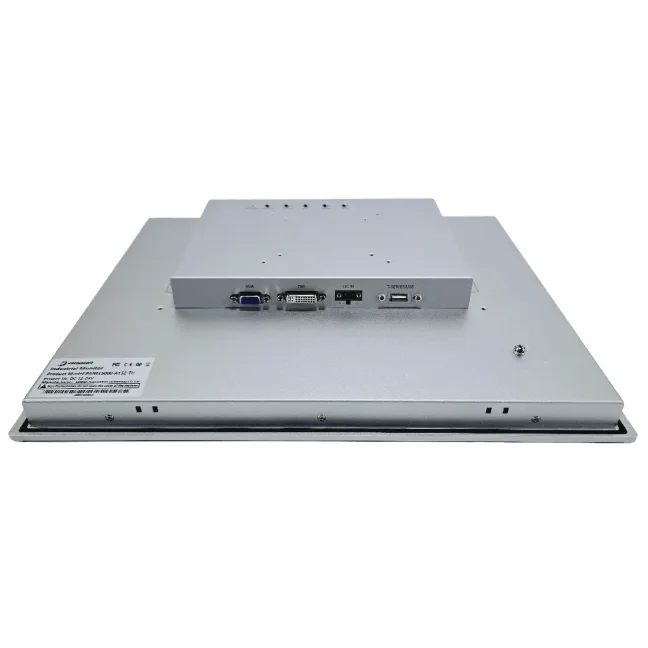
Video via DVI + VGA, touch via USB
Use one of the video inputs for the image. Connect the touchscreen to the computer using a separate USB cable.
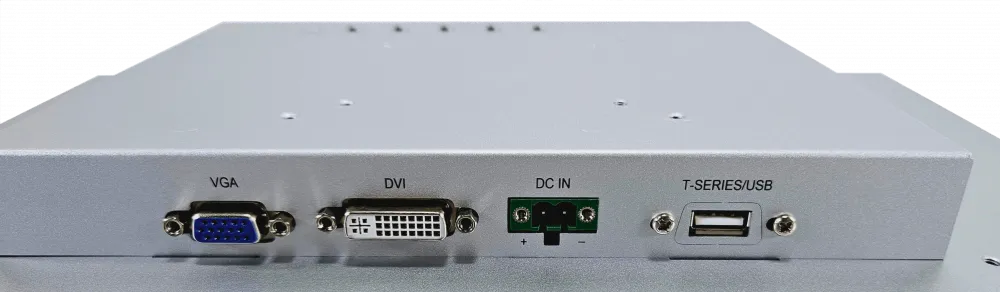
- DVI + VGAVideo signal from a PC or other compatible source. Select the input according to your computer’s output.
- USB for touchA separate USB connection transmits touch commands to the computer. The video cable does not transmit touch commands.
- 12-24 V DCSeparate power supply for the monitor. The power supply and cabling will be selected according to the installation and the ordered configuration.
This is a standalone monitor. The operating system and visualisation software run on the connected PC. We will confirm the connections and driver for the revision of the supplied unit.
Resistive touch and calibration
The resistive touch layer responds to pressure. For operation with a finger, a suitable stylus or work gloves; please check the specific gloves and method of operation depending on the application.
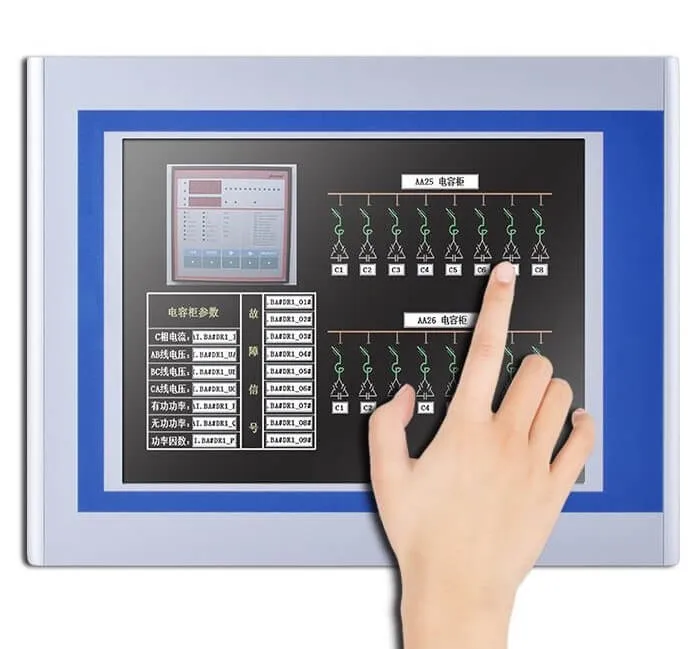
The PANEL5000-A152-TU model uses USB for touch command transmission. Do not confuse it with the TS model, which uses an RS232 serial connection. Once the appropriate driver has been installed, carry out touch calibration.
Panel mounting or VESA bracket
| Model | PANEL5000-A152-TU |
|---|---|
| Diagonal / resolution | 15″ / 1024 × 768 |
| Overall dimensions (W × H × D) | 395 × 313 × 54 mm |
| Installation cut-out (w × h) | 376 × 300 mm |
| Net weight | 4,3 kg |
| Installation | Panel or VESA mounting; bracket and mounting-hole spacing will be checked for the specific revision |
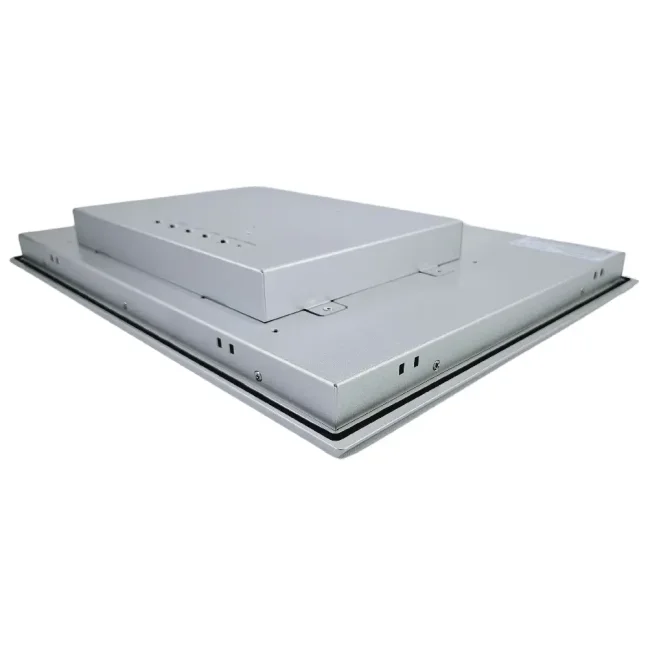
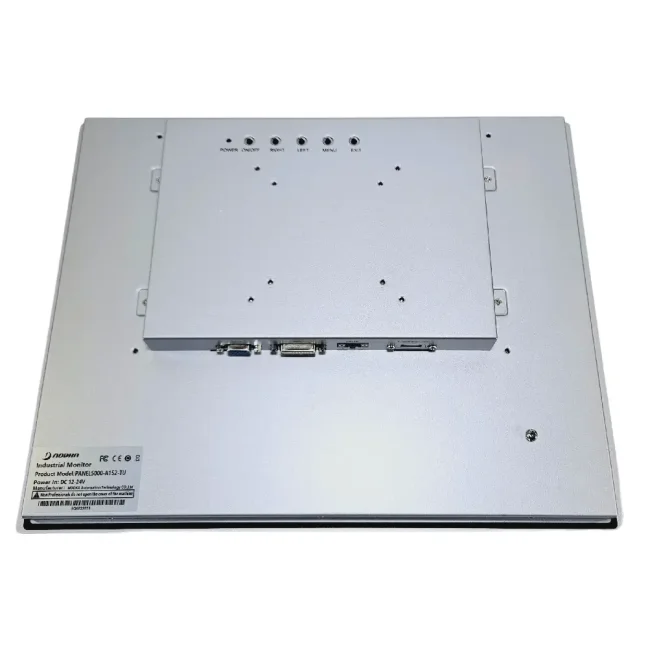
The monitor can be recessed into a panel or mounted on a suitable wall or desk mount. Before cutting out the opening, check the dimensional drawing and the mounting method for the specific unit. Leave space behind the monitor for connectors and cable routing.
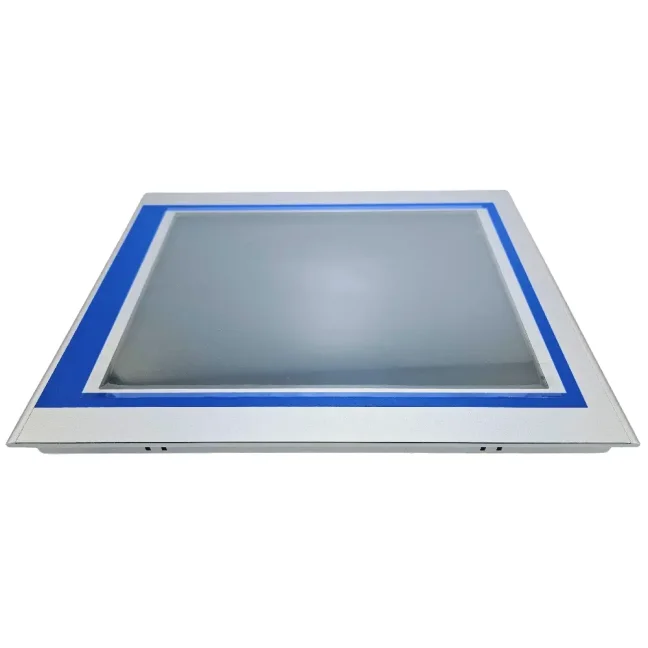
Front panel, IP65-rated
The IP65 rating applies to the front panel when correctly installed. The rear cover, connectors and cable connections require protection appropriate to the installation.
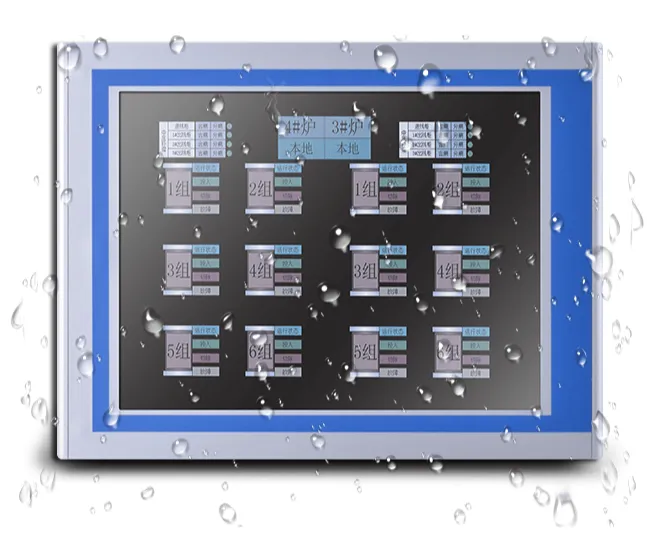
Operating temperature: −20 to +60 °C. Storage temperature: −30 to +80 °C. Relative humidity 15-95 per cent at 40 °C, non-condensing.
Front panel, enclosure, connectors and packaging
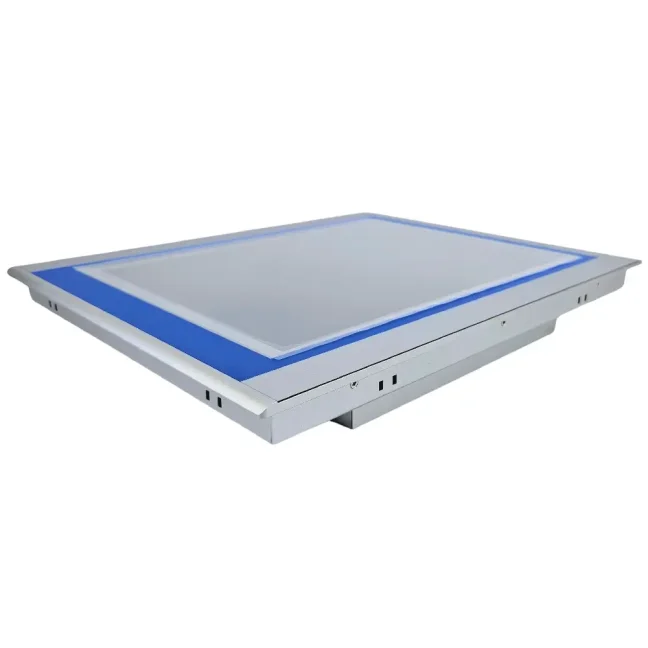
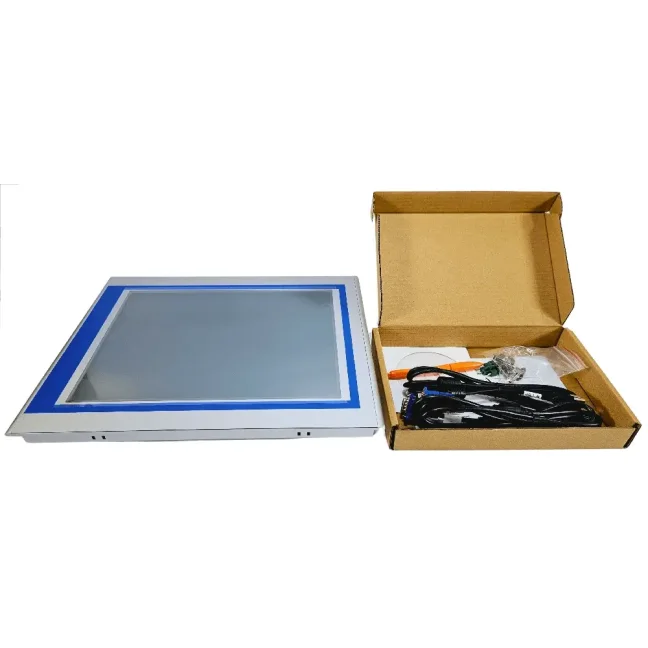
The photographs show specific models as well as illustrative views of the series’ design. We will confirm the connector configuration and the contents of the accessory pack for the ordered item.
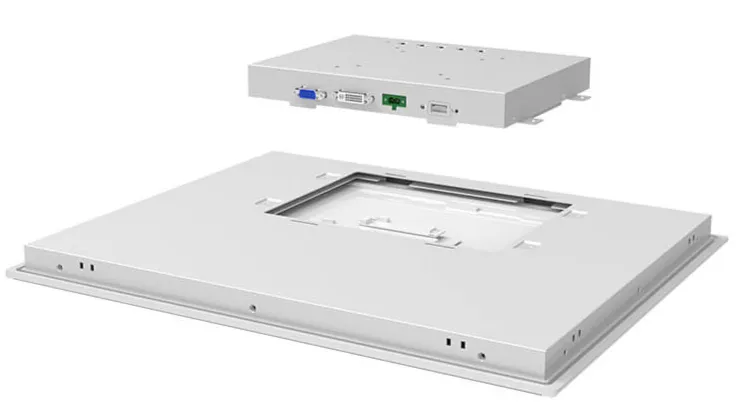
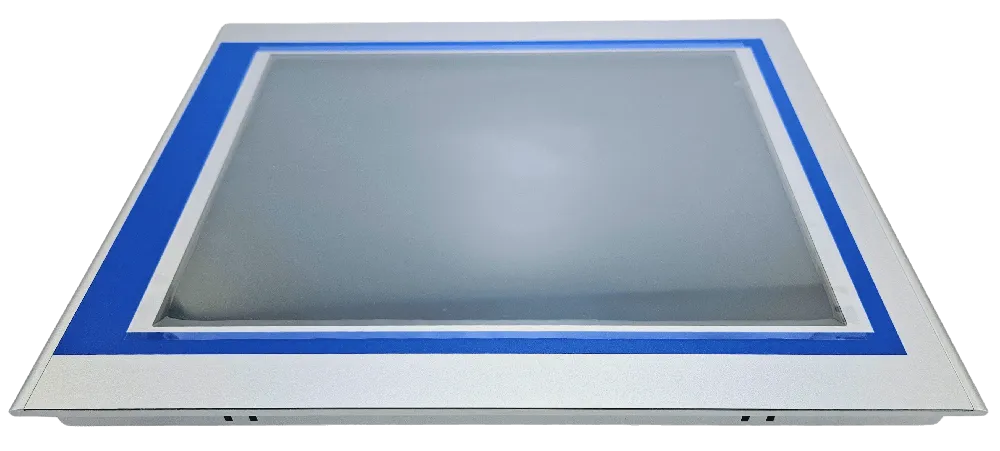
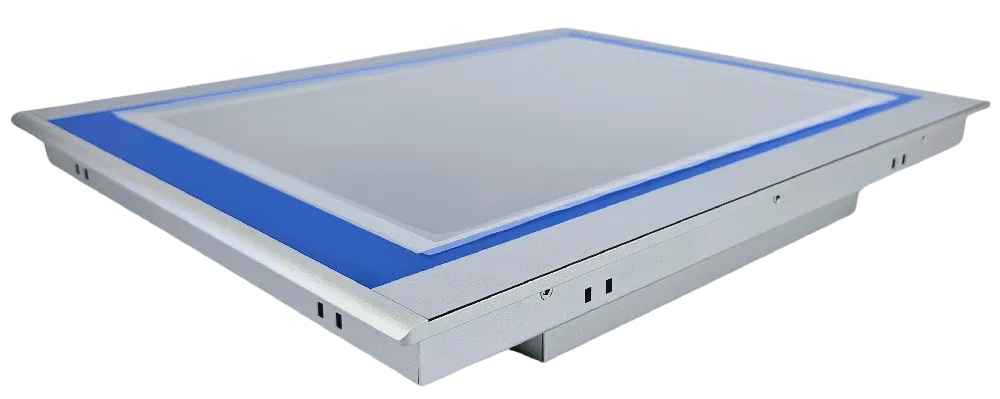
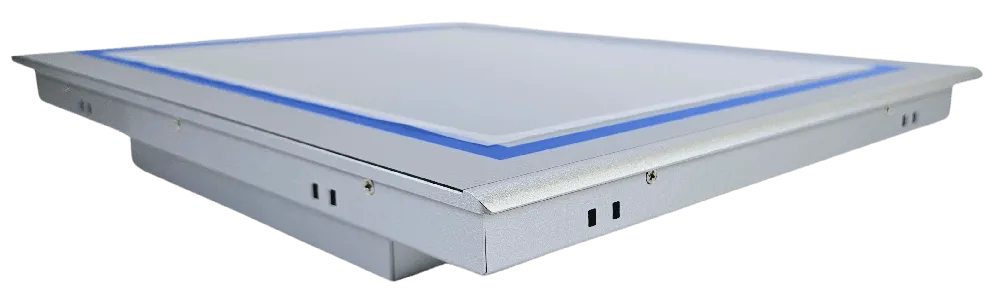
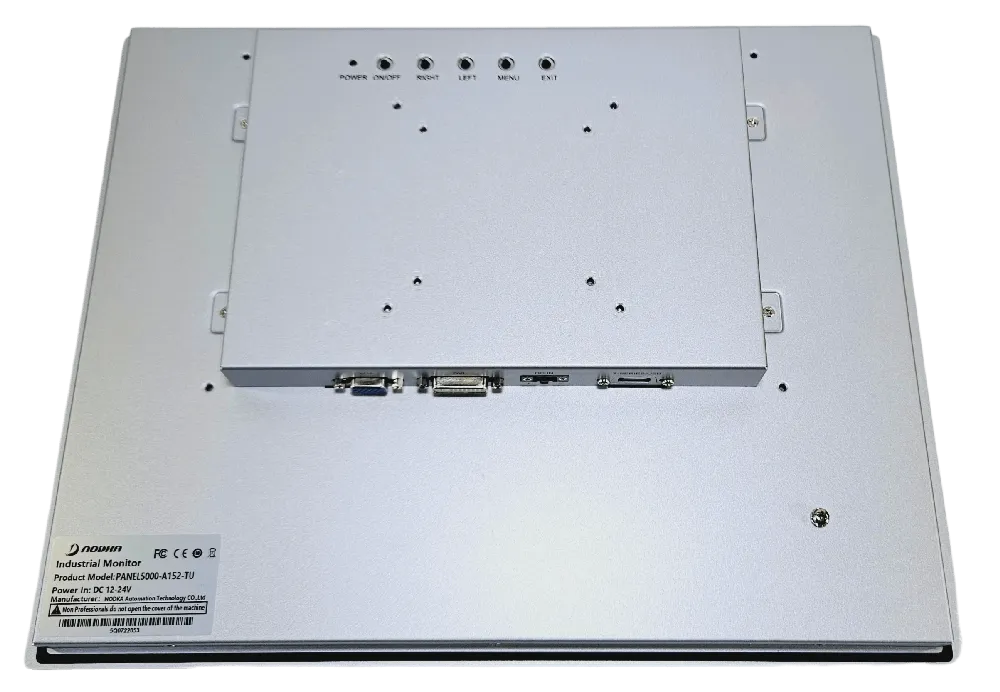
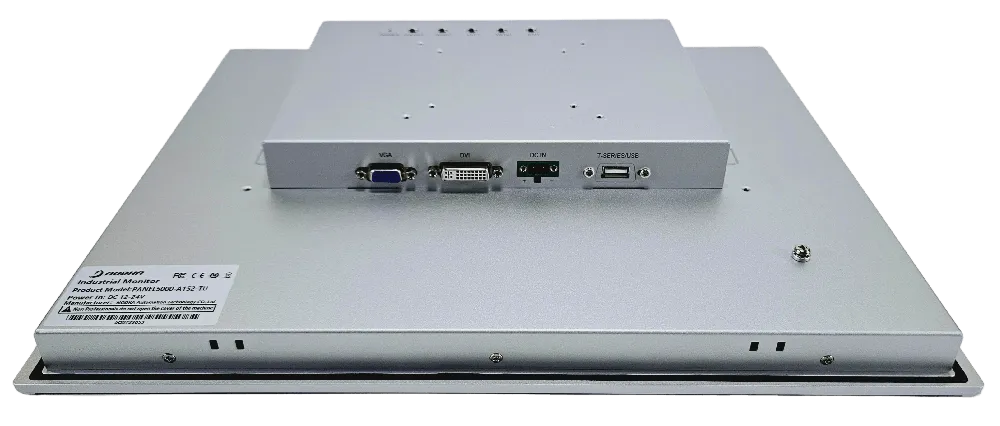
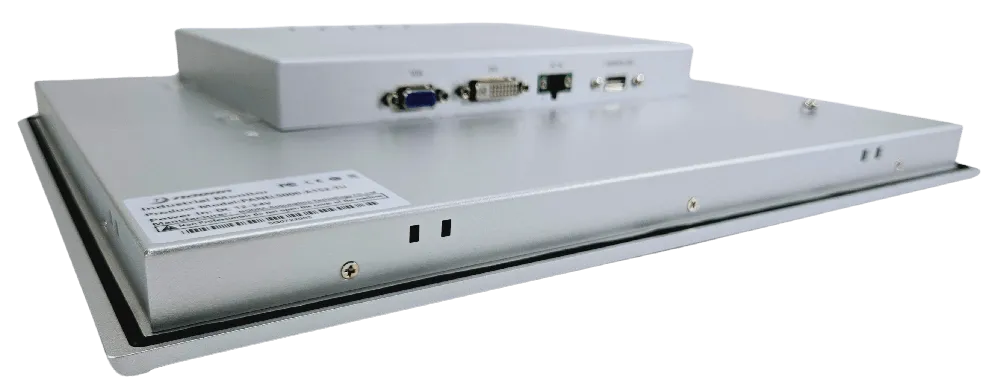
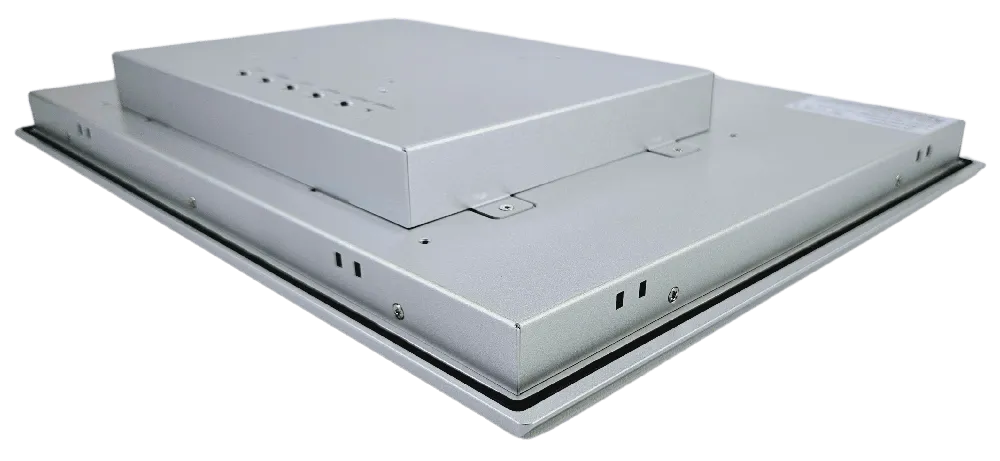

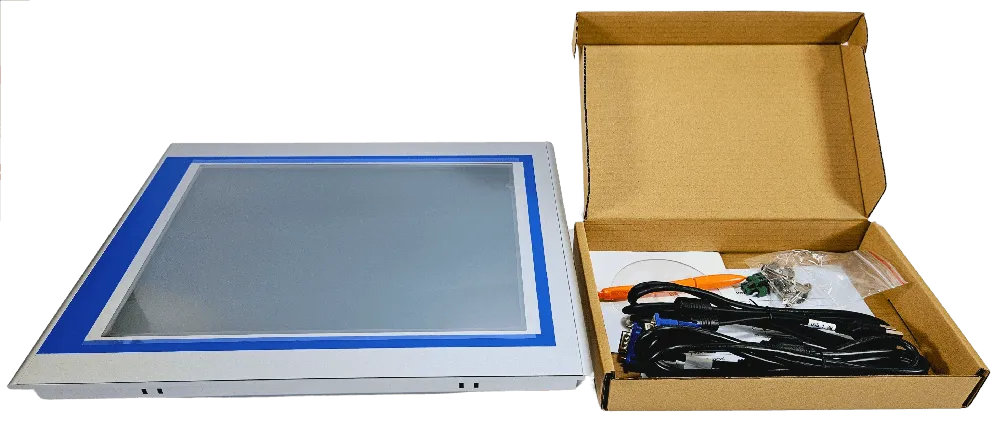
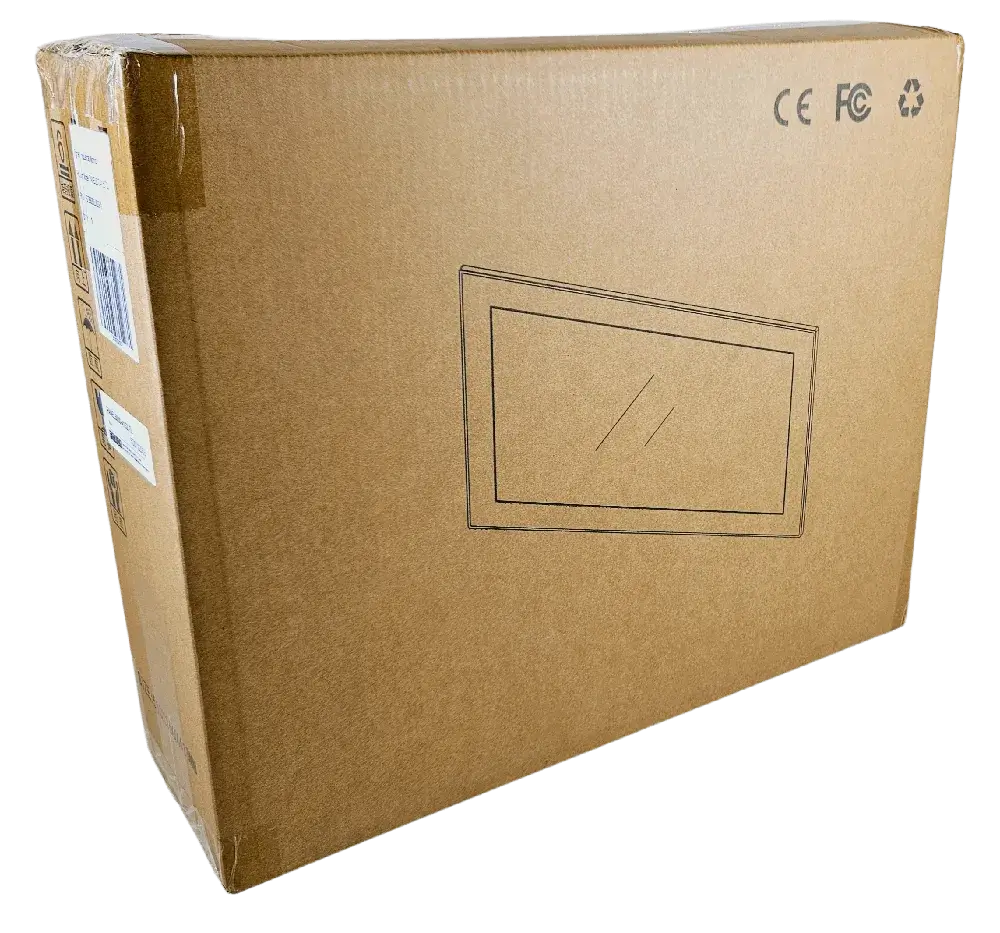
Cables, installation and power supply
The scope of supply includes a video cable and a USB cable, a power terminal block and mounting parts, depending on the model. We will confirm the exact contents and lengths of the cables in the quotation.
Power adaptors, longer cables, digital video cables and VESA mounts are supplied on request. Please do not assume they are automatically included in the delivery.
Before placing an order
Is it sufficient to connect the monitor using a video cable?
Use one video input (DVI + VGA) for the picture. For touch control, connect a separate USB cable to the computer and supply the monitor with 12-24 V DC.
Does the visualisation software run directly on the monitor?
No. It is a standalone monitor. The applications and operating system run on a connected PC or another video source.
How do I set up the touchscreen control?
For this model, select the appropriate USB driver and carry out calibration. We will verify the operating system and driver compatibility prior to delivery.
Is the entire monitor IP65-rated?
The IP65 rating applies to the front panel when the unit is correctly installed. The rear connectors and cable joints must be protected by the installation conditions.
Can I use the mount or cut-out from my existing monitor?
Compare the overall dimensions, depth, cut-out, VESA spacing and mounting method for a specific revision. An identical screen size alone is not sufficient.
Are the power adaptor and digital video cable included?
We will confirm the adapter, digital video cable and mount in accordance with the quotation. We will select them based on the connected computer and the required mounting method.
Can the warranty be extended?
The standard warranty is 2 years. On request, we can extend this to up to 4 years. We will confirm the terms and price in our quotation.
Why order from FOXON?
We are the NODKA distributor for the Czech Republic, Slovakia and Hungary.
We can help you choose a monitor, connect it to your PC and install it correctly.
Selection by application
We’ll go through the resolution, touch type, environment and operating requirements. We’ll check the connection to a specific computer.
Monitors and parts in stock
We hold monitors and parts in stock. We will confirm the availability of a specific model and the required quantity before you place your order.
From single items to production runs
We can supply a single monitor for a specific workstation or larger batches for machine manufacturers and system integrators. We will arrange delivery dates and subsequent deliveries.
Installation and accessories
We’ll select the mount, power supply and cabling. We’ll check the requirements for the frame, colour or custom logo for the specific project.
Monitors and industrial PCs
We’ll choose a suitable PC to go with the monitor. We’ll sort out the RAM, SSD, operating system and any pre-installed software on this connected computer.
Technical support
We can advise on connecting the display and touchscreen, drivers and commissioning. We will tailor the scope of our support to your specific application.
The standard warranty is 2 years. On request, we can extend this to up to 4 years. We will confirm the terms and price in our quotation.
Technical data sheet PANEL5000-A152-TU
The Downloads tab contains the datasheet for the model or series, including the dimensional drawing. We will select the touchscreen driver according to the controller revision and the connected computer’s operating system.
Open downloadsComparison of touchscreen monitors
Select the resolution and aspect ratio for your display, the required video input and touch type. Confirm the cut-out dimensions prior to production based on the exact monitor specification.
| Model | Display | Resolution / aspect ratio | Touch | Jas | Video inputs | Cut-out (W × H) |
|---|---|---|---|---|---|---|
| PANEL5000-A122-TUH | 12,1″ | 1024 × 768 / 4:3 | Resistive | 300 cd/m² | DVI + VGA | 304 × 230 mm |
| PANEL5000-A152-TU | 15″ | 1024 × 768 / 4:3 | Resistive | 450 cd/m² | DVI + VGA | 376 × 300 mm |
| PANEL5000-A172-TU | 17″ | 1280 × 1024 / 5:4 | Resistive | 250 cd/m² | DVI + VGA | 411 × 325 mm |
| PANEL5000-A192-TU | 19″ | 1280 × 1024 / 5:4 | Resistive | 250 cd/m² | DVI + VGA | 443 × 352 mm |
| PANEL5000-A2152-TU | 21,5″ | 1920 × 1080 / 16:9 | Resistive | 250 cd/m² | DVI + VGA | We will confirm this based on the revision drawing |
| PANEL5000-C1563-L | 15,6″ | 1366 × 768 / 16:9 | Capacitive multi-touch | 400 cd/m² | HDMI + VGA | 387 × 240 mm |
| PANEL5000-C2153W-L | 21,5″ | 1920 × 1080 / 16:9 | Capacitive multi-touch | 250 cd/m² | HDMI + VGA | 533 × 325 mm |
| PANEL5000-C173-L | 17″ | 1280 × 1024 / 5:4 | Capacitive multi-touch | 250 cd/m² | HDMI + VGA | 411 × 325 mm |
| PANEL5000-C2152W-L | 21,5″ | 1920 × 1080 / 16:9 | Capacitive multi-touch | 250 cd/m² | DVI-D + VGA | 533 × 325 mm |
| PANEL5000-C193-L | 19″ | 1280 × 1024 / 5:4 | Capacitive multi-touch | 250 cd/m² | HDMI + VGA | 442 × 351 mm |
| PANEL5000-C123-LH | 12,1″ | 1024 × 768 / 4:3 | Capacitive multi-touch | 350 cd/m² | HDMI + VGA | 304 × 230 mm |
| PANEL5000-C122W-L | 12,1″ | 1280 × 800 / 16:10 | Capacitive multi-touch | 400 cd/m² | DVI-D + VGA | 310 × 221 mm |
| PANEL5000-C1853W-L | 18,5″ | 1366 × 768 / 16:9 | Capacitive multi-touch | 250 cd/m² | HDMI + VGA | 463 × 287 mm |
| PANEL5000-C153-L | 15″ | 1024 × 768 / 4:3 | Capacitive multi-touch | 350 cd/m² | HDMI + VGA | 354 × 278 mm |
The C2152W uses DVI-D and VGA, whilst the C2153W uses HDMI and VGA. Both require a separate USB connection for touch functionality. ‘L’ and ‘LH’ in the C1563 and C1853 denote different display variants; the overview lists the ‘L’ versions.
Connecting the monitor to a computer
The monitor displays an application running on a connected PC. The video cable does not transmit touch commands; the power supply, cables and driver should be selected according to the specific configuration.
Technical specifications
Specifications for a standalone monitor. Video, touch and power have their own connections. The specific version supplied determines the mounting and accessories.
| Display | |
|---|---|
| Model | PANEL5000-A152-TU |
| Screen size / LCD technology | 15″ TFT LCD, aspect ratio 4:3 |
| Resolution | 1024 × 768 |
| Active area (w × h) | 304,13 × 228,1 mm |
| Jas | 450 cd/m² |
| Contrast | 800:1 |
| Colours | 16.7 million |
| Viewing angles | H 150° / V 140° (horizontal / vertical) |
| Backlight | LED |
| MTBF LCD | 30,000 hours; a statistical parameter, not a warranty period |
| Picture settings | OSD menu and buttons on the back, brightness and contrast settings |
| Touch and connectivity | |
| Touch layer | Resistive, 5-wire technology |
| Touch connection | USB, separate cable to the computer |
| Video inputs | DVI + VGA |
| Optical transmittance | >81 % |
| Touch layer resolution | 4096 × 4096; this is not the LCD resolution |
| Touch interface variant codes | TU / TUH = USB touchscreen; TS / TSH = RS232 serial version, not included in this offer |
| Driver and calibration | Select the appropriate driver based on the controller and the operating system of the connected PC; carry out calibration after installation |
| Touch layer response | <5 ms |
| Surface hardness | 3H |
| Power supply and mechanical design | |
| Input voltage | 12-24 V DC |
| Overall dimensions (W × H × D) | 395 × 313 × 54 mm |
| Installation cut-out (w × h) | 376 × 300 mm |
| Net weight | 4,3 kg |
| Installation | Panel or VESA mounting; bracket and mounting-hole spacing will be checked for the specific revision |
| Front design | Magnesium alloy, front PET overlay |
| Contents of the delivery | Video and USB cable, power terminal block and mounting parts depending on the model; we will confirm the exact contents in the quotation |
| Optional accessories | Power adaptor, longer cables, digital video cable and VESA mount as per the quotation |
| Environment and support | |
| Ingress protection rating | IP65 rating for the front when correctly installed; the rear is not IP65-rated |
| Operating temperature | −20 to +60 °C |
| Storage temperature | −30 to +80 °C |
| Relative humidity | 15-95 per cent at 40 °C, non-condensing |
| Vibration and shock resistance | We will confirm the specifications and test conditions for the specific revision and assembly |
| FOXON Warranty | 2 years, with the option of a paid extension up to 4 years |
Review: Jaroslav Blažek Explores the NODKA Industrial Touchscreen Monitor
Jaroslav Blažek reviews one of the many NODKA industrial monitor models. Did the connection and commissioning go smoothly? How does its touchscreen work? You’ll find out in the review.
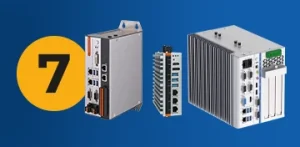
7 Reasons to Choose a NODKA Industrial Computer
In 2023, we established cooperation with Nodka, a manufacturer of industrial computers, panel PCs and monitors, and it turned out to be a good choice. We successfully tested the products and then implemented them in full operation at our customers. Let us take a closer look at this innovation in our market, starting with computers.

Kronospan Upgrades Its Operator Consoles with NODKA Panel PCs
We have been selling NODKA panel PCs for over a year. Let's ask one of our satisfied customers, the company Kronospan, why it chose NODKA panel PCs and how it uses them.
Highlighted items are mandatory.
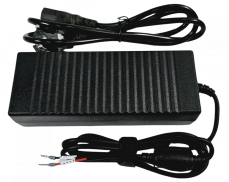
Power supply 24V 5A 120W
25,41 EUR Incl. VAT
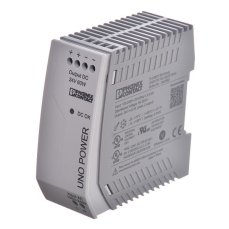
Industrial UNO power supply, single-phase, 24 V DC, 2.5 A, 60 W
67,76 EUR Incl. VAT
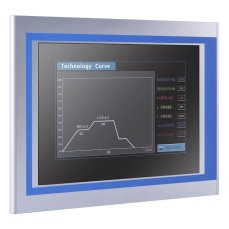
17" industrial touch screen resistive NODKA A172
689,70 EUR Incl. VAT
21.5" industrial touch screen resistive NODKA A2152
905,08 EUR Incl. VAT
19" industrial touch screen resistive NODKA A192
816,75 EUR Incl. VAT
12.1" industrial touch screen resistive NODKA A122
642,51 EUR Incl. VAT
Accessories2
Power supply 24V 5A 120W
25,41 EUR Incl. VAT
Industrial UNO power supply, single-phase, 24 V DC, 2.5 A, 60 W
67,76 EUR Incl. VAT
Related products4
17" industrial touch screen resistive NODKA A172
689,70 EUR Incl. VAT
21.5" industrial touch screen resistive NODKA A2152
905,08 EUR Incl. VAT
19" industrial touch screen resistive NODKA A192
816,75 EUR Incl. VAT
12.1" industrial touch screen resistive NODKA A122
642,51 EUR Incl. VAT