

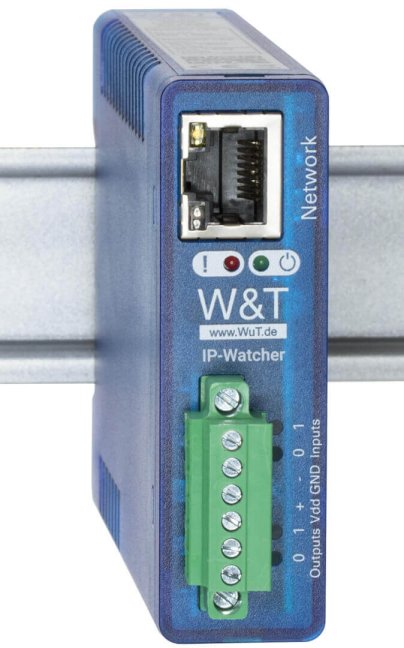
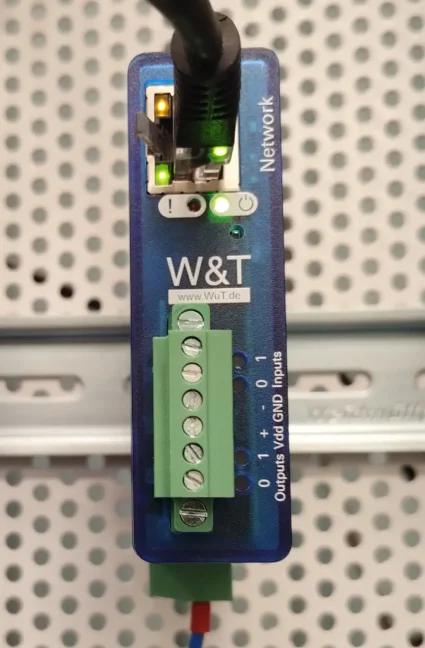
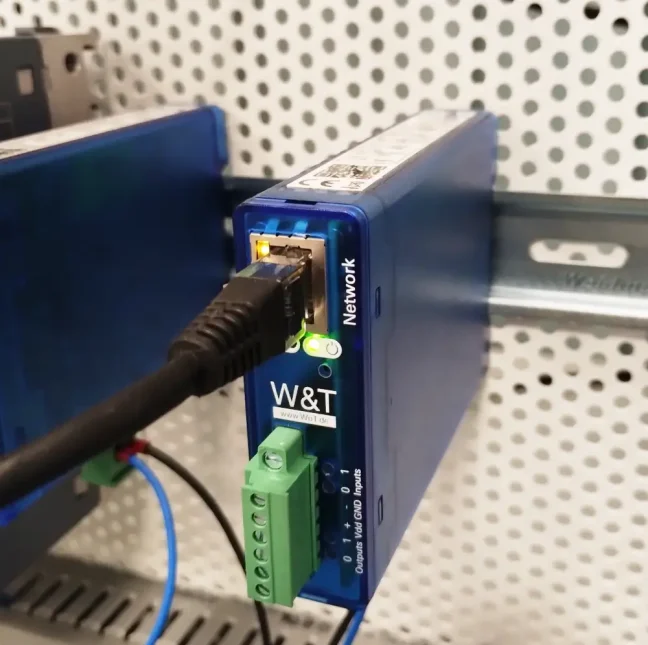


Ethernet IP Device Availability Monitor – IP-Watcher, 2x DI, 2x DO

Module for monitoring the availability of IP devices and network services in Ethernet networks. Enables monitoring of PLCs, servers, switches, cameras and other network devices using ping tests or TCP port checks. Monitors up to 100 IP addresses or services simultaneously. In the event of a failure, it can send a notification, trigger an alarm or switch a digital output. 1× RJ45, 2× DI, 2× DO. Suitable for industrial and office environments. More
Code: 57955
Module for monitoring the availability of IP devices and network services in Ethernet networks. Enables monitoring of PLCs, servers, switches, cameras and other network devices using ping tests or TCP port checks. Monitors up to 100 IP addresses or services simultaneously. In the event of a failure, it can send a notification, trigger an alarm or switch a digital output. 1× RJ45, 2× DI, 2× DO. Suitable for industrial and office environments. More
Code: 57955
Monitoring the availability of network devices
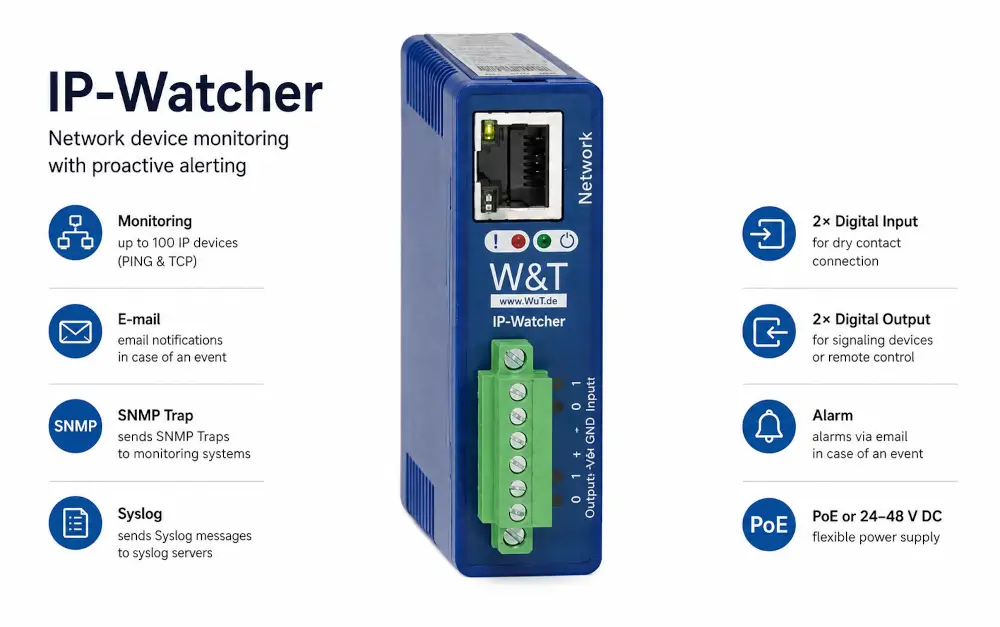
The W&T IP Watcher 57955 monitors the availability of network components and, in the event of a device failure, sends an email or triggers a local alarm. It features Gigabit Ethernet, two digital inputs and two digital outputs.
Do you need to select or order the W&T 57955?
Please send us the required quantity and a description of the wiring configuration. We will check availability and suitable accessories.
Usage
It is used to monitor the availability of the network infrastructure and connected devices. A loss of response can be linked to an alert for the operator or to the activation of an appropriately connected indicator.
Technical specifications for W&T 57955
| Network interface | 1 x 100/1000BaseT with auto-detection/Auto-MDIX, RJ45 |
|---|---|
| Digital outputs | 2× digital outputs, 6–30 V, 500 mA Max. total current 1 A Short-circuit protection |
| Digital inputs | 2× digital inputs Maximum input voltage ±30 V Reverse polarity protection within this range Switching threshold 8 V ± 1.5 V Current when switched on = 2.2 mA controllable via potential-free contacts |
| Power supply | Power over Ethernet (PoE) or 24 to 48 V DC (+/-10 %) at the screw terminal |
| Power connection | Removable screw terminal block |
| Current consumption | PoE Class 2 (3.84 to 6.49 W) and typ. 140 mA at 24 V DC with an external power supply |
| Signalling | LEDs for system status, faults, network status and input/output statuses |
| Housing and mounting | Plastic housing with integrated DIN rail mounting 105 × 22 × 75 mm (L × W × H) |
| Weight | approx. 120 g |
| Storage temperature | -40 to +70 °C |
| Operating temperature | 0 to 60 °C |
| Permissible relative humidity | 0 to 95 per cent relative humidity, non-condensing |
| Contents of the delivery | IP Watcher 2xIn, 2xOut Quick Start Guide |
Monitoring, reporting and local signals
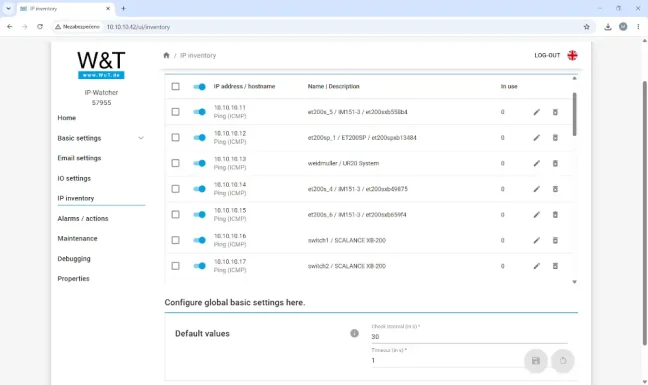
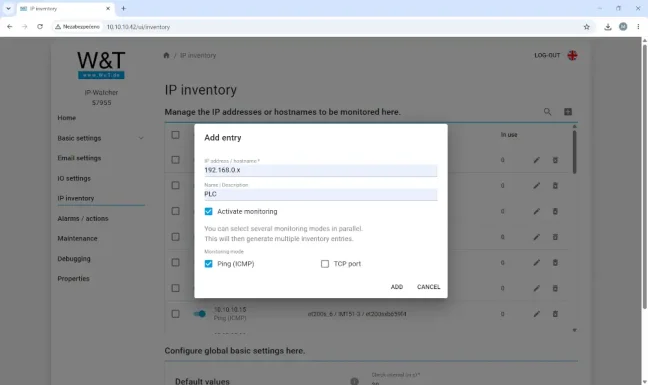
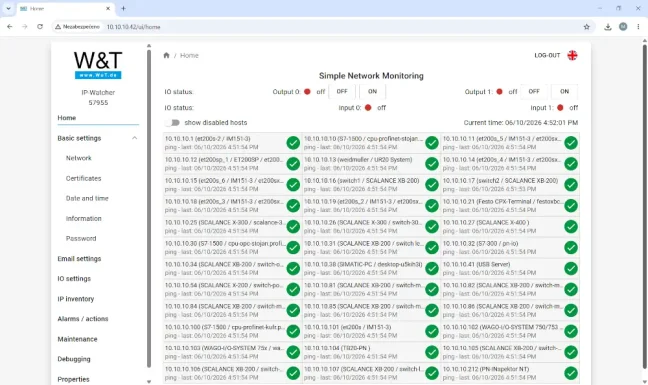
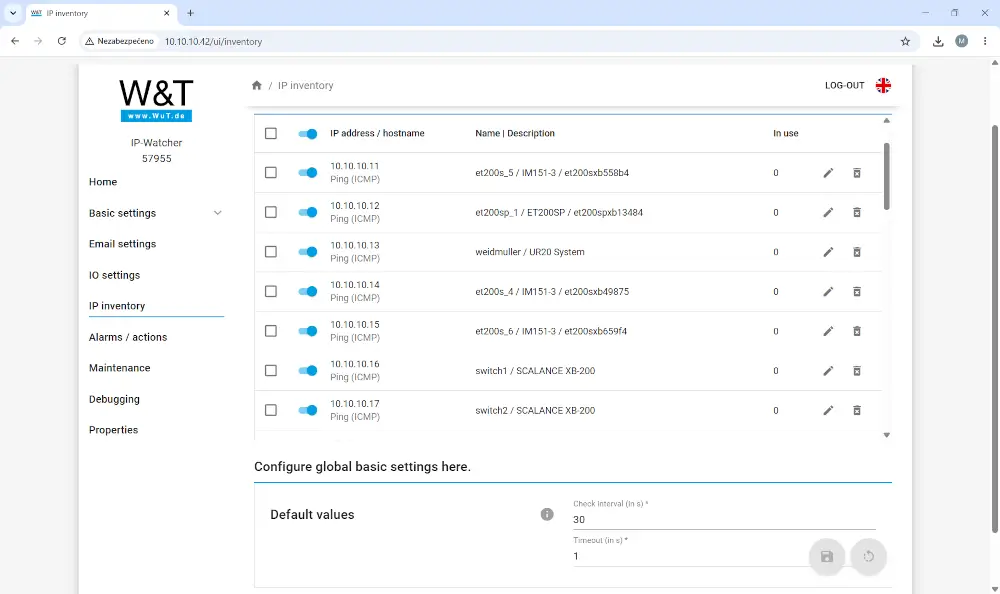
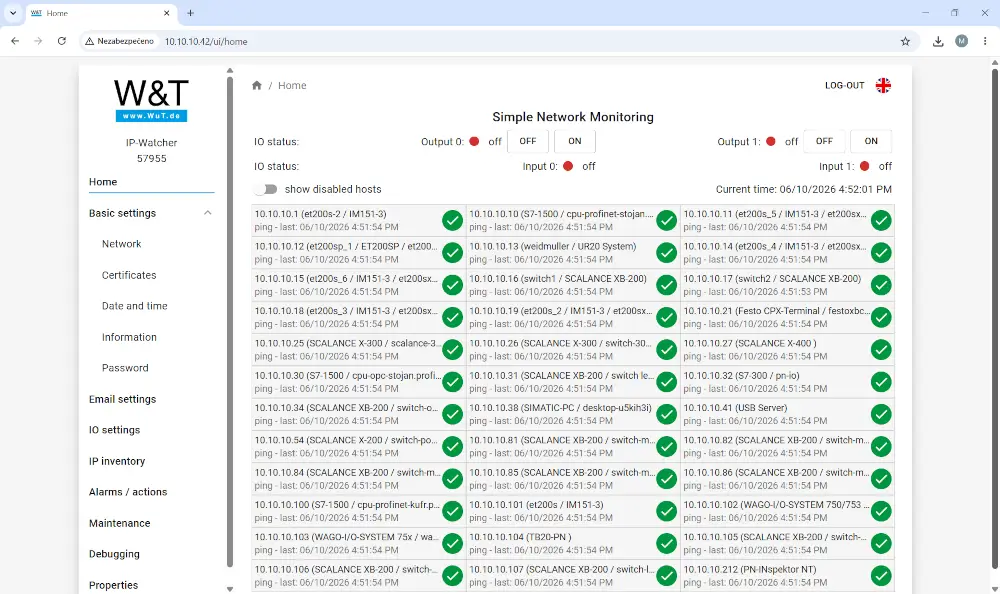
- Monitored network components and responses are configured via the web management interface. WuTility is available for the initial configuration of network parameters.
- If a response is lost, an email alert can be sent or outputs can be switched, for example to a signalling device. The behaviour is configured according to the specific monitoring method.
- The two outputs operate within a range of 6–30 V with a current of up to 500 mA per output and a maximum total of 1 A. The digital inputs can also be controlled by potential-free contacts when connected appropriately.
- Back-up capacitors enable a controlled shutdown when the power supply is disconnected. This does not, however, enable the device to monitor the network for extended periods without a power supply.
Commissioning and accessories
Connect the network and PoE or an external power supply. Set up the monitored targets, the monitoring method and email notifications. Check the connected output components for voltage and current consumption; test for an actual failure of the monitored device before deployment.
Contents of the delivery
- IP Watcher 2xIn, 2xOut
- Quick Start Guide
Frequently Asked Questions
Does the device’s response confirm that the entire application is functioning correctly?
The availability of network equipment is not in itself proof that the entire technology is functioning correctly. Configure monitoring according to actual requirements for response time and availability.
Can I connect a signal light directly to the output?
Only if its voltage and current consumption correspond to the output parameters. For other loads, a suitable isolating or power-handling component is required.
Do I need a separate computer for my own monitoring?
The monitoring function is provided by IP Watcher. A computer with a web browser is used for configuration and administration.
Why order from FOXON?
Before placing an order, we will check the current availability of the part and confirm the estimated delivery date. We will assist you in selecting the equipment and necessary accessories based on the wiring configuration and required communication. We will confirm the warranty terms and the scope of any diagnostics or repairs for the specific quotation.
Documentation and technical consultancy
Technical data and documentation W&T 57955
Manuals, firmware and tools for this model can also be found in the Downloads tab. For service enquiries, please use sale and repair of FOXON industrial parts.
Do you need to select or order the W&T 57955?
Please send us the required quantity and a description of the wiring configuration. We will check availability and suitable accessories.
Diagrams and illustrations
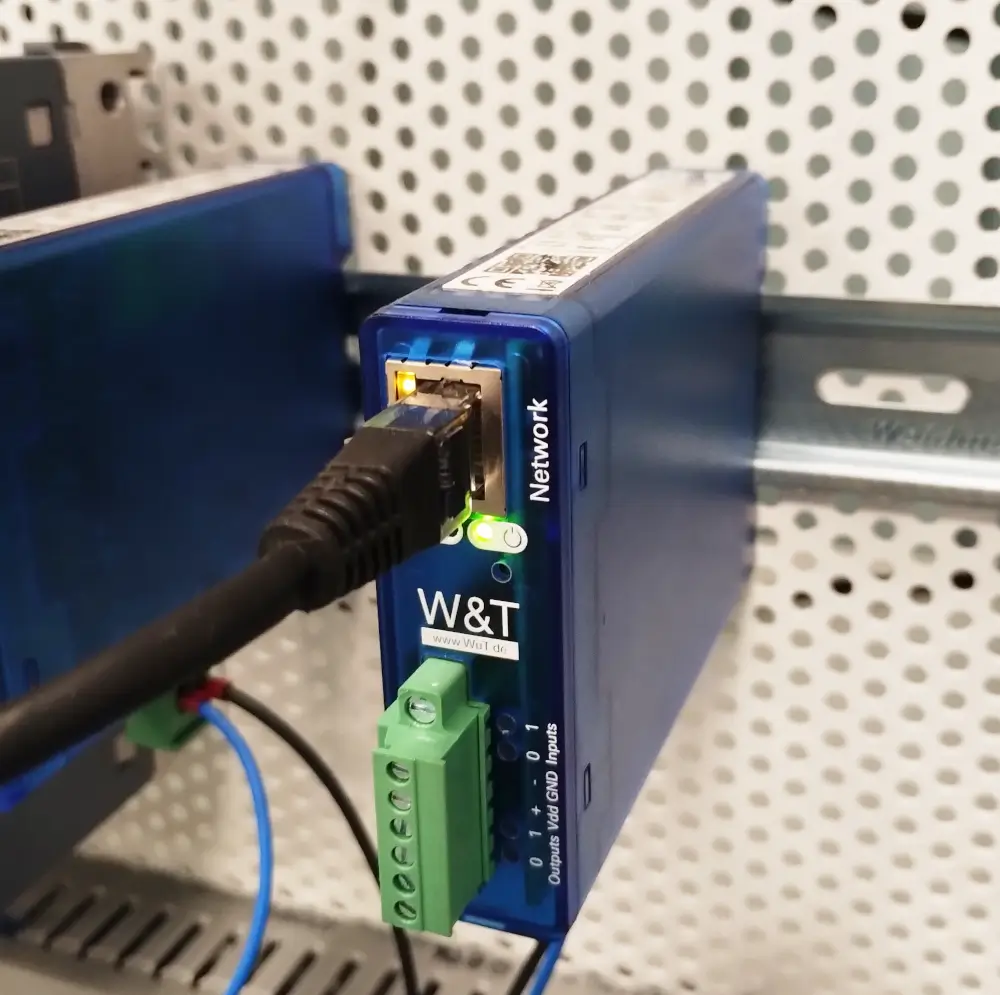
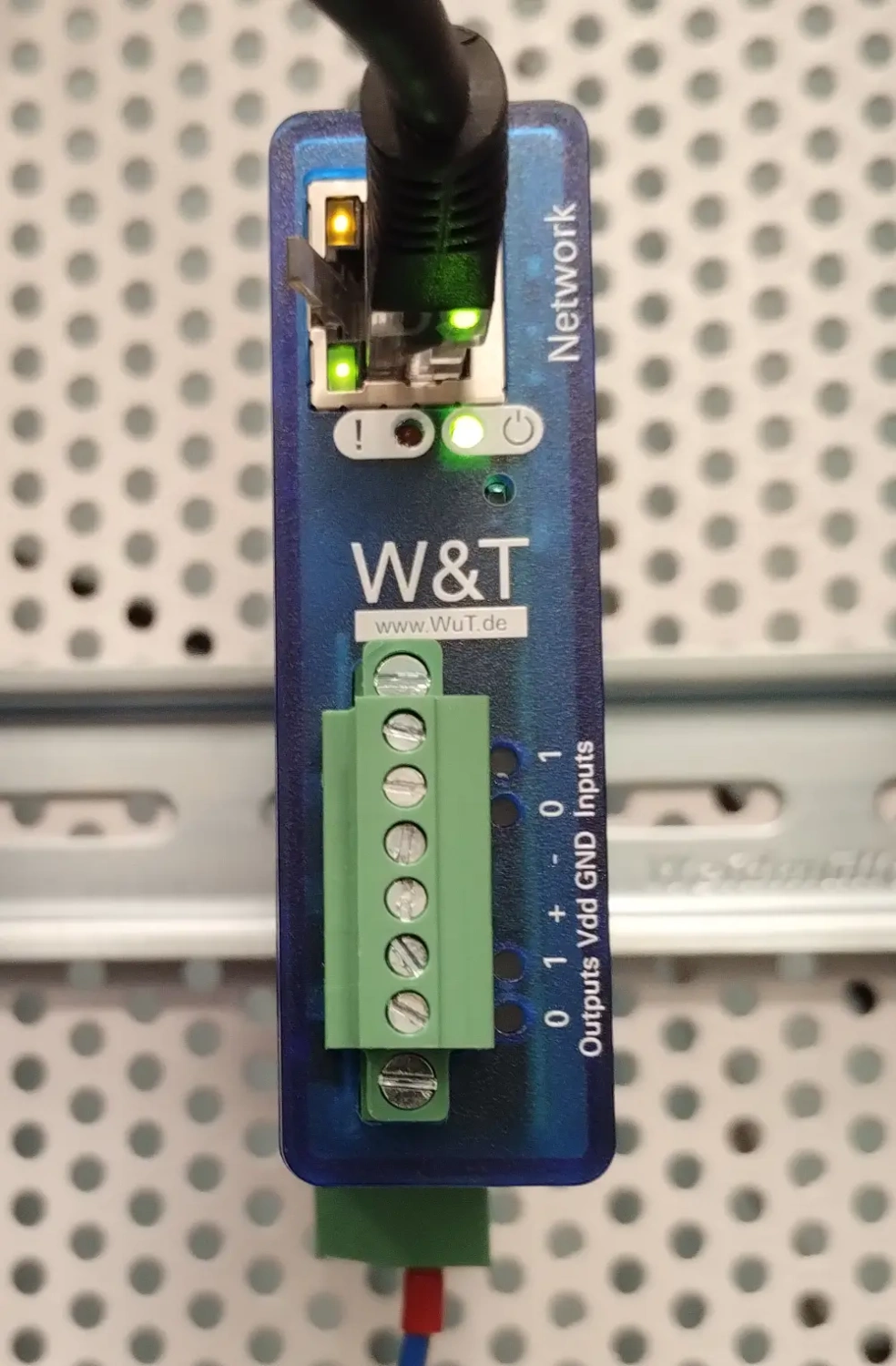
Technical specifications for the W&T 57955
| Network interface | 1 x 100/1000BaseT with auto-detection/Auto-MDIX, RJ45 |
|---|---|
| Digital outputs | 2× digital outputs, 6–30 V, 500 mA Max. total current 1 A Short-circuit protection |
| Digital inputs | 2× digital inputs Maximum input voltage ±30 V Reverse polarity protection within this range Switching threshold 8 V ± 1.5 V Current when switched on = 2.2 mA controllable via potential-free contacts |
| Power supply | Power over Ethernet (PoE) or 24 to 48 V DC (+/-10 %) at the screw terminal |
| Power connection | Removable screw terminal block |
| Current consumption | PoE Class 2 (3.84 to 6.49 W) and typ. 140 mA at 24 V DC with an external power supply |
| Signalling | LEDs for system status, faults, network status and input/output statuses |
| Housing and mounting | Plastic housing with integrated DIN rail mounting 105 × 22 × 75 mm (L × W × H) |
| Weight | approx. 120 g |
| Storage temperature | -40 to +70 °C |
| Operating temperature | 0 to 60 °C |
| Permissible relative humidity | 0 to 95 per cent relative humidity, non-condensing |
| Contents of the delivery | IP Watcher 2xIn, 2xOut Quick Start Guide |
Frequently Asked Questions (FAQ) – W&T IP-Watcher 2x DI, 2x DO
What is the W&T IP-Watcher?
The W&T IP-Watcher is an Ethernet-based IP device availability monitor. It continuously monitors PLCs, servers, switches, routers, cameras, and other network devices and automatically triggers an alarm when a failure is detected.
What devices can IP-Watcher monitor?
IP-Watcher can monitor any device accessible through a TCP/IP network, including PLCs, industrial PCs, servers, switches, routers, IP cameras, web servers, FTP servers, and other network services.
How does IP-Watcher check device availability?
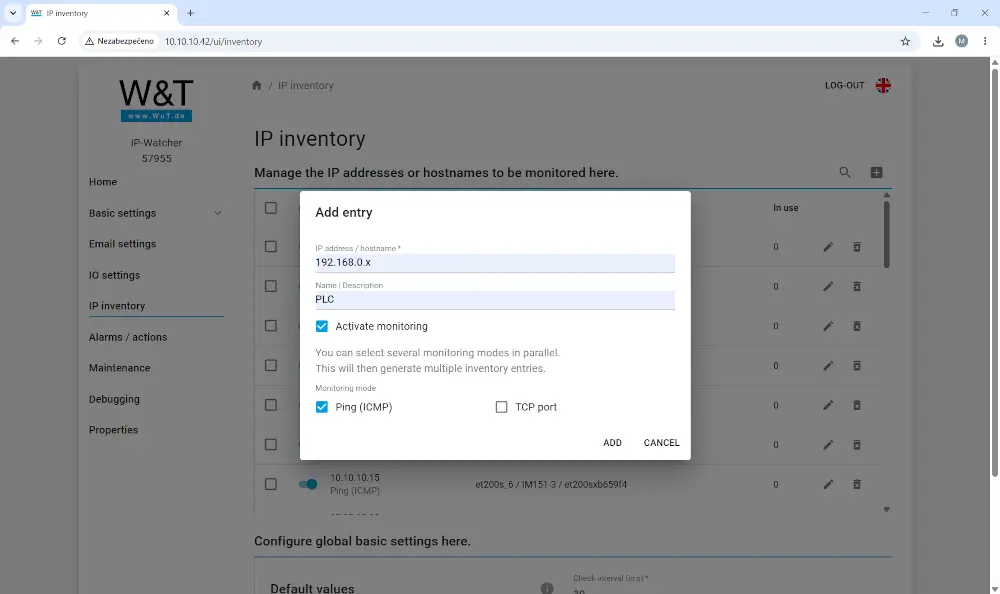
IP-Watcher checks device availability using ICMP (ping) or by verifying the availability of a specific TCP port. This allows monitoring of both the device itself and selected network services.
How many devices can IP-Watcher monitor?
IP-Watcher can monitor up to 100 IP addresses, hostnames, or network services simultaneously.
How often does IP-Watcher check monitored devices?
The monitoring interval is configurable starting from 30 seconds. A timeout value can also be configured, defining how long IP-Watcher waits for a response before evaluating the check as unsuccessful.
Can IP-Watcher automatically discover devices on the network?
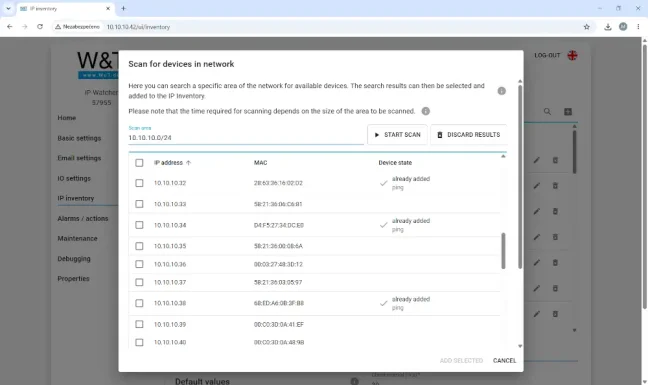
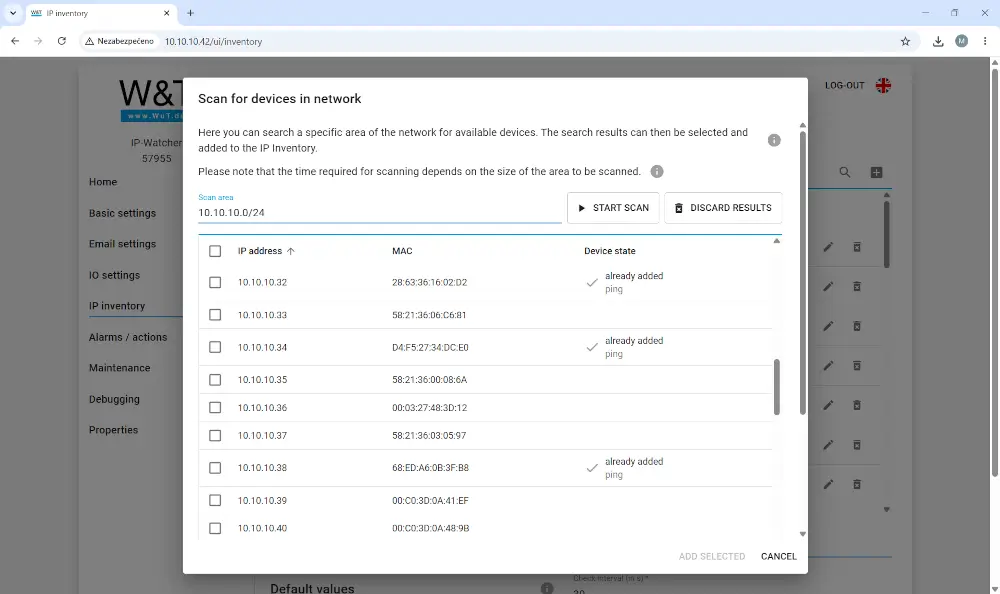
Yes. Using the Scan for devices in network function, IP-Watcher can scan a specified part of the network. The scan range can be defined as a single IP address, an IP address range, or using CIDR notation. Discovered devices can then be added directly to the monitoring list.
What happens when a device fails?
When a monitored device becomes unavailable, IP-Watcher evaluates the alarm condition and performs the configured action. It can send an email notification, activate a digital output, or trigger external signaling devices such as warning lights, sirens, or relays.
Can IP-Watcher send email notifications?
Yes. IP-Watcher can send email notifications both when a fault occurs and when communication is restored. Alarm messages can be sent to one or multiple recipients.
Can the alarm sensitivity be configured?
Yes. You can define how many failed checks are required before an alarm is triggered. Conditions for automatically clearing the alarm after communication has been restored can also be configured.
Does IP-Watcher support OPC UA or MQTT?
No. IP-Watcher is designed for monitoring device availability using ICMP (ping) and TCP port checks. It can send email notifications and activate digital outputs when a failure occurs, but it does not provide OPC UA, MQTT, or other industrial communication protocols.
Does IP-Watcher require a PC or monitoring server?
No. IP-Watcher operates autonomously without a PC, database, cloud service, or monitoring server. All monitoring functions run directly on the device.
How is IP-Watcher configured?
Configuration is performed through the integrated web interface. The WuTility utility can be used for initial IP address configuration and device discovery on the network.
How is IP-Watcher powered?
The device can be powered via PoE or an external 24–48 V DC power supply.
Where is IP-Watcher installed?
IP-Watcher features a compact DIN rail mount design, making it suitable for installation in control cabinets, network cabinets, and industrial systems.
Highlighted items are mandatory.
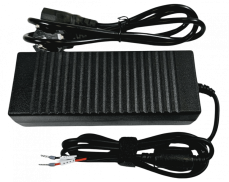
Power supply 24V 5A 120W
25,41 EUR Incl. VAT

96 W 24 VDC / 4 A Bicker UPS backup power supply, supercapacitor
307,34 EUR Incl. VAT
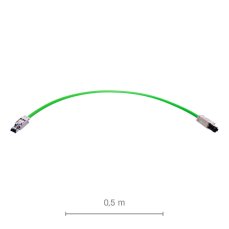
PROFINET Patch Flexi Cable With RJ45 Connectors, Length: 0.5m
50,82 EUR Incl. VAT
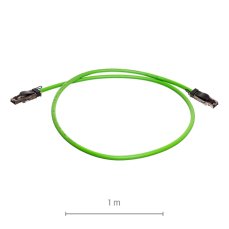
PROFINET Patch Flexi Cable With RJ45 Connectors, Length: 1m
58,08 EUR Incl. VAT

Diagnostics, troubleshooting and monitoring of ETHERNET
from 367,84 EUR Incl. VAT
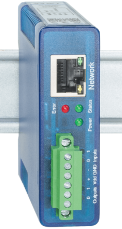
Ethernet IO remote digital inputs outputs 24V: 2xDI, 2xDO, Modbus TCP, REST, MQTT, OPC UA
408,98 EUR Incl. VAT
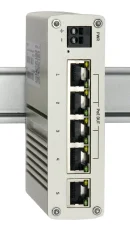
Unmanaged Industrial Switch 5x Gigabit Ethernet (4x PoE+)
239,58 EUR Incl. VAT
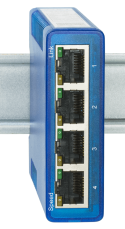
Unmanaged industrial switch 4x 100/1000 Mbit/s
179,08 EUR Incl. VAT
Accessories2
Power supply 24V 5A 120W
25,41 EUR Incl. VAT
96 W 24 VDC / 4 A Bicker UPS backup power supply, supercapacitor
307,34 EUR Incl. VAT
Related products6
PROFINET Patch Flexi Cable With RJ45 Connectors, Length: 0.5m
50,82 EUR Incl. VAT
PROFINET Patch Flexi Cable With RJ45 Connectors, Length: 1m
58,08 EUR Incl. VAT
Diagnostics, troubleshooting and monitoring of ETHERNET
from 367,84 EUR Incl. VAT
Ethernet IO remote digital inputs outputs 24V: 2xDI, 2xDO, Modbus TCP, REST, MQTT, OPC UA
408,98 EUR Incl. VAT
Unmanaged Industrial Switch 5x Gigabit Ethernet (4x PoE+)
239,58 EUR Incl. VAT
Unmanaged industrial switch 4x 100/1000 Mbit/s
179,08 EUR Incl. VAT