

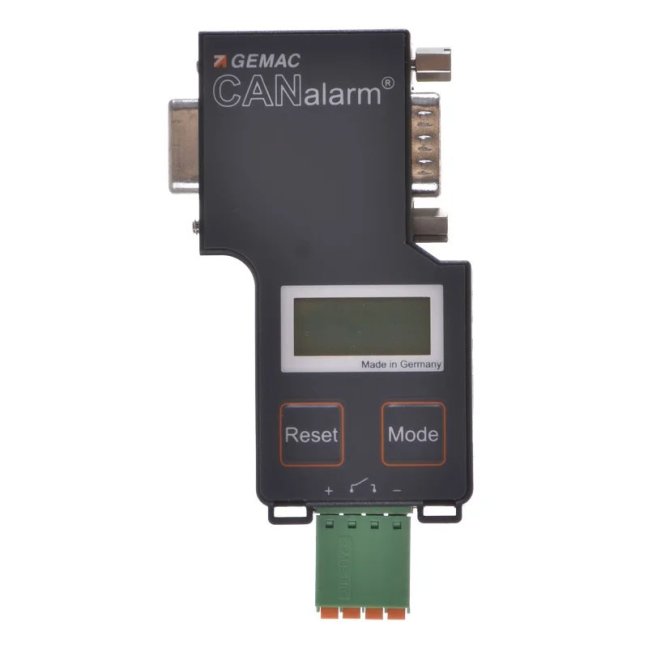
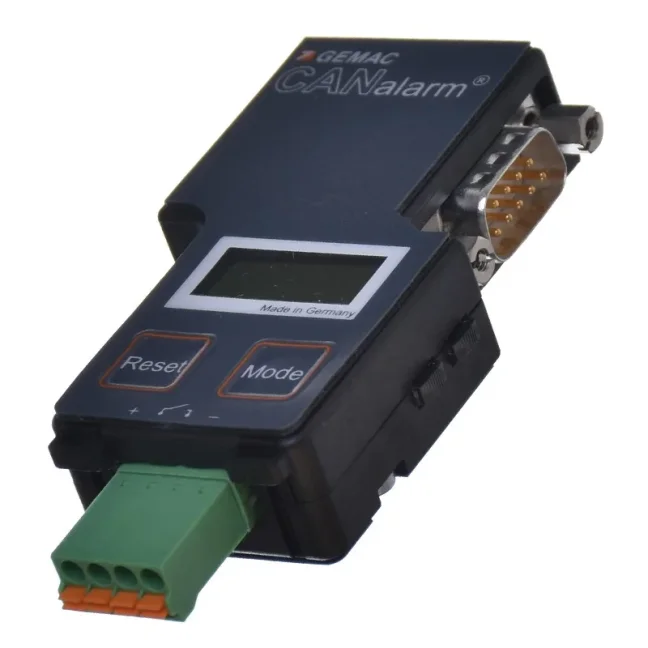
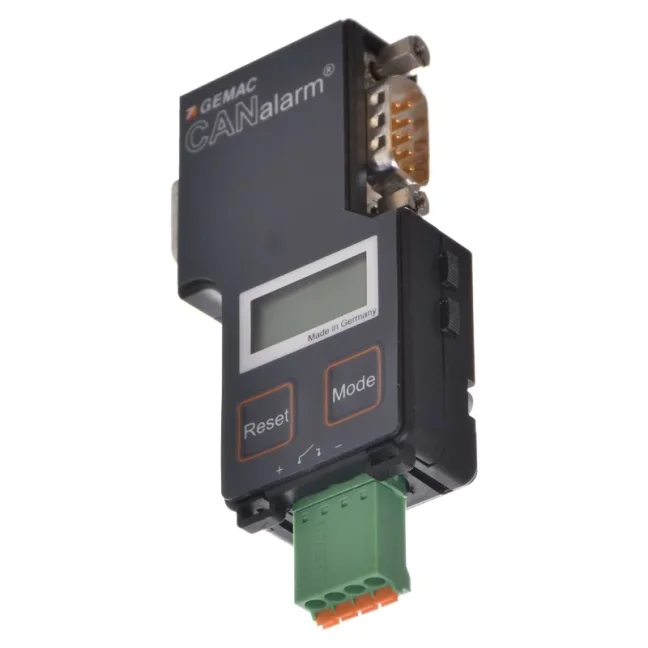
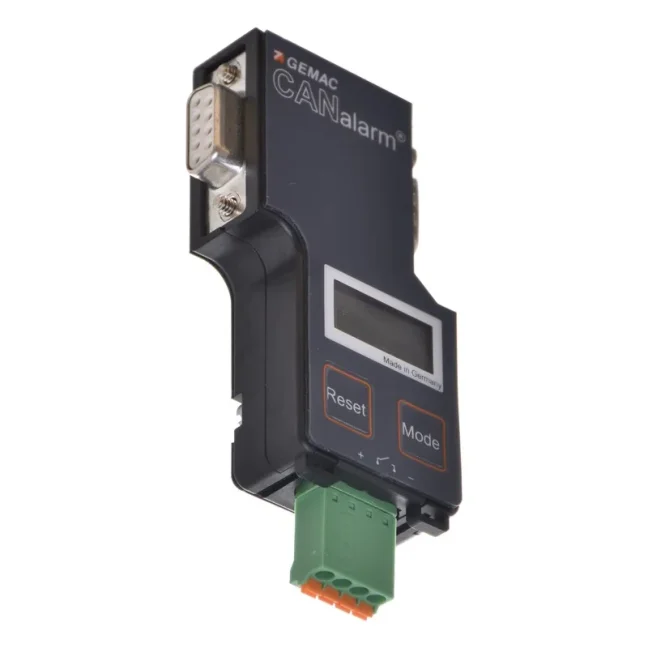
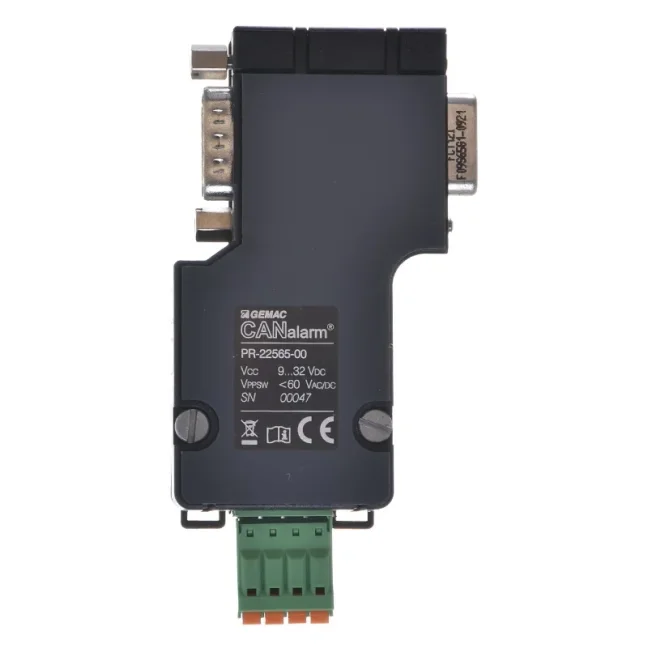
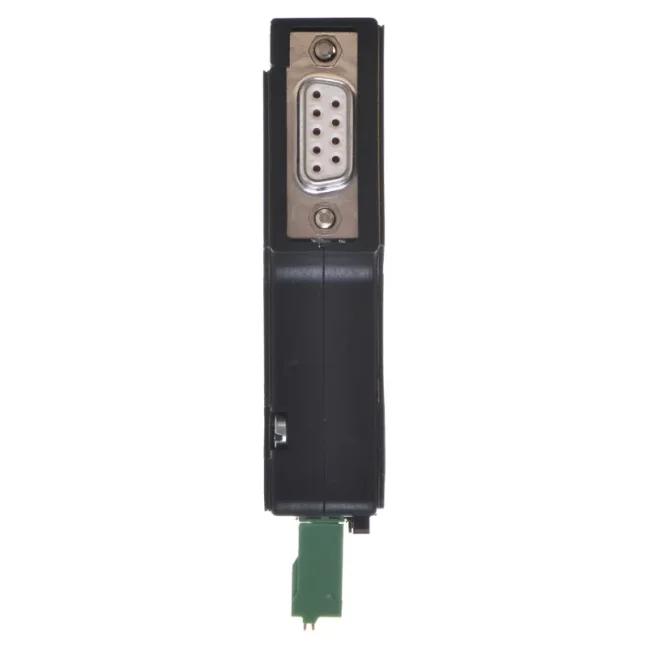
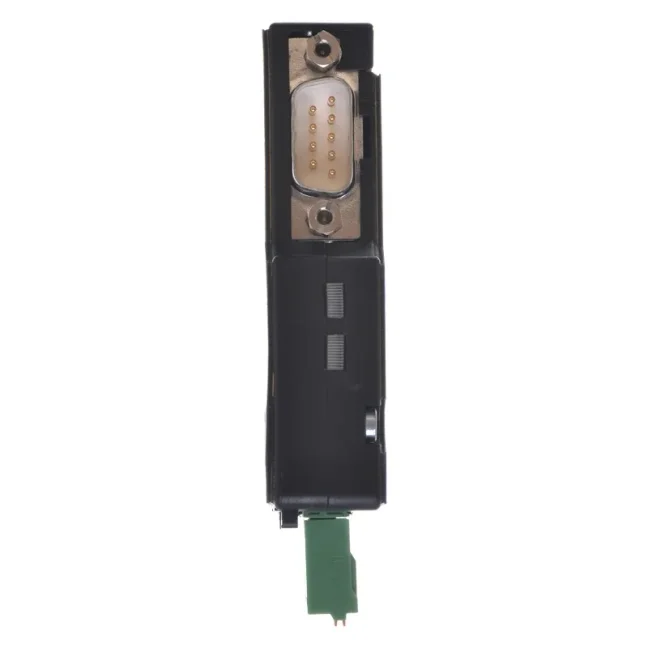


CANalarm - continuous monitoring and diagnostics of the CAN network

GEMAC diagnostic connector for continuous CAN network monitoring. The basic unit monitors bus load and error frames and activates an alarm contact when limits are exceeded. Optional licences add station failure monitoring and message-based alarm triggering. Standalone operation without a PC. More
Code: PR-22565-00
GEMAC diagnostic connector for continuous CAN network monitoring. The basic unit monitors bus load and error frames and activates an alarm contact when limits are exceeded. Optional licences add station failure monitoring and message-based alarm triggering. Standalone operation without a PC. More
Code: PR-22565-00
CAN Continuous Diagnostics
Continuous monitoring of the CAN network
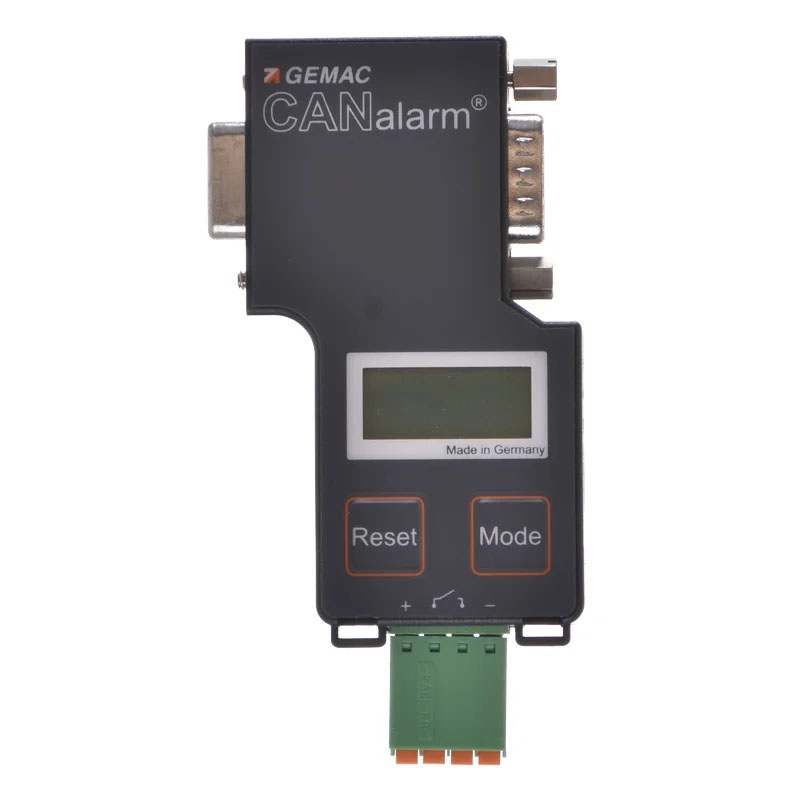
CANalarm continuously monitors the network load and error frames. It displays the status on its own screen and, if the set limits are exceeded, activates the alarm contact for signalling or the control system.
Basic kit PR-22565-00. Station failure monitoring and message-based alarm triggering are activated by separate licences.
Please let us know what CANalarm is to monitor and how the output should respond in the event of an alarm. We will recommend the necessary licences and the method of connection.
Uses
For both new and older machines with a CAN network
CANalarm remains connected to the bus and operates independently. It does not require a computer or any modification to the PLC programme for routine monitoring.
Ongoing supervision
Monitor network traffic throughout your shift. The display shows the load and the number of error frames.
Occasional faults
The alarm contact will alert you if the set limits are exceeded, even when there is no technician with a tester present at the machine.
Alarm forwarding
Connect the output to an indicator or a control system input, for example. Configure its response to suit the machine.
Basic functions
Network load and error frames in the basic configuration
Bus load
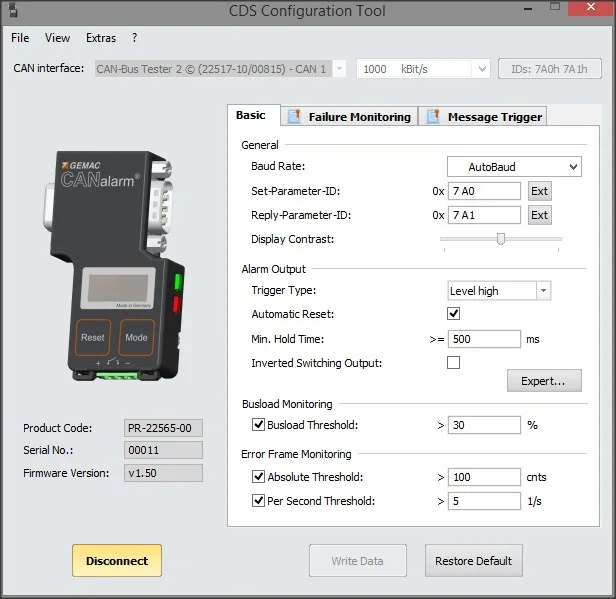
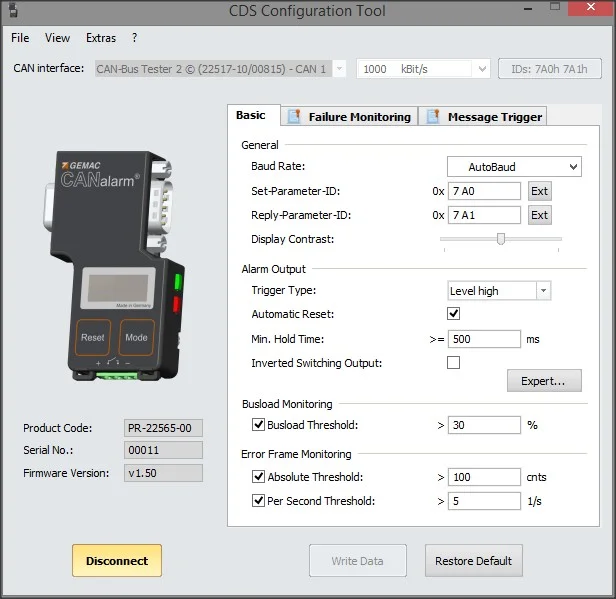
CANalarm continuously monitors network utilisation. If the selected threshold is exceeded, it triggers an alarm.
Error frames
It monitors both the total number of error frames and the number per second. You can set separate alarm thresholds for both figures.
Load evaluation takes place at one-second intervals. The device counts both active and passive error frames; the counter can hold up to 99,999,999 errors.
If the number of errors increases, please also check that the baud rate is set correctly.
Alarm contact
Alarm output for signalling and control
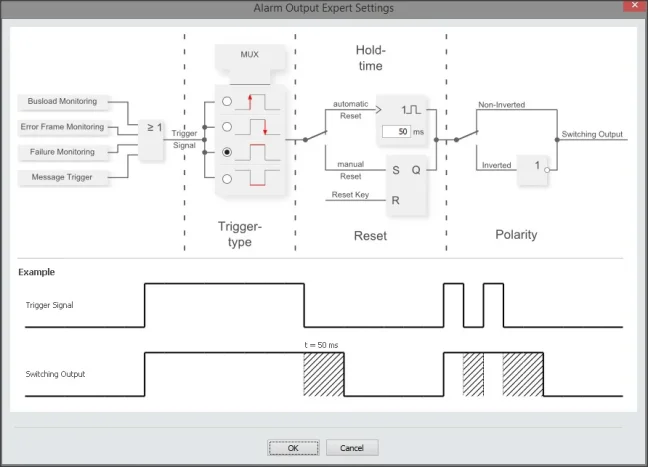
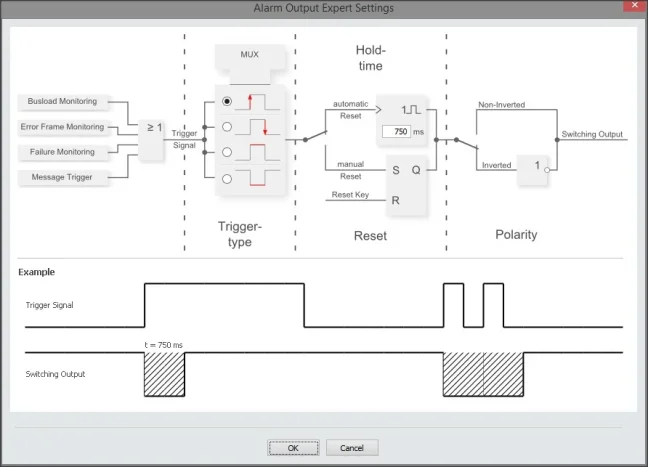
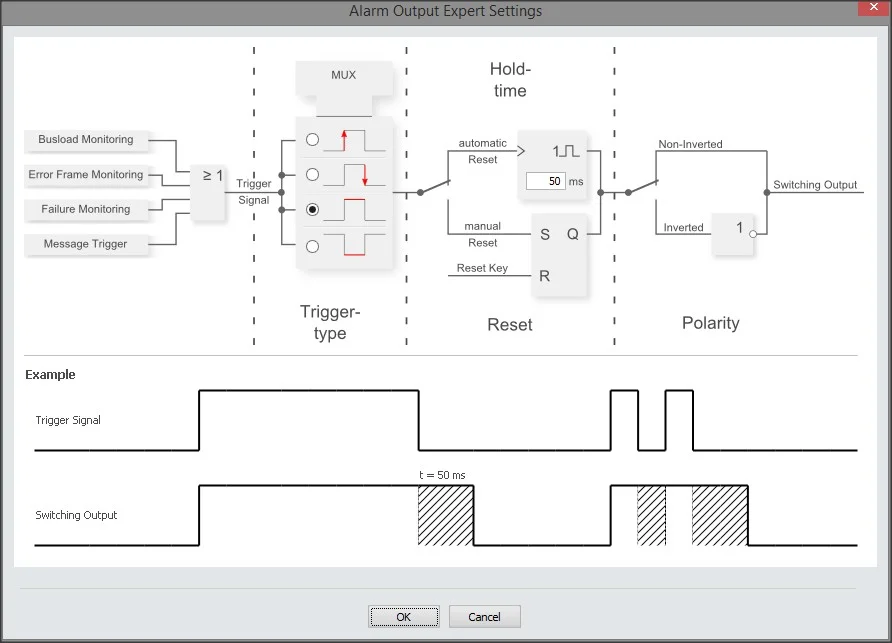
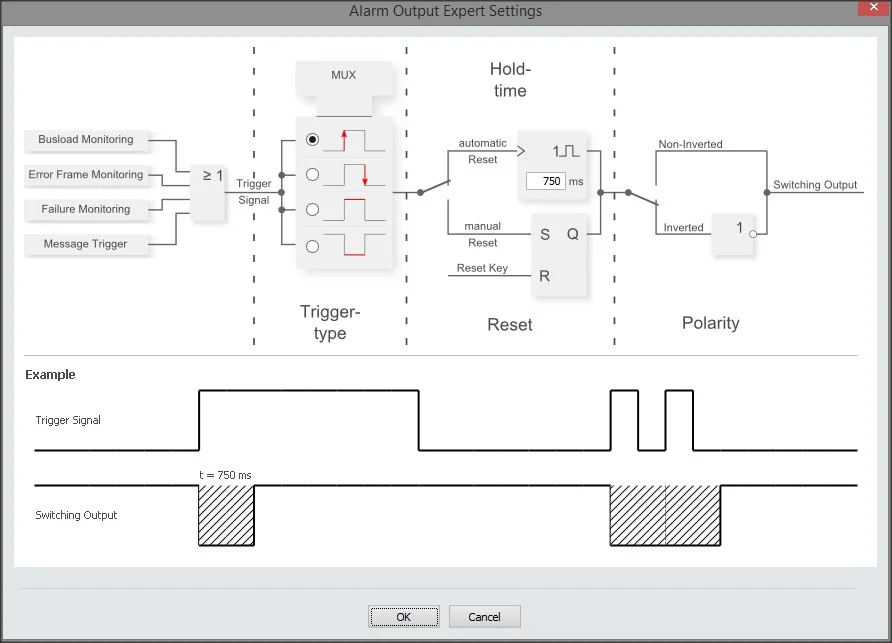
A potential-free contact transmits an event outside the CAN bus. You can set the condition under which it closes, how long it remains active, and whether it should make or break the circuit in the event of an alarm.
- Response to a persistent alarm state or to a change in that state.
- Automatic cancellation of the alarm or manual acknowledgement using the RESET button.
- Adjustable hold time from 10 to 60,000 ms.
- Selection of normal or inverted output logic.
Optional add-ons
Two licences, depending on what you need to monitor
Basic load and error frame measurements are included as standard. The other two functions are activated separately.
Monitoring of station outages
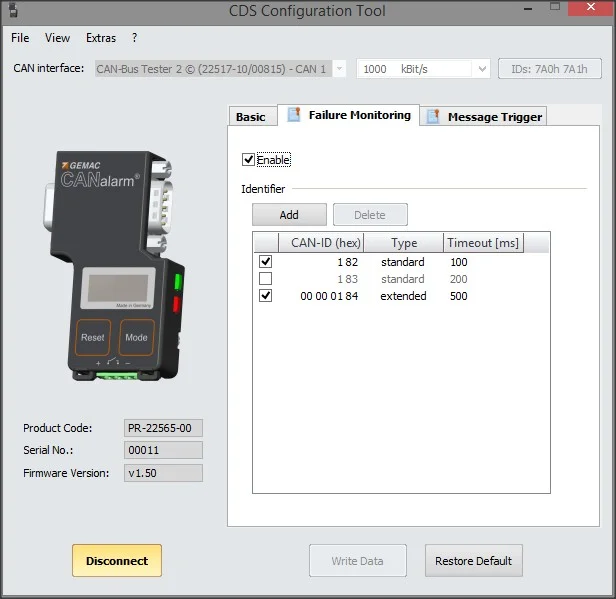
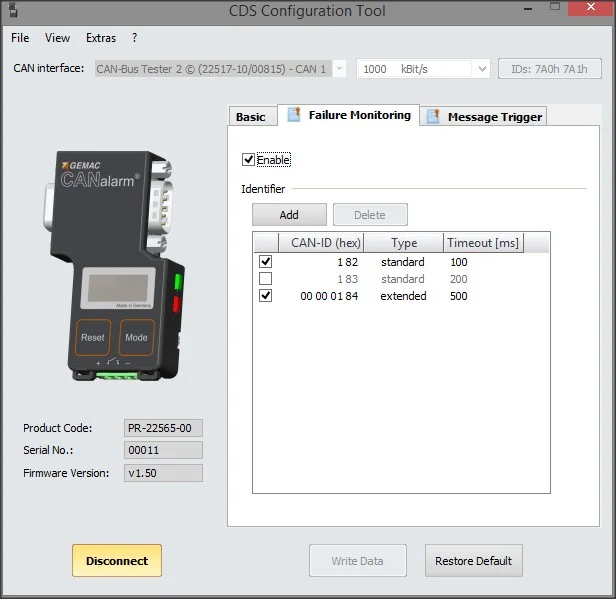
The Failure Monitoring licence checks whether a periodic message from a station arrives within the configured time. If the next message does not arrive in time, CANalarm triggers an alarm.
The list can hold up to 32 messages being monitored. You can set the permitted delay for each one.
Alarm based on the selected message
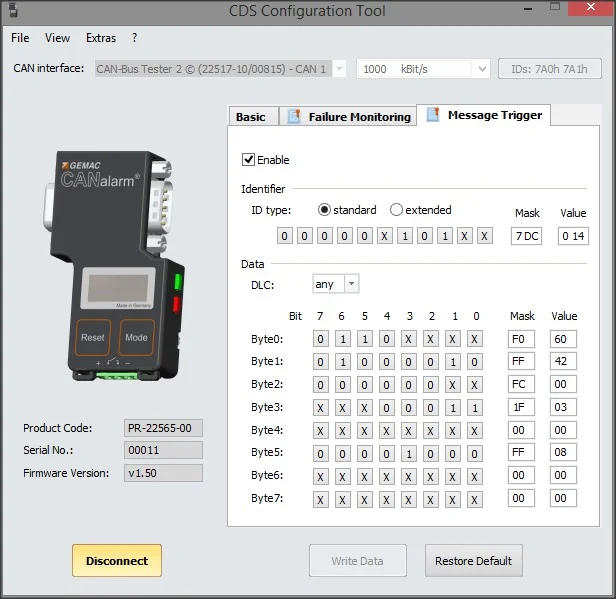
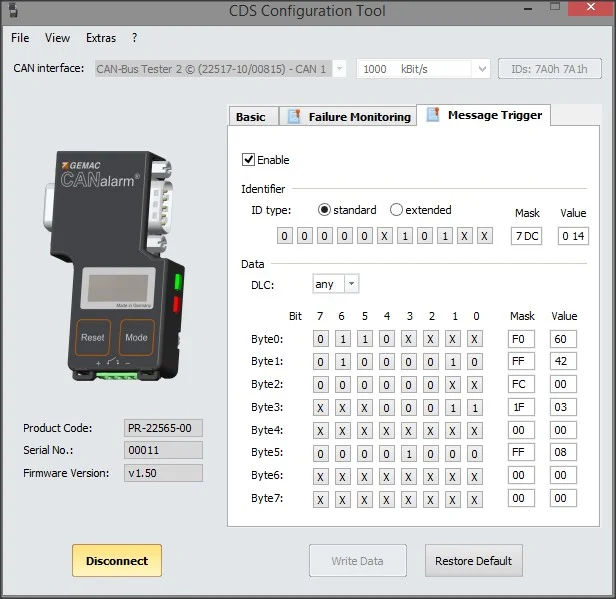
The Message Trigger licence triggers an alarm when a selected message is received. You define the condition based on the message, the length of the data and the significant bits of its content.
Bits that are not relevant to your condition can be ignored during the comparison.
Configuration
Settings can be adjusted on-site or via a computer
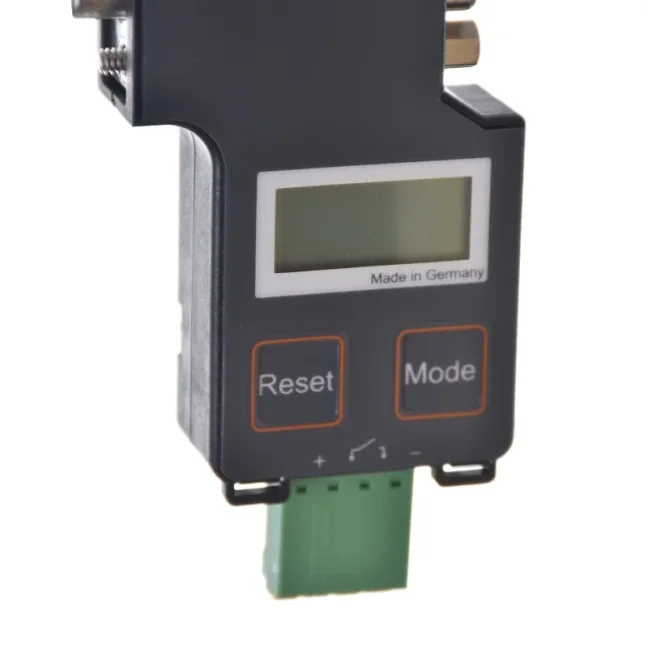
You can set the basic thresholds using the two buttons and the display on the CANalarm itself. To configure the device fully, use the free CDS Configuration Tool.
- The MODE button cycles through the displayed values.
- The RESET button is also used to manually cancel an alarm.
- The PC is connected via the CAN bus and a suitable CAN interface for the computer.
- You can save the settings to the device using the Write Data command.
- After disconnecting the configuration software from the device, CANalarm returns to normal monitoring.
During normal monitoring, CANalarm is passive. In remote configuration mode, it communicates actively with the PC. Select the communication settings so that they do not interfere with other devices on the network.
Device Management
Device-specific licences
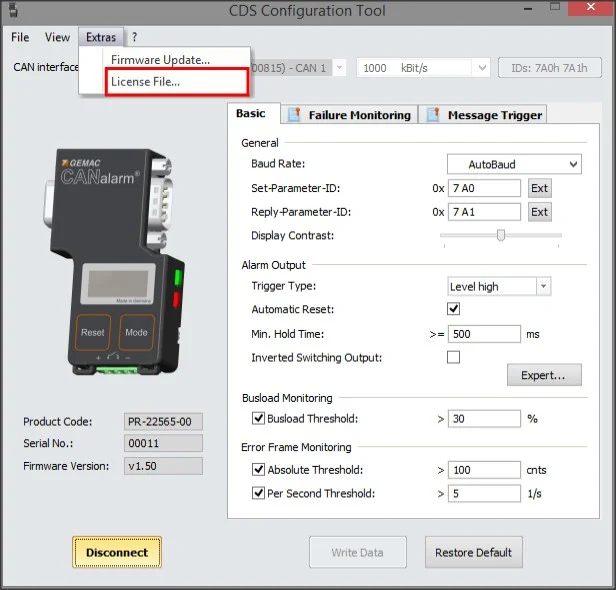
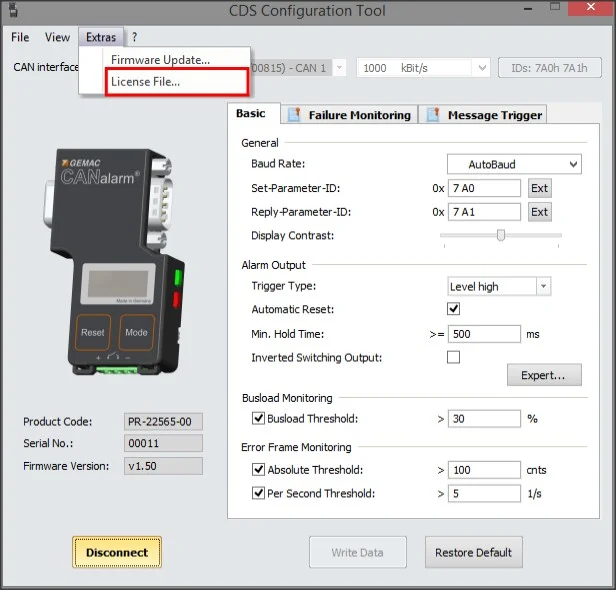
The CDS Configuration Tool displays the activated licences and details of the connected CANalarm. The same programme is used to upload licences and update the firmware.
The licence file has the extension .cdslic and is valid for the device with the corresponding serial number. When ordering an additional licence, please therefore send us the serial number of your CANalarm.
Delivery and installation
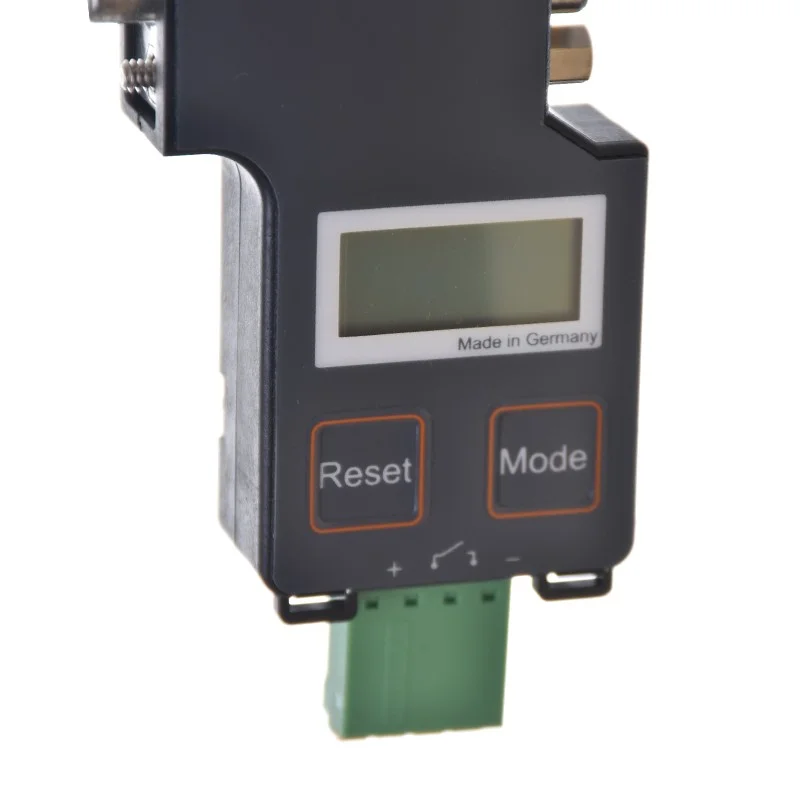
Connections and contents of the basic set
Order number PR-22565-00 includes the CANalarm and a quick start guide. Extension licences are purchased separately.
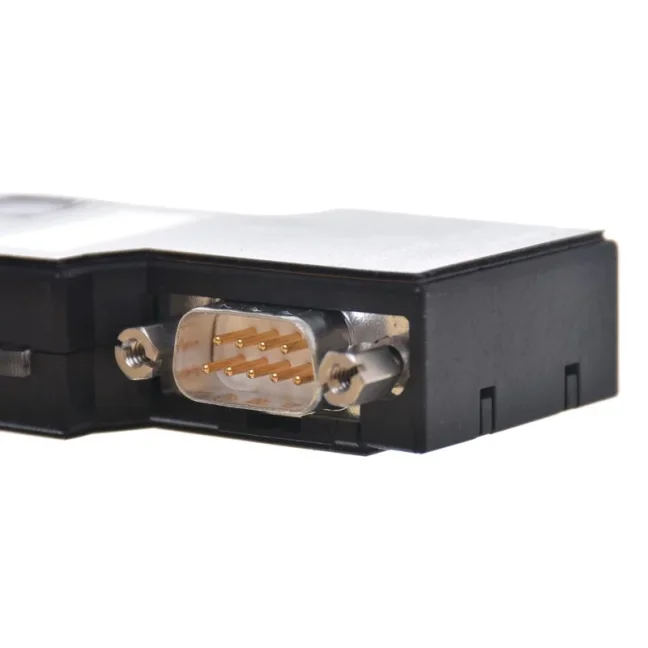
- Connection to the bus via a 9-pin D-Sub connector.
- Power supply: 9-32 V DC, from the CAN connector or via a four-pole terminal block.
- The four-pole terminal block combines the power supply and the potential-free output.
- To configure the device from a PC, a suitable CAN interface is required; select one based on the CDS Configuration Tool’s support.
The device has an IP20 rating and is designed for dry indoor environments where condensation does not occur.
CANalarm video
FAQ
Practical enquiries
Do I need a computer for everyday use?
No. Once set up, CANalarm operates independently. It displays the readings on the screen and transmits events via the alarm contact. You’ll need a computer for full configuration, licences and firmware.
Which features are included in the price of the basic unit?
Monitoring of network load and error frames, including the configuration of their alarm thresholds. Station outage monitoring and Message Trigger are activated via separate licences.
How does CANalarm detect a station failure?
Select a regular message from the relevant station and the maximum permitted delay. If the message does not arrive on time, an alarm will be triggered. This function requires a Failure Monitoring licence and allows up to 32 messages to be monitored.
Is it possible to monitor a specific status conveyed in a message?
Yes, with a Message Trigger licence. You set up the message, the data length and the key bits of the content. When a match is found, CANalarm triggers an alarm. To configure this, you need to be familiar with the communication protocol of the machine in question.
Can CANalarm measure electrical signal quality?
CANalarm monitors logical traffic, load and error frames. To assess the shape and quality of the electrical signal, use a physical layer tester, such as CANtouch or CAN-Bus Tester 2.
Can the alarm be acknowledged manually?
Yes. You can configure the output to be automatically cancelled or manually confirmed using the RESET button. You can also set the hold time and the logic inversion of the output.
Download
Manual, datasheet and configuration software
The Downloads tab contains datasheets and manuals in English and German, the EU declaration of conformity and a link to the CDS Configuration Tool.
Documents and software to download
GEMAC’s original documentation for CANalarm and configuration software for PCs.
CANalarm Technical Specifications
| Equipment and communications | |
|---|---|
| Product | GEMAC CANalarm / PR-22565-00 |
| Purpose | Continuous logical monitoring of the CAN bus |
| Protocol | CAN 2.0 A and B in accordance with ISO 11898-2 |
| Standard transmission speeds | 10; 20; 50; 100; 125; 250; 500; 800; 1 000 kbit/s |
| Other supported speeds | 33.3; 62.5; 83.3; 200; 400 kbit/s |
| Speed detection | Automatic detection or manual adjustment |
| Normal operation | Passive monitoring without a connected PC |
| Remote configuration | Active CAN communication in Remote mode |
| Diagnostic functions and licences | |
| Basic functions | Bus load, total number of error frames and the number of error frames per second |
| Load assessment | Continuously at one-second intervals |
| Error frames | Identification of active and passive error frames |
| Counter capacity | Up to 99,999,999 error frames |
| Outage monitoring | Optional / Failure Monitoring / SW-22565-10 / up to 32 messages with adjustable delay |
| Message-based triggering | Optional / Message Trigger / SW-22565-11 / selection of message, data length and content mask |
| Licence Management | .cdslic file linked to the device’s serial number |
| Controls | Display, status LEDs and the MODE and RESET buttons |
| Configuration programme | CDS Configuration Tool; PC with a suitable CAN interface |
| Power supply and alarm output | |
| Supply voltage | +9 to +32 V DC |
| Current consumption | 16 mA at 24 V |
| Power supply and output | Four-pole terminal block; power can also be supplied via the CAN connector |
| CAN connection | 9-pin D-Sub |
| Switching output | Potential-free, galvanically isolated |
| Switching output limits | Peak voltage below 60 V AC/DC; maximum current 1.25 A |
| Output protection | External overcurrent protection is required |
| Output behaviour | State or edge condition, automatic or manual acknowledgement, optional inversion |
| Automatic hold | 10 to 60,000 ms |
| Terminal block | Phoenix Contact MC1,5/4-G-3,5-1844236; matching connector FMC1,5/4-ST-3,5-1952283 |
| Mechanical design and environment | |
| Dimensions of the device | 77 × 45.8 × 18.2 mm |
| Weight of the device | Approximately 50 g |
| Degree of protection | IP20, in accordance with EN 60529 |
| Operating temperature | 0 to +40 °C |
| Storage temperature | −20 to +70 °C |
| Relative humidity | 20-85 per cent, non-condensing |
| Environment | Dry indoor spaces |
Highlighted items are mandatory.