

Talk2M Ewon cloud - FOXON PLUS
Talk2M - secure remote access to machines
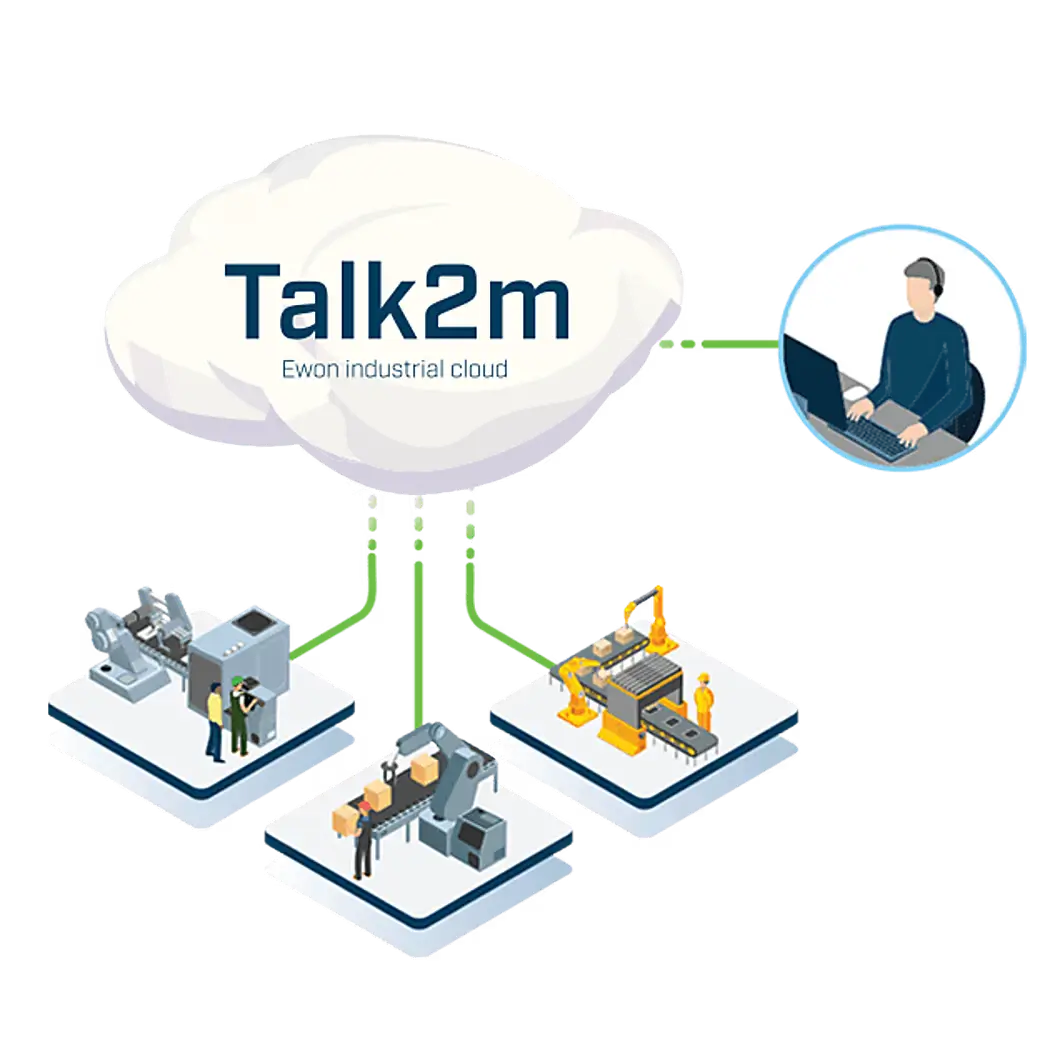
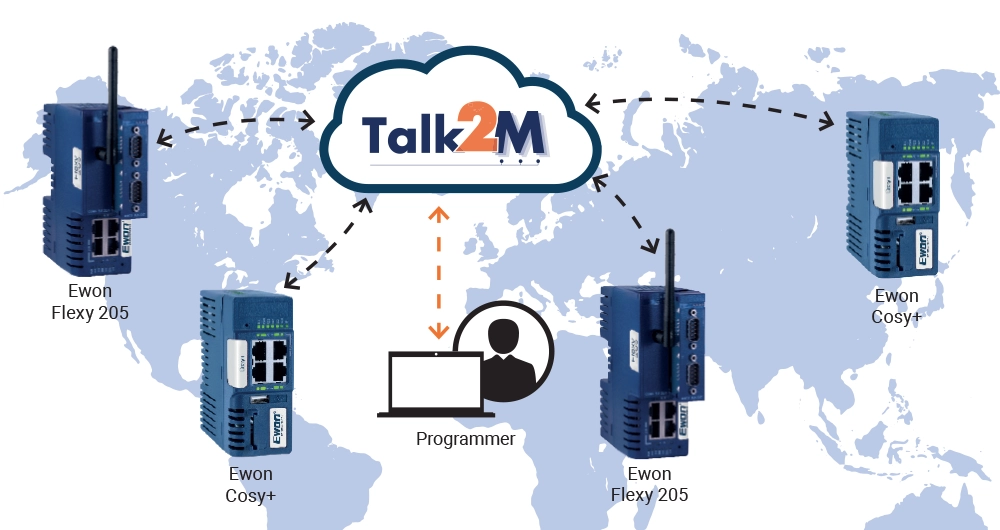
The HMS Networks cloud service connects service engineers with Ewon Cosy+ and Flexy routers. You can connect to a PLC, HMI, robot or industrial computer and carry out diagnostics or servicing remotely.
No need for your own public IP address or your own VPN server. You can manage your routers and users from a single account.
Comparison of Talk2M plans
Select a tariff based on the number of technicians connected at the same time, data transfer volume and the required permissions management. The number of registered routers and users is unlimited for all three options.
Talk2M Free has a time limit. Free use is subject to registering a new Ewon device to your account. Registering another new device starts a new twelve-month period. If 12 months have elapsed since the last registration, you must add a new device or switch to the paid option.
On a mobile, swipe the table to the side. The parameter names remain on the left.
| Parameter | Talk2M Free | Talk2M Light | Talk2M Pro |
|---|---|---|---|
| Price (EUR / month) | Free | 40 € / month | 75 € / month |
| Number of Ewon routers and users | Unlimited | Unlimited | Unlimited |
| Number of concurrent M2Web / mobile connections | 5 | 5 | Unlimited |
| Number of concurrent eCatcher VPN connections | 1 | 2 | 5 |
| Detailed control of access to Talk2M | No | No | Yes |
| Monthly VPN usage | Max. 3 GB | Max. 5 GB | 20 GB |
| SMS per month (wake-up and alarm notifications) | 0 | 50 | 50 |
| SLA - Service Level Agreement | No | Yes | Yes |
| DataMailbox per month | Up to 5 million data points | Up to 7 million data points | 10 million data points |
| Advanced user management | No | No | Yes |
| Visualisation in Talk2M | No | No | Yes |
| Centralised management of Cosy+ firmware | No | No | Yes |
| Duration of service use | 12 months from the registration of a new device to the account | Paid service for 1 year | Prepaid service based on credit usage |
Monthly prices in EUR are provided for the purpose of comparing tariffs. You can find the current price in CZK and the terms and conditions of ordering on the product pages Talk2M Light a Talk2M Pro.
Limits apply to the entire account. One concurrent VPN connection means one user connected via eCatcher to one router. You can therefore use two connections in the Light plan for two technicians on the same machine or on two different machines. The number of M2Web and mobile connections is assessed separately.
If you exceed your limits, expect the service to be restricted. The Free and Light plans have fixed data limits. The Pro plan allows you to increase your capacity, and usage exceeding the included allowance is charged against your credit. Check your specific usage and terms in eCatcher under the ‘Credit & Contract’ section.
Choosing a tariff based on your working style
Talk2M Free
For occasional use and initial testing. You will use a single VPN connection at any one time. Keep track of the twelve-month period and monthly data transfer limits.
View Talk2M FreeTalk2M Light
An option in the FOXON range for regular maintenance and smaller teams. Two concurrent VPN connections are complemented by a higher data limit, 50 SMS messages per month and an SLA.
View Talk2M LightTalk2M Pro
For multiple technicians and access management across different customers. It includes five VPN connections as standard, advanced permissions and the option for further expansion. The number of routers alone does not require an upgrade to Pro.
View Talk2M ProSecurity and corporate IT approval
Both the router and the computer establish an outbound connection to Talk2M. For a standard connection, you do not need a public IP address or your own VPN server. The IT administrator must authorise the necessary outbound traffic and approve the network connection.
Use a separate account and multi-factor authentication for each technician. In Talk2M Pro, you can use user groups and router groups (Groups and Pools) to restrict access by customer, workplace or service role. Access can be further restricted to specific devices, protocols and services.
Connection history and reports help you track service access and data usage. Choose the scope of management, reports and security rules according to your operational needs and the selected tariff.
More about connectivity, working with data and managing Talk2M
The principle of remote connection
- Connect the Ewon router to the internet.
- The router establishes an encrypted connection with the Talk2M cloud.
- The technician launches eCatcher and logs into their account.
- Select the required machine, i.e. a specific Ewon router.
- It will establish a VPN connection.
- It launches the relevant programming or diagnostic tool and connects to authorised devices behind the router.
Talk2M is used by machine manufacturers, system integrators and manufacturing companies worldwide. The service provides the VPN infrastructure and its certificates; you do not need to run your own VPN server for remote servicing. However, you still need to manage login details, permissions and device configuration.
eCatcher, M2Web and mobile access
eCatcher for Windows
VPN client for direct remote access to a service computer. Once connected, you can use your programming and diagnostic tools, such as TIA Portal.
Download eCatcher for WindowsM2Web in the browser
Access to device web pages, HMIs via VNC and computers via RDP. Does not require the installation of a local VPN client; the device must support the relevant service.
Open the M2Web portaleCatcher Mobile
Mobile access for Android and iOS. Check which devices are available from your phone or tablet based on the services they support.
Android · iPhone / iPadData acquisition and visualisation via Talk2M
With the Flexy router, remote access can be enhanced by reading and saving data from connected devices. For example, you can transmit temperature, machine status or production counters to a linked application.
DataMailbox and DMWeb API
DataMailbox is a temporary storage facility for historical values sent from Flexy. Connected applications retrieve the data via the DMWeb API. The number of data points in the table indicates the included monthly upload volume, not the number of PLCs connected via VPN.
Talk2M Visualisation
Part of the Pro offering for viewing historical data in overviews with trends, notifications and reports. Data must be correctly collected on Flexy and transferred to DataMailbox. It does not replace standard VPN access for servicing.
M2Web provides access to real-time values, visualisations and device interfaces. The Talk2M API can also be used for custom applications. FOXON can assist with selecting the appropriate method of data transfer.
Centralised management of Cosy+ firmware
Talk2M Pro offers centralised management of Ewon Cosy+ router firmware. An authorised administrator can view available updates, read release notes and initiate updates for one or more devices.
This feature applies to the Cosy+ range. It does not mean that all other methods of updating routers require the Pro plan. For Flexy and other devices, select the procedure according to the exact model and firmware version.
Frequently Asked Questions
Is Talk2M Free permanently free?
Use of the Free plan is linked to the registration of a new Ewon device to your account at least once every 12 months. Without further registration, you must select a paid plan or add a new device once this period has expired.
Do I need a paid licence for each router?
The number of routers and users is unlimited for all three options. The plans differ mainly in terms of the number of simultaneous connections, data limits, SLAs and permission management options.
Can two technicians work on the same machine?
If an account has at least two free VPN connections, two users can connect to the same router. These are still two connections drawn from the total account capacity. Coordination of work on the machine must be agreed between the technicians.
Will M2Web replace eCatcher when programming PLCs?
Use eCatcher to connect a local programming tool directly to the PLC. M2Web is used for supported web interfaces and remote screens via VNC or RDP.
How do I switch from the Free plan to a paid plan?
As an account administrator, open the ‘Account’ and ‘Credit & Contract’ sections in eCatcher. FOXON will assist you in selecting and ordering the Light or Pro plans. When merging accounts, check in advance that routers and access rights have been transferred.
Selection and commissioning with FOXON
We’ll discuss the number of technicians, their current approaches, how machines are connected and your IT requirements. We’ll recommend a tariff and assist with configuration and technical support.
Talk2M Free

Talk2M Light
580,80 EUR Incl. VAT
Talk2M pro
1 089 EUR Incl. VAT

250 SMS messages included with Talk2M Free, Light and Pro accounts
90,75 EUR Incl. VAT

Talk2M Pro top-up credit
242 EUR Incl. VAT
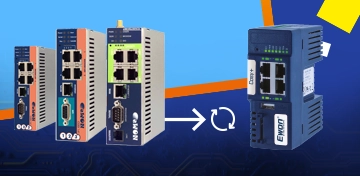
Talk2M connectivity for Ewon 141 and CD routers will end in 2027. Get a new replacement now at a better price.
Do you have an older Ewon Cosy 141 or Ewon CD device in production or “sitting in a drawer”? Then pay attention. For these older models, remote access via the Talk2M service will only be available until the end of 2027.

How to Meet NIS2 Requirements: Secure Remote Access with Ewon Routers and W&T Firewalls
The European NIS2 directive introduces new obligations for companies in protecting against cyber threats. Below, we compare these requirements with the technical measures in IEC 62443 and show how to meet them easily using Ewon industrial routers, the secure Talk2M cloud service, and firewalls from the German manufacturer W&T.

Ewon in Action: ŽĎAS Demonstrates Intelligent Use of Industrial Routers
The most frequent users of Ewon industrial routers are machine and equipment manufacturers. The remote access capability of these routers enables them to communicate with the control systems of the machines they manufacture and sell, even if they are on the other side of the world. In addition, Ewon Flexy makes it possible to collect data from machines and make it available to customers via visualisation. One of the companines that cleverly use all the benefits of these routers is the leading Czech engineering company ŽĎAS.
How to upgrade from Talk2M free to Talk2M light or pro and add Ewon routers
Do you use one or more Talk2M free accounts? Have you found that this solution is no longer enough and that you need Talk2M light or Talk2M pro? This guide will show you:
- how to upgrade your existing Talk2M free account to Talk2M light or Talk2M pro,
- how to import Ewon devices from one or more Talk2M free accounts into the upgraded account,
- how to create a group of routers in the upgraded account and assign users to it, including access rights.

The New LIGHT Account Type in Talk2M on Ewon Routers Is a Happy Medium
The Talk2M cloud service allows EWON router users to easily and securely connect to their devices/machines remotely via the Internet from anywhere in the world. Until now, two types of service have been available – Talk2M free and Talk2M pro. From 2 May 2024, a new, affordable account type – Talk2M light – will be available. In addition, the rules for the free account will change.
TALK2M Free, Light or Pro? Which service should you choose for Ewon devices, and why?
Do you use Ewon Cosy or Flexy routers for remote management and are you wondering which Talk2M remote access service is right for you? We’ve put together a few points to help you decide.
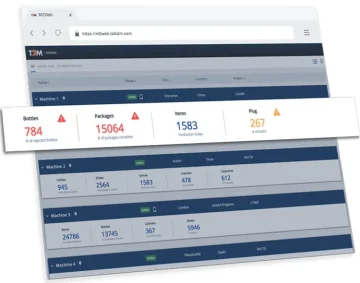
Remote access to Ewon routers from a web browser via M2Web
M2Web provides browser access to web interfaces, HMIs and device remote desktops via Ewon and Talk2M. See supported protocols, LAN device configuration, six Flexy KPIs and current service limits.
VIDEO guide to remote management of PLCs/HMIs/PCs via Ewon routers
Ewon industrial routers are rightly among the most widely used global solutions for the remote management of PLC control systems, robots, industrial computers and HMI panels via the Internet. Simply managing systems remotely is no longer enough, and Ewon routers are the only ones that can offer you so much more. They can read (and write) data from remote PLC control systems such as SIEMENS, Allen-Bradley, Mitsubishi, Omron, Schneider, Modbus and others. This data is sent via the Internet to your computer, where you can store it in a database and display it in visualisations or in Power BI reports. Find out more in our video guide.
Advisor
Ewon videos
Watch several videos on how to configure, manage and secure Ewon and Talk2M. There are tutorials on how to set up Ewon for remote management over Ethernet, WiFi or mobile network. We also cover managing and securing your Talk2M Free+ account, including two-factor authentication. You'll also learn about connecting to devices remotely via Ewon and watch a few videos about Talk2M Pro security.
Question or Inquiry
Highlighted items are mandatory.