

How to Fit an ARMOR Cover on an ABB IRC5 Teach Pendant
Instructions for fitting the Pendant Armor IRC5-PA protective cover to the ABB IRC5 teach pendant, including installation of the adapter on the original holder.
-
Power down the controller
Disconnect the teach pendant cable from the controller. Do not disconnect the cable directly from the teach pendant.
-
Pass the connector through the cover
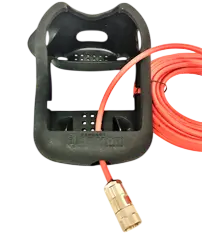
Place the cover face up on a clean, dry surface. Pass the connector of the cable leading to the controller through the opening at the bottom of the cover.
-
Release the hand strap
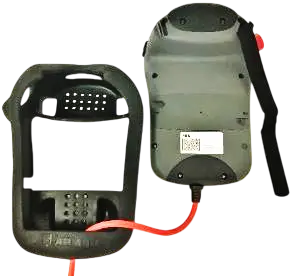
Unthread the Velcro hand strap from one side of the teach pendant.
-
Insert the lower part of the teach pendant
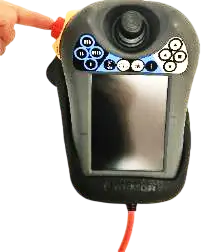
Maneuver the lower part of the teach pendant into the cover while pulling the cable through. Press the emergency-stop button fully down.
-
Thread the free end of the hand strap
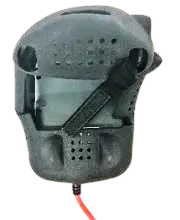
Turn the teach pendant over with its back facing up. Pass the free end of the hand strap through the corresponding cut-out in the cover.
-
Fit the upper corners
Turn the teach pendant with its screen facing up and pull the cover over both upper corners.
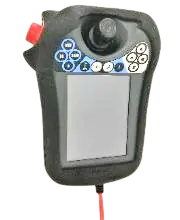
-
Secure the hand strap
Route the hand strap through the fastening buckle on the pendant. Needle-nose pliers may help. Ensure that both Velcro sections overlap sufficiently and hold securely.
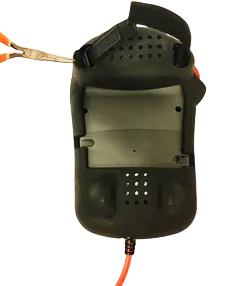
-
Reconnect the cable
Reconnect the cable panelu zpět k řídicí jednotce.
-
Install the holder adapter
Attach the adapter to the base of the original teach pendant holder. Reuse the original screws.
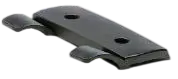
-
Release the emergency stop
Turn to release the emergency-stop button, then power up the controller.
Post-installation check
Before returning the robot to service, check the following:
- The cover fits properly around the entire perimeter and does not obstruct operation.
- The Velcro hand strap is securely fastened.
- The cable is not pinched and is correctly connected to the controller.
- The emergency-stop button, joystick, USB connectors, and stylus opening are freely accessible.