

IEN-8428P - VOLKTEK Industrial unmanaged switch / PoE+
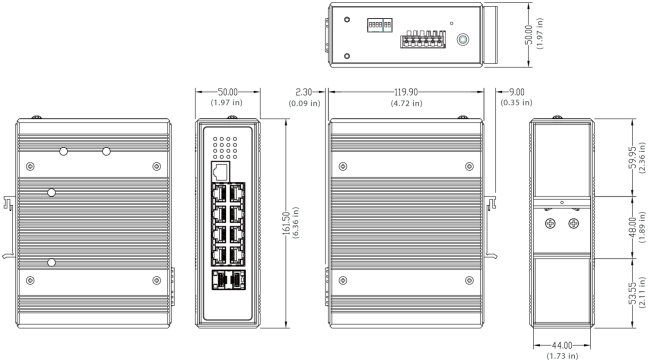


IEN-8428P - VOLKTEK Industrial unmanaged switch / PoE+

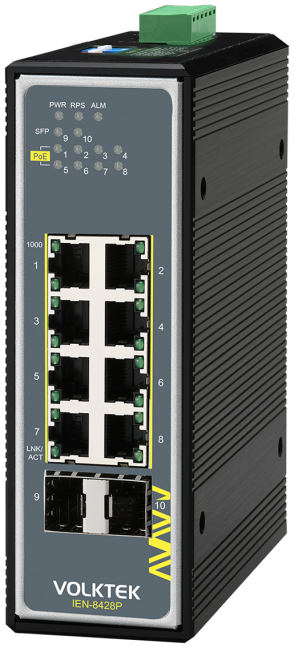
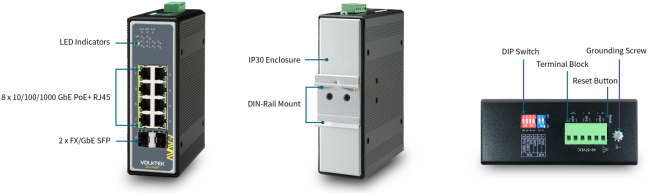
VOLKTEK IEN-8428P: 8× RJ45 / 10/100/1000 Mbit/s; 2× SFP / 100M / 1G. Unmanaged; PoE+ / 240W. 48-57 V DC; IP30; -40…+75 °C. More
Code: IEN-8428P
VOLKTEK IEN-8428P: 8× RJ45 / 10/100/1000 Mbit/s; 2× SFP / 100M / 1G. Unmanaged; PoE+ / 240W. 48-57 V DC; IP30; -40…+75 °C. More
Code: IEN-8428P
Industrial unmanaged switch / PoE+
Carries data and power to compatible cameras, access points and other devices over one Ethernet cable. The powered port count and shared power budget determine the endpoint configuration.
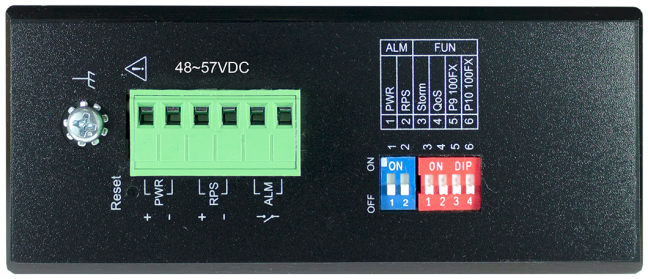
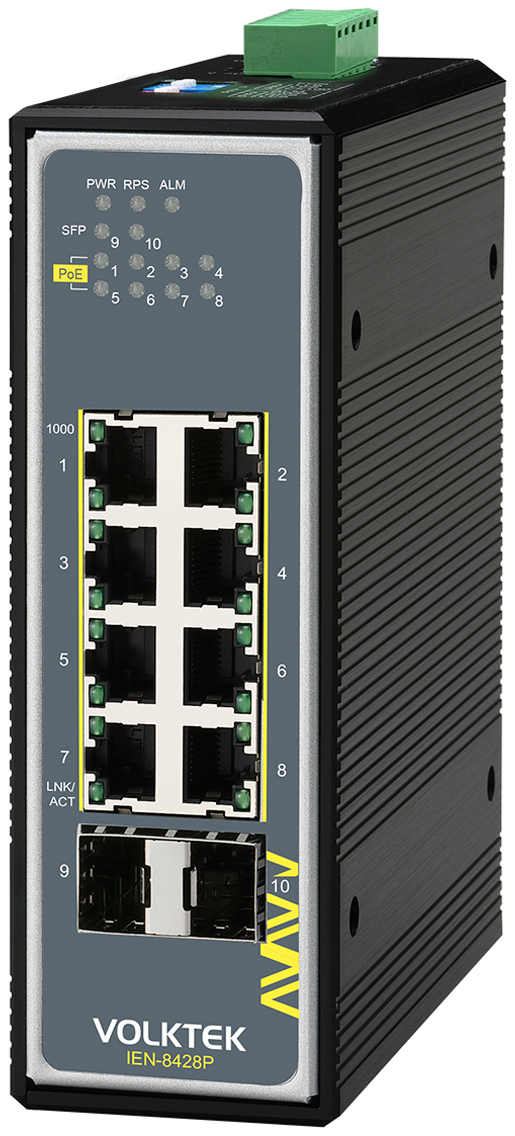
DIP switch configuration: PWR / RPS · Storm Control · QoS P1/P2 · SFP 100M / 1G
We will select a switch for your network
We will review endpoints, ports and power, then confirm price, current availability and delivery time for a new product.
Applications and device connections
For IP surveillance, wireless access points and network devices in production or transport infrastructure. Each endpoint must match the PoE standard of its port. For outdoor applications, install the switch in a suitable protected enclosure.
Supply is arranged for the specific project. We will confirm availability and version in the quotation.
Connect without configuration
The device operates without web management or a switch IP address setting. Once power and Ethernet cables are connected, it interconnects the end devices. Set PLC, HMI and other device addresses on those devices.
Endpoint power supply
8× PoE+ / IEEE 802.3af / 802.3at. Maximum port power: 30 W PSE. Power budget: 240W. Per-port PSE limits and the shared power budget apply together. Ports cannot all receive their maximum allocation if the total exceeds the switch budget. Cable losses also reduce power available to the PD.
Power supply and alarm
48-57 V DC. Two power inputs allow connection of primary and redundant supplies. A separate backed-up supply is needed to bridge simultaneous failure of both sources. Follow input voltage, polarity and specified wiring. Select the supply for switch consumption, endpoint power and operating reserve.
DIP switch configuration
Enable or disable PWR / RPS input monitoring. Limit broadcast traffic with Storm Control. QoS priority for ports 1 and 2. Select fibre port speed: 100 Mbit/s or 1 Gbit/s.
Set switch positions according to device labels and the supplied installation guide.
Technical specifications
| Order code | VOLKTEK IEN-8428P |
|---|---|
| Management | Unmanaged |
| Data interface | 8× RJ45 / 10/100/1000 Mbit/s |
| Optical interface | 2× SFP / 100M / 1G |
| Power supply | 48-57 V DC |
| Power consumption | 10 W |
| Network power standard | IEEE 802.3af / 802.3at |
| PoE port count | 8 |
| Maximum port power | 30 W PSE |
| Power budget | 240W |
| Relay alarm | 1 A / 24 V DC |
| DIP | Enable or disable PWR / RPS input monitoring. Limit broadcast traffic with Storm Control. QoS priority for ports 1 and 2. Select fibre port speed: 100 Mbit/s or 1 Gbit/s. |
| Protection rating | IP30 |
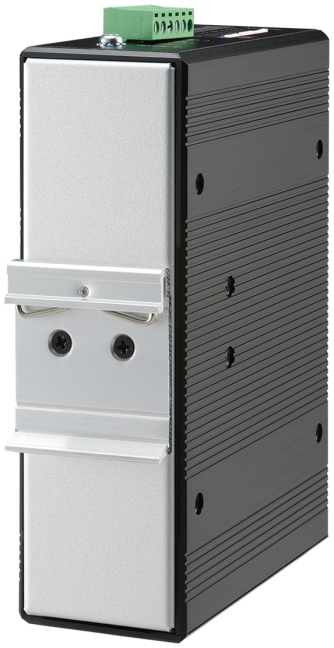
| Mounting | DIN rail |
| Operating temperature | -40…+75 °C |
| Weight | 950 g |
Interfaces and mounting
Select the SFP module separately. It must match the slot speed, fibre type, connector, wavelength and remote device. Reach depends on the selected optics and link attenuation.
We will confirm exact mounting dimensions before ordering. Use the dimension drawing for layout and allow space for connectors and cabling.
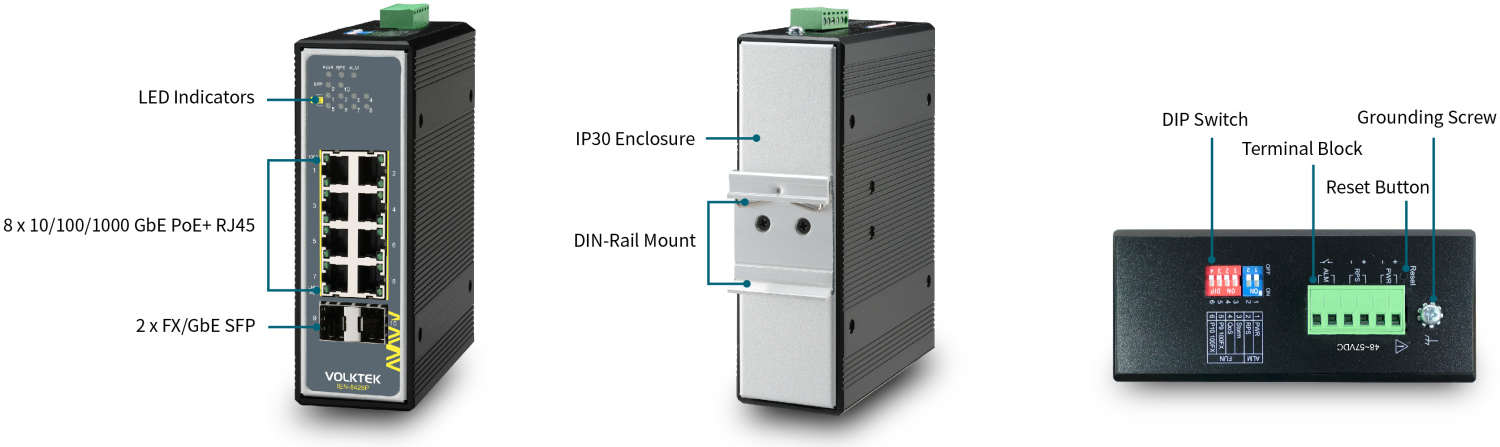
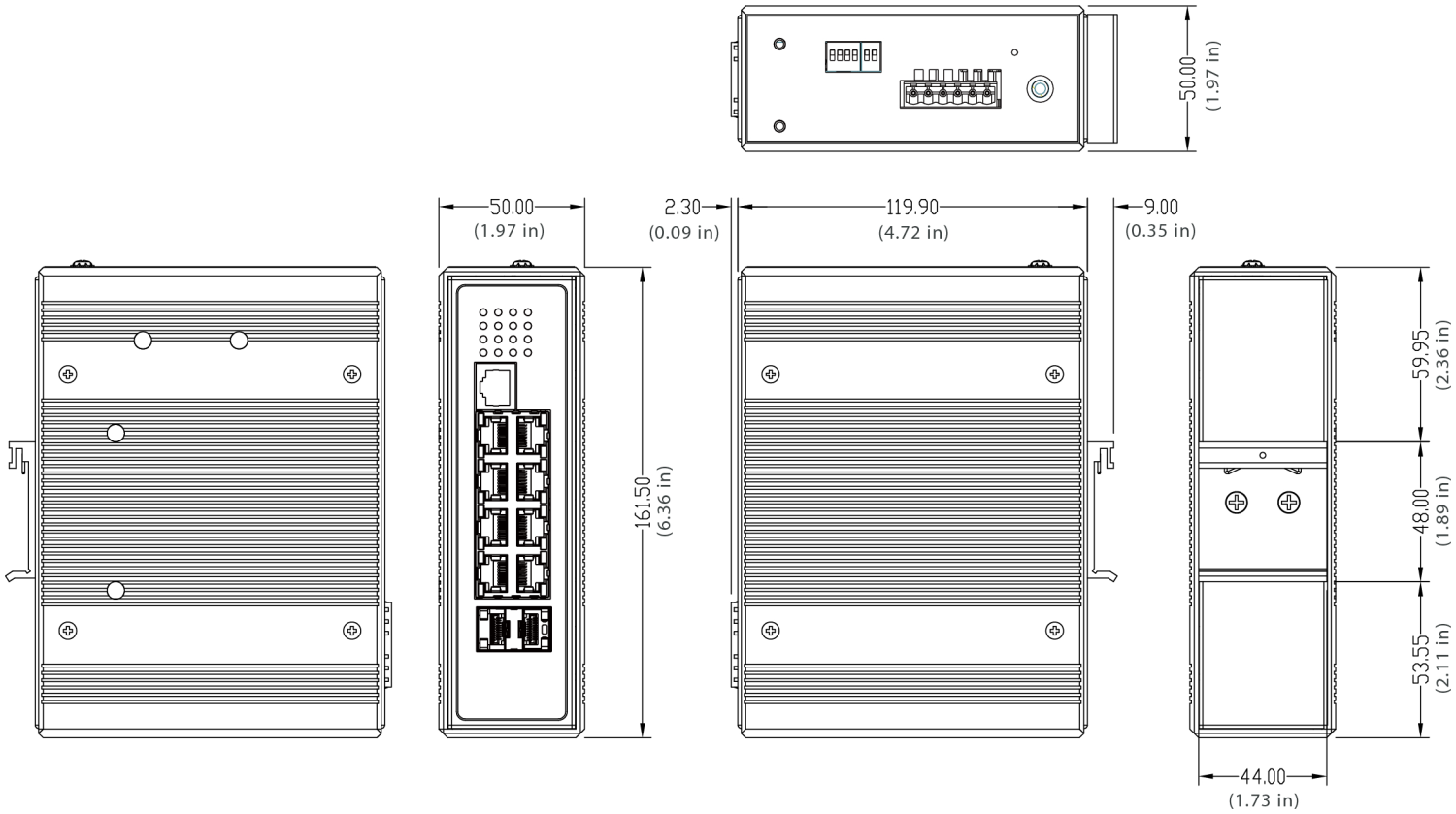
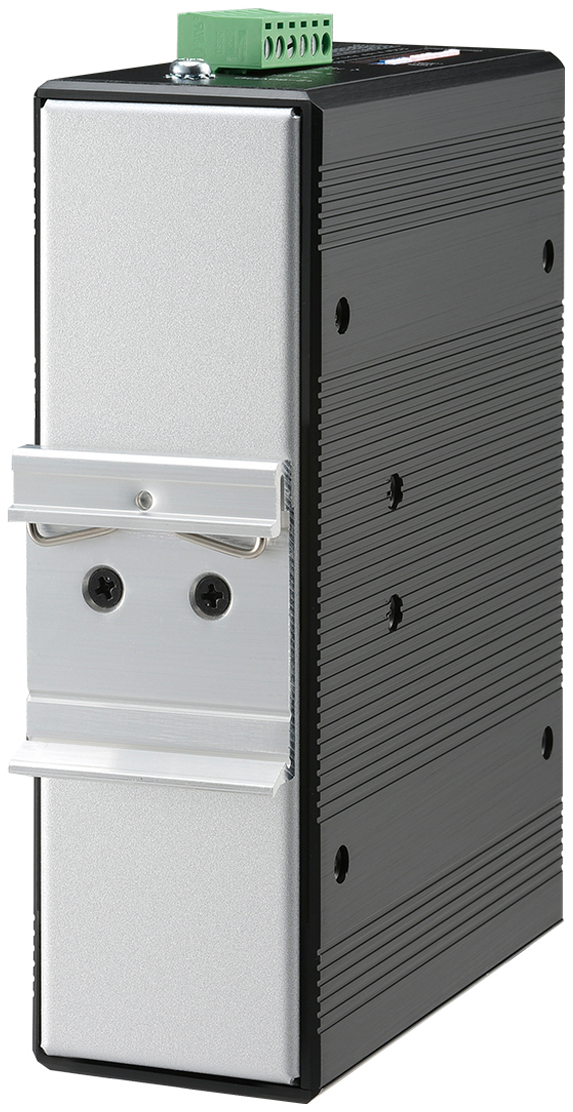
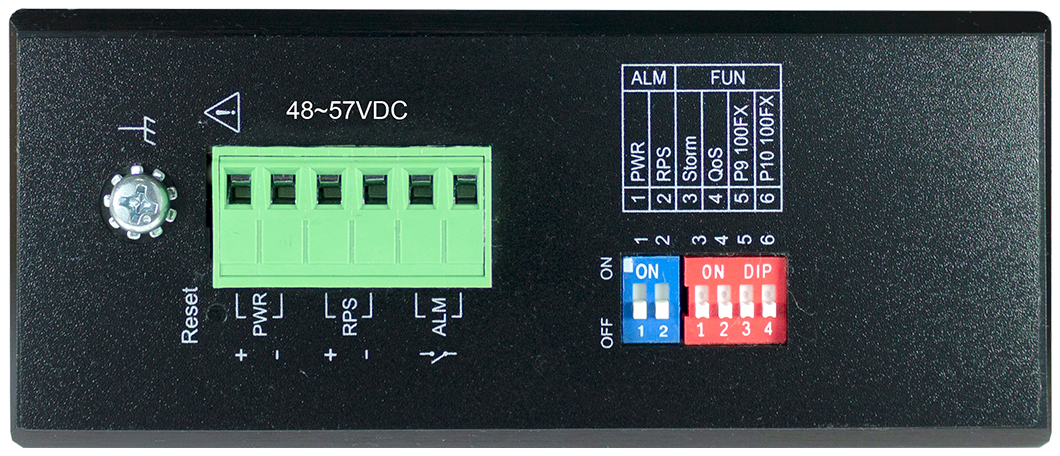
Install in a suitable cabinet or protective enclosure. Provide grounding, free airflow and access to connectors. Neither IP30 nor IP40 provides protection against water. Wire with power disconnected and follow the installation guide.
Package contents
The standard set contains the switch and mounting accessories for the selected version. Power supply, fibre modules and data cabling are selected separately. We will confirm the complete delivery contents in the quotation.
Downloads
Original VOLKTEK documentation in English. Files are also available in the Downloads tab.
VOLKTEK videos
Official VOLKTEK video about the technology or product range. The video is in English; see the table and documents above for exact model specifications.
Frequently asked questions
Does this switch support management?
Unmanaged. The device operates without web management or a switch IP address setting. Once power and Ethernet cables are connected, it interconnects the end devices. Set PLC, HMI and other device addresses on those devices.
Which power supply do I need?
48-57 V DC. Two power inputs allow connection of primary and redundant supplies. A separate backed-up supply is needed to bridge simultaneous failure of both sources. Follow input voltage, polarity and specified wiring. Select the supply for switch consumption, endpoint power and operating reserve.
What do the DIP switches configure?
Enable or disable PWR / RPS input monitoring. Limit broadcast traffic with Storm Control. QoS priority for ports 1 and 2. Select fibre port speed: 100 Mbit/s or 1 Gbit/s. Set switch positions according to device labels and the supplied installation guide.
How do I select the right optics?
2× SFP / 100M / 1G. Select the SFP module separately. It must match the slot speed, fibre type, connector, wavelength and remote device. Reach depends on the selected optics and link attenuation.
What power does it supply to endpoints?
8× PoE+ / IEEE 802.3af / 802.3at. Maximum port power: 30 W PSE. Power budget: 240W. Per-port PSE limits and the shared power budget apply together. Ports cannot all receive their maximum allocation if the total exceeds the switch budget. Cable losses also reduce power available to the PD.
Will you check model suitability and availability?
We supply new original VOLKTEK products with warranty. We help select the switch, supply, optics and accessories. Before ordering, we check price, current stock availability and delivery time.
Why buy from FOXON
We are a VOLKTEK distributor. We supply new original products with warranty and technical support.
New products with warranty
New original product with warranty. Availability and delivery time confirmed on enquiry.
Technical support
We advise on interfaces, optics, power and accessories for your application.
Availability and delivery
We will check current availability, price and possible delivery time before ordering.
Pre-purchase consultation
We will review endpoints, ports and power, then confirm price, current availability and delivery time for a new product.
Enquiry and technical consultation
Send the quantity, connected devices, power supply, cable type and link distance. We will help select a suitable version and prepare a quotation.
We will select a switch for your network
We will review endpoints, ports and power, then confirm price, current availability and delivery time for a new product.
Technical specifications
| Order code | VOLKTEK IEN-8428P |
|---|---|
| Management | Unmanaged |
| Data interface | 8× RJ45 / 10/100/1000 Mbit/s |
| Optical interface | 2× SFP / 100M / 1G |
| Power supply | 48-57 V DC |
| Power consumption | 10 W |
| Network power standard | IEEE 802.3af / 802.3at |
| PoE port count | 8 |
| Maximum port power | 30 W PSE |
| Power budget | 240W |
| Relay alarm | 1 A / 24 V DC |
| DIP | Enable or disable PWR / RPS input monitoring. Limit broadcast traffic with Storm Control. QoS priority for ports 1 and 2. Select fibre port speed: 100 Mbit/s or 1 Gbit/s. |
| Protection rating | IP30 |
| Mounting | DIN rail |
| Operating temperature | -40…+75 °C |
| Weight | 950 g |
Endpoint power supply
8× PoE+ / IEEE 802.3af / 802.3at. Maximum port power: 30 W PSE. Power budget: 240W. Per-port PSE limits and the shared power budget apply together. Ports cannot all receive their maximum allocation if the total exceeds the switch budget. Cable losses also reduce power available to the PD.
DIP switch configuration
Enable or disable PWR / RPS input monitoring. Limit broadcast traffic with Storm Control. QoS priority for ports 1 and 2. Select fibre port speed: 100 Mbit/s or 1 Gbit/s.
Set switch positions according to device labels and the supplied installation guide.
Frequently asked questions
Does this switch support management?
Unmanaged. The device operates without web management or a switch IP address setting. Once power and Ethernet cables are connected, it interconnects the end devices. Set PLC, HMI and other device addresses on those devices.
Which power supply do I need?
48-57 V DC. Two power inputs allow connection of primary and redundant supplies. A separate backed-up supply is needed to bridge simultaneous failure of both sources. Follow input voltage, polarity and specified wiring. Select the supply for switch consumption, endpoint power and operating reserve.
What do the DIP switches configure?
Enable or disable PWR / RPS input monitoring. Limit broadcast traffic with Storm Control. QoS priority for ports 1 and 2. Select fibre port speed: 100 Mbit/s or 1 Gbit/s. Set switch positions according to device labels and the supplied installation guide.
How do I select the right optics?
2× SFP / 100M / 1G. Select the SFP module separately. It must match the slot speed, fibre type, connector, wavelength and remote device. Reach depends on the selected optics and link attenuation.
What power does it supply to endpoints?
8× PoE+ / IEEE 802.3af / 802.3at. Maximum port power: 30 W PSE. Power budget: 240W. Per-port PSE limits and the shared power budget apply together. Ports cannot all receive their maximum allocation if the total exceeds the switch budget. Cable losses also reduce power available to the PD.
Will you check model suitability and availability?
We supply new original VOLKTEK products with warranty. We help select the switch, supply, optics and accessories. Before ordering, we check price, current stock availability and delivery time.