

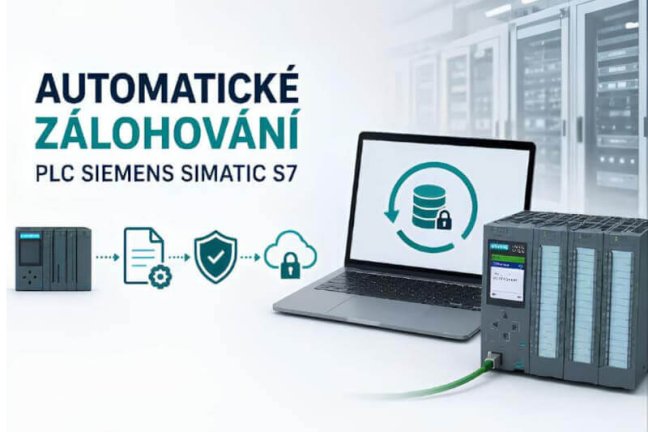
PLC Auto Backup - automatic backup of PLCs, robots, PCs and industrial devices
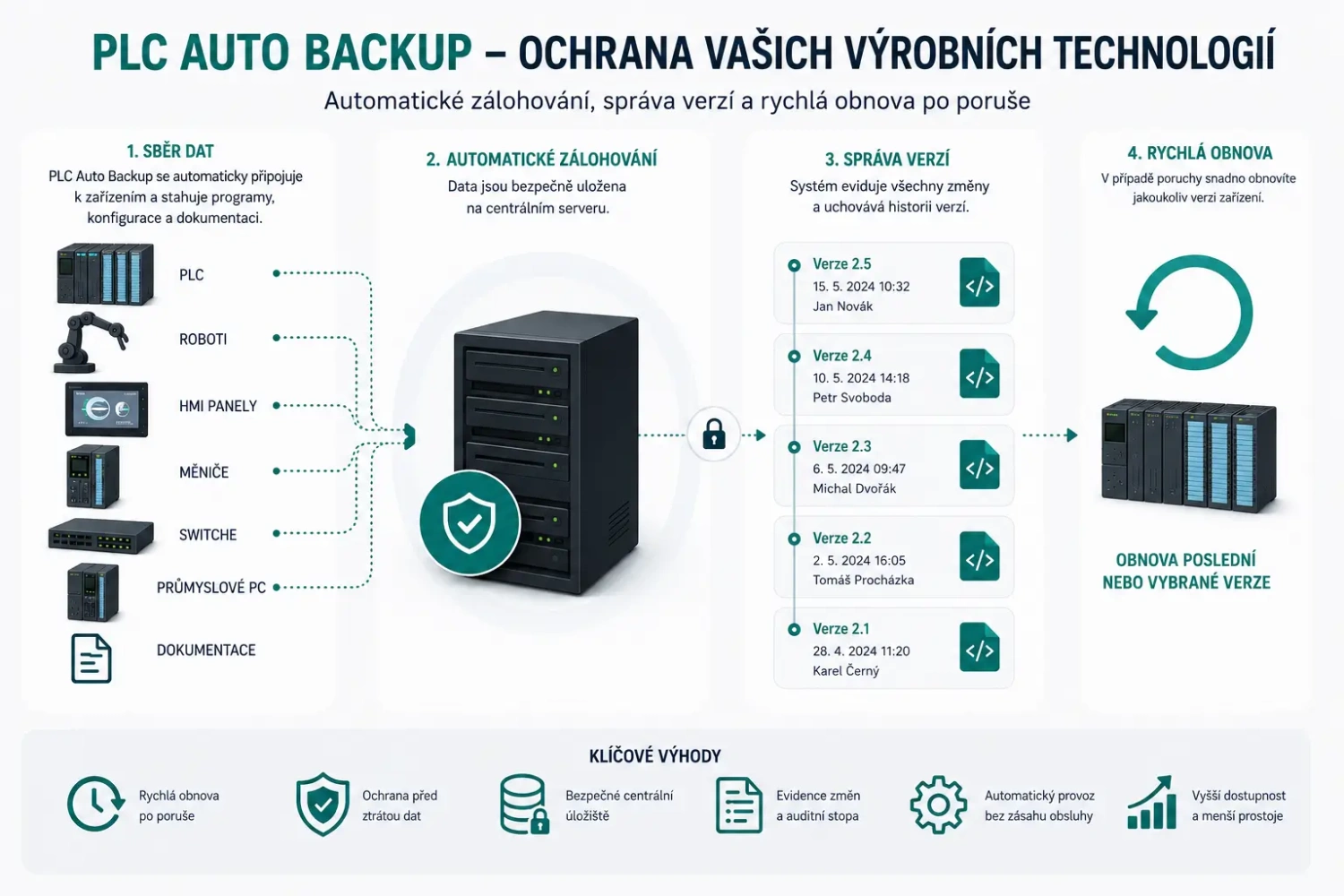
PLC Auto Backup automatically backs up programs, configurations, and documentation for manufacturing technologies. It tracks changes, maintains version history, and enables rapid recovery after a failure or cyber incident. Protect your manufacturing technologies from data loss and automatically back up programs for PLC control systems, robots, HMI panels, drives, computers, and other industrial devices from manufacturers such as SIEMENS, Rockwell, Schneider, FANUC, KUKA, ABB, and others. More
Code: PLC-backup
Keep up-to-date backups of your PLCs, robots, and other devices before you need them
The PLC Backup System automatically and repeatedly backs up programs, configurations, and production technology data. It maintains a version history in one place, verifies the success of backups, and, for supported devices, compares the actual status on the production floor with the approved version.
When a PLC, HMI panel, robot, or industrial computer fails, maintenance staff do not need to search for projects on service laptops, network drives, or USB drives. They can quickly locate the latest verified backup and begin the recovery process.
- Regular automatic backups
- central version management
- Notices Regarding Changes and Errors
- Faster resumption of production
Not just file copies, but controlled protection of production programs
A standard network backup typically saves only files that someone has already manually uploaded to the server. However, it does not verify whether the same program is actually loaded onto the PLC or robot. The PLC Backup System integrates automatic device backup, project management, and change control into a single repeatable process.
Scheduled automatic backups
Backup jobs run at scheduled times or intervals. The result of each job is logged, and in the event of an error, the system can notify the person in charge.
Comparison with the actual situation
For supported devices, the system compares the online status with a saved project or a new backup with a previous version. It identifies differences in the program, parameters, or configuration.
Versions, Revisions, and Approval
Projects can be released, returned, and approved in a controlled manner. The history retains individual versions, comments, and user actions, making it easier to trace the reason for a change.
Rapid Recovery After a Failure
After replacing a damaged device, a traceable, verified version of the program or configuration is available. Recovery is faster and less dependent on a specific technician.
Backups of industrial PCs
Depending on the selected modules, you can also create full, incremental, or differential images of industrial computers and prepare them for a full system restore.
Documentation and Audit Materials
Documentation can also be stored centrally for projects. The history of backups, changes, and access provides traceable records for internal policies, audits, and cyber risk management.
How Automatic Backups Work
The method for obtaining a backup varies depending on the specific device. The system can use the manufacturer’s original programming software, read data directly from the device, import a configuration file, or create an image of the computer’s hard drive.
- Connect the deviceWe will verify the type, version, network availability, and required programming software.
- Set up the jobWe will determine the scope of the backup, the frequency, the storage location, and the responsible users.
- The system is backing upIt automatically loads a program, configuration, or system image at a specified time.
- The result will be checkedIt records success, compares available versions, and reports any differences or errors.
- The backup is readyThe latest verified version can be quickly located and used during restoration.
Důležité: The options for automatic loading, detailed comparison, and direct restoration vary by manufacturer, model, firmware version, and available programming environment. Therefore, we always verify compatibility based on your list of devices before making a proposal.
Supported Devices and Programming Environments
PLC Backup System is not limited to a single manufacturer. Within a single environment, you can automatically back up and manage devices from different brands, production lines, and plants. We currently support the following systems and data formats:
- AEG A250 and A500
- WAGO e!COCKPIT
- Bosch Rexroth IndraLogic L
- Bosch Rexroth Indramat CLM and DDS
- Mitsubishi MELSOFT GX Works
- Phoenix Contact PC Worx and PC Worx Safety
- Pilz PSS3032, PSSPG, Pilz Safety, and Pilz WinPro
- Rockwell Automation RSLogix 5000
- Schneider Electric EcoStruxure Control Expert
- Schneider Electric Unity, Machine Expert, and SoMachine
- Siemens SIMATIC S7, S7 Multiprojekt, and TIA Portal
- Beckhoff TwinCAT
- TSwin
- ABB IRC5
- Adept
- FANUC Robot
- KUKA KRC, KRC2, and KRC4
- Mitsubishi MELFA
- Yaskawa Motoman DX200 and NX100
- Stäubli CS8 and CS9
- Danfoss
- Bosch Rexroth Indramat Drivetop / EcoDrive
- SEW-EURODRIVE MotionStudio
- Rockwell Automation PowerFlex Drives
- Rockwell Automation RSView ME
- Rockwell Automation RSView SE
- Advantech EKI Switch
- Phoenix Contact FL Switch and mGuard
- Hirschmann
- Siemens SCALANCE
- Rockwell Automation Stratix
- Cisco Catalyst
- Omron CX-Switch
- HPE ProCurve
- Drive Snapshot
- Acronis
A full system backup may include the operating system, applications, drivers, licenses, and settings.
- Kistler DMF-P
- Cognex In-Sight
- Kistler maXYmos
- SICK PLS
- PowerMACS 4000
- ASCII, CSV, JSON, XML, and Windows INI
- Microsoft Excel, Word, and PowerPoint
- PDF and EPLAN P8 Exports to PDF
- Other project and documentation files
Do you have older or less common devices? The list of supported devices is constantly expanding. Please send us the manufacturer, exact model, firmware version, or programming software version, and your preferred backup method. We will verify the available features and suggest an appropriate procedure.
What Maintenance, OT Security, and Plant Management Gain
A unified backup system helps with daily maintenance, unexpected failures, and proving that backup processes are actually being performed.
- Faster rollback to the last known working version
- an overview of which backups were successful and which failed
- Notifications of detected discrepancies and error conditions
- Fewer manual backups and less reliance on technicians’ memory
- Centralized organization of projects and documentation
- Controlled access for both internal and external employees
- A standardized process across production lines and plants
- Traceable records for auditing and internal control
- Protection of know-how stored in production equipment
- lower risk of prolonged downtime following a failure or incident

Manual Backup vs. PLC Backup System
| Oblast | Manual Backup | PLC Backup System |
|---|---|---|
| Pravidelnost | It depends on the person, the time involved, and adherence to internal procedures. | Backups run automatically according to the configured schedule. |
| Aktuálnost | It is unclear whether the saved project corresponds to the program on the device. | For supported devices, you can compare the saved status with the actual status. |
| Backup error | This is often not discovered until a recovery is needed. | The result of the task is recorded, and errors can be reported automatically. |
| Change History | More files with unclear names, dates, and origins. | Controlled versions, revisions, comments, comparisons, and user history. |
| Obnova | Searching for the right project in multiple locations. | The most recent verified backup can be located centrally. |
How is the deployment carried out at your plant?
You can start with a pilot project on a single production line or a selected set of critical devices. Once functionality has been verified, the solution will be expanded to other technologies and locations.
1. Analysis of Equipment and Requirements
We will review the list of devices, their availability on the OT network, the programming tools used, current backups, and recovery requirements.
2. Architecture and Pilot Proposal
We will design the necessary modules, determine the location of the server and backup agents, define user permissions, set backup intervals, and establish the initial pilot scope.
3. Installation and Connection of Devices
We will install the system, configure the storage, and connect the selected PLCs, robots, computers, or other supported devices.
4. Backup and Restore Verification
We will check the success of backup jobs and work with you to verify the process for locating and restoring the selected version.
5. Training and Documentation
We will train both administrators and users and establish guidelines for working with versions, changes, alerts, and recovery.
6. Extensions and Support
Following the pilot, the system can be gradually expanded to other production lines, manufacturing facilities, or plants, and the backup of the entire OT infrastructure can be standardized.
Frequently Asked Questions
Do we have to halt production for the backup?
For many devices, backups can be performed during operation and scheduled outside of peak hours. However, the specific procedure depends on the type of device, the communication method, and the manufacturer’s recommendations. We will verify this during the design phase.
Will the system detect a program change directly in the PLC?
For supported devices, yes. The system performs an online/offline comparison or compares a new backup with a previous one. It can thus alert you to any detected differences. The scope of the comparison may include program code, parameters, or hardware configuration and varies depending on the specific technology.
Will we continue to work in TIA Portal, Studio 5000, or other original software?
Yes. Technicians continue to use familiar programming tools. The PLC Backup System provides a centralized process for backup, versioning, comparison, and record-keeping.
Can you take over our existing projects and documentation?
Yes. Existing projects, schematics, manuals, and other files can be organized in a central repository and gradually assigned to individual production lines and devices.
Where is the data stored?
We will design the architecture according to your security and operational policies. The solution can be operated on your facility’s own infrastructure; depending on your requirements, we can also set up a centralized or hybrid configuration for multiple locations.
Will the deployment of the PLC Backup System meet cybersecurity requirements?
Automatic backups, access control, change tracking, and a verified recovery procedure are an important part of OT security. However, the software itself does not replace a comprehensive risk analysis, network segmentation, access control, or other organizational and technical measures.
Is it possible to start with just a few devices?
Yes. We recommend first selecting critical PLCs, robots, or computers on a single line, verifying backup and recovery, and then expanding the system.
Why buy a licence from FOXON
New licences from a distributor
We are a distributor of PLC Backup software. We supply new licences for the intended use and project scope.
Licence delivery and availability
Before you order, we confirm the licence terms, price, delivery method and when the licence will be made available.
Licence selection and technical advice
We help identify the licences and modules required for your devices, data sources and intended functions.
Solution design and commissioning
We discuss the solution design and agree on the scope of installation, configuration, functional testing and training.
The scope and price of support, updates and implementation are specified in the quotation for the particular licence and project.
Send a list of devices, the programming tools used and the required backup frequency. We discuss licences, architecture and a pilot deployment.
Enquire about a licence and consultationLet’s start by checking your critical devices
Please send us a basic overview of the technologies you need to back up. We will verify compatibility and propose an appropriate scope for a pilot project.
- manufacturer and model of the PLC, HMI, robot, or other device,
- the programming software used and its version,
- approximate number of devices and production sites,
- Current backup method and desired destination.
Or write to us at poptavka@foxon.cz
or call +420 724 029 767.
Highlighted items are mandatory.