



ACKSYS AirXroad – Rugged Industrial WiFi Access Point and Client IP66

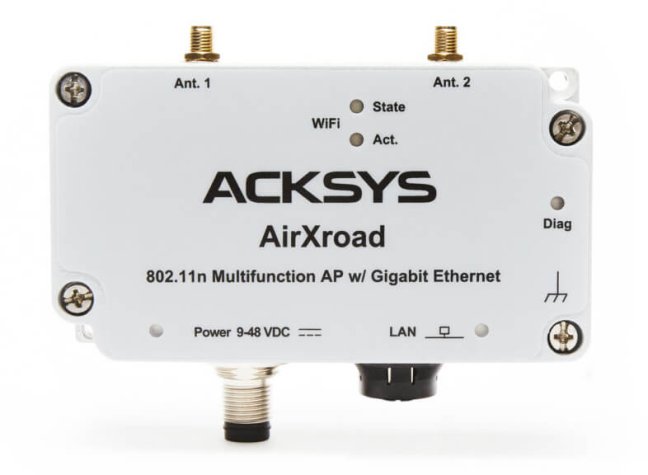
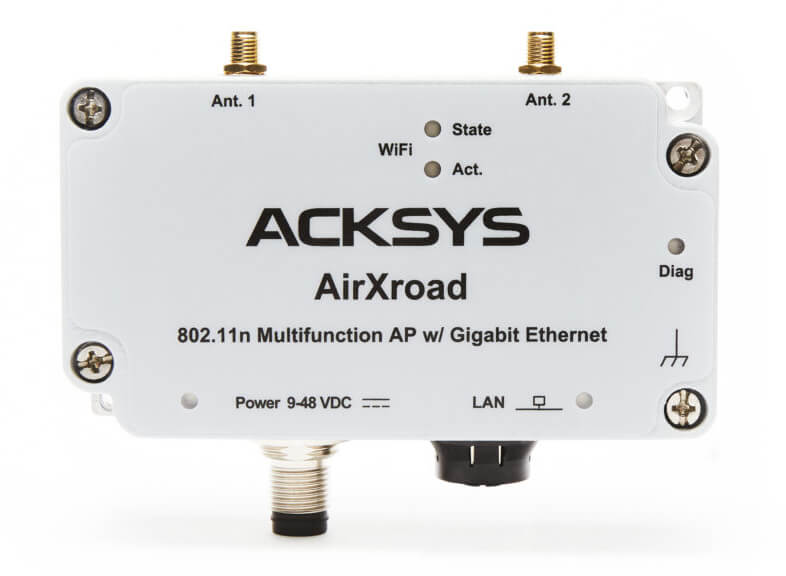
ACKSYS AirXroad is a rugged industrial Wi-Fi access point, client, repeater, mesh node and router for AGVs, forklift trucks, cranes, vehicles, mobile machinery and outdoor installations. It offers 802.11n MIMO 2T2R Wi-Fi in the 2.4 or 5 GHz bands at up to 300 Mbit/s, Fast Roaming under 30 ms, Gigabit Ethernet M12 X-coded, IP66 protection and 9-48 VDC or PoE power supply. More
Code: AirXroad
ACKSYS AirXroad - rugged industrial Wi-Fi for vehicles and mobile machinery
ACKSYS AirXroad is a compact industrial Wi-Fi access point, client, repeater, mesh node and router Designed for applications where standard office Wi-Fi is insufficient. It is intended primarily for vehicles, mobile equipment, material-handling machinery, logistics and demanding outdoor industrial environments.
Robust design IP66, M12 industrial connectors, operation from - 40 to +70 °C Fast Roaming with a response time of under 30ms enables AirXroad to be used on devices that move between several Wi-Fi access points whilst in operation.
Selecting devices and accessories
Please send us a description of the application, the number of devices and your communication requirements. We will recommend suitable models and accessories.
Fast Roaming for mobile devices
In WiFi client mode, AirXroad supports fast roaming between access points with a handover time of under 30ms. It is therefore suitable, for example, for AGVs, forklift trucks, cranes and other mobile technologies.
IP 66 for demanding environments
The robust aluminium construction protects the device against dust and water jets and is also designed for environments subject to vibrations and mechanical shocks.
Wi-Fi up to 300 Mbit/s
Wi-Fi 802.11a/b/g/n with MIMO 2T2R provides a radio speed of up to 300 Mbit/s. Depending on the configuration, a single radio can operate in the 2.4 or 5 GHz band.
Gigabit Ethernet m12
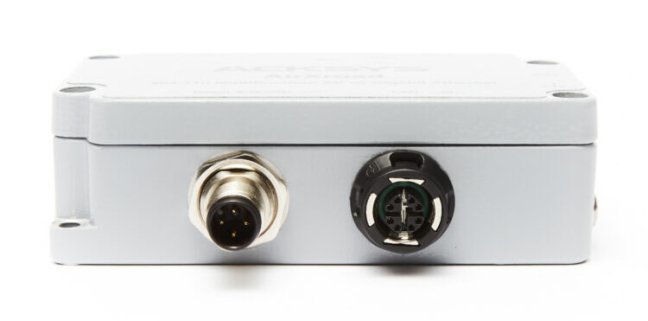
Network connectivity is provided by Gigabit Ethernet 10/100/1000 Mbit/s with a robust 8-pin M12 X-coded connector suitable for industrial and mobile machinery.
Usage
AirXroad is particularly useful in situations where industrial communication, equipment movement, vibrations, outdoor environments or significant temperature variations are combined.
Fast Roaming < 30ms
For AGVs, forklift trucks, cranes and other mobile equipment.
Whilst moving through a production or logistics hall, a mobile machine may gradually come within range of various Wi-Fi access points. AirXroad, in client mode, supports multichannel Fast Roaming, which reduces the transition time between individual access points.
The manufacturer specifies roaming with a transition time shorter than 30ms. This is an important feature, particularly in applications where the network connection must remain available even whilst the machine is in motion.
Wi-Fi 802.11n MIMO 2T2R - 2.4 or 5 GHz
AirXroad contains a single Wi-Fi radio IEEE 802.11a/b/g/n with technology MIMO 2T2R. Multiple data streams help to increase throughput, range and the reliability of the radio connection.
The radio can be configured for 2.4 or 5 GHz. The maximum radio speed of the 802.11n standard reaches 300 Mbit/s. DFS and TPC functions are also supported for the 5 GHz band.
One device for multiple Wi-Fi topologies
AirXroad is not intended solely as an access point. Depending on the specific application, it can be used to connect an Ethernet device to Wi-Fi, extend a wireless infrastructure or create a wireless Ethernet connection.
- Wi-Fi Access Point
- Wi-Fi client
- Fast Roaming in client mode
- Mesh IEEE 802.11s
- Ethernet bridge and repeater
- VLAN and STP/RSTP
- DHCP server and client
- static routing
- NAT router
- VRRP for IP redundancy
- multicast
Industrial M12-connectors for Ethernet and power supply
Gigabit Ethernet m12, X-coded
AirXroad offers one port 10/100/1000 Base-T with an 8-pin M12 X-coded connector, Auto MDI/MDIX and automatic speed detection.
9-48 VDC or PoE
The device can be powered via 4-pin M12 A-coded connector in the range of 9-48 VDC or via PoE IEEE 802.3af.
Robust design for vehicles and outdoor industrial use
AirXroad is designed for applications with significantly more demanding conditions than standard Wi-Fi devices. Its metal housing, sealed industrial connectors and wide temperature range allow it to be used directly on machinery or vehicles.
ECE R10 for installation in road vehicles
AirXroad is type-approved E-mark ECE R10, i.e. EMC certification intended for electronic equipment installed in vehicles.
It is therefore suitable, for example, for installation in lorries, buses, forklift trucks, tractors and other mobile machinery.
Industrial Wi-Fi security
AirXroad offers security features for wireless communication, network services and remote management. The current WaveOS platform also takes cyber security requirements into account EN 18031.
- WPA / WPA2: Personal and Enterprise
- IEEE 802.1X / RADIUS
- firewall and protection against DoS attacks
- HTTPS
- MAC filtering
- OpenVPN
- GRE l2-tunnel
- SNMPv3
- EN 18031
WaveOS & WaveManager
AirXroad uses the operating system ACKSYS WaveOS. Configuration and diagnostics can be carried out via the web interface, HTTPS or SNMP.
For larger Wi-Fi installations, the following can be used ACKSYS WaveManager for the central configuration, monitoring and management of ACKSYS devices.
Do you need to connect two remote Ethernet points? Two AirXroad units can also be used to create an outdoor Point-to-Point Wi-Fi Bridge. However, a single AirXroad is a versatile device and can also be used as an access point, Wi-Fi client, mesh node, repeater or router.
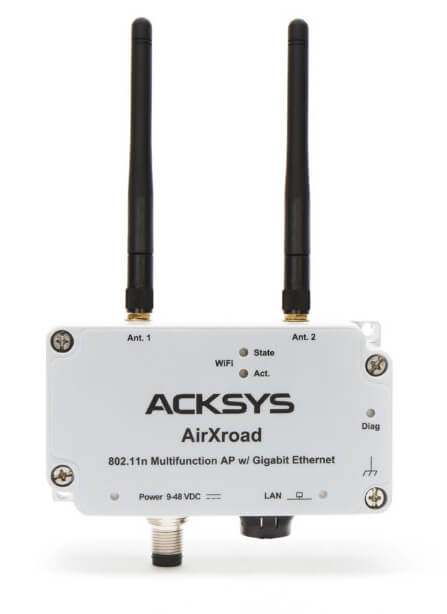
Packaging: AirXroad is supplied without Wi-Fi antennas, an Ethernet cable or a power cable. Suitable antennas and cabling can be selected according to the specific application, method of installation and required coverage.
Contents of the package
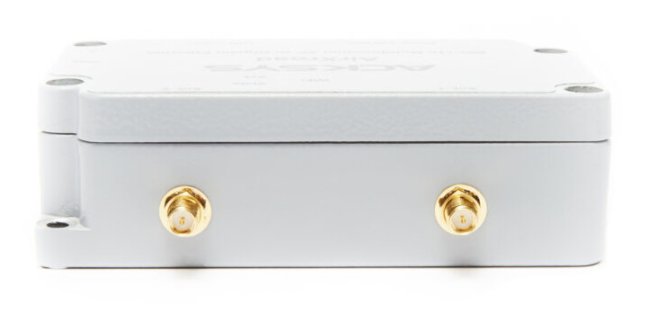
AirXroad is supplied without an Ethernet cable, power cable or Wi-Fi antennas. For installation, select the appropriate cabling and two antennas with RP-SMA connectors based on the device’s location and the required radio link.
WaveOS and centralised management
Configuration and diagnostics are carried out via the interface supported by the specific model. WaveManager is available as an on-premises or cloud solution; the licence, number of managed devices and required features are selected according to the installation. Before updating the firmware, save the configuration and verify compatibility. The EN 18031 security updates remove weak encryption and authentication methods; it is therefore necessary to check the network settings in advance.
Design guidelines
For a fixed link, provide the distance, obstacles, required throughput and antenna locations. For AGVs and mobile machinery, include the route, existing access points and required response time. For a mobile router, please specify the network operator, the bands used, the power supply and any GNSS requirements.
Selection and technical consultation at FOXON
We can help you select the model, power supply, antennas and cabling to suit your specific equipment and environment. When designing a Wi-Fi connection, we need to know the distance, any obstacles, the movement of devices and the application requirements. We will confirm current availability and the delivery date in our quotation.
Frequently Asked Questions
Actual data transfer rate
The radio speed specified for Wi-Fi does not represent the actual application throughput. The result is affected by interference, channel width, antennas, distance, obstacles and traffic from other devices. Please provide the required throughput and a description of the environment for a proposal.
Transmission of industrial protocols
WiFi devices transmit Ethernet communication. They do not replace a PLC or a protocol converter. For PROFINET, EtherNet/IP and other time-sensitive applications, it is necessary to verify the topology, cycle time and behaviour during roaming.
Antennas and cables
Connector types and the number of antennas vary by model. Before ordering, please check the full router model number, Ethernet ports, power supply and installation requirements. The contents of the package are listed separately.
Documentation and related materials
Technical documents are in the language specified. A Czech or other translated file name does not imply that the PDF itself has been translated.
- AirXroad - EN catalogue sheet
- AirXroad - Hardware Manual EN
- WaveOS - User Manual EN, Rev. A.19
- WaveManager 4 - User Manual EN, version 4.6.0.1
- WaveManager On Premise - Feature Overview EN, Rev. A1
- WaveManager Cloud - Feature Overview EN, rev. A1
Further documentation and current manufacturer’s materials from ACKSYS
Archived documentation
Older documentation is intended for the corresponding generation of devices and firmware. Do not use it to determine the specifications of the current version.
- Archive - a64ed91e109832-howto-change-basic-parameters-with-cli-commands-apnus030.pdf - application guide EN
- Archive - w64ed91e18c0a7-howto-backuprestore-conf-files-apnus029.pdf - user guide EN
- Archive - s64ed91e2ab086-appnote-rogueap-detection-apnus027.pdf - application note EN
- Archive - g64ed91e339b7a-howto-ipv6-slaac-ra-server-apnus025.pdf - application guide EN
- Archive - p64ed91e3c3363-appnote-gre-tunnel-over-wifi-apnus018.pdf - application note EN
- Archive - k64ed91db2c74c-appnote-openvpn-tunnel-apnus015.pdf - application note EN
- Archive - u64ed91da99182-appnote-nat-configuration-example-apnus013.pdf - application note EN
- WaveOS - archived user manual EN
- WaveOS - archived user manual EN
- 464edb47274fe6-airxroad-dtfrus061.pdf - archived hardware documentation
- Archive - x64edb471dc661-acksys-airxroad-us.pdf - User Guide EN
Quotation for a specific installation
Please send us a description of the application, the number of devices and your communication requirements. We will recommend suitable models and accessories.
Technical specifications
| Ethernet | 1× Gigabit Ethernet 10/100/1000 Base TX with auto-negotiation, auto MDI/MDIX, 8-pin M12 connector with X-coding |
|---|---|
| Wi-Fi | 1 IEEE 802.11a/b/g/n radio module, MIMO 2T2R, 2.4 / 5 GHz |
| Operating modes | Access point, client, MESH (IEEE 802.11s), infrastructure, fast roaming (less than 30 ms), WMM QoS |
| Administration | HTTP, HTTPS, SNMP agent (V1, V2C, V3), ACKSYS WaveManager administration software |
| Security | Firewall, DoS, HTTPS, MAC address filtering, WPA/WPA2-Personal & Enterprise (IEEE 802.1X/RADIUS), WEP, L2 tunnels (GRE), VPN (OpenVPN), SNMP V3 |
| Network functions | Frame filtering, bridging, repeater, STP/RSTP, VLAN, DHCP (server and client), DNS forwarding |
| Routing | Multicast (PIM), IP redundancy (VRRP), static routes, NAT router, router |
| Power supply | +9 V DC to +48 V DC, M12 connector, 4-pin, A-coded, 802.3af PoE (15.4 W) |
| Power consumption | IDLE mode: 1.7 W / Maximum average: 5.8 W / Recommended power supply: 7 W |
| Manufacturer’s warranty | 5 years |
Highlighted items are mandatory.
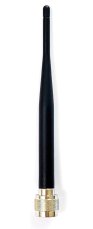
Dual band (2.4 / 5 Ghz) 2 dBi omni-directional antenna
20,57 EUR Incl. VAT
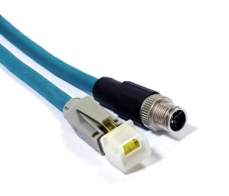
M12 X-coded / RJ45 Ethernet cable, 10 Gb/s, 10 m
232,32 EUR Incl. VAT
M12 X-coded / RJ45 Ethernet cable, 10 Gb/s, 5 m
175,45 EUR Incl. VAT
M12 X-coded / RJ45 Ethernet cable, 10 Gb/s, 2 m
135,52 EUR Incl. VAT
Accessories4
Dual band (2.4 / 5 Ghz) 2 dBi omni-directional antenna
20,57 EUR Incl. VAT
M12 X-coded / RJ45 Ethernet cable, 10 Gb/s, 10 m
232,32 EUR Incl. VAT
M12 X-coded / RJ45 Ethernet cable, 10 Gb/s, 5 m
175,45 EUR Incl. VAT
M12 X-coded / RJ45 Ethernet cable, 10 Gb/s, 2 m
135,52 EUR Incl. VAT